
1. Úvod
This manual provides detailed instructions for the VILTROX DC-X3 6-inch 4K Touchscreen HDMI/SDI IPS DSLR Camera Field Monitor. Please read this manual thoroughly before using the product to ensure proper operation and to maximize its performance and lifespan. Keep this manual for future reference.
2. Nastavení
2.1 Obsah balení
Ověřte, zda jsou v balení přítomny všechny položky:
- VILTROX DC-X3 Monitor (1 unit)
- Tvrdé pouzdro
- Custom pan-tilt head
- Baterie NP-F550
- Quick-detach sunshade
- Custom screen protector
- HDMI kabel
- Mini HDMI kabel
- Electronic manual (this document)
- Záruční list
- USB-C napájecí kabel

Image: VILTROX DC-X3 Monitor and its comprehensive set of accessories, including cables, battery, and sunshade.
2.2 Napájení monitoru
The DC-X3 monitor supports multiple power supply options:
- NP-F Series Lithium Batteries: Insert a compatible NP-F series battery into the battery slot on the rear of the monitor.
- DC IN 12-18V/2A: Connect the provided DC power adapter to the DC IN port.
- Type-C (≥9V/3A): Use a compatible USB-C power cable and power source (e.g., power bank) to the Type-C port.
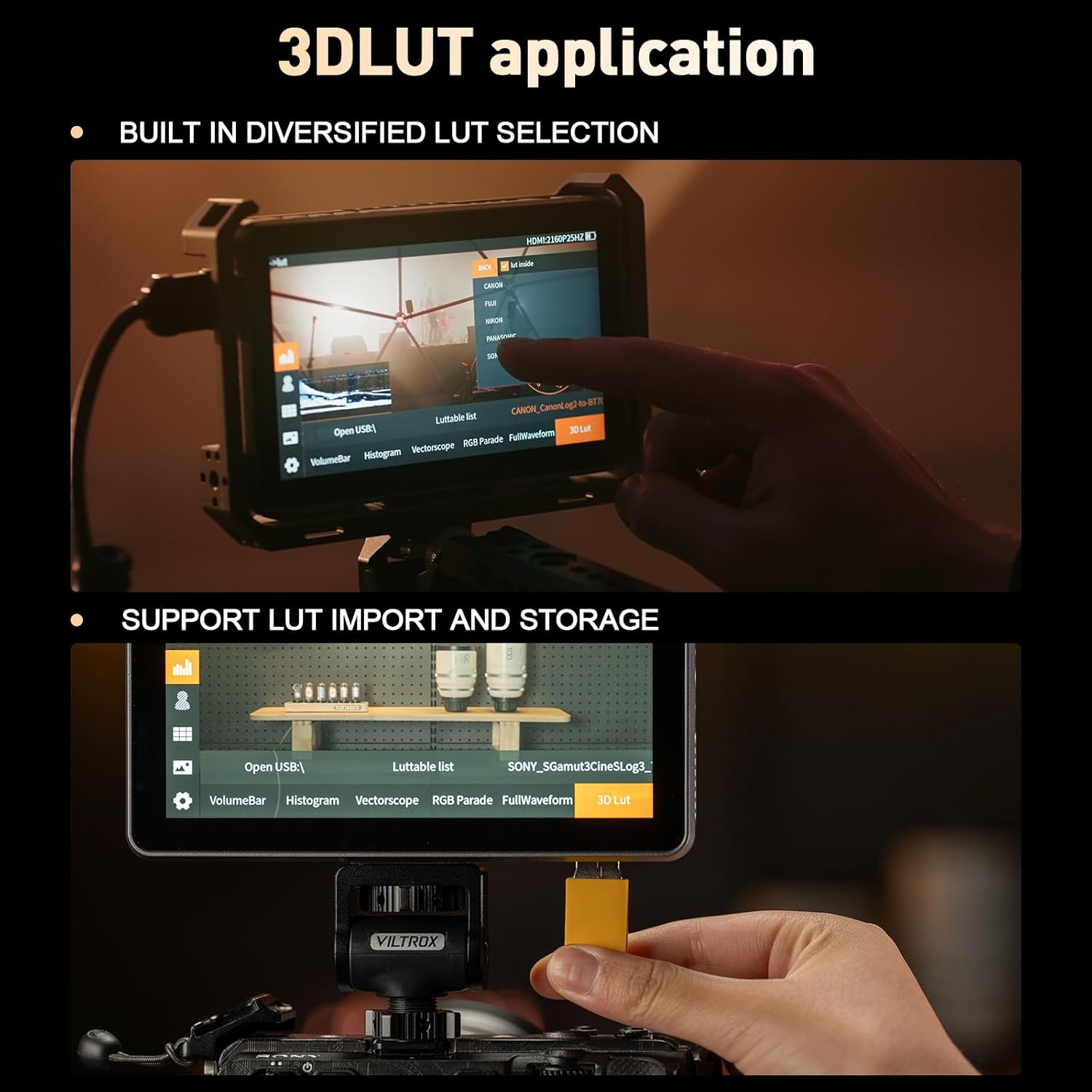
Image: Illustration of the various power input options for the VILTROX DC-X3 monitor, including Type-C, DC IN, and NP-F battery slot.
2.3 Připojení k fotoaparátu
Connect your camera to the monitor using either the HDMI or SDI input ports. The monitor supports up to 4K 30Hz input/loop-through for high-definition transmission.
- Připojení HDMI: Use the provided HDMI or Mini HDMI cable to connect your camera's HDMI output to the monitor's HDMI IN port.
- SDI Connection (DC-X3 only): Connect your camera's SDI output to the monitor's SDI IN port using an SDI cable.
2.4 Připevnění sluneční clony
The quick-detach sunshade hood can be easily attached to the monitor to reduce glare in bright outdoor conditions. Simply align the sunshade with the monitor's frame and press to secure it. To remove, gently pull it off. When closed, the sunshade provides protection for the screen.
2.5 Montáž monitoru
Attach the custom pan-tilt head to the monitor's mounting points and then secure it to your camera rig or hot shoe. Ensure the monitor is securely fastened before use.
Video: This video demonstrates the unboxing and initial setup of the VILTROX DC-X2/X3 monitor, showing how to connect accessories and mount the device.
3. Obsluha monitoru
3.1 Zapnutí/vypnutí
Press and hold the power button located on the side of the monitor to turn it on or off. The monitor will display the VILTROX logo upon startup.
3.2 Rozhraní dotykové obrazovky
The DC-X3 features an intuitive touchscreen interface for easy navigation and setting adjustments. Tap icons to select functions, swipe to navigate menus, and pinch/zoom for certain image analysis tools.
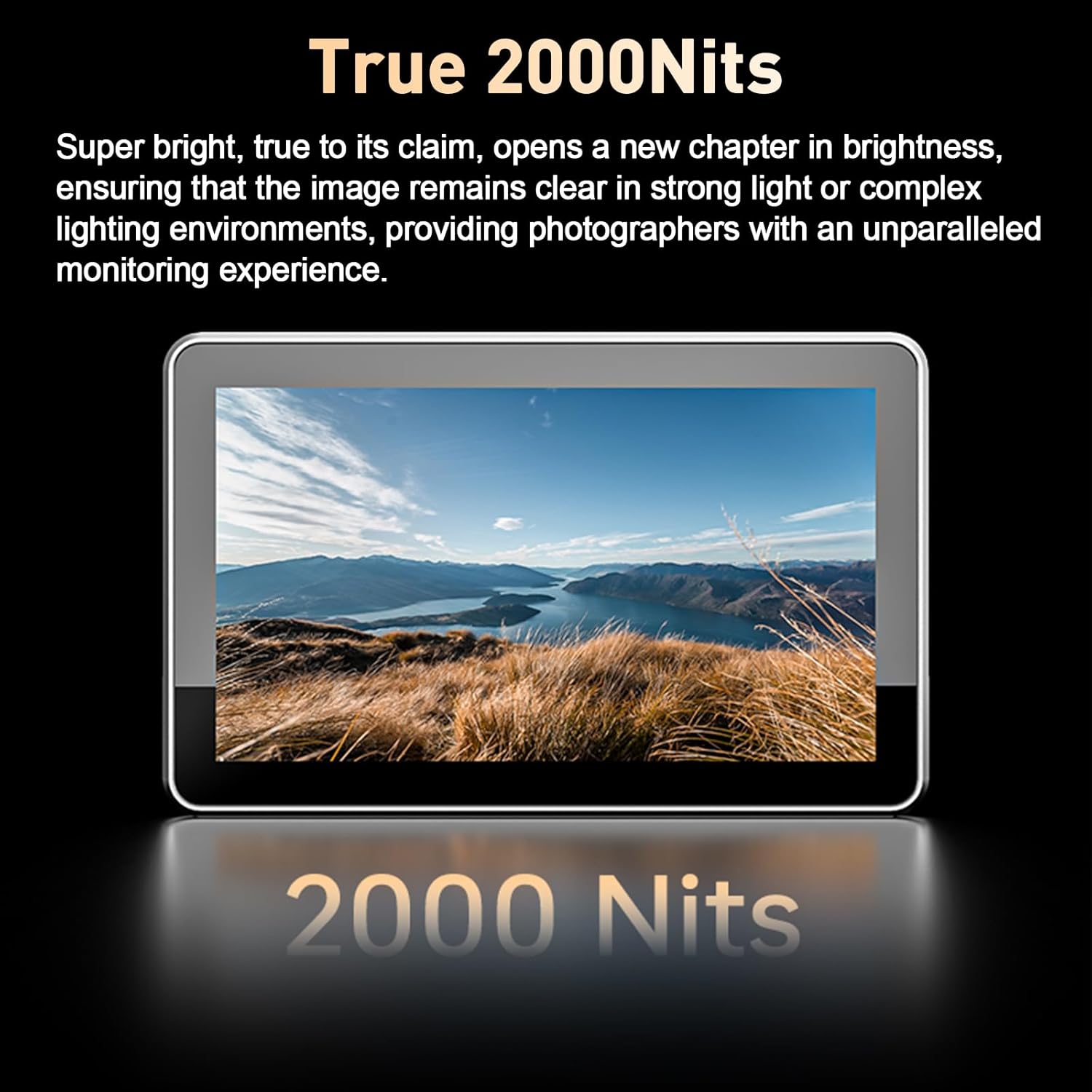
Image: The VILTROX DC-X3 monitor displaying its IPS high-definition screen with key specifications like 1920x1080 resolution and 160° viewúhel.
3.3 Přizpůsobitelné klávesové zkratky
The monitor is equipped with 4 customizable shortcut keys. These keys can be assigned to frequently used functions for quick access, enhancing shooting efficiency. Refer to the on-screen menu for customizing these keys.
3.4 Profesionální monitorovací funkce
The DC-X3 includes a suite of professional monitoring tools:
- Průběh průvodu: Zobrazuje úrovně jasu a chrominance vašeho video signálu.
- Vektorový graf: Shows the color information of your image.
- Histogram jasu: Vizualizuje tonální rozložení vašeho obrázku.
- Pomocné ostření (Focus Peaking): Highlights in-focus areas for precise focusing.
- Zvukový sloupec: Zobrazuje úrovně hlasitosti.
- Převrácení obrázku: Otočí obrázek vodorovně nebo svisle.
- Falešná barva: Helps in evaluating exposure by displaying different exposure levels as distinct colors.
- 3D LUT: Supports importing and storing custom 3D LUTs via a USB-A interface for color grading and monitoring.
- Zebra Crossing: Označuje přeexponované oblasti.
- Monochromatický: Zobrazí obrázek černobíle.
- Zmrazení obrázku: Freezes the current frame.

Image: The VILTROX DC-X3 monitor in use, showcasing various professional monitoring functions such as waveform, histogram, and focus peaking.
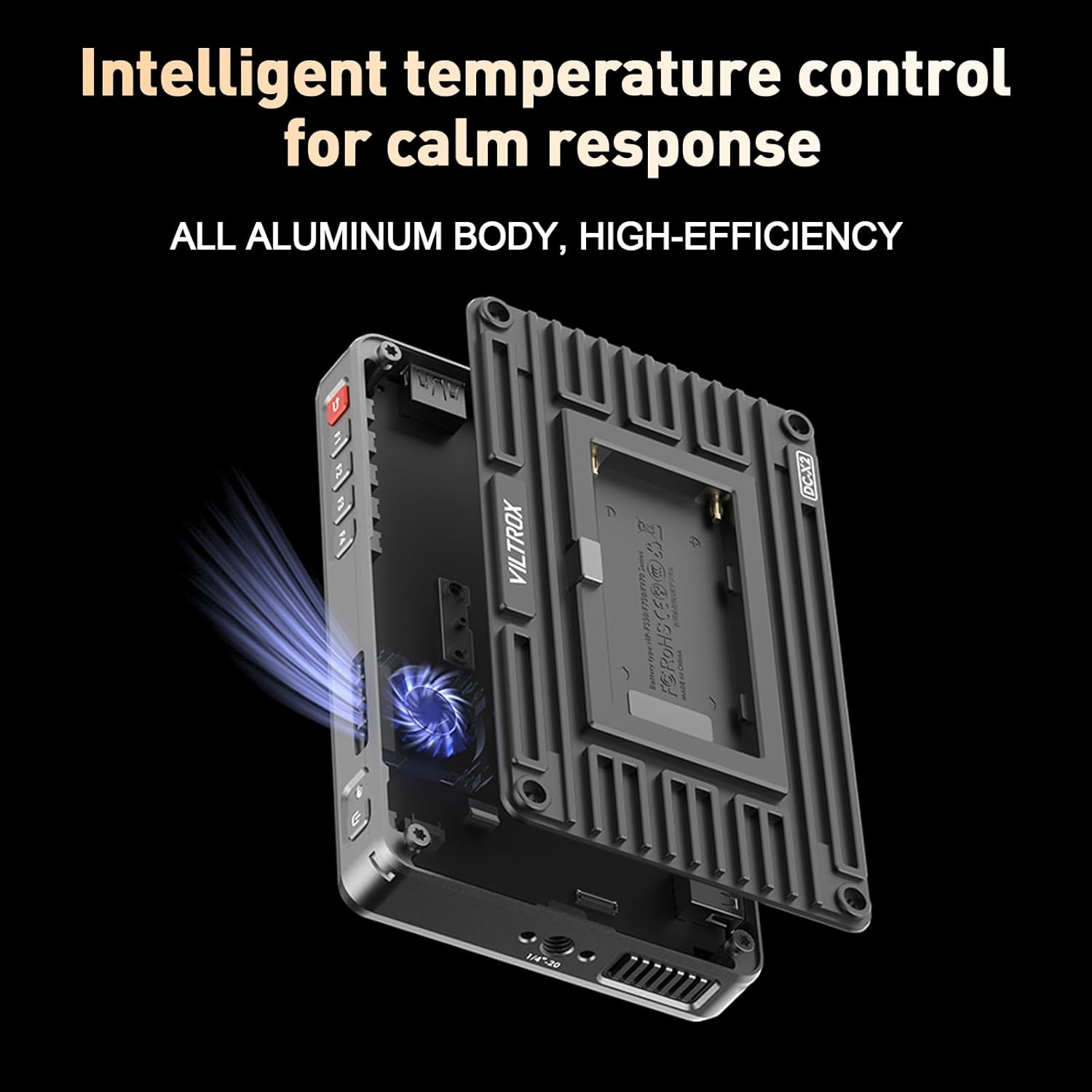
Image: Demonstrates the 3D LUT application on the VILTROX DC-X3, including built-in LUT selection and the process of importing custom LUTs via USB.
4. Údržba
4.1 Čištění monitoru
K čištění obrazovky monitoru použijte měkký hadřík, který nepouští vlákna. V případě odolných šmouh lehceampen the cloth with a screen-cleaning solution. Avoid using harsh chemicals or abrasive materials, which can damage the screen coating. Clean the body of the monitor with a dry, soft cloth.
4.2 Péče o baterii
To prolong battery life, store NP-F series batteries in a cool, dry place when not in use. Avoid fully discharging the battery frequently. If storing for extended periods, charge the battery to approximately 50% capacity.
4.3 Sunshade Protection
When the monitor is not in use, especially during transport, ensure the quick-detach sunshade is closed to protect the screen from scratches and impacts.
5. Řešení problémů
Pokud se s monitorem VILTROX DC-X3 setkáte s problémy, podívejte se na následující běžné problémy a jejich řešení:
| Problém | Možná příčina | Řešení |
|---|---|---|
| Monitor se nezapne. | Low or depleted battery; power cable not connected properly; faulty power source. | Ensure battery is charged or replace with a charged one. Check power cable connections. Try a different power source. |
| Nezobrazuje se žádný signál. | Incorrect input source selected; cable not connected properly; camera output issue. | Verify the correct input (HDMI/SDI) is selected in the monitor settings. Check HDMI/SDI cable connections. Ensure camera is outputting video. |
| Obraz je zkreslený nebo bliká. | Faulty cable; incompatible resolution/frame rate; interference. | Try a different HDMI/SDI cable. Ensure camera output resolution/frame rate is supported by the monitor (up to 4K 30Hz). Move away from strong electromagnetic sources. |
| Dotyková obrazovka nereaguje. | Software glitch; screen protector interference; dirty screen. | Restart the monitor. Ensure screen is clean and dry. If a screen protector is installed, check if it's properly applied or try removing it temporarily. |
| Monitor se přehřívá. | Prolonged use in high ambient temperatures; blocked ventilation. | Ensure ventilation slots are not blocked. Operate in a well-ventilated area. The monitor features intelligent temperature control to manage heat. |
6. Specifikace
Key technical specifications for the VILTROX DC-X3 Camera Field Monitor:
- Velikost displeje: 6 palce
- Typ obrazovky: IPS dotykový displej
- Rezoluce: 1920 × 1080 (FHD 1080p)
- Jas obrázku: 2000 nitů
- Kontrastní poměr: 1000:1
- Viewúhel: 160°
- Obnovovací frekvence: 60 Hz
- Barevná hloubka: 8 bitů
- Barevný rozsah: 100% ±3% sRGB/Rec.709
- Vstupní rozhraní: HDMI vstup, SDI vstup
- Výstupní rozhraní: HDMI VÝSTUP, SDI VÝSTUP
- Maximální vstupní rozlišení: 4K 30Hz
- Zvukový výstup: 3.5mm jack pro sluchátka
- USB porty: 1 (for LUT import/storage)
- Chlazení: Ventilátor v ceně
- Příkon: DC 12-18V/2A, Type-C ≥9V/3A, NP-F Series Battery
- Rozměry produktu: 12.01 x 2.95 x 6.89 palce
- Hmotnost položky: 2.94 libry
- Výrobce: Viltrox
7. Záruka a podpora
7.1 Informace o záruce
Your VILTROX DC-X3 monitor comes with a warranty. Please refer to the included warranty card for specific terms, conditions, and duration of coverage. Retain your proof of purchase for warranty claims.
7.2 Zákaznická podpora
For technical assistance, product inquiries, or service requests, please contact VILTROX customer support through their official website or the contact information provided on your warranty card. Ensure you have your product model number and purchase details ready when contacting support.