
Konec produktuview
The Odokee Wireless Charging Alarm Clock Radio is a versatile bedside companion designed to simplify your daily routine. It integrates multiple functionalities into a sleek, modern design, providing convenience and enhancing your living space.
- All-in-One Modern Nightstand Companion: Features wireless charging, Bluetooth speaker, FM radio, and nightlight.
- Bluetooth Connectivity for Seamless Streaming: Experience exceptional audio with a 10W stereo Bluetooth speaker.
- Convenient for Powering Devices: 10W Qi certified fast wireless charging and a USB charging port keep your nightstand organized.
- FM Radio for Diverse Entertainment: Stay connected to your favorite local stations with the built-in FM radio and set a sleep timer.
- Dimmable Display for Comfortable Viewing: Customize your sleep environment with a digital display that adjusts from 0-100% brightness.
- 8-Color Nightlight for a Peaceful Ambiance: Set the mood with a nightlight that offers adjustable brightness and multiple color options.
Vlastnosti produktu

Figure 1: All-in-One Bedside Speaker - Combining essential functions for your convenience.
Wireless & USB Charging
The Odokee alarm clock features a 10W Qi-certified wireless charging pad on top, allowing you to simply place your compatible smartphone for fast charging. Additionally, a USB charging port is located on the back for charging other devices like smartwatches or earbuds.

Figure 2: Qi-Certified Wireless and USB Charging capabilities.
10W Stereo Bluetooth Speaker
Connect your smartphone or other Bluetooth-enabled devices to the alarm clock's 10W stereo speaker for clear, powerful audio playback. Enjoy your favorite music, podcasts, or audiobooks with enhanced sound quality.
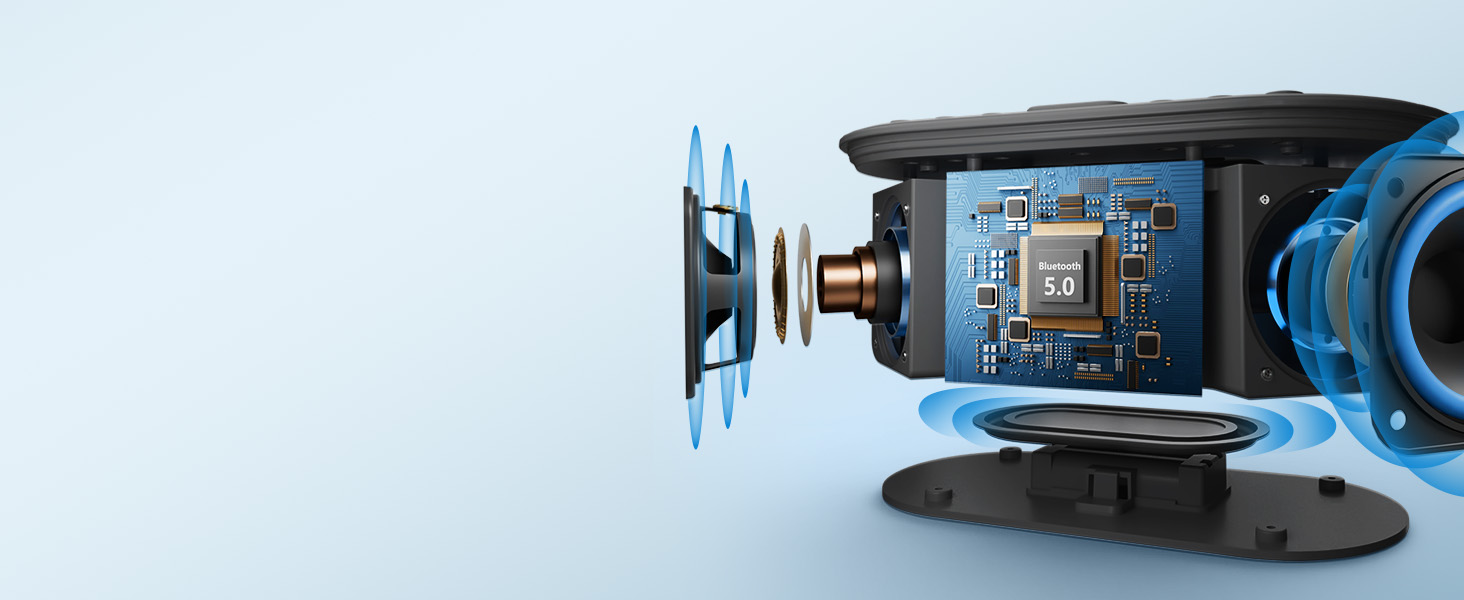
Figure 3: Internal components highlighting the 10W stereo sound system.
Funkce FM rádia
Tune into your preferred FM radio stations directly from the device. The built-in FM radio ensures you can stay updated with local news, music, or talk shows. A sleep timer function allows the radio to play for a set duration before automatically turning off.

Figure 4: Enjoying FM radio with the alarm clock.
Dimmable Digital Display & Nightlight
The large digital display offers adjustable brightness from 0% to 100%, ensuring comfortable viewing in any lighting condition, day or night. The integrated nightlight provides 8 different color options to create a soothing ambiance in your bedroom.

Figure 5: Adjustable display brightness for personalized comfort.
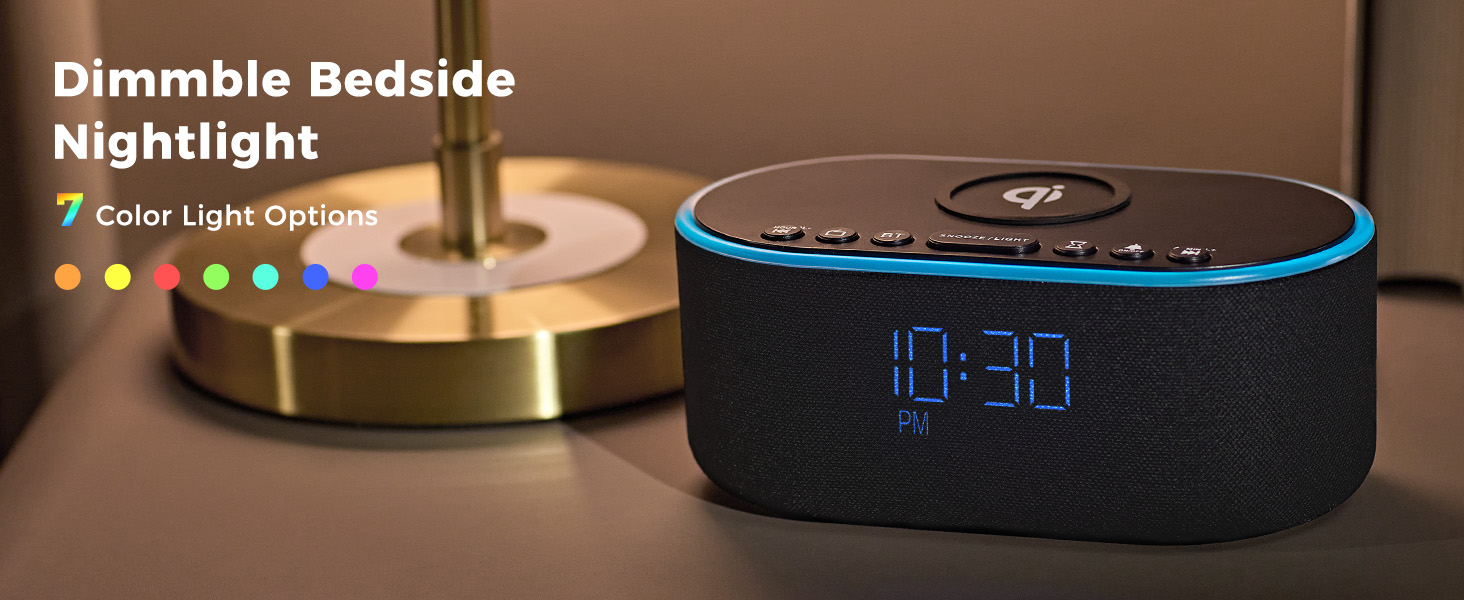
Figure 6: Explore 8 vibrant nightlight colors.
Oficiální video produktu
Video 1: Oficiální produkt skončilview of the Odokee Wireless Charging Alarm Clock Radio, demonstrating its key features and design.
Ovládací prvky a displej
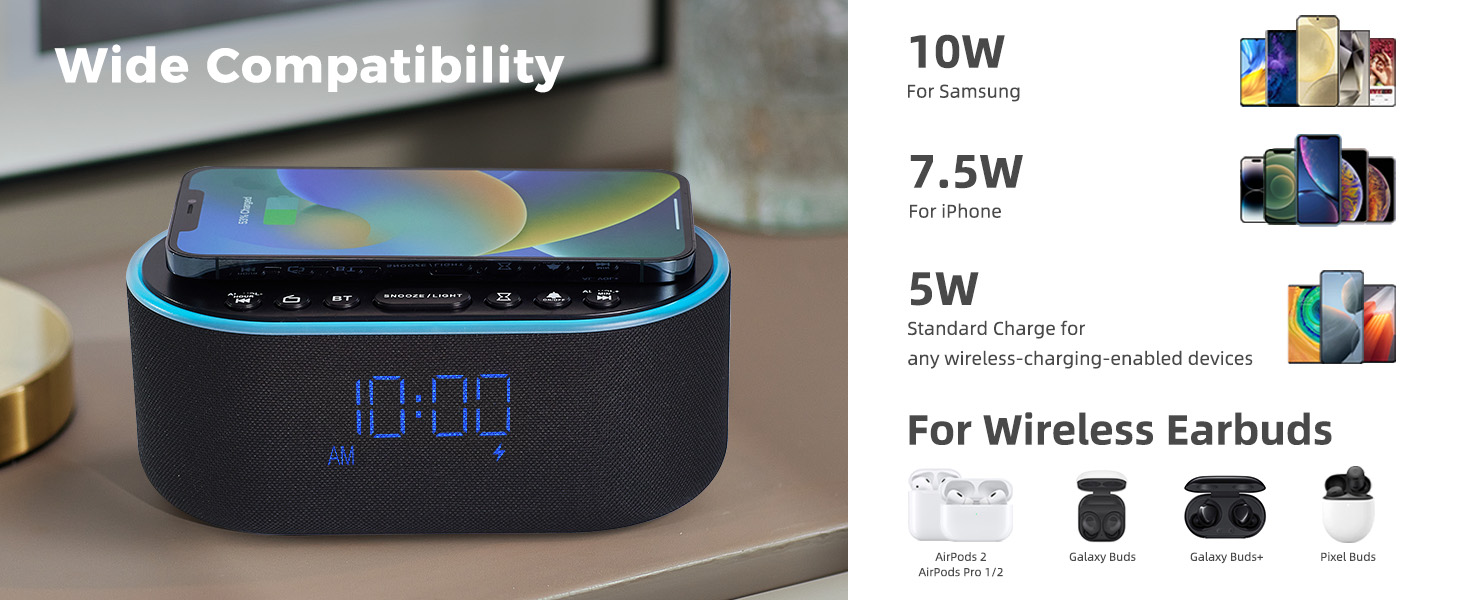
Figure 7: Top and Back Panel Controls Diagram.
Ovládací prvky na horním panelu
- Bezdrátová nabíjecí podložka: Place Qi-compatible devices here for wireless charging.
- AL VOL- / Hour: Adjust alarm volume down, or set alarm hour.
- Zapnutí/vypnutí rádia: Zapnutí/vypnutí FM rádia.
- BT (Bluetooth) On/Off: Activate/deactivate Bluetooth pairing mode.
- ODLOŽENÍ / SVĚTLO: Snooze active alarm; short press to cycle nightlight colors; long press to turn nightlight off.
- Časovač vypnutí: Set sleep timer duration.
- Zapnutí/vypnutí budíku: Toggle alarm on/off.
- AL VOL+ / Min: Adjust alarm volume up, or set alarm minute.
Ovládací prvky zadního panelu
- FM/BT Volume (High/Low): Adjust overall volume for FM radio and Bluetooth audio.
- DC 9V: Port napájení.
- USB: USB port pro nabíjení externích zařízení.
- Night Light Dimmer: Adjust brightness of the nightlight.
- 12H/24H: Přepínání mezi 12hodinovým a 24hodinovým formátem času.
- Nastavení budíku: Vstupte do režimu nastavení budíku.
- Nastavení času: Enter time setting mode.
- Display Dimmer (Low/High): Adjust the brightness of the digital time display.
- Anténa rádia: Extend fully for optimal FM radio reception.
Nastavení
Připojení napájení
- Connect the provided power adapter to the DC 9V input port on the back of the alarm clock.
- Zapojte napájecí adaptér do standardní zásuvky. Displej se rozsvítí.
Rádiová anténa
- For optimal FM radio reception, fully extend the radio antenna located on the back panel.
Návod k obsluze
Nastavení času
- Stiskněte a podržte Nastavení času button on the back panel until the hour digits begin to flash.
- Použijte AL VOL- / Hour a AL VOL+ / Min buttons on the top panel to adjust the hour.
- Stiskněte tlačítko Nastavení času button again to switch to minute adjustment. The minute digits will flash.
- Použijte AL VOL- / Hour a AL VOL+ / Min tlačítka pro nastavení minut.
- Stiskněte tlačítko Nastavení času ještě jednou tlačítko pro potvrzení a ukončení režimu nastavení času.
- Chcete-li přepnout mezi 12hodinovým a 24hodinovým formátem času, stiskněte tlačítko 12H/24H tlačítko na zadním panelu.
Nastavení alarmu
- Stiskněte a podržte Alarm set button on the back panel until the alarm hour digits begin to flash.
- Použijte AL VOL- / Hour a AL VOL+ / Min buttons on the top panel to adjust the alarm hour.
- Stiskněte tlačítko Alarm set button again to switch to alarm minute adjustment. The minute digits will flash.
- Použijte AL VOL- / Hour a AL VOL+ / Min tlačítka pro nastavení minut budíku.
- Stiskněte tlačítko Alarm set ještě jednou tlačítko pro potvrzení a ukončení režimu nastavení budíku.
- Chcete-li aktivovat nebo deaktivovat budík, krátce stiskněte Zapnutí/vypnutí alarmu button on the top panel. An alarm icon will appear/disappear on the display.
Funkce Snooze
- Když zazní alarm, stiskněte SNOOZE / SVĚTLO button on the top panel to activate the snooze function. The alarm will temporarily stop and sound again after 9 minutes.
Bezdrátové nabíjení
- Place your Qi-compatible smartphone directly onto the wireless charging pad located on the top of the alarm clock.
- Ensure the phone is centered on the charging pad for optimal connection. A charging indicator will appear on the clock display.
- Note: Do not place metal phone cases or metal objects in the wireless charging area to prevent interference.
USB nabíjení
- Connect your device's USB charging cable to the USB port on the back panel of the alarm clock.
- The alarm clock will provide power to charge your device.
Párování pomocí Bluetooth
- Stiskněte tlačítko BT button on the top panel to enter Bluetooth pairing mode. The display will show "BT" and flash.
- On your smartphone or Bluetooth device, search for "UE268" in the Bluetooth settings.
- Select "UE268" to pair. Once successfully paired, the "BT" indicator on the clock display will stop flashing.
- You can now play audio through the alarm clock's speaker. Adjust volume using the FM/BT Volume scroll on the back panel or your connected device.
Provoz FM rádia
- Stiskněte tlačítko Zapnutí/vypnutí rádia button on the top panel to turn on the FM radio.
- Použijte AL VOL- / Hour a AL VOL+ / Min buttons to tune to your desired frequency. Long press these buttons for automatic station scanning.
- Adjust the radio volume using the FM/BT Volume scroll on the back panel.
- To set a sleep timer for the radio, press the Časovač spánku button on the top panel repeatedly to cycle through preset durations (e.g., 15, 30, 60, 90 minutes). The radio will automatically turn off after the selected time.
Ovládání nočního světla
- Krátce stiskněte SNOOZE / SVĚTLO button on the top panel to cycle through the 8 available nightlight colors.
- Dlouze stiskněte SNOOZE / SVĚTLO button to turn the nightlight off.
- Adjust the brightness of the nightlight using the Stmívač nočního světla tlačítko na zadním panelu.
Jas displeje
- Adjust the brightness of the digital time display using the Zobrazit stmívač scroll on the back panel. You can set it from 0% to 100% brightness.
Údržba
- Čištění: Use a soft, dry cloth to clean the surface of the alarm clock. Do not use liquid cleaners or abrasive materials.
- Skladování: Pokud zařízení delší dobu nepoužíváte, odpojte jej ze zásuvky a uložte jej na chladném a suchém místě.
Odstraňování problémů
| Problém | Možná příčina | Řešení |
|---|---|---|
| Clock display is off/blank. | No power connection or display dimmer set to 0%. | Ensure power adapter is securely plugged in. Adjust Display Dimmer on the back panel. |
| Bezdrátové nabíjení nefunguje. | Phone not Qi-compatible, not centered, or metal objects on pad. | Verify phone compatibility. Reposition phone. Remove metal objects/cases. |
| Bluetooth se nespáruje. | Zařízení není v režimu párování nebo je příliš daleko. | Ensure alarm clock is in BT pairing mode (flashing "BT"). Move devices closer. Restart both devices. |
| Špatný příjem FM rádia. | Anténa není vysunutá nebo má slabý signál. | Fully extend the radio antenna. Try repositioning the alarm clock. |
| Alarm nezní. | Budík není aktivován nebo je hlasitost příliš nízká. | Press Alarm On/Off button to activate (icon visible). Increase alarm volume using AL VOL+ button. |
Specifikace
- Značka: Odokee
- Model: UE268
- Barva: Black - Blue Digits
- Typ displeje: Digitální LED
- Zdroj napájení: Elektrický s kabelem (DC 9V)
- Výstup bezdrátového nabíjení: 10W (Qi Certified)
- Nabíjecí výstup USB: standardní USB
- Výstup reproduktoru: 10 W stereo
- Rádio: FM
- noční světlo: 8-Color RGB with adjustable brightness
- Rozměry produktu: 2.96 cm Š x 7.28 cm V
- Hmotnost položky: 1.16 libry (525 gramů)
Záruka a podpora
This Odokee product comes with an 18-měsíční záruka od data nákupu.
For technical support, troubleshooting, or warranty claims, please contact Odokee customer service through the retailer's platform or visit the official Odokee store online.