
Amazon Echo Show 11
Amazon Echo Show 11 uživatelská příručka
Model: Echo Show 11
Zavedení
This manual provides essential information for setting up, operating, and maintaining your Amazon Echo Show 11. The Echo Show 11 is a smart display designed to enhance your daily routines with its vibrant Full-HD 11-inch touchscreen, spatial audio, and integrated Alexa+ capabilities. It functions as a central hub for smart home control, communication, and entertainment.

Obrázek: The Amazon Echo Show 11, showcasing its 11-inch display with a smart home interface and a voice assistant prompt.
Nastavení
Co je v krabici
- Echo Show 11 (2025 release)
- Napájecí adaptér (30W)
- Průvodce rychlým startem
Initial Setup Requirements
Your Echo Show 11 is designed for easy connection to your Wi-Fi network.
- Síť Wi-Fi: Ensure you have an active Wi-Fi network available. The device supports Wi-Fi 6E (802.1ax), tri-band, Wi-Fi (SISO), and 802.11a/b/g/n/ac networks. Ad-hoc Wi-Fi networks are not supported.
- Aplikace Alexa: The Alexa app is compatible with Fire OS, Android, and iOS devices. It is also accessible via a web prohlížeč.
- Připojení napájení: Connect the provided 30W power adapter to the device and a power outlet.
Amazon Wi-Fi simple setup allows for quick connection of smart devices to your Wi-Fi network. Follow the on-screen prompts after powering on your device for the first time.
Ovládání Echo Show 11
Funkce Alexa+
Alexa+ offers a personalized experience, helping you manage your home, boost productivity, and enjoy entertainment.
- Everyday Assistant: Use the 11-inch display to view recipes, calendars, shopping lists, and more. Alexa+ can find recipes based on your preferences, make reservations, and order groceries.
- Zábava: Watch shows on Prime Video, Netflix, and other services on the Full-HD screen. Enjoy room-filling spatial audio with crisper vocals and enhanced bass. Alexa+ can help you discover new shows and identify music.
- Photo Display: The home screen can display your favorite photo memories as a slideshow when not in active use. Ask Alexa+ to find specific photos or curate a personal slideshow.
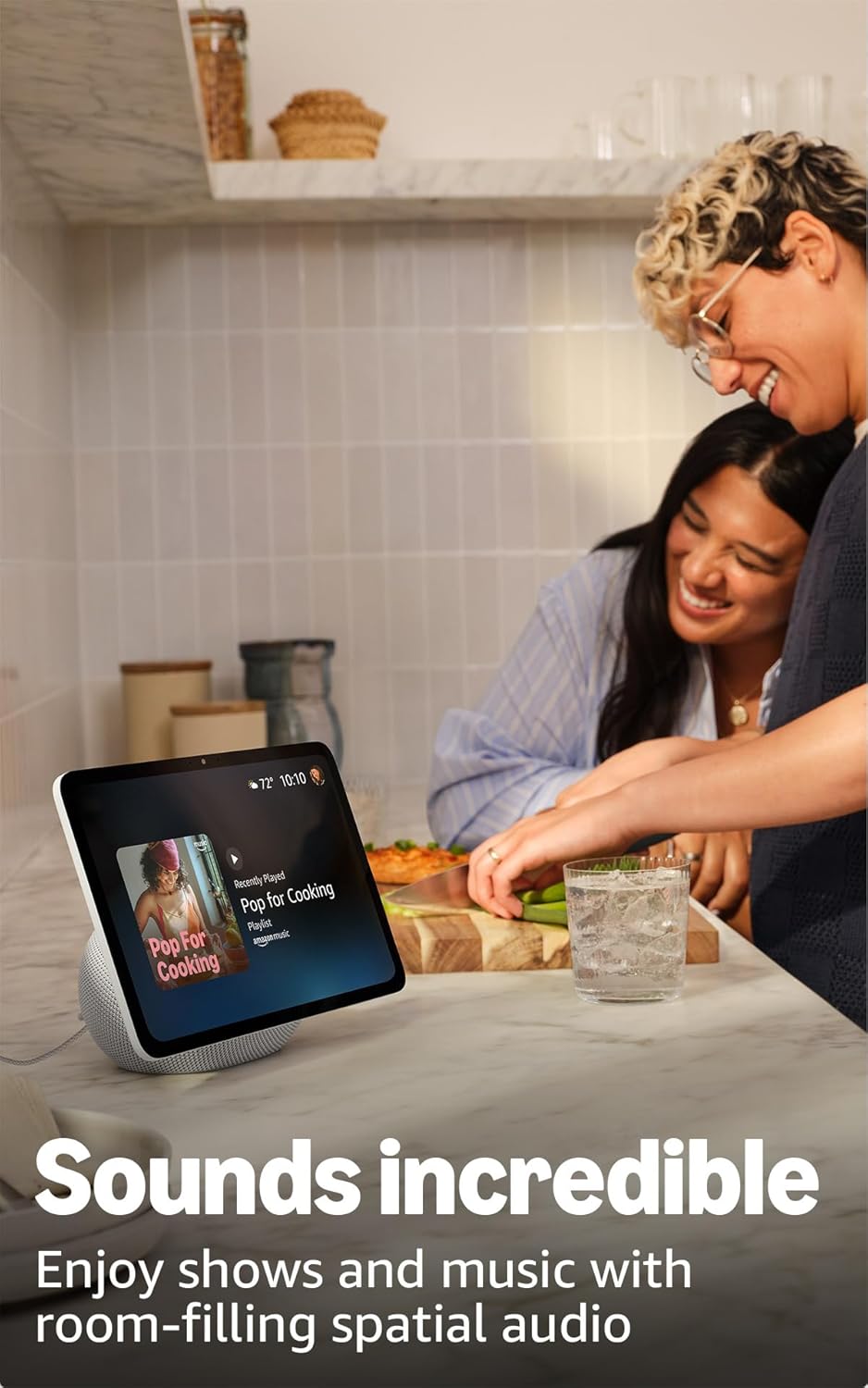
Image: The Echo Show 11 displaying music, demonstrating its use for entertainment in a home setting.
Smart Home Control
The Echo Show 11 includes a built-in smart home hub (Zigbee + Matter + Thread Border Router), allowing you to control thousands of compatible devices without an additional hub.
- Správa zařízení: Ovládejte světla, termostaty a další chytrá zařízení pomocí displeje nebo hlasových příkazů.
- Kamerové kanály: Snadno view feeds from compatible security cameras.
- Technologie Omnisense: This technology enables proactive and personalized experiences, including activating routines via temperature, presence, or visual ID detection.

Image: The Echo Show 11 screen showing a smart home dashboard, illustrating its function as a central control unit.
Video Calls and Communication
Engage in crystal-clear video calls with the 13 MP auto-framing camera, 3.3x zoom, and noise reduction technology.
- Centered Camera: The camera automatically frames you during calls, ensuring you remain in view.
- Žít View: Use the live view feature to check on your family or pets remotely.
Připojení Bluetooth
The Echo Show 11 supports Advanced Audio Distribution Profile (A2DP) for streaming audio from your mobile device to the Echo Show 11, or from the Echo Show 11 to a Bluetooth speaker. Audio/Video Remote Control Profile (AVRCP) allows for voice control of connected mobile devices. Bluetooth speakers requiring PIN codes are not supported.
Údržba
To ensure the longevity and optimal performance of your Echo Show 11, follow these general maintenance guidelines:
- Čištění: Use a soft, lint-free cloth to clean the screen and exterior. Avoid abrasive cleaners or sprays directly on the device.
- Umístění: Place the device on a stable, flat surface away from direct sunlight, heat sources, and moisture. Ensure adequate ventilation around the device.
- Aktualizace softwaru: The device will automatically receive software security updates. Ensure it is connected to Wi-Fi to receive these updates.
Odstraňování problémů
Pokud se s Echo Show 11 setkáte s problémy, zvažte následující kroky:
- Bez napájení: Ujistěte se, že je napájecí adaptér bezpečně připojen k zařízení i k funkční zásuvce.
- Problémy s připojením Wi-Fi:
- Ověřte, zda je vaše síť Wi-Fi aktivní a v dosahu.
- Restart your Wi-Fi router and the Echo Show 11.
- Check your Wi-Fi password in the Alexa app if prompted.
- Alexa neodpovídá:
- Ensure the microphone is not muted (check the microphone enable/disable button).
- Speak clearly and ensure you are within hearing range of the device.
- Restart the device by unplugging it for a few seconds and plugging it back in.
- Problémy se zobrazením: Pokud obrazovka nereaguje nebo zamrzá, zkuste zařízení restartovat.
For further assistance, refer to the official Amazon support resources or the Alexa app.
Specifikace
| Funkce | Detail |
|---|---|
| Velikost | 10” x 5” x 7.2” (255 mm x 127 mm x 182 mm) |
| Hmotnost | 45.92 unce (1302 gramů) |
| Zobrazit | 10.95" dotyková obrazovka s rozlišením Full HD 1920 x 1200 |
| Fotoaparát | 13 MP s automatickým kompozičním záběrem |
| Zvuk | 1 x 2.8” basový reproduktor a 2 širokopásmové měniče |
| Wi-Fi připojení | Podpora Wi-Fi 6E (802.1ax). Třípásmové Wi-Fi (SISO). Podporuje sítě Wi-Fi 802.11a/b/g/n/ac. Nepodporuje připojení k ad-hoc sítím Wi-Fi. |
| Smart Home Hub | Zigbee + Matter + Thread Border Router |
| Připojení Bluetooth | A2DP support for audio streaming. AVRCP for voice control of connected mobile devices. Bluetooth speakers requiring PIN codes are not supported. |
| Procesor | AZ3 Pro s AI akcelerátorem |
| Senzory | Snímač okolní teploty, Snímač okolního světla, Detekce přítomnosti, Kamera |
| Omnisense Technology | Zakázková technologie pro ambientní umělou inteligenci, která umožňuje vizuální identifikaci, detekci blízkosti/přítomnosti, snímání teploty a adaptivní jas/barvy. |
| Systémové požadavky | Echo Show 11 se připojuje k Wi-Fi. Aplikace Alexa je kompatibilní s Fire OS, Androidem, iOS a… web prohlížeče. |
| Jazyk | Alexa mluví anglicky a španělsky |
Funkce ochrany osobních údajů
Echo Show 11 je navržen s několika vrstvami ochrany soukromí:
- Tlačítko pro zapnutí/vypnutí mikrofonů a kamery: A physical button allows you to turn off the microphones and camera.
- Vyhrazené ovládací prvky fotoaparátu: Controls are available both on the device and within the Alexa app.
- Správa hlasových nahrávek: Schopnost review and delete voice recordings.
- Technologie probuzení slov: The device only begins listening after detecting the wake word.

Obrázek: Detailní záběr view of the Echo Show 11's side, highlighting the privacy button for microphone and camera control.
For more details, visit the Alexa Privacy Hub.
Funkce usnadnění
The Echo Show 11 includes various accessibility features to personalize Alexa to your abilities. These can be enabled via Nastavení → Přístupnost na vašem zařízení.
- Klepnutím na Alexu: Přístup k Alexě je možný dotykem přes dlaždice na obrazovce nebo klávesnici, včetně ukládání oblíbených akcí.
- Adaptivní poslech: Poskytuje více času na domluvení, než Alexa odpoví.
- Preferované tempo mluvení: Ovládejte, jak rychle nebo pomalu Alexa mluví.
- Titulky: Alexa Captioning, Call Captioning, and Closed Captioning provide text captions for supported content.
- Ukaž a řekni: Pomáhá nevidomým nebo zrakově postiženým uživatelům identifikovat produkty slovy „Alexo, co držím v ruce?“.
- HlasView Čtečka obrazovky: Umožňuje přístup uživatelům, kteří jsou nevidomí nebo zrakově postižení.
- Zvětšovací program obrazovky: Allows zooming in/out and panning around the screen.
- Upozornit na poblíž: Přehraje zvuky oznámení, když je detekováno v blízkosti vašeho zařízení Echo.
- Kindle Čtení nahlas: Alexa vám může nahlas číst knihy z Kindle.
- Text v reálném čase: Enables typing live text in a video call.
- Additional features include Color Inversion, Color Correction, Request Sound, and more.
Záruka a podpora
Your Echo Show 11 comes with a 1-year limited warranty and service. Optional 1-year, 2-year, and 3-year extended warranties are available for U.S. customers and sold separately.
Use of the Echo Show 11 is subject to the terms found on the official Amazon website. For information specific to your device or to manage your content and devices, visit the Amazon webmísto.
For software security updates, please refer to the official Amazon support pages.
Související dokumenty - Echo Show 11
 |
Amazon Echo Show 11 User Manual and Guide Comprehensive guide to setting up, operating, and troubleshooting the Amazon Echo Show 11 smart display with Alexa+. Learn about its features, smart home control, privacy, and accessibility. |
 |
Uživatelská příručka k Amazon Echo Dot Max: Nastavení, podpora a funkce Comprehensive user manual for the Amazon Echo Dot Max, covering device setup, privacy settings, troubleshooting common issues, and accessibility features. Learn how to get started with your Amazon Echo Dot Max smart speaker. |
 |
Stručný průvodce Echo Show 10 (3. generace): Nastavení, funkce a použití Komplexní průvodce nastavením a používáním náhlavní soupravy Amazon Echo Show 10 (3. generace). Seznamte se s jejími funkcemi, ovládacími prvky soukromí, umístěním a hlasovými příkazy. |
 |
Stručný návod k obsluze Echo Hub: Pokyny k nastavení a montáži Naučte se, jak nastavit a namontovat Amazon Echo Hub, v této komplexní stručné úvodní příručce. Obsahuje podrobné pokyny pro montáž na zeď, připojení napájení a počáteční nastavení s Alexou. |
 |
Amazon Echo Hub: Uživatelská příručka pro nastavení a montáž Tato příručka obsahuje pokyny k nastavení a montáži Amazon Echo Hub, 8palcového ovládacího panelu pro chytrou domácnost. Seznamte se s funkcemi zařízení, postupem instalace a základním používáním Alexy. |
 |
Streamování zvuku pro naslouchátka Bluetooth s Fire TV Cube – stručný návod k obsluze Tato příručka obsahuje pokyny pro nastavení a používání streamování zvuku z Amazon Fire TV Cube (2. generace) s kompatibilními naslouchátky Bluetooth. Naučte se, jak spárovat zařízení, ovládat hlasitost, dočasně se odpojit pro telefonní hovory a najít tipy pro řešení problémů. |
Ask a question about this manual
Ask about setup, troubleshooting, compatibility, parts, safety, or missing instructions. Manuals+ will review the question and use this page’s manual context to help answer it.