
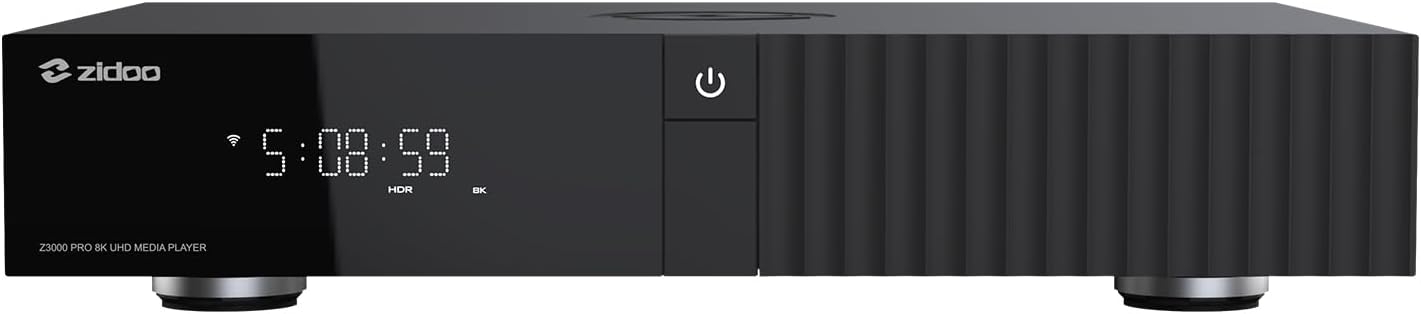
zidoo Z3000 PRO
Uživatelská příručka k přehrávači médií zidoo Z3000 PRO-8K
Model: Z3000 PRO
Zavedení
This manual provides comprehensive instructions for the setup, operation, and maintenance of your zidoo Z3000 PRO-8K Media Player. Please read this manual thoroughly before using the device to ensure optimal performance and longevity.
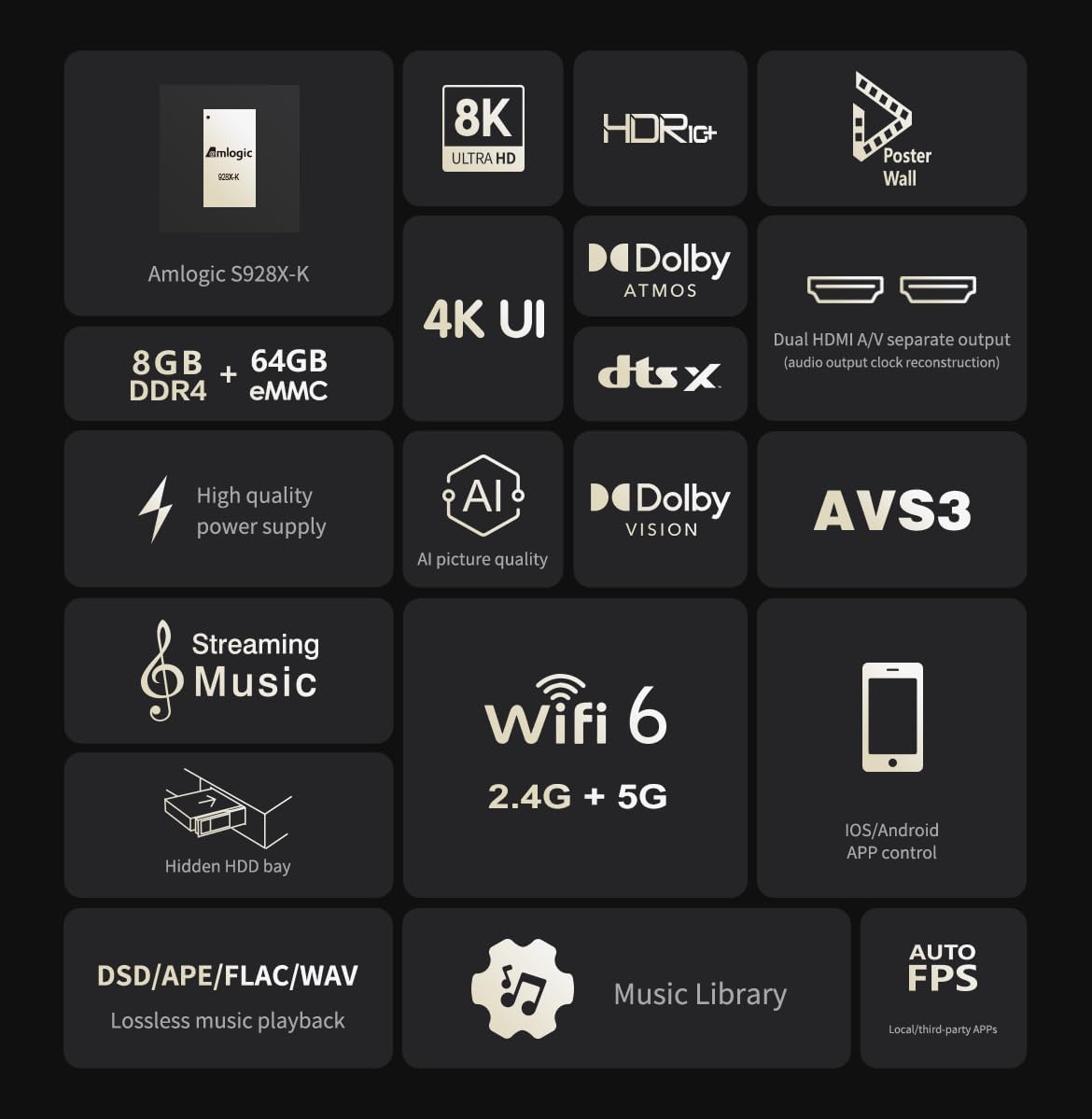
The zidoo Z3000 PRO is a high-performance media player featuring the Amlogic S928X-K processor, 8GB DDR4 RAM, and 64GB eMMC storage. It supports 8K video output, HDR technologies including HDR10, HLG, HDR10+, and Dolby Vision, and advanced audio formats.
Obsah balení
Ujistěte se, že v balení jsou přítomny všechny níže uvedené položky:
- BT Remote Control (Batteries not included)
- HDMI kabel
- Napájecí kabel
- Uživatelská příručka
Konec produktuview

Nastavení
1. Připojení přehrávače
Připojení napájení: Connect the provided power cable to the AC POWER/SWITCH port on the rear of the player and then to a power outlet.
Připojení HDMI: Use the supplied HDMI cable to connect the HDMI OUT (MAIN) port on the player to an HDMI input on your TV or AV receiver. For separate audio output, connect the HDMI OUT (AUDIO ONLY) port to your audio receiver.
Internetové připojení: For wired network access, connect an Ethernet cable from your router to the GIGABIT LAN port on the player. For wireless connection, the device supports 2.4G+5G dual-band WiFi 6.
Zařízení USB: Připojte paměťová zařízení USB nebo periferní zařízení k portům USB 3.0 nebo USB 2.0.
Instalace pevného disku (volitelné): The player features a hidden NSS patented HDD bay. Refer to the detailed HDD installation guide for proper setup.
2. Počáteční zapnutí
After connecting all necessary cables, switch on the AC POWER/SWITCH on the rear panel.
Stiskněte tlačítko napájení na předním panelu nebo na dálkovém ovladači pro zapnutí zařízení.
Postupujte podle pokynů na obrazovce pro počáteční nastavení, včetně výběru jazyka a konfigurace sítě.
Návod k obsluze
Navigace a rozhraní
The zidoo Z3000 PRO runs on Android 11 OS, providing a user-friendly interface. Navigate using the included BT Remote Control or the Zidoo Controller APP for iOS/Android devices.
Přehrávání médií
Přehrávání videa: Supports 8K@60Hz, 12Bit, AV1/VP9/H.265/AVS3/AVS2 codecs. Compatible with BD/UHD BDMV/ISO, MKV, TS, and other video formats. Features automatic frame rate (23.976) and resolution switching for smooth playback.
Přehrávání zvuku: Supports lossless music formats like DSD (SACD ISO, DSF, DFF), WAV, APE, DTS, FLAC up to DSD512/PCM 192KHZ sampling rate. Features Atmos/DTS X audio pass-through output.
Podpora HDR: Processes HDR10 static metadata (MaxFall, MaxCll) and HDR10+ dynamic metadata for enhanced brightness and contrast. Built-in VS10 image quality engine improves overall image quality.
Poster Wall 5.0: Organize your media library with the new Poster Wall 5.0, supporting movie trailers and custom classification.
Music Player 8.0: Enjoy lossless playback with the upgraded music player, featuring a new UI and personalized settings.
Síť a konektivita
Supports network protocols such as NFS, SMB v1/v2/v3, UPnP, Web DAV, and built-in SMB service for easy streaming from PC and NAS.
Bluetooth 5.2 pro připojení bezdrátového příslušenství.
Supports music streaming methods like DLNA and Tidal Connect.
Údržba
Čištění: Use a soft, dry cloth to clean the exterior of the player. Avoid liquid cleaners or abrasive materials.
Větrání: Ensure the player is placed in a well-ventilated area to prevent overheating. Do not block ventilation openings.
Aktualizace softwaru: The device supports OTA (Over-The-Air) updates. Regularly check for and install the latest firmware to ensure optimal performance and access to new features. Navigate to System Settings > About > System Update to check for updates.
Správa úložiště: Periodically manage files on connected storage devices or the internal eMMC to maintain performance. Back up important data regularly.
Odstraňování problémů
| Problém | Možná příčina | Řešení |
|---|---|---|
| Žádná síla | Napájecí kabel není připojen; Vypnutý vypínač; Problém se zásuvkou. | Ensure power cable is securely connected. Turn on the AC POWER/SWITCH. Try a different power outlet. |
| Žádný video výstup | HDMI cable loose or faulty; Incorrect HDMI input selected on TV/receiver; Resolution incompatibility. | Check HDMI cable connections. Select the correct HDMI input on your display. Try a different HDMI cable. Adjust resolution settings if accessible. |
| Žádný výstup zvuku | Audio cable loose or faulty; Incorrect audio output settings; Receiver not powered on. | Check audio cable connections (HDMI, SPDIF). Verify audio output settings on the player. Ensure your AV receiver is powered on and set to the correct input. |
| Problémy s připojením k síti | Ethernet cable disconnected; Incorrect Wi-Fi password; Router issues. | Check Ethernet cable. Re-enter Wi-Fi password. Restart your router and the media player. |
| Player Freezes/Unresponsive | Softwarová závada; Přehřátí; Poškozené médium file. | Restart the player by unplugging and re-plugging the power cable. Ensure proper ventilation. Try playing a different media file. Consider a factory reset if issues persist (backup data first). |
Specifikace
| Funkce | Detail |
|---|---|
| Procesor | Amlogic S928X-K 64-bit penta-core A76 + A55 |
| BERAN | 8 GB DDR4 |
| Skladování | 64GB eMMC |
| Operační systém | Android 11 |
| Video výstup | HDMI 2.1, supports 8K 60Hz point-to-point output |
| Podpora HDR | HDR10, HLG, HDR10+, Dolby Vision |
| Zvukový výstup | Dual HDMI (Main & Audio Only), SPDIF |
| Konektivita | Wi-Fi 6 (2.4G+5G dual-band), Gigabit LAN, Bluetooth 5.2 |
| USB porty | 2x USB 3.0, 1x USB 2.0 |
| HDD zásuvka | Hidden NSS patented HDD bay (SATA3.0, supports up to 24TB) |
| Rozměry (D x Š x V) | 13.78 x 9.45 x 2.37 palce (350 x 240 x 60 mm) |
| Hmotnost | 8.03 libry |
| Řízení | Remote Control, App Control (iOS/Android), HDMI CEC, RS232, Control 4 |
Podpora a záruka
For technical assistance or product inquiries, please contact the seller directly via email.
You can also visit the official Zidoo website and participate in their home theater forum for community support and additional resources.
Information regarding specific warranty terms and conditions can typically be found on the product packaging or the official Zidoo webstránky. Uschovejte si prosím doklad o koupi pro případ reklamace.
Ask a question about this manual
Ask about setup, troubleshooting, compatibility, parts, safety, or missing instructions. Manuals+ will review the question and use this page’s manual context to help answer it.