
Offgridtec 8-01-020190
Offgridtec Digital Plug-in Timer with LCD Display (Model: 8-01-020190)
Značka: Offgridtec
Konec produktuview
This Offgridtec digital plug-in timer features an LCD display and a Schuko socket. It offers 18 configurable programs, random mode, and a countdown function for flexible control of your devices. Supports manual and automatic operation, with a rating of 230V, 16A, and 3680W.
Klíčové vlastnosti:
- Chytrá správa času: Easily automate your daily routines with up to 18 programmable time settings. Perfect for lamps, heaters, aquariums, or garden sprinklers. Enjoy convenient and energy-saving automation that simplifies daily life.
- Více provozních režimů: Choose between ON, OFF, or AUTO for complete flexibility. Enable random mode to make it appear someone is home — a simple way to increase security and peace of mind when you are away.
- Simple Programming and Display: The clear LCD display ensures quick and easy setup. Program timers by day, hour, and minute (minimum switching time: 1 minute). Intuitive controls make it accessible to everyone.
- Built-in Countdown Function and Backup: Use the countdown timer for one-time tasks and rely on the integrated NiMH battery, which saves settings in case of power outages. Always reliable and ready when you need it most.
- Technické specifikace: Compatible with standard Schuko sockets and supports up to 3680 W (230 V, 16 A). Operating voltage: 230 VAC, max. Power: 3680W, Temperature range: -10°C to +40°C, Battery: NiMH 1.2V, Power consumption: < 0.8W, Response time: 1 minute, Weight: 0.176kg.
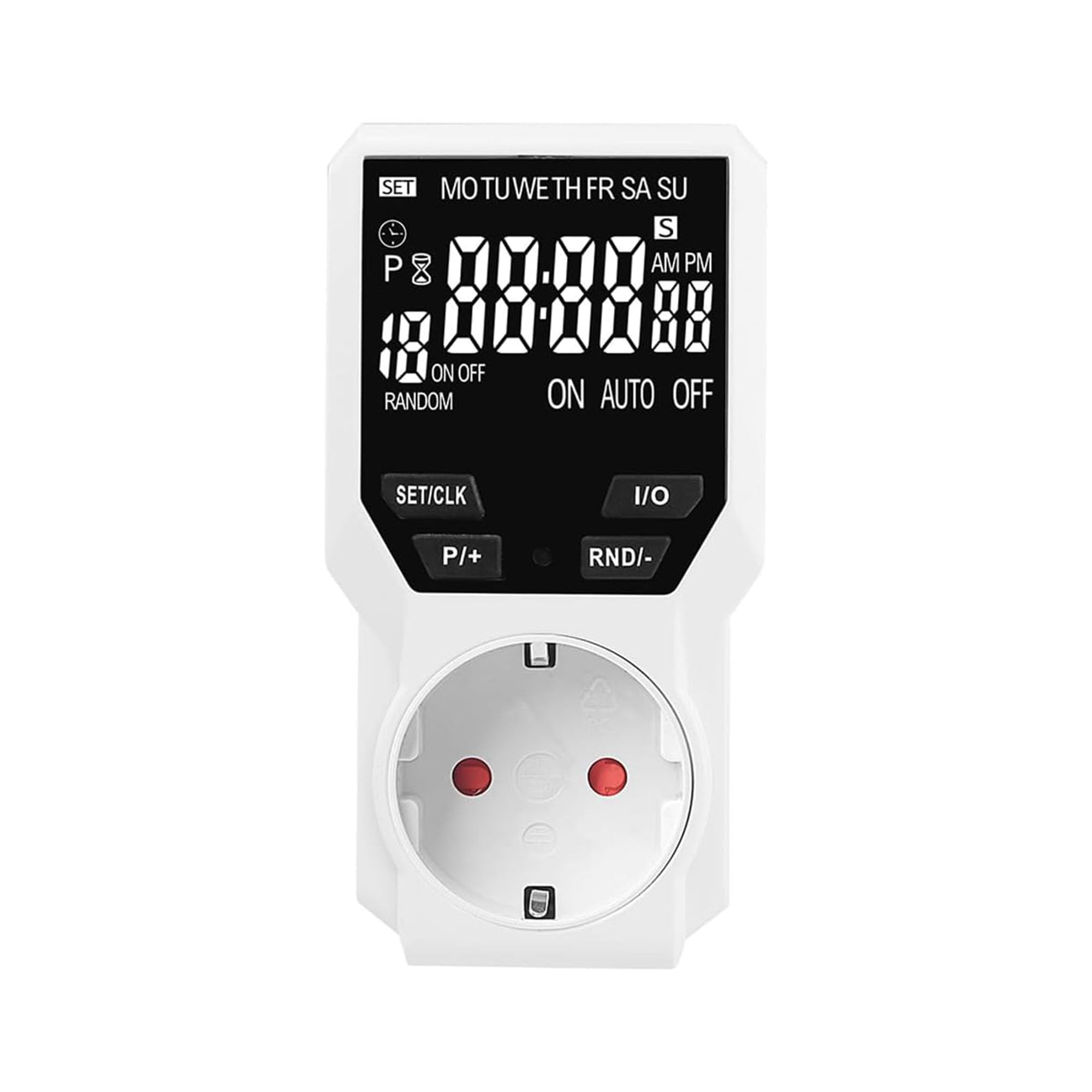
Image: Offgridtec Digital Plug-in Timer with LCD display and Schuko socket.

Image: The Offgridtec digital timer used with various household appliances.
Nastavení
- Počáteční poplatek: Before first use, plug the timer into a live socket for at least 4 hours to charge the internal NiMH battery. This ensures settings are retained during power outages.
- Vymazat všechna nastavení: Use a pointed object (like a pen tip) to press the "RESET" button. This clears all previous programs and settings. The display will show "0:00".
- Nastavit aktuální čas:
- Press the "SET/CLK" button once. The hour digit will flash.
- Use the "P/+" and "RND/-" buttons to adjust the hour.
- Press "SET/CLK" again. The minute digit will flash.
- Use "P/+" and "RND/-" to adjust the minute.
- Press "SET/CLK" a third time. The day of the week will flash.
- Use "P/+" and "RND/-" to select the current day (MO, TU, WE, TH, FR, SA, SU).
- Press "SET/CLK" to confirm and exit time setting.
- Připojit zařízení: Plug the appliance you wish to control into the timer's Schuko socket. Ensure the appliance's power switch is in the ON position.
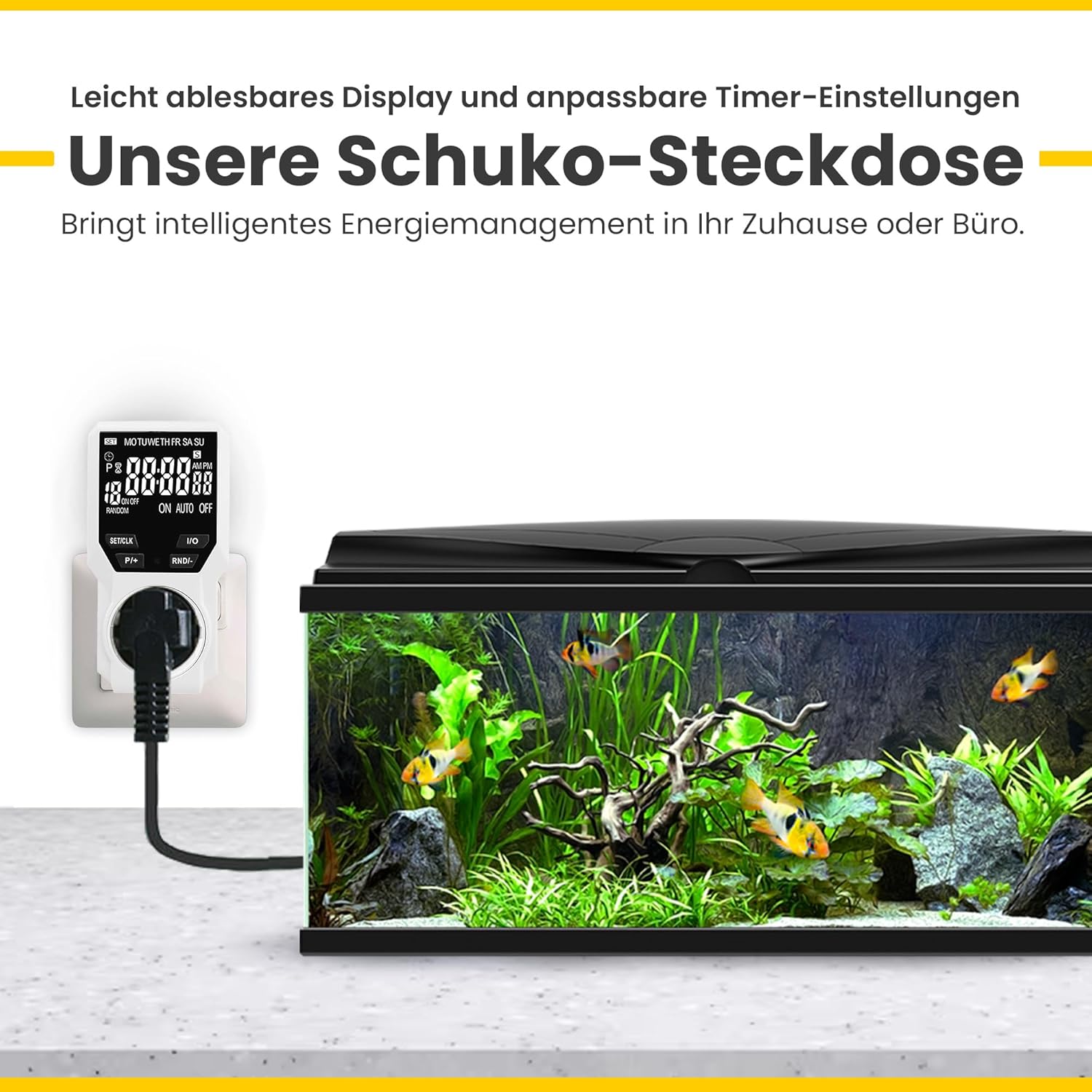
Image: The Offgridtec digital timer connected to an aquarium, demonstrating its use.
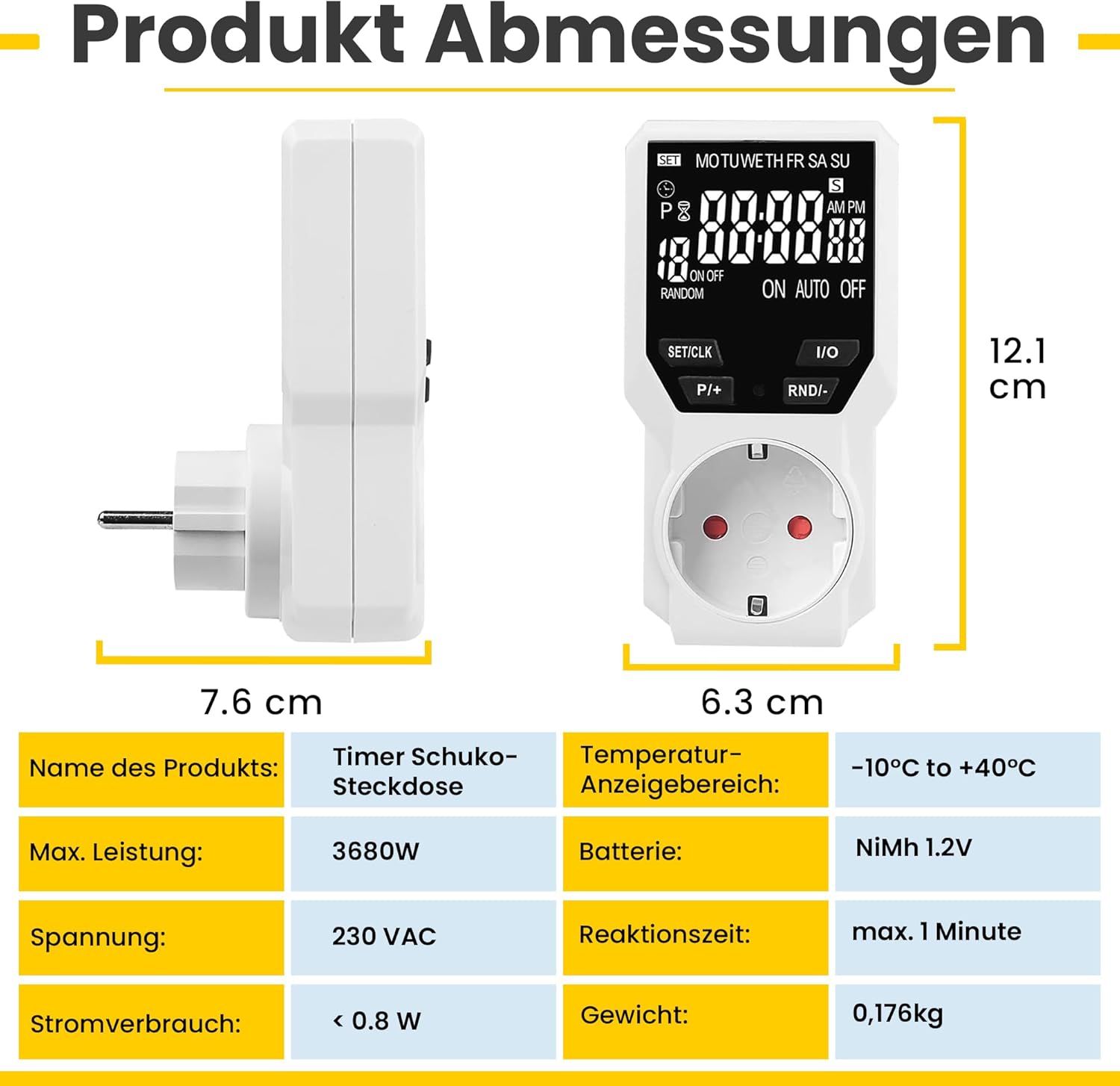
Image: Product dimensions and technical specifications of the Offgridtec digital timer.
Návod k obsluze
Programming Timer Events (ON/OFF Cycles):
The timer allows up to 18 ON/OFF programs. Each program consists of an ON time and an OFF time.
- Press the "P/+" button to enter programming mode. "1 ON" will appear on the display.
- Nastavení času zapnutí:
- Press "SET/CLK" to select the day(s) for this program (e.g., MO, TU, WE, TH, FR, SA, SU, or specific combinations).
- Press "P/+" to adjust the hour for the ON time.
- Press "RND/-" to adjust the minute for the ON time.
- Press "P/+" again. "1 OFF" will appear on the display.
- Nastavení času vypnutí:
- Press "SET/CLK" to select the day(s) for this program (usually the same as ON time, but can be different).
- Press "P/+" to adjust the hour for the OFF time.
- Press "RND/-" to adjust the minute for the OFF time.
- Repeat steps 1-4 for additional programs (up to 18). To exit programming mode, press "I/O" or wait for 30 seconds.
Provozní režimy:
Press the "I/O" button to cycle through the operating modes:
- NA: The connected appliance is continuously ON.
- OFF: The connected appliance is continuously OFF.
- AUTO: Časovač pracuje podle naprogramovaných cyklů ZAP/VYP.
Náhodný režim:
The random mode adds a random delay (10-31 minutes) to programmed ON/OFF times between 6:00 PM and 6:00 AM. This feature is useful for security, making it appear as if someone is home.
- Ensure the timer is in "AUTO" mode.
- Press the "RND/-" button to activate/deactivate random mode. "RANDOM" will appear on the display when active.
Funkce odpočítávání:
The countdown function allows a single ON or OFF event after a set duration.
- Press the "SET/CLK" button repeatedly until "COUNTDOWN" appears.
- Use "P/+" and "RND/-" to set the desired countdown duration (hours and minutes).
- Press "I/O" to start the countdown. The display will show the remaining time.
- Once the countdown finishes, the appliance will switch ON or OFF as configured.

Image: Illustration of daily ON/OFF programming with up to 18 groups.
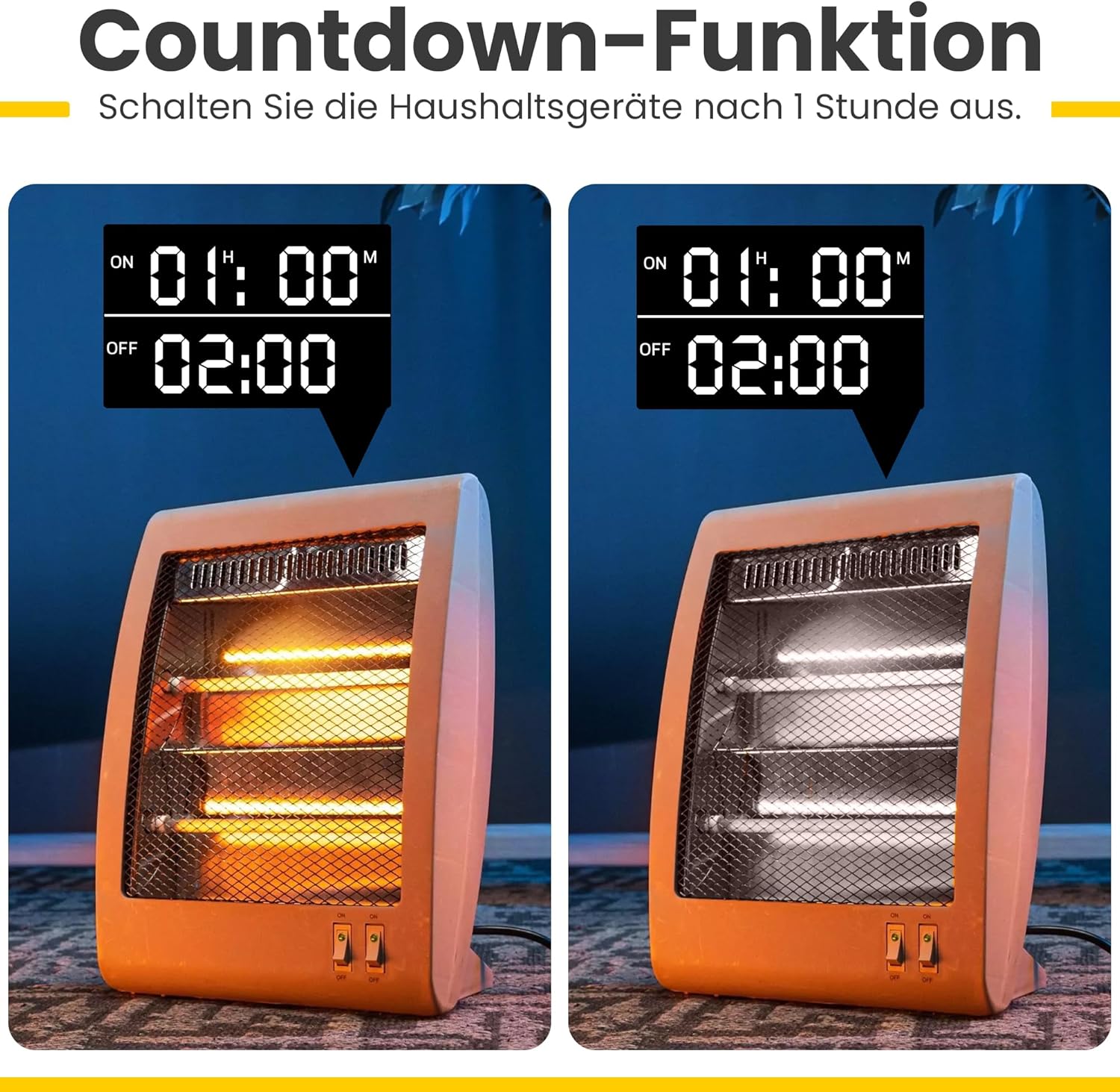
Obrázek: Přample of the countdown function turning off a heater after a set time.
Instruktážní videa:
Video: Demonstrates the operating method of a digital timer, including setting time and programs. This video provides a visual guide to the programming steps.
Video: Shows the programming process for a digital electronic timed socket, illustrating how to set ON/OFF times for various days.
Video: Provides a visual overview of a digital timer plug, demonstrating its physical features and basic operation.
Video: Illustrates various applications of a digital timer plug, showing it in use with different electrical devices.
Údržba
- Čištění: Wipe the timer with a dry, soft cloth. Do not use liquid cleaners or immerse the device in water.
- Baterie: The internal NiMH battery is designed for long-term use and retains settings during power outages. If the display becomes dim or settings are frequently lost, ensure the timer is plugged in for several hours to recharge the battery. The battery is not user-replaceable.
- Skladování: Pokud časovač delší dobu nepoužíváte, skladujte jej na chladném a suchém místě mimo dosah přímého slunečního záření a extrémních teplot.
Odstraňování problémů
| Problém | Možná příčina | Řešení |
|---|---|---|
| Displej je prázdný nebo tmavý. | Internal battery is low or discharged. | Plug the timer into a live socket for at least 4 hours to recharge the battery. |
| Nastavení se po výpadku napájení ztratítage. | Vnitřní baterie není dostatečně nabitá. | Ensure the timer is plugged in for sufficient time to fully charge the internal battery. |
| Spotřebič se nezapíná/nevypíná podle naprogramování. |
|
|
| Náhodný režim nefunguje. | Random mode is not activated or timer is not in "AUTO" mode. | Ensure "AUTO" mode is selected and press "RND/-" to activate random mode (RANDOM icon should appear). |
Specifikace
| Funkce | Detail |
|---|---|
| Značka | Offgridtec |
| Model | 8-01-020190 |
| Barva | Bílý |
| Rozměry produktu (D x Š x V) | 6.3 x 7.6 x 12.1 cm |
| Materiál | Plast |
| Hmotnost položky | 176 gramů |
| Provozní svtage | 230 VAC |
| Max. Moc | 3680W |
| Max. Proud | 16A |
| Teplotní rozsah | -10°C až +40°C |
| Interní baterie | NiMH 1.2V (for settings backup) |
| Spotřeba energie | < 0.8 W |
| Minimální doba přepínání | 1 minuta |
| Počet programů | 18 (ON/OFF cycles) |

Image: Key features of the Offgridtec digital timer, including display, buttons, and functions.
Záruka a podpora
This Offgridtec product is covered by a standard manufacturer's warranty. For specific warranty details, please refer to the documentation included with your purchase or contact Offgridtec customer support directly.
For technical assistance, troubleshooting, or further inquiries, please visit the official Offgridtec webnebo se obraťte na jejich zákaznický servis. Uschovejte si doklad o koupi pro případ reklamace.
Ask a question about this manual
Ask about setup, troubleshooting, compatibility, parts, safety, or missing instructions. Manuals+ will review the question and use this page’s manual context to help answer it.