
T10 ULTRA 2
T10 ULTRA 2 Smart Watch User Manual
Model: T10 ULTRA 2 | Brand: Generic
Zavedení
Welcome to the user manual for your new T10 ULTRA 2 Smart Watch. This device features a 2.19-inch HD infinite large screen, wireless charging capabilities, and a 49MM display, designed to enhance your daily life with smart connectivity and health monitoring. This manual provides detailed instructions on how to set up, operate, maintain, and troubleshoot your smartwatch to ensure optimal performance and longevity.
Obsah balení
Upon opening your T10 ULTRA 2 Smart Watch package, please verify that all the following items are included:
- T10 ULTRA 2 Smart Watch (Black)
- Bezdrátový nabíjecí kabel
- Uživatelská příručka
- Watch Strap (Black)

Image: The T10 ULTRA 2 Smart Watch, its retail packaging, wireless charging cable, and user manual.
Průvodce nastavením
1. Nabíjení chytrých hodinek
Before first use, fully charge your T10 ULTRA 2 Smart Watch.
- Connect the wireless charging cable to a USB power adapter (not included) or a computer's USB port.
- Place the back of the T10 ULTRA 2 Smart Watch onto the wireless charging pad. Ensure the watch is properly aligned for charging to begin.
- Displej hodinek bude ukazovat stav nabíjení. Úplné nabití obvykle trvá přibližně 2 hodiny.
2. Zapnutí/vypnutí
- Zapnutí: Press and hold the side button (usually the crown or a dedicated power button) for a few seconds until the screen lights up.
- Vypnout: Stiskněte a podržte boční tlačítko a poté na obrazovce vyberte možnost „Vypnout“.
3. Initial Pairing with Your Smartphone
To unlock the full functionality of your T10 ULTRA 2 Smart Watch, you need to pair it with your smartphone via Bluetooth.
- Download the companion application for your T10 ULTRA 2 Smart Watch from your smartphone's app store (e.g., Google Play Store or Apple App Store). Refer to the watch screen or included manual for the specific app name (e.g., "Zepp" as indicated in specifications).
- Povolte na svém smartphonu Bluetooth.
- Otevřete doprovodnou aplikaci a podle pokynů na obrazovce si vytvořte účet nebo se přihlaste.
- In the app, select "Add Device" or "Pair New Device" and choose your T10 ULTRA 2 Smart Watch from the list of available devices.
- Potvrďte požadavek na párování na smartphonu i na chytrých hodinkách.
- Po spárování hodinky synchronizují data a nastavení s vaším telefonem.
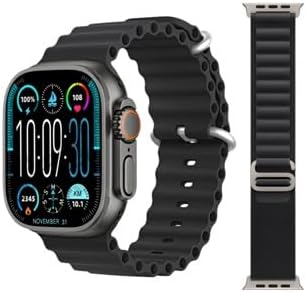
Image: The T10 ULTRA 2 Smart Watch showing its main display with time, date, and various health indicators.
Návod k obsluze
Základní navigace
- Dotyková obrazovka: Swipe left, right, up, or down to navigate through menus, notifications, and widgets. Tap to select an item.
- Boční tlačítko/korunka: Press to return to the home screen or wake the device. Rotate the crown (if applicable) to scroll through lists or zoom.
- Tlačítko akce: Some models may have a customizable action button for quick access to specific functions.
Uskutečňování a přijímání hovorů
The T10 ULTRA 2 Smart Watch supports Bluetooth calling, allowing you to make and receive calls directly from your wrist when connected to your smartphone.
- Chcete-li zavolat: Access the dialer or contacts list on your watch, select a contact, or dial a number.
- Chcete-li přijmout hovor: Při příchozím hovoru hodinky zobrazí ID volajícího. Klepnutím na zelenou ikonu hovor přijmete, klepnutím na červenou ikonu hovor odmítnete.

Image: The T10 ULTRA 2 Smart Watch screen showing an incoming call interface with a phone number displayed.
Notifications and Messages
Receive real-time notifications for calls, messages, and app alerts directly on your watch.
- Přejeďte prstem dolů z horní části ciferníku pro view nedávná oznámení.
- Configure which app notifications you wish to receive through the companion app on your smartphone.
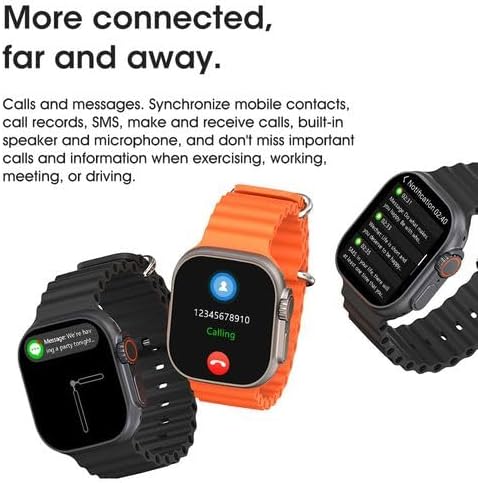
Image: The T10 ULTRA 2 Smart Watch screen showing a message notification from a contact.
Sledování zdraví a kondice
Your T10 ULTRA 2 Smart Watch is equipped with sensors to monitor various health and fitness metrics.
- Monitorování srdeční frekvence: Access the heart rate app on the watch to measure your current heart rate.
- Sledování aktivity: Tracks steps taken, distance covered, and calories burned throughout the day.
- Monitorování spánku: Monitors your sleep patterns when worn overnight.
- Režimy cvičení: Select from various sports modes to track specific workouts.
Další funkce
The T10 ULTRA 2 Smart Watch offers a range of additional features for convenience and utility:
- Dálková spoušť: Ovládejte fotoaparát telefonu na dálku.
- Ovládání hudby: Přehrávání, pozastavení, přeskakování skladeb a úprava hlasitosti hudby přehrávané v telefonu.
- Zámek PIN: Secure your watch with a PIN.
- AI Arm: (Functionality may vary, typically related to gesture control or voice assistant activation).
- Kalkulačka: Základní aritmetické funkce.
- Stopky a časovač: Pro aktivity zaměřené na měření času.
- Předpověď počasí: Získejte aktuální informace o počasí v reálném čase.
- Najít telefon: Ztracený smartphone můžete vyhledat tak, že ho necháte zazvonit.
- Připomenutí menstruačního cyklu u žen: Sledování a předpovídání menstruačních cyklů.
- Svítilna: Použijte obrazovku jako zdroj světla.
- GPS Movement Track: Record your movement routes during outdoor activities.
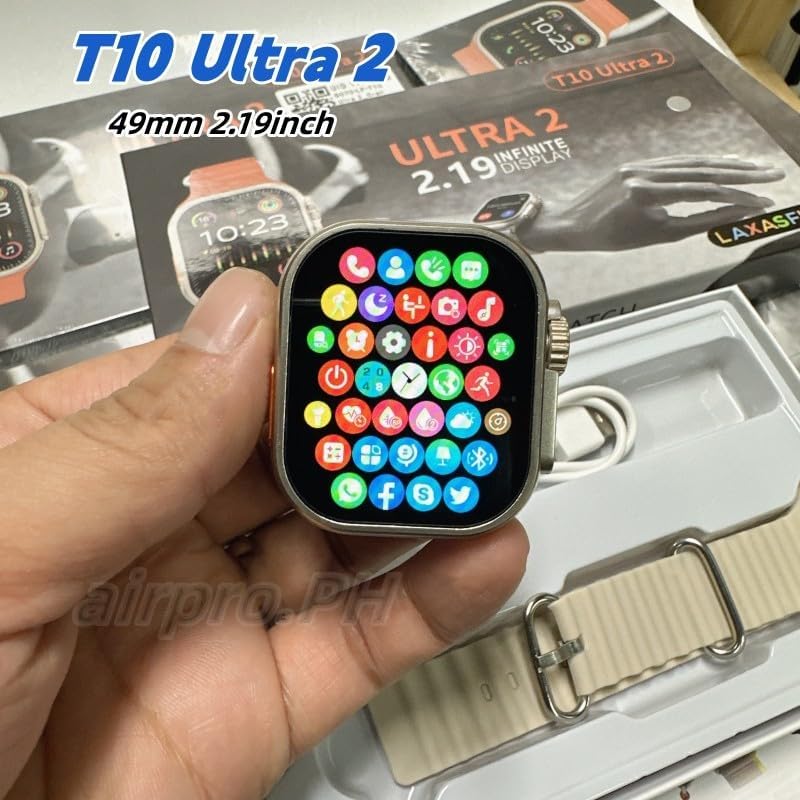
Image: The T10 ULTRA 2 Smart Watch screen showing a grid of colorful application icons, representing various functions.
Údržba
Proper maintenance ensures the longevity and optimal performance of your T10 ULTRA 2 Smart Watch.
- Čištění: Wipe the watch screen and body with a soft, lint-free cloth. For stubborn smudges, slightly damphadřík vodou. Vyhněte se agresivním chemikáliím nebo abrazivním materiálům.
- Péče o popruh: Clean the watch strap regularly, especially if it's silicone or rubber, to prevent skin irritation.
- Voděodolnost: While the watch may have some water resistance, avoid prolonged submersion or exposure to hot water, steam, or high-pressure water jets. Do not operate buttons underwater.
- Péče o baterie: Avoid fully discharging the battery frequently. Charge the watch regularly, ideally before it drops below 20%. Store in a cool, dry place if not used for extended periods.
- Vyhněte se extrémním teplotám: Nevystavujte hodinky extrémně vysokým nebo nízkým teplotám, mohlo by dojít k poškození baterie a vnitřních součástí.

Image: The underside of the T10 ULTRA 2 Smart Watch, highlighting the optical sensors used for health monitoring.
Odstraňování problémů
If you encounter issues with your T10 ULTRA 2 Smart Watch, try the following solutions before seeking professional assistance.
- Hodinky se nezapínají:
- Ujistěte se, že jsou hodinky plně nabité. Připojte je k nabíječce alespoň na 30 minut.
- Stiskněte a podržte boční tlačítko po dobu 10–15 sekund pro provedení nuceného restartu.
- Nelze spárovat se smartphonem:
- Ujistěte se, že máte v telefonu zapnuté Bluetooth a hodinky jsou viditelné.
- Make sure the companion app is installed and updated.
- Restartujte hodinky i chytrý telefon.
- Zapomeňte na zařízení v nastavení Bluetooth v telefonu a zkuste spárování znovu.
- Nepřesné zdravotní údaje:
- Ujistěte se, že hodinky máte na zápěstí pevně připevněné, ne příliš volné ani příliš těsné.
- Vyčistěte senzory na zadní straně hodinek.
- Aktualizujte firmware hodinek pomocí doprovodné aplikace.
- Krátká výdrž baterie:
- Snižte jas obrazovky.
- Disable unnecessary notifications or features (e.g., always-on display).
- Pokud to není nutné, omezte nepřetržité sledování tepové frekvence.
- Ujistěte se, že jsou hodinky pokaždé plně nabité.
- Dotyková obrazovka nereaguje:
- Restartujte hodinky.
- Ujistěte se, že je obrazovka čistá a suchá.
Specifikace
| Funkce | Detail |
|---|---|
| Číslo modelu | T10 ULTRA 2 |
| Značka | Obecný |
| Velikost obrazovky | 49 Millimeters (2.19 Inch HD Infinite Large Screen) |
| Technologie připojení | Bluetooth |
| Operační systém | Zepp OS (as indicated by specification data) |
| Kapacita paměti | 8 GB |
| Kapacita baterie | 1500 miliamp hodiny |
| Složení článků baterie | Lithium Ion |
| Jsou vyžadovány baterie | 1 baterie P76 (součástí balení) |
| Speciální funkce | Phone Calls, Wireless Charging, Remote Shutter, Music Control, PIN Lock, AI Arm, Calculator, Stopwatch, Weather Forecast, Find Phone, Female Menstrual Cycle Reminder, Flashlight, GPS Movement Track |
| Barva | Černý |
| Kompatibilní zařízení | chytré telefony |
| Rozměry balení | 21.3 x 11 x 2.7 cm; 0.65 g |
Záruka a podpora
For information regarding warranty coverage, technical support, or service inquiries for your T10 ULTRA 2 Smart Watch, please refer to the warranty card included in your product packaging or visit the official website of the manufacturer. Keep your proof of purchase for warranty claims.
V poskytnutých datech nebyla k tomuto produktu nalezena žádná oficiální videa prodejce.
Ask a question about this manual
Ask about setup, troubleshooting, compatibility, parts, safety, or missing instructions. Manuals+ will review the question and use this page’s manual context to help answer it.