
Zavedení
This manual provides detailed instructions for the setup, operation, and maintenance of your SABLUTE Wireless Keyboard and Mouse Combo, Model KC213D. This 2.4G wireless combo is designed for comfortable and efficient use with computers, laptops, and PCs running Windows, macOS, or Chrome OS. It features an ergonomic design with a wrist rest, a built-in phone/tablet holder, silent keys, and a responsive mouse.
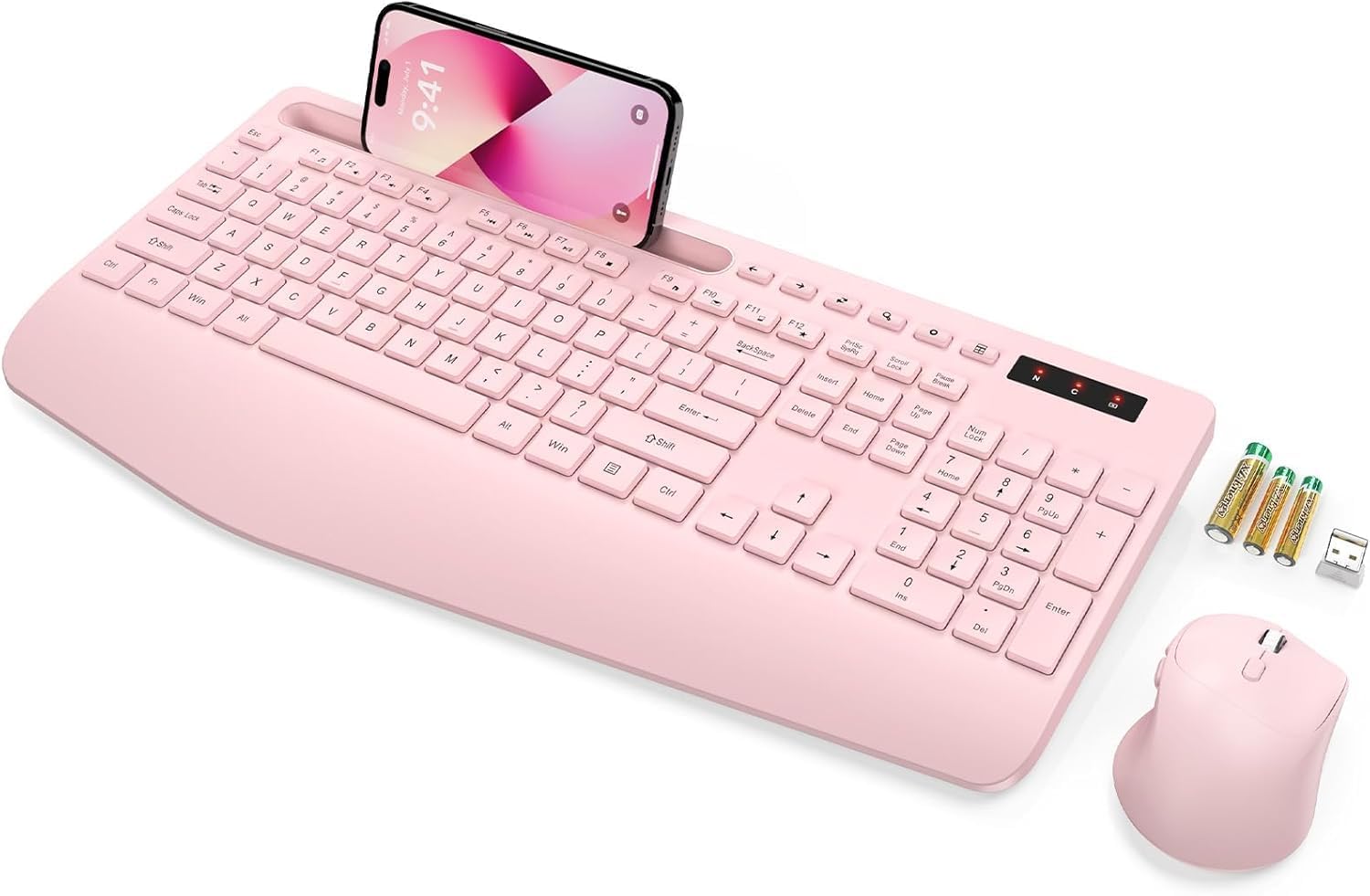
Image: The SABLUTE wireless keyboard and mouse combo in rose pink, with a phone in the integrated holder and batteries next to it.
Obsah balení
Prosím, ověřte, zda jsou v balení přítomny všechny položky:
- Wireless Keyboard (Model KC213D)
- Bezdrátová myš
- USB 2.4G přijímač
- 2 x AAA baterie (pro klávesnici)
- 1 x AA baterie (pro myš)
- Uživatelská příručka (tento dokument)
Pokyny pro nastavení
1. Instalace baterie
Install the included batteries into the keyboard and mouse:
- Locate the battery compartments on the underside of the keyboard and mouse.
- Otevřete kryty přihrádky na baterie.
- Insert 2 AAA batteries into the keyboard, ensuring correct polarity (+/-).
- Insert 1 AA battery into the mouse, ensuring correct polarity (+/-).
- Bezpečně zavřete kryty bateriového prostoru.

Image: Illustration showing the battery compartments on the underside of the keyboard and mouse, with AAA and AA batteries ready for insertion.
2. Připojení USB přijímače
The keyboard and mouse connect wirelessly via a single 2.4G USB receiver:
- Locate the USB 2.4G receiver. It is typically found in a sealed bag within the packaging or stored in the mouse's battery compartment.
- Plug the USB receiver into an available USB port on your computer, laptop, or PC.
- The system should automatically detect and install the necessary drivers. This is a plug-and-play device.
- The wireless connection range is up to 33 feet (10 meters).
Note: This keyboard and mouse combo uses a 2.4G USB receiver and cannot connect directly to tablets or phones via USB-C or Bluetooth.

Image: A diagram illustrating the 2.4G USB receiver plugged into a laptop, showing the wireless signal connecting to the keyboard and mouse.
Návod k obsluze
Funkce klávesnice
- Ergonomická opěrka zápěstí: The keyboard features a 2.8-inch wide wrist rest and a 10° tilt angle to promote a comfortable typing posture and reduce wrist strain.
- Integrated Phone & Tablet Holder: A built-in slot at the top of the keyboard can securely hold phones and tablets up to 11.9 inches, allowing for convenient multitasking.
- Multimediální klávesové zkratky: The keyboard includes 6 dedicated multimedia hotkeys for quick access to functions such as previous page, next page, refresh, search, stop loading, and calculator.
- Tiché psaní: The soft membrane keys are designed to reduce typing noise by up to 95%, providing a quiet working environment.

Obrázek: Pohled zhora view of the ergonomic wireless keyboard, highlighting the large phone holder, wrist rest, and the location of the 6 one-click shortcut keys.

Obrázek: Detailní záběr view of the keyboard's multimedia shortcut keys, with labels explaining their functions: Previous Page, Next Page, Refresh, Search, Stop Loading, and Calculator.
Funkce myši
- Design s 6 tlačítkem: The mouse features a standard left/right click, scroll wheel, DPI adjustment button, and dedicated forward/backward buttons for enhanced navigation.
- Adjustable Tracking Speed (DPI): Cycle through 3 levels of tracking speed to adjust cursor sensitivity to your preference.
- Tiché kliknutí: Equipped with Silent Micro Motion technology, the mouse buttons produce minimal noise during clicks.

Obrázek: Podrobný view of the wireless mouse, highlighting its 6-button layout including forward and backward buttons, and illustrating the silent click feature.

Image: A graphic detailing the mouse's ergonomic design, 2.4G wireless connectivity, and three adjustable tracking speed levels.
Úsporný režim
To conserve battery life, the keyboard and mouse feature an automatic sleep mode:
- The devices will enter sleep mode after 10 minutes of inactivity.
- To wake the keyboard, press any key.
- To wake the mouse, click any button.
- The keyboard offers up to 365 days of standby time, and the mouse provides up to 400 hours of working time.

Image: A visual representation of the power-saving features, showing quick wake-up (1s), auto sleep mode (10 min), and extended standby time (365 days).
Údržba
Proper maintenance ensures the longevity and optimal performance of your SABLUTE Wireless Keyboard and Mouse:
- Čištění: K čištění povrchů klávesnice a myši používejte měkký, suchý hadřík. Pro důkladnější čištění použijte lehceamp cloth with mild soap can be used, ensuring no liquid enters the internal components. Avoid harsh chemicals or abrasive materials.
- Výměna baterie: When the devices become unresponsive or exhibit delayed input, it is likely time to replace the batteries. Follow the battery installation steps outlined in the Setup section. Dispose of old batteries responsibly according to local regulations.
- Skladování: When not in use for extended periods, remove the batteries to prevent potential leakage. Store the devices in a cool, dry place away from direct sunlight and extreme temperatures.
Odstraňování problémů
If you encounter issues with your SABLUTE Wireless Keyboard and Mouse, please refer to the following common solutions:
- Žádná odezva klávesnice/myši:
- Ujistěte se, že jsou baterie správně vloženy a nejsou vybité. V případě potřeby je vyměňte.
- Ověřte, zda je USB přijímač bezpečně zapojený do funkčního USB portu v počítači. Zkuste jiný USB port.
- Přesuňte klávesnici a myš blíže k USB přijímači, abyste vyloučili problémy s dosahem.
- Restartujte počítač.
- Zpoždění nebo přerušované připojení:
- Ensure there are no large metal objects or other wireless devices (like Wi-Fi routers, cordless phones) operating too close to the receiver, which could cause interference.
- Zkontrolujte stav baterie a v případě nízkého nabití ji vyměňte.
- Kurzor myši poskakuje nebo je nepřesný:
- Clean the mouse sensor on the underside.
- Používejte myš na čistém, nereflexním povrchu. Doporučuje se podložka pod myš.
- Adjust the DPI setting using the button on the mouse to find a suitable tracking speed.
- Missing USB Dongle:
- The USB dongle is typically stored in a sealed bag within the product packaging or in the battery compartment of the mouse. Please inspect all packaging materials carefully.
If these steps do not resolve the issue, please contact SABLUTE customer support.
Specifikace
| Rozměry produktu | 16.54 x 8.27 x 1.38 palce |
| Hmotnost položky | 2 libry |
| Číslo modelu položky | KC213D |
| Jsou vyžadovány baterie | 2 AAA (keyboard), 1 AA (mouse) - included |
| Technologie připojení | Bezdrátové 2.4G USB |
| Speciální funkce | Ergonomic Wrist Rest, Phone Holder, Full Size, Shortcut Keys, Low-profile keycap, Water Repellent |
| Kompatibilní zařízení | Chromebook, Dell Inspiron, HP ENVY, HUAWEI MateBook, Laptop, Notebook, Macbook Air, iMac, Personal Computer, Television (Windows, macOS, Chrome OS) |

Image: A diagram illustrating the precise dimensions of the SABLUTE wireless keyboard and mouse.
Záruka a podpora
SABLUTE is committed to providing quality products and customer satisfaction. Your product is covered by the following:
- 90denní výměna: Eligible for replacement within 90 days of purchase.
- 360-Day Manufacturer Warranty: Kryje výrobní vady po dobu 360 dnů od data nákupu.
- Brand Care: Dedicated customer support for product assistance.
For any inquiries, technical support, or warranty claims, please contact us:
- E-mail: sabluteservices@outlook.com
- online: Refer to your platform order or store link for direct support options.

Image: A customer service representative wearing a headset, smiling, representing SABLUTE support.