
ThermoPro TP351S
ThermoPro TP351S Bluetooth Indoor Thermometer & Humidity Monitor User Manual
Model: TP351S
Zavedení
The ThermoPro TP351S is a Bluetooth-enabled indoor thermometer and humidity monitor designed to provide accurate environmental readings and remote monitoring capabilities via a smartphone application. This device is ideal for various indoor environments such as homes, greenhouses, RVs, and more, offering features like real-time data, historical data storage, and customizable alerts.
Klíčové vlastnosti
- Snadné připojení Bluetooth: Features advanced auto-connection technology for effortless pairing with smart devices.
- Přesný senzor: Equipped with an advanced NTC humidity sensor for high precision (±0.5°F and ±2% RH) and fast refresh rates (10-second).
- Rozšířený dosah dálkového ovládání: Offers a remote range of up to 260 feet for monitoring from various locations within your home or office.
- 2leté ukládání a export dat: Stores up to 2 years of historical data, which can be easily exported for analysis.
- Feature-Rich App: Provides temperature and humidity alerts, comfort index, online data chart tracking, and battery indicator.
- Kompaktní a přenosný design: Small size with a hanging loop for versatile placement.
Obsah balení
Ujistěte se prosím, že balení obsahuje všechny položky:
- 1 x ThermoPro TP351S Bluetooth Indoor Thermometer & Humidity Monitor
- 2 x AAA baterie
- 1 x Uživatelská příručka (Stručný průvodce)
Průvodce nastavením
1. Nainstalujte baterie
Open the battery compartment on the back of the device. Insert the two AAA batteries, ensuring correct polarity (+/-). Close the battery compartment securely.

Image: The ThermoPro TP351S device shown alongside a smartphone displaying its companion application, illustrating the device's compact size and the app's user interface with temperature and humidity readings.

Obrázek: Podrobný view of the ThermoPro TP351S's internal sensor chip, highlighting its advanced NTC technology for accurate temperature and humidity measurements.
2. Download the ThermoPro APP
Hledat "ThermoPro" in the Apple App Store (for iOS devices) or Google Play Store (for Android devices) and download the official application. Alternatively, scan the QR code provided in the quick start guide to directly access the app download page.
3. Pair the Device
Ensure Bluetooth is enabled on your smartphone. Open the ThermoPro app. The device should automatically connect. If not, follow the in-app instructions to add a new device. The TP351S features auto-connection technology for seamless pairing.

Image: An illustrative diagram demonstrating the 260-foot Bluetooth range of the ThermoPro TP351S, showing its ability to transmit data across multiple rooms and floors within a typical home environment.
Návod k obsluze
Monitorování v reálném čase
Once connected, the ThermoPro app will display real-time temperature and humidity readings from your TP351S device. The readings refresh every 10 seconds, providing up-to-date environmental data.
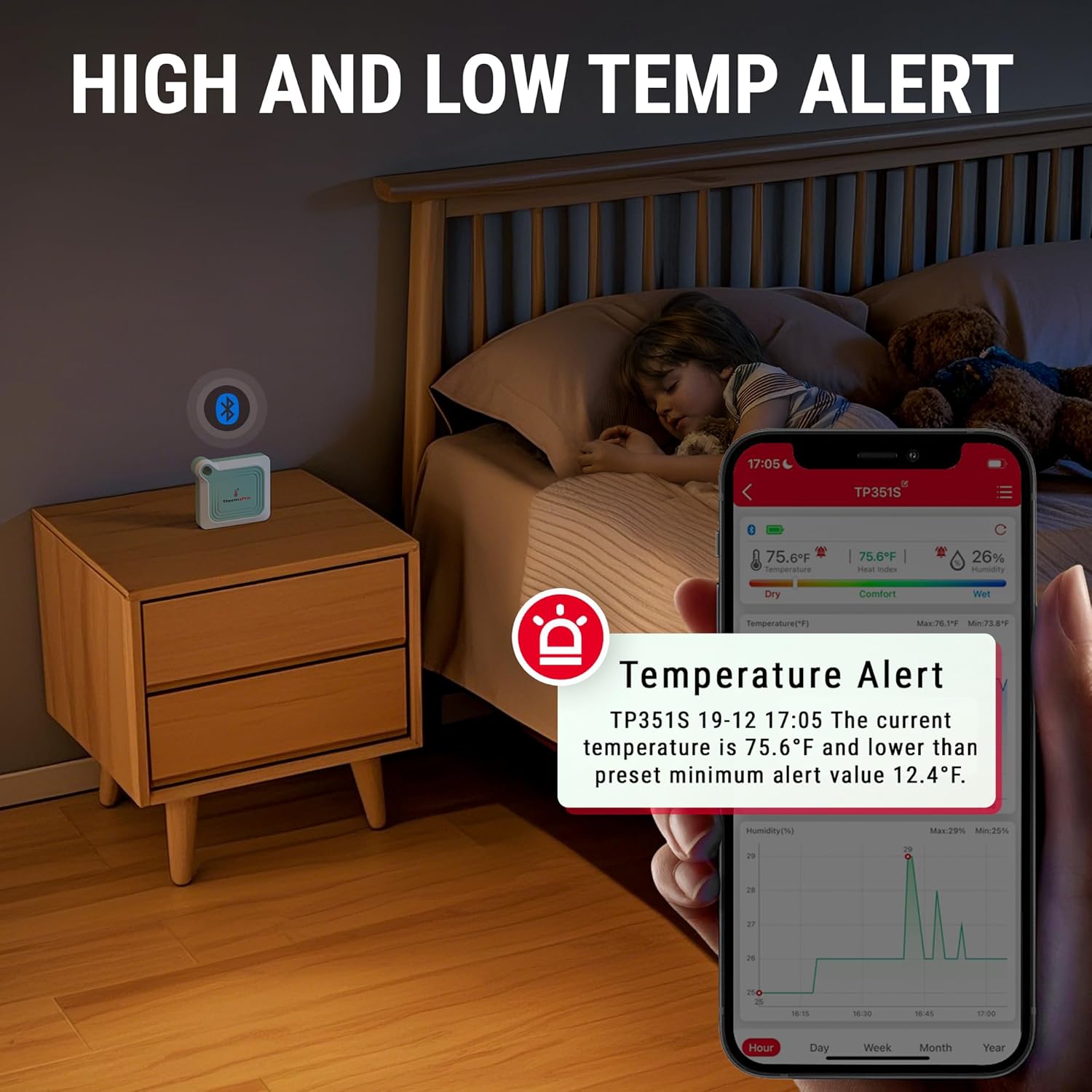
Image: A smartphone screen displaying a temperature alert from the ThermoPro app, with the TP351S device placed on a bedside table in a child's room, indicating its use for monitoring comfort levels.
Data Storage and Export
The device stores up to 2 years of temperature and humidity data. You can view historical data charts (hourly, daily, weekly, monthly, yearly) within the app. To export data, navigate to the data export option in the app, which allows you to save the data for further analysis.

Image: A visual representation of the ThermoPro app's data export feature, showing data being transferred from a smartphone to a laptop, with the TP351S device positioned near an incubator, highlighting its utility for long-term environmental monitoring.
Nastavení upozornění
The app allows you to set custom high and low temperature and humidity alerts. You will receive notifications on your smartphone if the readings go outside your preset range.
Index pohodlí
The app provides a comfort index (Dry, Comfort, Wet) based on the current humidity levels, helping you understand the environmental conditions at a glance.

Image: The ThermoPro app displaying the comfort indicator (Dry, Comfort, Wet) on a smartphone, with the TP351S device in a room where a person is performing yoga, illustrating its use for maintaining optimal indoor conditions.
Umístění a přenositelnost
The compact design and integrated hanging loop allow for flexible placement of the TP351S in various locations, including tabletops, hanging from hooks, or carried in bags.

Image: A composite image showing the compact dimensions of the ThermoPro TP351S and examples of its portability, including being held in a hand, hanging on a wall, and fitting into a small bag.

Image: A collage depicting the ThermoPro TP351S being used in diverse environments such as a greenhouse, a bedroom, and a cigar collection room, demonstrating its versatility for monitoring different spaces.
Údržba
- Čištění: Otřete zařízení měkkým, damp tkanina. Nepoužívejte abrazivní čisticí prostředky ani neponořujte zařízení do vody.
- Výměna baterie: Replace batteries when the low battery indicator appears in the app. Use 2 AAA batteries.
- Skladování: Pokud skladujete po delší dobu, vyjměte baterie, aby nedošlo k jejich vytečení. Skladujte na chladném a suchém místě.

Image: The ThermoPro TP351S device shown next to two AAA batteries, emphasizing its ultra-low power consumption and the type of batteries required for operation.
Odstraňování problémů
| Problém | Možná příčina / řešení |
|---|---|
| Zařízení se nepřipojuje k aplikaci. |
|
| Nepřesné údaje. |
|
| App not receiving data updates. |
|
Specifikace
| Funkce | Detail |
|---|---|
| Model | TP351S |
| Značka | ThermoPro |
| Přesnost teploty | ± 0.5 ° C |
| Přesnost vlhkosti | ±2 % RH |
| Teplotní rozsah | -4 °F až 140 °F (-20 °C až 60 °C) |
| rozsah vlhkosti | 10 % až 99 % RH |
| Dosah Bluetooth | Up to 260 feet (79 meters) in open connection distance |
| Ukládání dat | Až 2 let |
| Zdroj napájení | 2 x AAA baterie (součástí balení) |
| Rozměry | Cca. 3.07 x 2.72 x 0.75 palců (7.8 x 6.9 x 1.9 cm) |
| Hmotnost položky | Přibližně 1.76 unce (50 gramů) |
| Typ montáže | Tabletop / Hanging Loop |
Informace o záruce
ThermoPro provides a limited one-year warranty on this product from the date of purchase. This warranty covers defects in materials and workmanship under normal use. Please refer to the official ThermoPro website or the quick start guide for detailed warranty terms and conditions, including information on how to register your product for an extended warranty if applicable.
Zákaznická podpora
For any questions, technical assistance, or warranty claims, please contact ThermoPro Customer Service. Contact information can typically be found on the ThermoPro official webna místě nebo v obalu produktu.
Webmísto: www.buythermopro.com
Ask a question about this manual
Ask about setup, troubleshooting, compatibility, parts, safety, or missing instructions. Manuals+ will review the question and use this page’s manual context to help answer it.