
1. Úvod
Thank you for choosing the SODLK T13 Portable Bluetooth Speaker. This manual provides essential information for setting up, operating, and maintaining your speaker. Please read it thoroughly before use to ensure optimal performance and longevity of your device.
2. Konec produktuview
2.1 Komponenty
- SODLK T13 Portable Bluetooth Speaker
- Napájecí kabel (USB-C)
- 3.5mm Aux kabel
- Rychlý průvodce
2.2 Klíčové vlastnosti
- Booming Bass & 360-degree Sound: Poskytuje silný zvukový výkon.
- Stereo Dual Pairing: Connect two T13 speakers for an enhanced stereo sound experience.
- IP67 vodotěsný a prachotěsný: Designed to withstand water immersion and dust ingress, suitable for various environments.
- RGB Party Light: Integrated LED lighting effects to enhance your listening experience.
- Více možností vstupu: Supports Bluetooth, USB, TF Card, and AUX input.
- Přenosný design: Kompaktní velikost s praktickou rukojetí pro snadné přenášení.
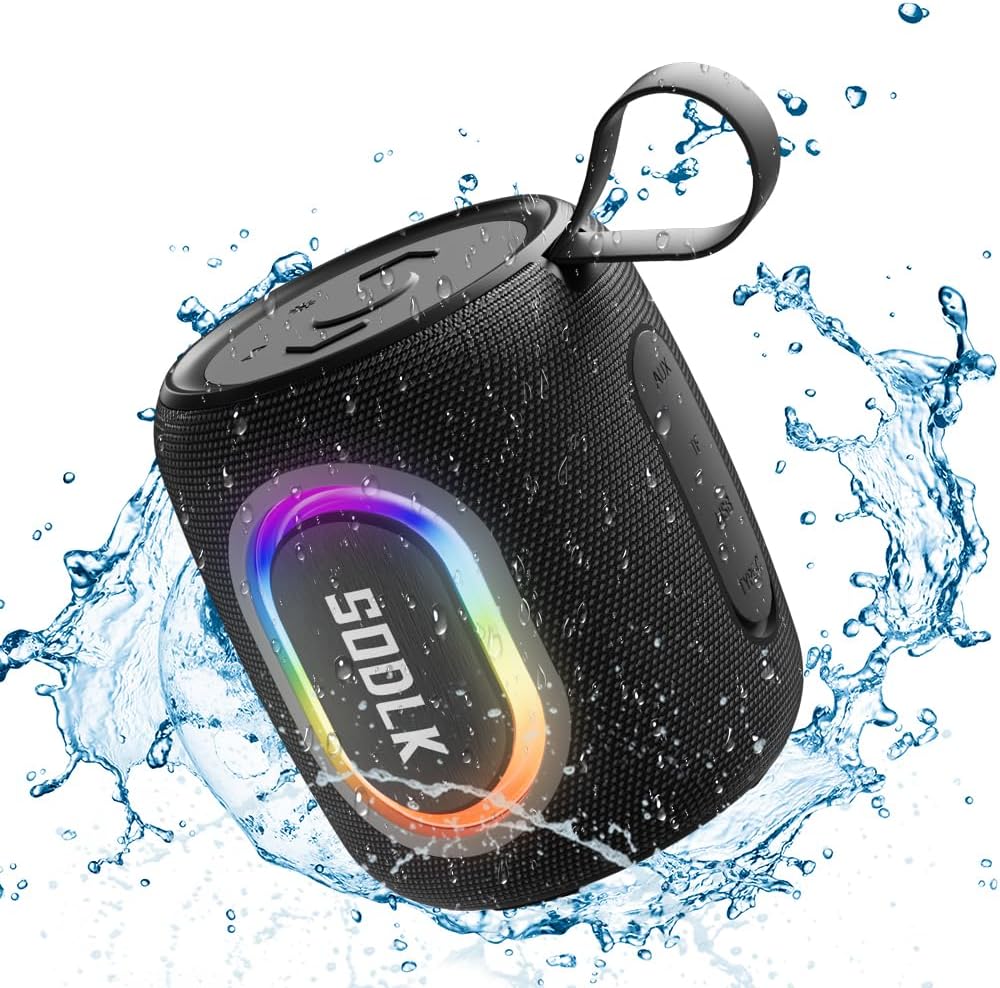
Figure 1: The SODLK T13 Portable Bluetooth Speaker demonstrating its IPX7 waterproof capability amidst splashing water.

Figure 2: Internal components of the SODLK T13 speaker, illustrating its sound engineering for loud sound and bass boost.
3. Nastavení
3.1 Nabíjení reproduktoru
Before first use, fully charge the speaker. Connect the provided USB-C power cable to the speaker's charging port and the other end to a compatible USB power adapter (not included) or a computer's USB port. The charging indicator light will show the charging status and turn off when fully charged.
3.2 Zapnutí/vypnutí
- Zapnutí: Stiskněte a podržte tlačítko napájení (U) přibližně 3 sekundy, dokud neuslyšíte zvukový signál a nerozsvítí se kontrolky.
- Vypnutí: Stiskněte a podržte tlačítko napájení (U) přibližně 3 sekundy, dokud neuslyšíte zvukový signál a kontrolky nezhasnou.
3.3 Párování Bluetooth
- Ensure the speaker is powered on and in Bluetooth pairing mode (indicated by a flashing blue LED). If not, briefly press the Bluetooth button.
- Na svém zařízení (chytrý telefon, tablet, počítač) povolte Bluetooth a vyhledejte dostupná zařízení.
- Select "SODLK T13" from the list of found devices.
- Once connected, you will hear a confirmation sound, and the Bluetooth indicator light will turn solid blue.
Reproduktor se po zapnutí automaticky pokusí znovu připojit k poslednímu spárovanému zařízení.
4. Návod k obsluze
4.1 Přehrávání hudby
- Přehrát/pozastavit: Stiskněte tlačítko Přehrát / Pozastavit (||).
- Zvýšit hlasitost: Stiskněte tlačítko pro zvýšení hlasitosti (+).
- Snížit hlasitost: Stiskněte tlačítko pro snížení hlasitosti (-).
- Další skladba: Stiskněte a podržte tlačítko pro zvýšení hlasitosti (+).
- Předchozí skladba: Stiskněte a podržte tlačítko pro snížení hlasitosti (-).
4.2 světelné režimy
The SODLK T13 features dynamic RGB lighting. Press the Light Mode button (often indicated by a lightbulb icon or similar) to cycle through different light patterns and colors. Press and hold to turn the lights off or on.

Figure 3: The SODLK T13 speaker illuminating a party atmosphere with its integrated RGB lighting.
4.3 Stereo Dual Pairing (TWS Function)
To achieve true wireless stereo (TWS) sound, you can pair two SODLK T13 speakers together:
- Ujistěte se, že oba reproduktory T13 jsou zapnuté a nejsou připojeny k žádnému zařízení Bluetooth.
- On one speaker (this will be the primary speaker), press and hold the TWS button (often indicated by two interlocking circles or similar icon) for approximately 3 seconds. You will hear a prompt indicating it's searching for another speaker.
- Oba reproduktory se automaticky propojí. Po spárování uslyšíte potvrzovací zvuk.
- Now, connect your device to the primary speaker via Bluetooth as described in Section 3.3. Audio will play through both speakers in stereo.
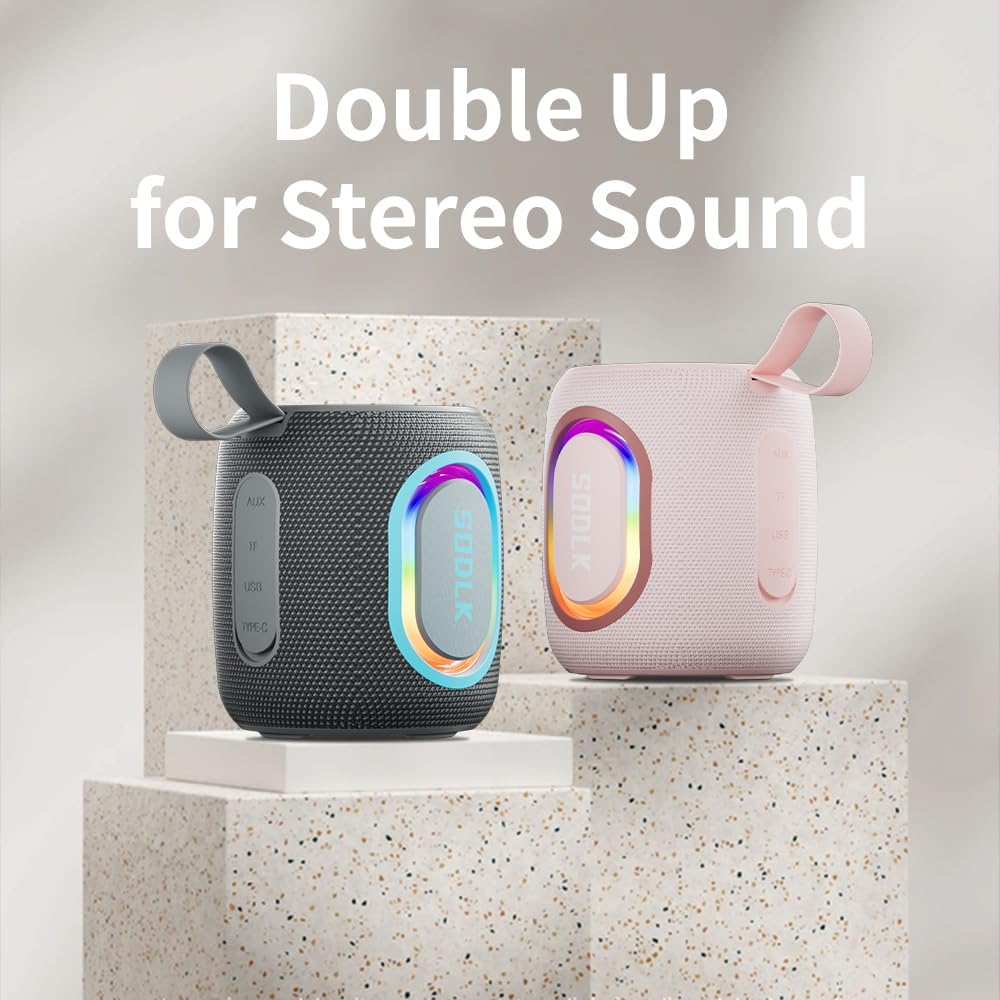
Figure 4: Two SODLK T13 speakers ready for stereo dual pairing, enhancing the audio experience.
4.4 Auxiliary and USB/TF Card Modes
- Vstup AUX: Zasuňte 3.5mm AUX kabel do AUX portu reproduktoru a druhý konec připojte ke zdroji zvuku. Reproduktor se automaticky přepne do režimu AUX.
- Vstup pro USB/TF kartu: Vložte USB flash disk nebo TF (microSD) kartu se zvukem files into the respective port. The speaker will automatically detect the media and begin playback. Use the playback controls (Play/Pause, Volume Up/Down) to manage your music.
5. Údržba
5.1 Čištění
K čištění reproduktoru použijte měkkýamp cloth. Do not use harsh chemicals, cleaning solvents, or strong detergents, as they may damage the surface or internal components. Ensure all ports are dry before charging or connecting other devices.
5.2 Skladování
Store the speaker in a cool, dry place away from direct sunlight and extreme temperatures. If storing for an extended period, charge the battery periodically (e.g., every 3 months) to maintain battery health.
6. Řešení problémů
| Problém | Možná příčina | Řešení |
|---|---|---|
| Reproduktor se nezapne. | Baterie je vybitá. | Plně nabijte reproduktor. |
| Nelze spárovat přes Bluetooth. | Reproduktor není v režimu párování nebo je již připojen k jinému zařízení. | Ensure speaker is in pairing mode (flashing blue LED). Disconnect from other devices. Restart speaker and device. |
| Z reproduktoru není slyšet žádný zvuk. | Hlasitost je příliš nízká; nesprávný režim vstupu; zařízení nepřehrává. | Increase speaker and device volume. Check if correct input mode (Bluetooth, AUX, USB/TF) is selected. Ensure audio is playing on the connected device. |
| Párování TWS selhalo. | Reproduktory jsou od sebe příliš daleko; jeden reproduktor je již spárován se zařízením. | Ujistěte se, že jsou reproduktory blízko sebe. Před zahájením párování TWS odpojte oba reproduktory od všech zařízení Bluetooth. |
7. Specifikace
| Název modelu | T13 |
| Technologie připojení | Bluetooth, Auxiliary, USB |
| Technologie bezdrátové komunikace | Bluetooth |
| Maximální výstupní výkon reproduktoru | 15 wattů |
| Úroveň odolnosti proti vodě | IP67 Vodotěsný |
| Zdroj napájení | Napájení baterií (1 lithium-iontová baterie je součástí balení) |
| Kontrolní metoda | Dotek |
| Rozměry produktu | 4.4"H x 3.8"Š x 3.8"V |
| Hmotnost položky | 1.34 libry |
8. Záruka a podpora
8.1 Omezená záruka
The SODLK T13 Portable Bluetooth Speaker comes with a limited warranty. Please refer to the warranty card included in your product packaging for specific terms and conditions. This warranty typically covers manufacturing defects and material flaws under normal use.
8.2 Zákaznická podpora
For any questions, technical support, or warranty claims, please contact SODLK customer service. Contact information can typically be found on the product packaging or the official SODLK webmísto.