
1. Konec produktuview
The Vieta Pro VM-BS1000WH is a portable, battery-powered Bluetooth speaker designed for high-quality audio playback. Its elegant design allows it to integrate seamlessly into various environments, while its robust features make it suitable for both indoor and outdoor use.
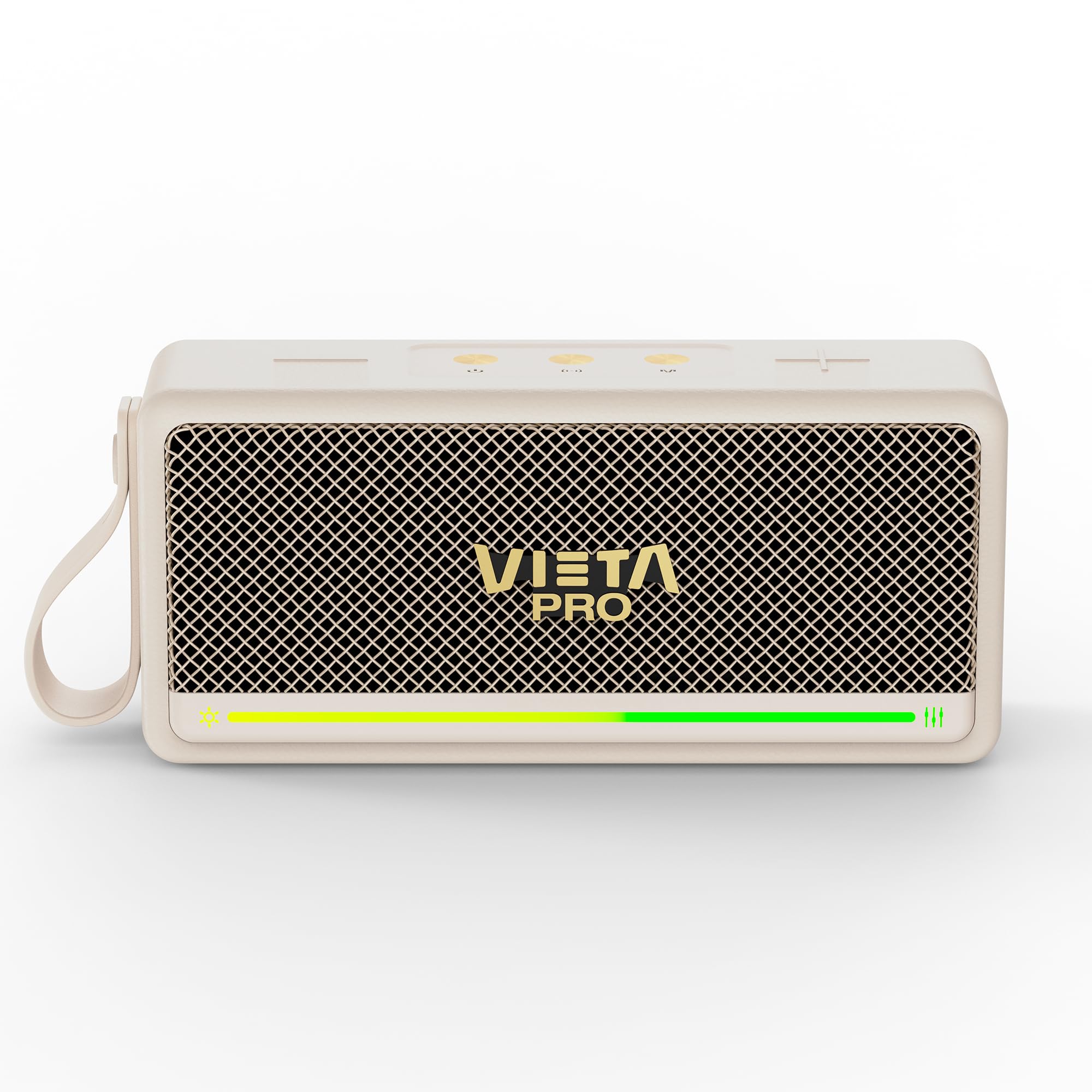
Obrázek 1: Přední strana view of the Vieta Pro VM-BS1000WH Portable Bluetooth Speaker.
2. Klíčové vlastnosti
- Bluetooth 5.3: Advanced wireless technology for fast and stable connections.
- Režim TWS (True Wireless Stereo): Enables a true wireless stereo sound experience for immersive listening.
- IPX7 voděodolnost: Certified to withstand splashes and brief immersion in water.
- USB přehrávač: Allows direct music playback from a USB drive.
- 10hodinová výdrž baterie: Provides extended use without frequent recharging.
- Shock-resistant design: Zvýšená odolnost pro aktivní životní styl.
- Dotykové ovládání: Intuitive control method for ease of use.
3. Průvodce nastavením
3.1. Nabíjení reproduktoru
Before initial use, fully charge the speaker. Connect the provided USB charging cable to the speaker's charging port and a compatible USB power adapter (not included). The charging indicator light will illuminate during charging and turn off when fully charged. A full charge provides up to 10 hours of playback.
3.2. Zapnutí/vypnutí
To power on the speaker, press and hold the power button located on the control panel until you hear an audible prompt and the indicator light turns on. To power off, press and hold the power button again until the indicator light turns off.

Obrázek 2: Strana view of the speaker, highlighting the control panel and ports.
4. Návod k obsluze
4.1. Párování Bluetooth
- Ujistěte se, že je reproduktor zapnutý a v režimu párování Bluetooth (indikováno blikající LED diodou).
- Na svém zařízení (chytrý telefon, tablet, notebook) povolte Bluetooth a vyhledejte dostupná zařízení.
- Select "Vieta Pro VM-BS1000WH" from the list of devices.
- Once paired, the speaker will emit an audible confirmation, and the LED indicator will become solid.
4.2. Režim TWS (True Wireless Stereo)
To achieve a true wireless stereo experience, you can pair two VM-BS1000WH speakers together:
- Ujistěte se, že jsou oba reproduktory zapnuté a nejsou připojeny k žádnému jinému zařízení Bluetooth.
- On one speaker, press and hold the TWS button (refer to the control panel diagram) until you hear a pairing tone.
- The two speakers will automatically connect to each other. Once connected, one speaker will act as the master and the other as the slave.
- Now, connect your device to the master speaker via Bluetooth as described in section 4.1. Audio will play in stereo through both speakers.
4.3. Přehrávání z USB
Vložte USB disk s audio soubory ve formátu MP3 files into the USB port on the speaker. The speaker will automatically detect the USB drive and begin playing music. Use the playback controls to navigate tracks.
4.4. Volume and Playback Control
The speaker features touch controls for volume adjustment and music playback:
- Zvýšit hlasitost: Klepněte na tlačítko „+“.
- Snížit hlasitost: Klepněte na tlačítko „-“.
- Přehrát/pozastavit: Tap the Play/Pause button.
- Další skladba: Stiskněte a podržte tlačítko „+“.
- Předchozí skladba: Stiskněte a podržte tlačítko „-“.
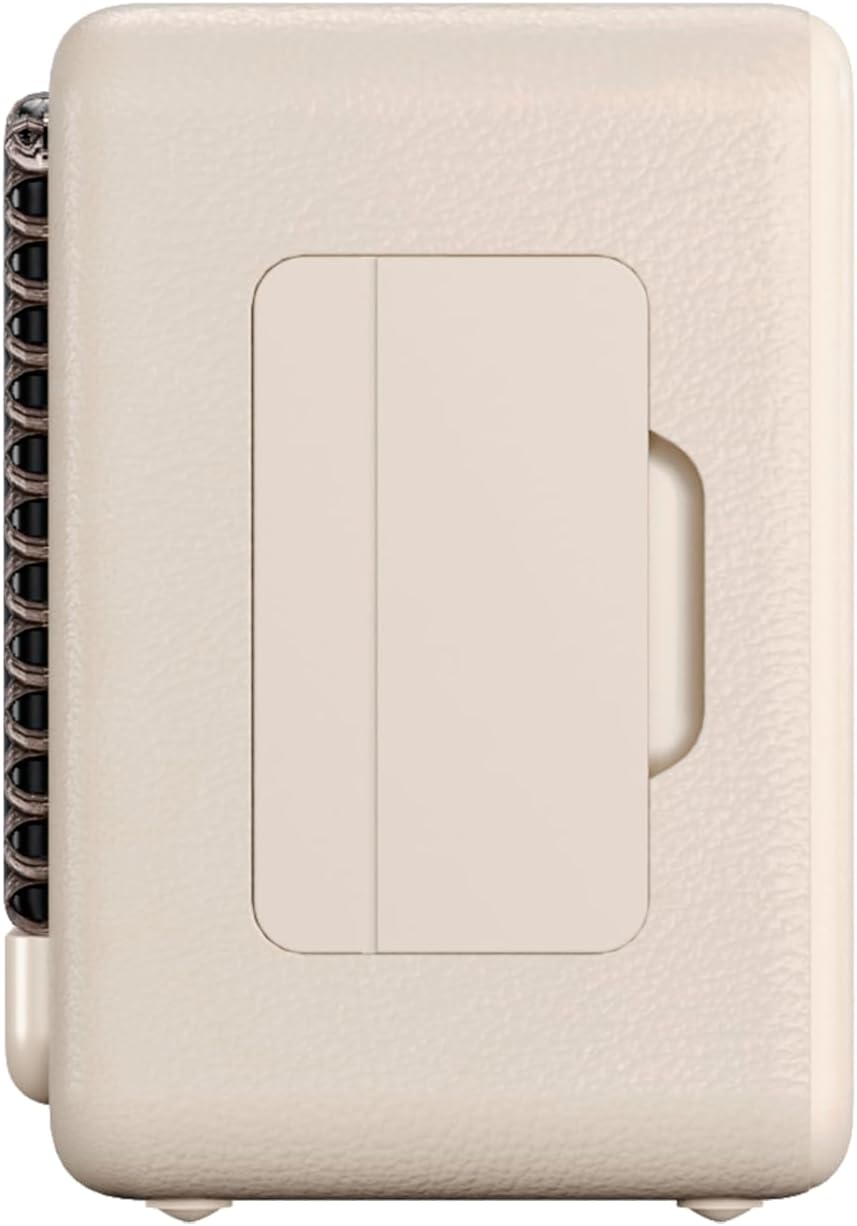
Obrázek 3: Boční profíkfile of the speaker, illustrating its compact design.
5. Údržba
5.1. Čištění
Wipe the speaker with a soft, dry cloth. Do not use abrasive cleaners, alcohol, or chemical solvents, as these may damage the surface. Ensure all ports are dry before charging or connecting other devices.
5.2. Voděodolnost (IPX7)
The VM-BS1000WH speaker is IPX7 water-resistant, meaning it can be immersed in water up to 1 meter for up to 30 minutes. However, it is not designed for continuous underwater use. Always ensure the charging port cover is securely closed before exposing the speaker to water. After exposure to water, dry the speaker thoroughly before charging.
6. Řešení problémů
- Bez napájení: Ujistěte se, že je reproduktor nabitý. Připojte jej ke zdroji napájení a zkuste to znovu.
- Nelze spárovat Bluetooth: Make sure the speaker is in pairing mode and within range of your device. Disconnect from any previously paired devices. Try restarting both the speaker and your device.
- Žádný zvuk: Zkontrolujte úroveň hlasitosti na reproduktoru i na připojeném zařízení. Ujistěte se, že je reproduktor správně spárovaný.
- Špatná kvalita zvuku: Pro snížení rušení přesuňte reproduktor blíže k zařízení Bluetooth. Ujistěte se, že mezi reproduktorem a zařízením nejsou žádné překážky.
- Přehrávání z USB nefunguje: Ujistěte se, že je USB disk správně naformátován (FAT32) a obsahuje kompatibilní audio soubory. files (MP3). Zkuste jiný USB disk.
7. Technické specifikace
| Funkce | Specifikace |
|---|---|
| Název značky | Vieta Pro |
| Název modelu | VM-BS1000WH |
| Typ reproduktoru | Přenosný Bluetooth reproduktor |
| Maximální výstupní výkon reproduktoru | 25 wattů |
| Technologie připojení | Bluetooth |
| Verze Bluetooth | 5.3 |
| Režim zvukového výstupu | Stereo |
| Úroveň odolnosti proti vodě | IPX7 (voděodolný) |
| Životnost baterie | Až 10 hodin |
| Zdroj napájení | Napájení z baterie (1 baterie typu C je součástí balení) |
| Kontrolní metoda | Dotek |
| Velikost reproduktoru | 7.5 cm |
| Rozměry produktu (D x Š x V) | 7.7 x 5.6 x 17.1 cm |
| Kompatibilní zařízení | Chytrý telefon, tablet, notebook, MP3 přehrávač |
| Speciální funkce | Shock-resistant, Wireless speakers, USB port |
8. Záruka a podpora
8.1. Omezená záruka
This Vieta Pro VM-BS1000WH speaker comes with a Limited Warranty. Please refer to the warranty card included in the product packaging for detailed terms and conditions, including coverage period and limitations. Keep your proof of purchase for warranty claims.
8.2. Zákaznická podpora
For technical assistance, troubleshooting, or warranty inquiries, please contact FRAMASON AUDIO S.A., the manufacturer. Contact information can typically be found on the product packaging or the official Vieta Pro website. Please have your model number (VM-BS1000WH) and proof of purchase ready when contacting support.