
1. Úvod
The CHERRY XTRFY M64 Wireless Gaming Mouse is engineered for competitive gaming, offering ultra-fast 8000 Hz polling rate technology for extremely low click latency and precise cursor movements. This ergonomic mouse features a reinvented design for enhanced grip and control, combined with a lightweight construction for swift and accurate gameplay. It utilizes a high-performance Pixart 3395 sensor and refined wireless technology to ensure uncompromised speed and responsiveness.
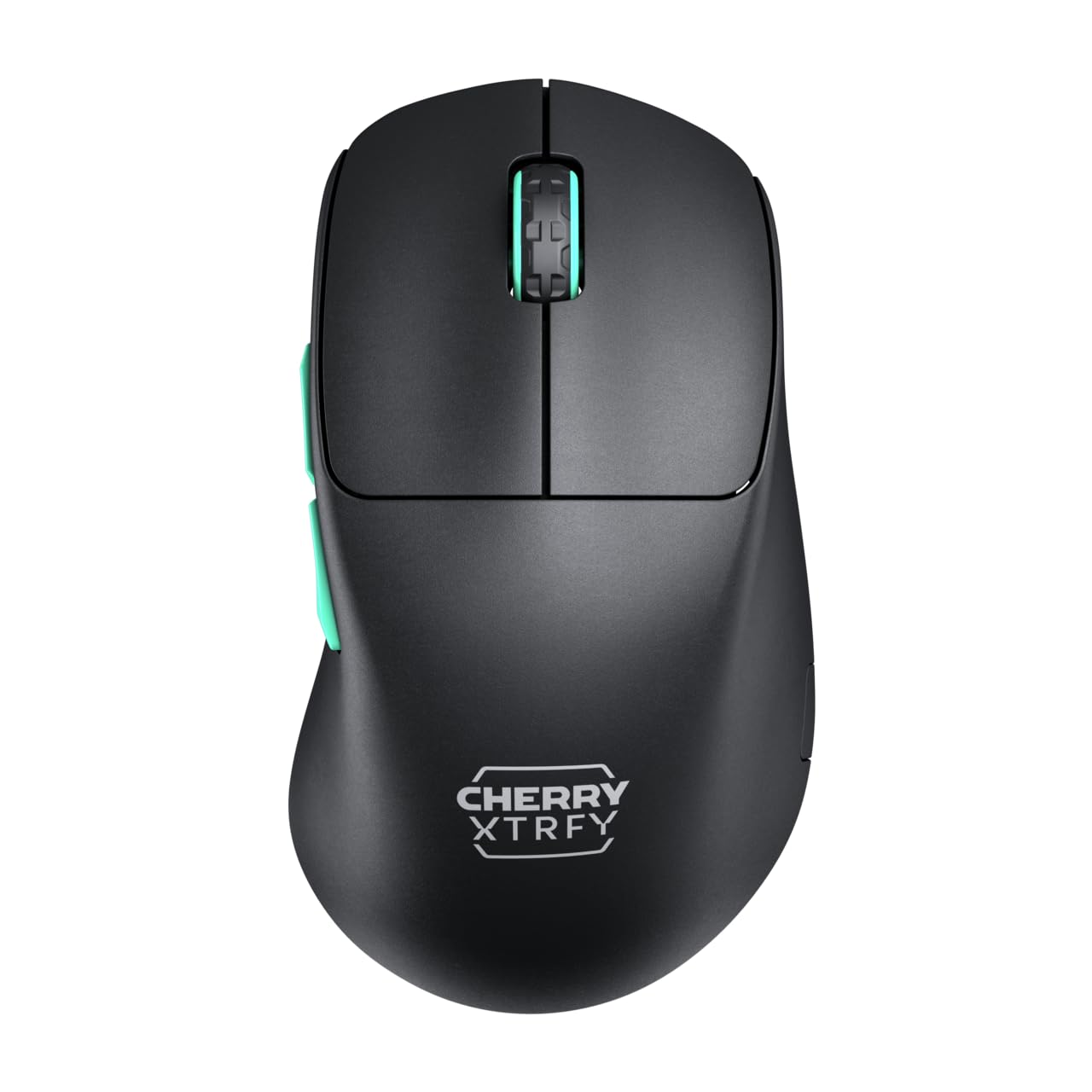
Image 1: CHERRY XTRFY M64 Wireless Gaming Mouse. This image shows the ergonomic design of the mouse, highlighting its black body and distinctive teal scroll wheel and side buttons.
2. Obsah balení
Ověřte, zda jsou v balení přítomny všechny položky:
- Bezdrátová herní myš CHERRY XTRFY M64
- USB-C Charging Cable (flexible CHERRY XTRFY EZcord)
- Bezdrátový přijímač USB-A
- USB-A to USB-C Adapter (for receiver extension)
- Uživatelská příručka (tento dokument)

Image 2: Included accessories. This image displays the USB-C charging cable, the USB-A wireless receiver, and an adapter, which are essential for connecting and charging the mouse.
3. Nastavení
- Připojení bezdrátového přijímače: Insert the USB-A wireless receiver into an available USB port on your computer. For optimal signal strength and reduced latency, use the provided USB-A to USB-C adapter and charging cable to position the receiver closer to the mouse.
- Zapnutí myši: Locate the power switch on the underside of the mouse and slide it to the "ON" position. The mouse should automatically connect to the receiver.
- Počáteční poplatek: For first-time use, it is recommended to fully charge the mouse. Connect the USB-C end of the charging cable to the mouse and the USB-A end to your computer or a USB power adapter. The mouse can be used while charging.
4. Návod k obsluze
4.1. Funkce tlačítek
- Levé tlačítko myši: Primární akce.
- Kliknutí pravým tlačítkem: Sekundární akce.
- Rolovací kolečko: Posun nahoru/dolů, kliknutí prostředním tlačítkem myši.
- Boční tlačítka: Typicky konfigurováno pro navigaci vpřed/vzad v web browsers or custom functions in games.
4.2. Nastavení DPI
The M64 Wireless mouse allows for on-the-fly DPI (Dots Per Inch) adjustment without requiring software. The DPI button is located on the underside of the mouse. Press this button to cycle through preset DPI levels. An indicator light will typically change color to show the current DPI setting.

Image 3: Underside of the mouse. This view highlights the various switches and buttons on the bottom of the mouse, including the DPI adjustment button and polling rate switch.
4.3. Úprava míry dotazování
The M64 Pro Wireless supports up to an 8000 Hz polling rate, providing extremely fast response times. A switch on the underside of the mouse allows you to select between different polling rates (e.g., 1000 Hz, 8000 Hz) to suit your preference and system capabilities. Refer to the markings on the mouse for specific settings.
4.4. Baterie a nabíjení
The mouse is equipped with a rechargeable Lithium Ion battery. A full charge can provide up to 90 hours of playtime in Standard Gaming Mode. When the battery is low, the indicator light on the mouse will signal this condition. Connect the mouse using the provided USB-C cable to charge. You can continue using the mouse while it is connected via cable.
5. Údržba
- Čištění: K čištění povrchu myši použijte měkký, suchý hadřík. V případě odolných nečistot použijte lehceamp Lze použít hadřík a ujistit se, že do myši nevnikne žádná tekutina. Vyhněte se agresivním chemikáliím nebo abrazivním materiálům.
- Skladování: Myš skladujte na chladném a suchém místě mimo dosah přímého slunečního záření a extrémních teplot.
- Péče o baterie: Chcete-li prodloužit životnost baterie, vyhněte se častému úplnému vybíjení myši. Nabijte ji, jakmile se zobrazí indikátor slabé baterie.
6. Řešení problémů
- Myš nereaguje:
- Ujistěte se, že je myš zapnutá.
- Check if the wireless receiver is securely plugged into a USB port.
- Verify the mouse battery has sufficient charge.
- Zkuste zapojit přijímač do jiného USB portu.
- Ujistěte se, že žádná jiná bezdrátová zařízení nezpůsobují rušení.
- Zpoždění nebo odpojení:
- Move the wireless receiver closer to the mouse, using the extension cable if necessary.
- Ensure there are no large metal objects or other strong wireless signals between the mouse and receiver.
- Reduce the polling rate if your system struggles to maintain 8000 Hz.
- Problémy s nabíjením:
- Ujistěte se, že je kabel USB-C správně připojen k myši i ke zdroji napájení.
- Zkuste jiný port USB nebo napájecí adaptér.
7. Specifikace
| Model | M64 Wireless |
| Technologie připojení | Wireless (2.4 GHz), USB (for charging/wired use) |
| Senzor | Pixart 3395 |
| Míra hlasování | Up to 8000 Hz (Pro models) |
| Hmotnost | Approx. 55 grams (Pro Wireless) |
| Typ baterie | 1 lithium-iontová baterie (součástí balení) |
| Životnost baterie | Up to 90 hours (Standard Gaming Mode) |
| Rozměry (balení) | 4.7 x 2.5 x 1.5 palce |
| Hmotnost položky | 1.94 unce |
| Výrobce | Cherry Xtrfy |
8. Záruka a podpora
CHERRY XTRFY products are covered by a manufacturer's warranty. For detailed warranty information, technical support, or service inquiries, please visit the official CHERRY XTRFY webwebu nebo se přímo obraťte na jejich zákaznickou podporu.
Oficiální Webstránky: cherryxtrfy.com, cherry.de