
BTQILEYOO Y10
BTQILEYOO Y10 Motorcycle Helmet Bluetooth Headset User Manual
Model: Y10
Zavedení
The BTQILEYOO Y10 Motorcycle Helmet Bluetooth Headset is designed to enhance your riding experience by providing seamless audio connectivity within your helmet. Featuring Bluetooth 5.3, smart noise reduction, and HiFi sound quality, this headset allows for music playback, navigation, and hands-free calls. Its IPX6 waterproof rating ensures durability in various weather conditions. This manual provides detailed instructions for installation, operation, and maintenance of your Y10 headset.
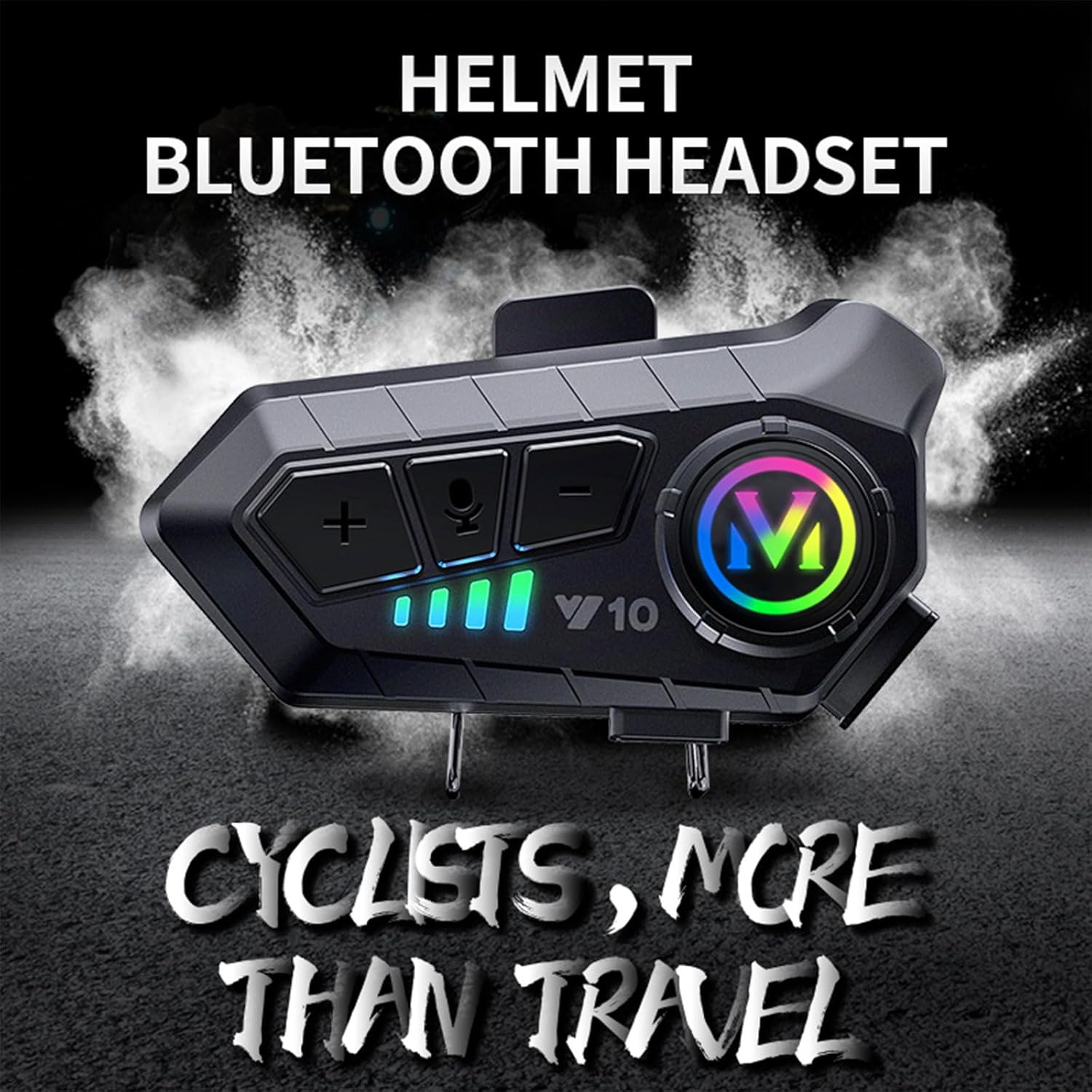
Image: The BTQILEYOO Y10 Helmet Bluetooth Headset, designed for cyclists, enhancing travel with integrated audio.
Konec produktuview
The Y10 headset features an intuitive design with accessible controls and robust construction. Familiarize yourself with the components and their functions before use.

Obrázek: Podrobný view of the BTQILEYOO Y10 headset main unit, showing its buttons and colorful indicator light.
Ovládací prvky a indikátory:

Image: Diagram illustrating the function keys of the Y10 headset, including volume controls, AI voice key, power/play/answer button, charging port, work indicator, charging indicator, and speaker/microphone interface.
- Tlačítko pro zvýšení hlasitosti / další skladbu (+): Increases volume, skips to the next track.
- Tlačítko pro snížení hlasitosti / Předchozí skladba (-): Decreases volume, goes to the previous track.
- AI Voice Key (Microphone Icon): Activates voice assistant (Siri, Google Assistant).
- Power On/Off / Play/Pause / Answer Key (M Button): Powers the device on/off, plays/pauses music, answers/ends calls.
- Nabíjecí port: Port USB typu C pro nabíjení.
- Work Indicator (Green, Blue): Označuje provozní stav.
- Indikátor nabíjení (červený): Indikuje stav nabíjení.
- Rozhraní reproduktoru/mikrofonu: Connects the speakers and microphone.
Nastavení
1. Installation on Helmet:
The Y10 headset uses a split hanging clip for secure and convenient installation on most motorcycle helmets.
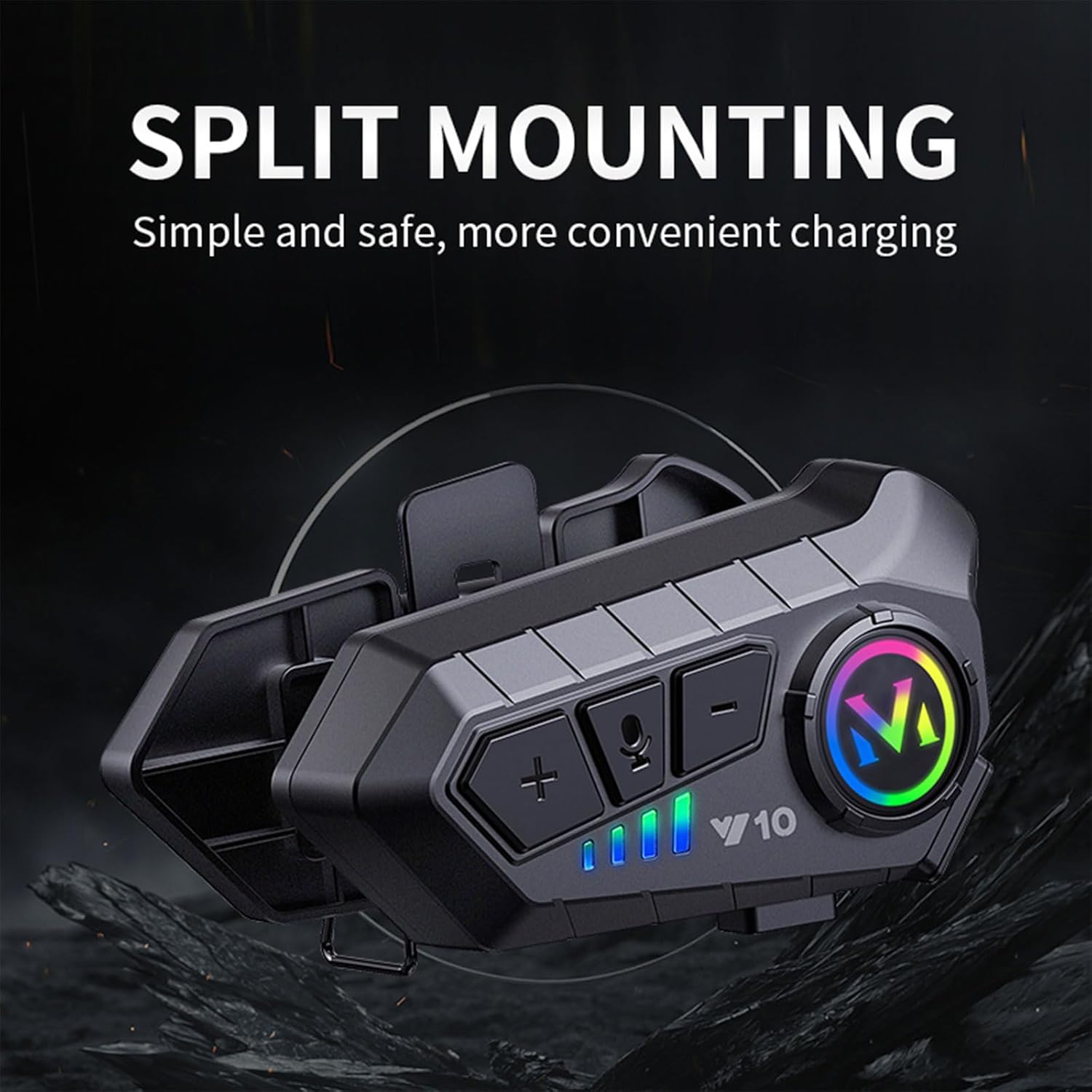
Image: The Y10 headset with its split mounting clip, illustrating simple and safe installation for convenient charging.
- Identify a suitable location on the side of your helmet, typically near the bottom edge, where the clip can securely attach without obstructing vision or helmet function.
- Separate the two parts of the split hanging clip.
- Position one part of the clip on the inside of the helmet shell and the other on the outside, aligning them.
- Secure the clip firmly to the helmet using the provided screws or mechanism, ensuring it is stable.
- Slide the Y10 headset main unit onto the installed clip until it clicks securely into place.
- Connect the speakers and microphone to the headset unit and route the cables neatly inside the helmet padding.
2. Počáteční nabití:
Before first use, fully charge the headset. The Y10 supports Type-C fast charging.
- Connect the provided USB Type-C charging cable to the charging port on the headset.
- Druhý konec kabelu připojte k USB zdroji napájení (např. k síťovému adaptéru, USB portu počítače).
- The charging indicator (red light) will illuminate during charging.
- Charging takes approximately 20 minutes for 3 hours of use, or longer for a full charge (up to 32 hours playback). The indicator light will change or turn off when fully charged.
Návod k obsluze
1. Zapnutí/vypnutí:
- Zapnutí: Press and hold the Power On/Off / Play/Pause / Answer Key (M Button) for approximately 3 seconds until the indicator light flashes.
- Vypnout: Press and hold the Power On/Off / Play/Pause / Answer Key (M Button) for approximately 3 seconds until the indicator light turns off.
2. Bluetooth párování:
- Zkontrolujte, zda je náhlavní souprava vypnutá.
- Press and hold the Power On/Off / Play/Pause / Answer Key (M Button) for about 5-7 seconds until the indicator light flashes rapidly, indicating pairing mode.
- On your mobile phone or Bluetooth device, enable Bluetooth and search for "Y10".
- Select "Y10" from the list of available devices to connect. Once connected, the indicator light will slow its flashing or turn solid.
3. Přehrávání hudby:
- Přehrát/pozastavit: Short press the Power On/Off / Play/Pause / Answer Key (M Button).
- Další skladba: Short press the Volume Up / Next Track Button (+).
- Předchozí skladba: Short press the Volume Down / Previous Track Button (-).
- Zvýšit hlasitost: Long press the Volume Up / Next Track Button (+).
- Snížit hlasitost: Long press the Volume Down / Previous Track Button (-).
4. Call Handling:
- Přijmout hovor: The Y10 headset supports automatic answering after 10 seconds. You can also short press the Power On/Off / Play/Pause / Answer Key (M Button) to answer immediately.
- Ukončit hovor: Short press the Power On/Off / Play/Pause / Answer Key (M Button).
- Odmítnout hovor: Long press the Power On/Off / Play/Pause / Answer Key (M Button).
- Znovu vytočit poslední číslo: Double-press the Power On/Off / Play/Pause / Answer Key (M Button).
5. Hlasové ovládání:
Activate your smartphone's voice assistant (Siri, Google Assistant) with a single button press.

Image: A rider wearing a helmet with the Y10 headset, demonstrating the "One Click to Wake Up AI Voice Assistant" feature, showing example voice commands like "Hey Siri, open Spotify" or "Alexa, what will the weather be like tomorrow?".
- Aktivovat Voice Assistant: Short press the AI Voice Key (Microphone Icon).
- Once activated, you can issue commands such as "Hey Siri, open Spotify" or "Hey Siri, navigate to a nearby gas station."
6. Connecting Two Mobile Phones:
The Y10 headset can connect to two mobile phones simultaneously, allowing you to switch between devices for music, navigation, and calls.

Image: The Y10 headset positioned between two smartphones, illustrating its "Smart One Drags Two" feature, allowing connection to two mobile phones simultaneously.
- Pair the first phone as described in the "Bluetooth Pairing" section.
- Once the first phone is connected, put the headset back into pairing mode (refer to step 2 of Bluetooth Pairing).
- Pair the second phone. The headset will now be connected to both devices.
- The headset will intelligently manage audio and calls from both connected devices.
Vlastnosti a specifikace
The BTQILEYOO Y10 headset is engineered with advanced features for optimal performance and user convenience.

Image: A graphic summarizing key features of the Y10 headset, including Bluetooth 5.3, IPX6 waterproof, dual phone connection, AI voice assistant, 32-hour battery, call answering, intelligent noise reduction, split design, and HD sound quality.
| Funkce | Popis |
|---|---|
| Název modelu | Y10 |
| Technologie připojení | Bezdrátové připojení (Bluetooth 5.3) |
| Kvalita zvuku | HiFi Level with 40mm Graphene Diaphragm |
| Redukce šumu | Smart Noise Reduction, Dual Noise Cancellation Microphone, Windproof Sponge |
| Voděodolnost | IPX6 Vodotěsný |
| Kapacita baterie | 1000 XNUMX mAh |
| Životnost baterie | 32 hours music playback, 30 hours talk time, up to 18 months standby |
| Nabíjení | Type-C Fast Charging (20 mins charge for 3 hours use) |
| Připojení více zařízení | Connects to two mobile phones simultaneously |
| Hlasové ovládání | Supports AI voice assistants (Siri, Google Assistant) |
| Automatická odpověď | Automatically answers calls in 10 seconds |
| Kompatibilní zařízení | Moto přilby |
| Materiál | Plast |
| Hmotnost položky | 6.4 unce |
Visual Demonstrations of Key Features:

Image: The Y10 headset with lightning bolts, emphasizing its long-lasting battery life and fast charging capabilities.

Image: The Y10 headset surrounded by water splashes, highlighting its IPX6 depth waterproof rating.
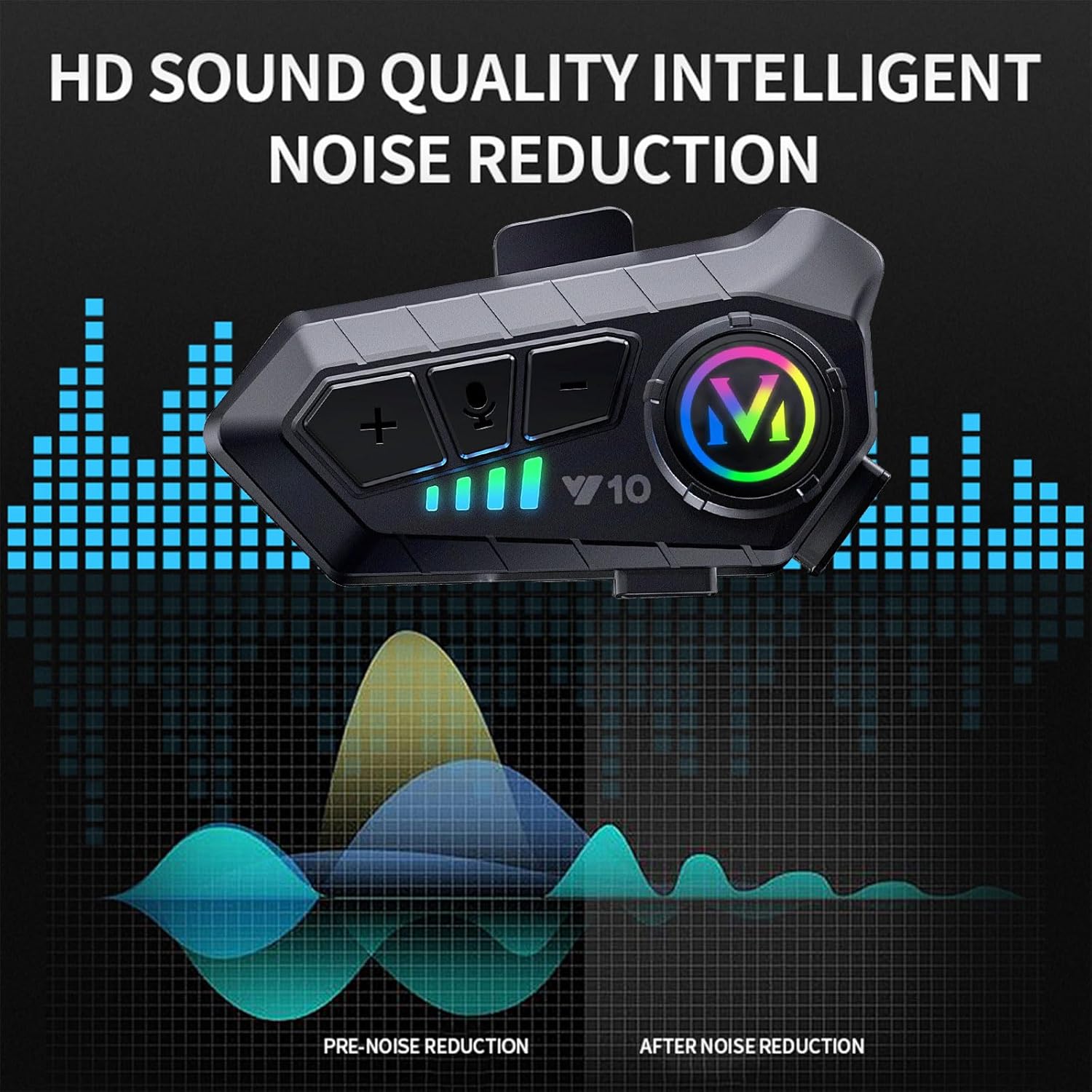
Image: The Y10 headset with sound wave graphics, illustrating its HD sound quality and intelligent noise reduction capabilities, showing pre-noise reduction and after-noise reduction sound profiles.
Údržba
- Čištění: Otřete náhlavní soupravu měkkým hadříkemamp tkanina. Nepoužívejte agresivní chemikálie nebo abrazivní čisticí prostředky.
- Skladování: Store the headset in a cool, dry place away from direct sunlight and extreme temperatures when not in use for extended periods.
- Péče o baterie: Chcete-li prodloužit životnost baterie, vyvarujte se častého úplného vybíjení. Pravidelně nabíjejte sluchátka, i když je nepoužíváte.
- Vystavení vodě: While IPX6 waterproof, avoid prolonged submersion. Ensure the charging port cover is securely closed when exposed to water.
Odstraňování problémů
| Problém | Možná příčina | Řešení |
|---|---|---|
| Sluchátka se nezapínají. | Slabá baterie. | Plně nabijte sluchátka. |
| Nelze spárovat s telefonem. | Sluchátka nejsou v režimu párování; Bluetooth na telefonu vypnutý; rušení. | Ensure headset is in pairing mode (rapid flashing light). Turn phone's Bluetooth off and on. Move closer to the phone. |
| Žádný zvuk nebo nízká hlasitost. | Příliš nízká hlasitost; reproduktory nejsou správně umístěny; uvolněné připojení. | Increase volume on both headset and phone. Adjust speaker position inside helmet. Check speaker connections. |
| Kvalita hovoru je špatná. | Microphone not positioned correctly; environmental noise. | Adjust microphone closer to your mouth. Ensure windproof sponge is properly installed. |
| Sluchátka se často odpojují. | Mimo dosah; rušení; slabá baterie. | Stay within Bluetooth range. Avoid strong electromagnetic interference. Charge the headset. |
Oficiální video produktu
Watch the official product video for a visual guide on the BTQILEYOO Y10 Motorcycle Helmet Bluetooth Headset's features and installation.
Video: An official demonstration video showcasing the BTQILEYOO Y10 Motorcycle Helmet Bluetooth Headset, including its features, sound quality, waterproof capabilities, and installation process using the split hanging clip. The video highlights its suitability for various helmets.
Záruka a podpora
BTQILEYOO products are manufactured to high quality standards. For specific warranty information, please refer to the warranty card included with your product or contact BTQILEYOO customer support.
Pro technickou podporu, pomoc s řešením problémů nebo reklamaci se prosím obraťte přímo na prodejce nebo výrobce. Uschovejte si účtenku jako doklad o koupi.
- Výrobce: BTQILEYOO
- prodejce: Freewind Motorcycle
- Online podpora: Refer to the product listing page on Amazon for seller contact information or visit the official BTQILEYOO webmísto, pokud je k dispozici.
Související dokumenty - Y10
 |
Stručný návod k obsluze Bluetooth sluchátek s mikrofonem pro motocyklovou helmu Y10 Stručný průvodce Bluetooth sluchátky pro motocyklovou helmu Y10 s podrobným popisem produktuview, funkce telefonu, přehrávání hudby, nabíjení, párování a důležité bezpečnostní pokyny. |
 |
Y10-2X Motorcycle Helmet Intercom System: Instruction Manual Comprehensive instruction manual for the Y10-2X motorcycle helmet intercom system, covering product overview, phone features, voice assistant, music intercom mixing, installation, pairing, music controls, and technical specifications. Includes FCC compliance information and usage precautions. |
 |
velev Y10 Motorcycle Helmet Headset - Quick Instruction Manual Comprehensive guide for the velev Y10 motorcycle helmet headset, covering product overview, charging, pairing, phone calls, music playback, and safety instructions. Learn how to use your Bluetooth 5.3 helmet communication system. |
 |
Uživatelská příručka pro Bluetooth headset XINOWY S7 pro motocyklové helmy Podrobná uživatelská příručka pro Bluetooth headset XINOWY S7 pro motocyklové helmy, pokrývající funkce jako IP67 vodotěsnost, BT5.4, redukce šumu, HIFI zvuk, automatické přijímání hovorů a bezpečné jízdy s RGB osvětlením. |
 |
Sluchátka s mikrofonem BTQILEYOO T1: Uživatelská příručka a návod k obsluze Komplexní uživatelská příručka pro sluchátka s mikrofonem BTQILEYOO T1, která zahrnuje nastavení, párování Bluetooth, ovládání hudby, handsfree volání, hlasového asistenta, nastavení ekvalizéru, nabíjení a řešení problémů. |
 |
Stručný návod k obsluze Bluetooth interkomu pro motocyklovou helmu V30 A concise guide to setting up and using the V30 Bluetooth motorcycle helmet intercom system, covering phone calls, music playback, intercom communication, and lighting features. |
Ask a question about this manual
Ask about setup, troubleshooting, compatibility, parts, safety, or missing instructions. Manuals+ will review the question and use this page’s manual context to help answer it.