
BUGANI BUGANI B09
Uživatelská příručka k bezdrátovým sluchátkům BUGANI
Model: BUGANI B09
Značka: BUGANI
Zavedení
Welcome to the user manual for your BUGANI Wireless Earbuds. These earbuds are designed to provide an immersive audio experience with deep bass, crystal-clear calls, and a comfortable, secure fit. Featuring Bluetooth 5.3 for stable connectivity and IPX6 water resistance, they are ideal for various activities, from daily commutes to sports.

Image: BUGANI Wireless Earbuds in black and white charging cases, highlighting the sleek design and portability.
Bezpečnostní informace
Please read the following safety guidelines carefully before using your earbuds:
- Neponořujte sluchátka do vody.
- Chraňte před extrémními teplotami.
- Zařízení nerozebírejte ani se nepokoušejte opravit.
- Používejte pouze certifikované nabíjecí kabely a adaptéry.
- Vyhněte se dlouhodobému poslechu při vysoké hlasitosti, abyste předešli poškození sluchu.
Obsah balení
The following items are included in your BUGANI Wireless Earbuds package:
- 1 x BUGANI B09 Wireless Earbuds
- Nabíjecí kabel 1 x USB-C
- 1 x User Quick Guide
- 3 x Different Sizes of Eartips (S, M, L)
- 3 x Different Sizes of Silicone Earwings (S, M, L)
Konec produktuview
The BUGANI B09 earbuds feature a compact design with touch controls and integrated microphones for clear communication. The charging case provides extended battery life and secure storage.
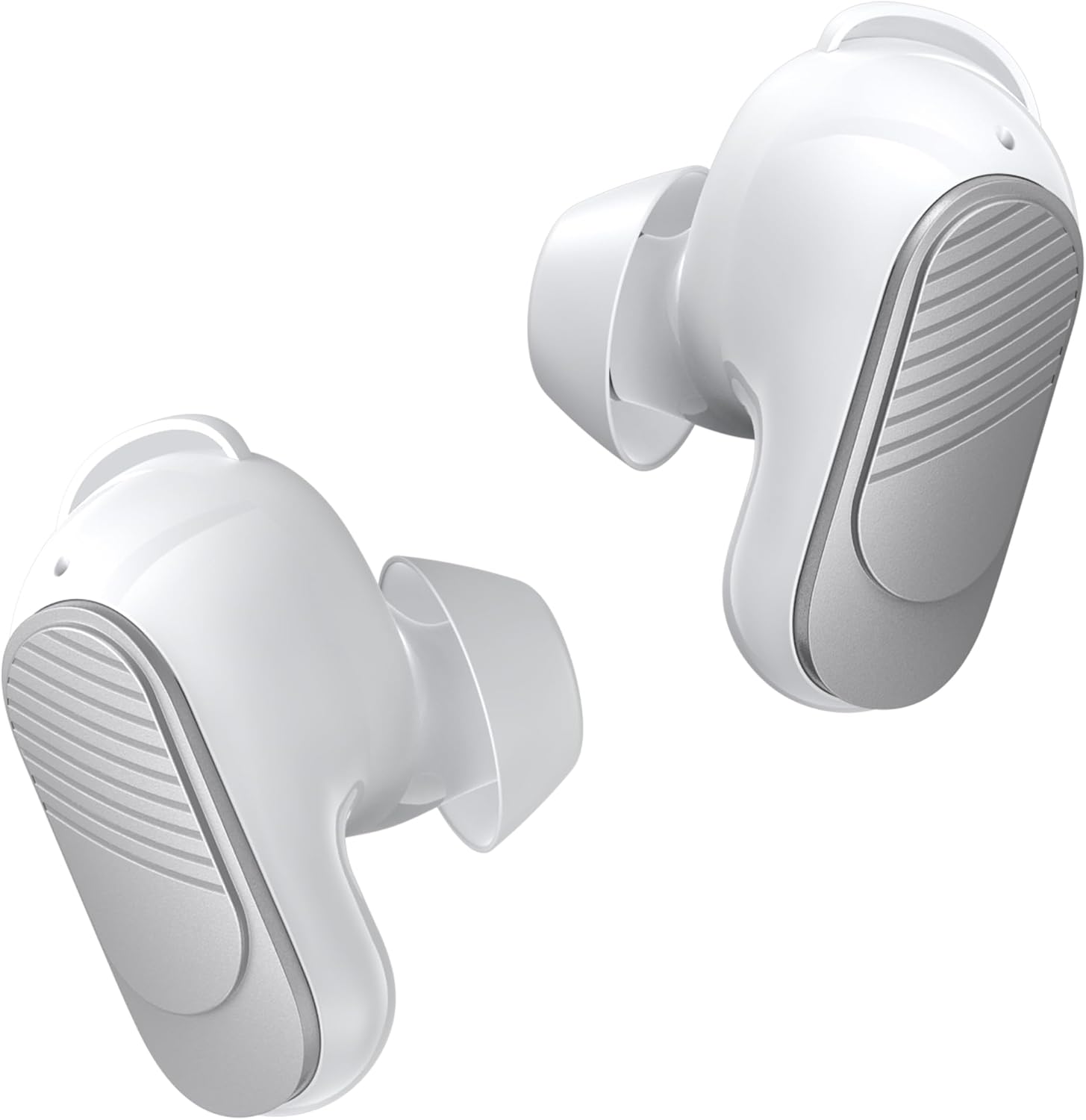
Image: A pair of white BUGANI wireless earbuds, showing their ergonomic shape.

Obrázek: Explodoval view diagram illustrating the internal acoustic and electronic components of a BUGANI earbud, emphasizing distortion-free sound.
Nastavení
Nabíjení sluchátek a pouzdra
Před prvním použitím sluchátka a nabíjecí pouzdro plně nabijte.
- Vložte sluchátka do nabíjecího pouzdra. Ujistěte se, že jsou správně usazena.
- Připojte nabíjecí kabel USB-C k nabíjecímu portu na pouzdře a druhý konec k napájecímu zdroji USB.
- Kontrolky na pouzdře budou ukazovat stav nabíjení. Úplné nabití pouzdra trvá přibližně 1.5 hodiny.

Image: The BUGANI earbuds inside their charging case, illustrating the 24-hour total playtime with the case and 6 hours from a single earbud charge.
Párování pomocí Bluetooth
Sluchátka se pro pohodlné používání párují v jednom kroku.
- Otevřete nabíjecí pouzdro. Sluchátka se automaticky přepnou do režimu párování.
- Na svém zařízení (chytrý telefon, tablet, počítač) povolte Bluetooth.
- Hledat "BUGANI B09" in the list of available Bluetooth devices and select it to connect.
- Once connected, the earbuds will automatically reconnect to the last paired device when taken out of the case.

Image: A visual representation of Bluetooth 5.3 technology, highlighting its benefits for stable and efficient wireless communication.

Image: A smartphone screen showing successful Bluetooth pairing with 'BUGANI B09', alongside the earbuds and charging case, demonstrating the ease of one-step pairing and broad device compatibility.
Nasazení sluchátek
For optimal sound quality and comfort, choose the correct size of eartips and earwings.
- Select the eartips (S, M, L) that provide a snug fit in your ear canal.
- Select the earwings (S, M, L) that securely anchor the earbuds in your outer ear.
- Gently insert the earbuds into your ears and twist slightly to ensure a secure and comfortable seal.

Image: A close-up of the earbud design, emphasizing its lightweight nature (3.9g) and the inclusion of wingtips for a secure and comfortable fit.

Image: Various sizes of eartips and earwings are displayed, illustrating the options available to achieve maximum comfort and a perfect fit for different ear shapes.
Ovládání sluchátek
The BUGANI B09 earbuds feature intuitive touch controls on each earbud.

Image: A comprehensive diagram detailing the touch control gestures for the BUGANI earbuds, covering functions such as power on/off, music playback, call handling, volume adjustment, and voice assistant activation.
Ovládání hudby
- Přehrát/pozastavit: L/R Touch 1 quickly.
- Další skladba: R Touch 2 quickly.
- Předchozí skladba: L Touch 2 quickly.
- Zvýšit hlasitost: R Touch 3 quickly.
- Snížit hlasitost: L Touch 3 quickly.
Ovládání hovorů
- Přijmout hovor: L/R Touch 1 quickly.
- Zavěsit: L/R Touch 1 quickly.
- Odmítnout hovor: L/R Touch 2 quickly.

Image: A woman wearing a BUGANI earbud, with an overlay highlighting the microphone location and emphasizing the crystal-clear call quality due to dual-mic noise isolation.
Hlasový asistent
- Aktivovat Voice Assistant: L/R Long press for 2s.
Zapnutí/vypnutí
- Zapnutí: L/R Long press for 3s.
- Vypnout: L/R Long press for 5s.
Resetovat
- Resetovat sluchátka: L&R Touch 5 quickly.
Údržba
Čištění
Pravidelně čistěte sluchátka a nabíjecí pouzdro, abyste zajistili optimální výkon a hygienu.
- K otření sluchátek a nabíjecího pouzdra použijte měkký, suchý hadřík, který nepouští vlákna.
- Pro odolnou špínu lehceamphadřík vodou. Nepoužívejte agresivní chemikálie ani abrazivní materiály.
- Jemně odstraňte veškerý ušní maz nebo nečistoty z náušníků a mřížky reproduktoru pomocí malého měkkého kartáčku nebo vatového tamponu.
Skladování
Pokud sluchátka nepoužíváte, uložte je do nabíjecího pouzdra, abyste je chránili před prachem, poškozením a udrželi je nabité.

Image: A woman engaged in physical activity while wearing BUGANI earbuds, accompanied by an IPX6 rating icon, signifying their waterproof and sweatproof capabilities.
Odstraňování problémů
If you encounter any issues with your BUGANI Wireless Earbuds, please refer to the table below for common problems and solutions:
| Problém | Řešení |
|---|---|
| Sluchátka se nespárují | Ensure earbuds are charged. Turn off and on Bluetooth on your device. Try resetting the earbuds (L&R Touch 5 quickly). |
| Funkční pouze jedno sluchátko | Place both earbuds back into the charging case, close the lid, then open it again. Ensure both earbuds are charged. Try resetting the earbuds. |
| Nízká hlasitost nebo špatná kvalita zvuku | Adjust volume on your device and earbuds. Ensure eartips are the correct size for a secure seal. Clean any debris from the speaker mesh. |
| Sluchátka se nenabíjejí | Ensure the charging cable is securely connected. Check if the charging case has power. Clean the charging contacts on both earbuds and the case. |
| Disconnections during use | Ensure you are within the Bluetooth range of your device. Avoid obstacles between the earbuds and your device. |
Specifikace
Key technical specifications for the BUGANI B09 Wireless Earbuds:
- Model: BUGANI B09
- Technologie připojení: Bezdrátové připojení (Bluetooth 5.3)
- Technologie bezdrátové komunikace: Bluetooth
- Průměrná životnost baterie: 6 hodin (sluchátka), 24 hodin (s nabíjecím pouzdrem)
- Úroveň odolnosti proti vodě: IPX6 Voděodolný
- Typ ovládání: Dotykové ovládání
- Speciální vlastnosti: Built-In Voice Assistant, ENC Noise Cancelling, Deep Bass, Hi-Fi Stereo Sound, Ergonomic design, Fast Charging, Ultra Lightweight and Mini, Auto Pairing
- Materiál: Plast
- Číslo modelu položky: BUGANI B09
- Rozměry balíku: 12.9 x 9.6 x 4.7 cm; 120 g
Záruka a podpora
BUGANI products come with a standard manufacturer's warranty. For detailed warranty information, technical support, or service inquiries, please refer to the contact information provided in the quick guide included with your product or visit the official BUGANI webmísto.
Ask a question about this manual
Ask about setup, troubleshooting, compatibility, parts, safety, or missing instructions. Manuals+ will review the question and use this page’s manual context to help answer it.