
Zavedení
This manual provides detailed instructions for the setup, operation, and maintenance of your bemi Kix-m Smartwatch Fitness Tracker. Please read this manual thoroughly before using the device to ensure proper function and to maximize your user experience. The bemi Kix-m is designed to assist you in monitoring your fitness activities and health metrics.
Co je v krabici
- bemi Kix-m Smartwatch
- Nabíjecí kabel
- Uživatelská příručka (tento dokument)
Nastavení
1. Instalace aplikace
The bemi Kix-m Smartwatch operates with the "H Band" application. This application is compatible with smartphones running Android 4.4 or newer and iOS 8.0 or newer.
- Hledat "H Band" in the App Store (for iOS devices) or Google Play Store (for Android devices).
- Stáhněte a nainstalujte aplikaci do svého smartphonu.
- Postupujte podle pokynů na obrazovce a vytvořte si účet a nastavte si osobního profesionála.file.
2. Párování zařízení
To connect your smartwatch with the "H Band" app:
- Ujistěte se, že je ve vašem smartphonu zapnutá funkce Bluetooth.
- Open the "H Band" application.
- Navigate to the device pairing section within the app (usually found under "Device" or "My Device").
- The app will search for available devices. Select "Kix-m" from the list to initiate pairing.
- V případě potřeby potvrďte požadavek na párování na smartphonu i chytrých hodinkách.
Poznámka: If you experience issues with pairing, ensure the watch is charged and within Bluetooth range of your phone. Refer to the troubleshooting section for further assistance.
Návod k obsluze
1. Základní navigace
The bemi Kix-m Smartwatch features a 1.5-inch touchscreen display for navigation. Swipe left, right, up, or down to access different functions and menus. Tap to select options.
2. Přehrávání hudby
The Kix-m includes a built-in audio player with 512MB of internal memory, allowing you to store and play music directly from the watch.
- Přenos hudby: Connect the smartwatch to a computer using the charging cable. The watch should appear as a removable storage device. Drag and drop your MP3 files into the designated music folder on the watch.
- Connecting Headphones/Speakers: The watch features a dual Bluetooth module. Navigate to the Bluetooth settings on your watch, enable Bluetooth, and pair with your wireless headphones or speaker.
- Ovládání přehrávání: Access the music player from the watch's menu. You can play, pause, skip tracks, and adjust volume directly from the watch screen.
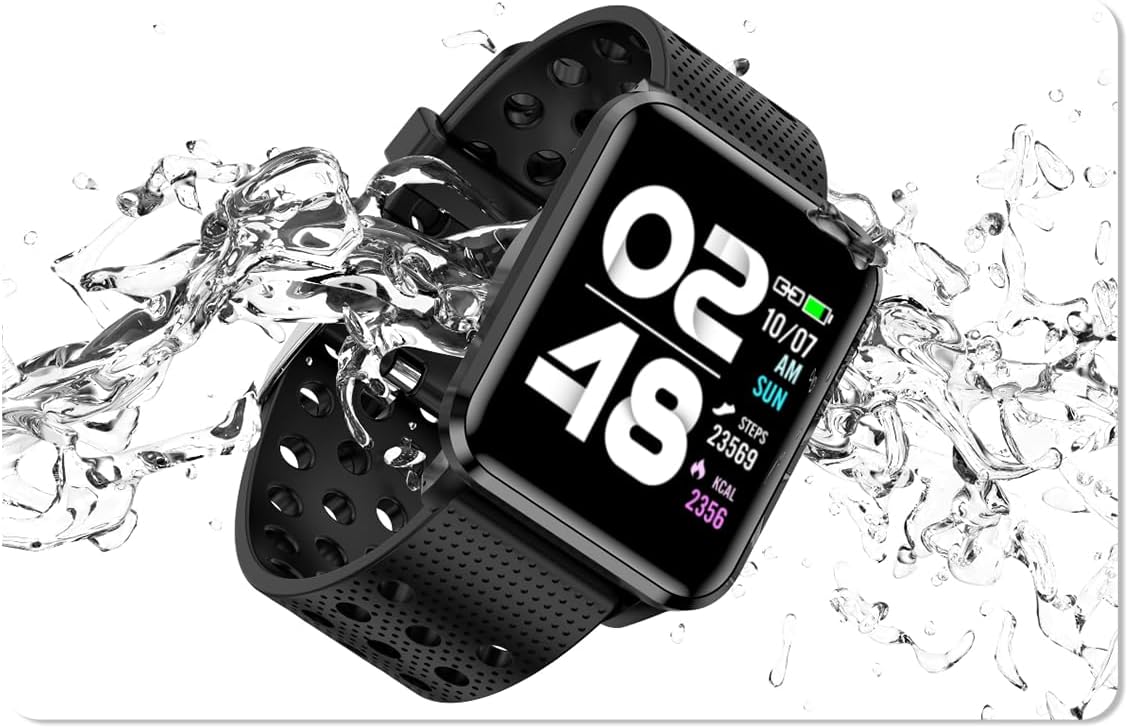
Image: The bemi Kix-m Smartwatch showing its music playback interface, with wireless earbuds positioned next to it, illustrating the device's audio capabilities.
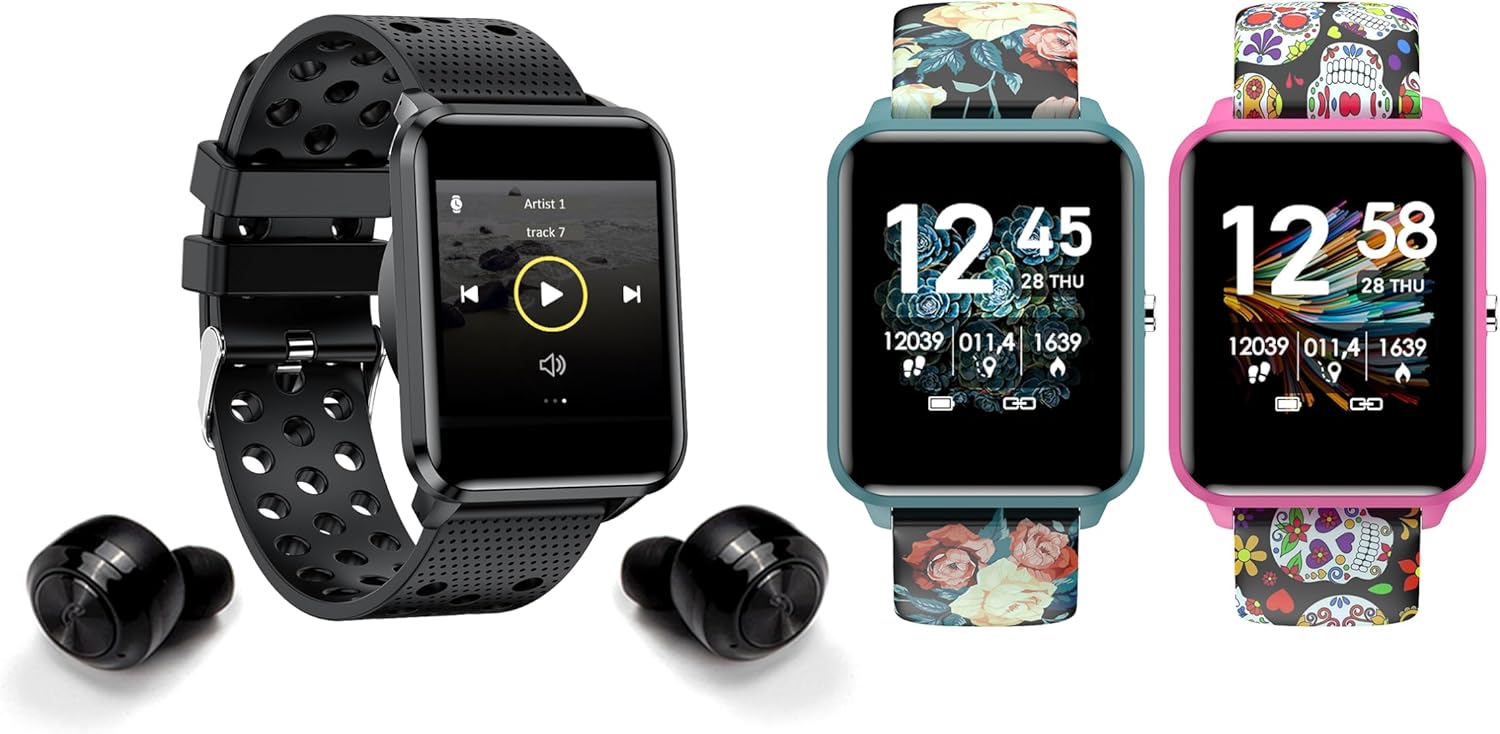
Image: The bemi Kix-m Smartwatch showing its music playback interface, with wireless earbuds positioned next to it, illustrating the device's audio capabilities.
3. Sledování aktivity
The smartwatch continuously monitors your daily activity, including steps taken, distance covered, and calories burned. This data is synchronized with the "H Band" app for detailed analysis.

Image: A screenshot of the H Band application dashboard, displaying various activity metrics such as steps, blood oxygen saturation (SpO2), heart rate, and sleep patterns, alongside a smartwatch face.
4. Sportovní režimy
The Kix-m offers 10 different sport modes to track specific workouts. Select the appropriate mode before starting an activity to get accurate data for your performance.
- Access sport modes from the main menu.
- Choose your desired activity (e.g., running, cycling).
- The watch will display real-time metrics relevant to your chosen sport.
5. Monitorování zdraví
Chytré hodinky poskytují nepřetržité sledování několika zdravotních ukazatelů:
- Monitor srdečního tepu: Sleduje váš tep po celý den. View data v reálném čase na hodinkách nebo podrobné grafy v aplikaci.
- Kyslík v krvi (SpO2): Měří hladinu kyslíku v krvi.
- Sledování spánku: Monitors your sleep patterns, including deep sleep, light sleep, and awake times. Data is analyzed in the "H Band" app to provide insights into sleep quality.

Obrázek: Zadní strana view of the bemi Kix-m Smartwatch, highlighting the optical sensors used for heart rate and blood oxygen monitoring.

Image: The bemi Kix-m Smartwatch screen showing current blood pressure and heart rate measurements, with a background graph indicating historical data.

Obrázek: Podrobný view of the H Band application's sleep tracking interface, showing sleep duration, quality, and different sleep stages.
6. Chytré funkce
- Oznámení: Receive alerts for calls, messages, and app notifications directly on your wrist. Configure notification settings within the "H Band" app.
- Ovládání kamery: Use your smartwatch as a remote shutter for your smartphone camera. Access this feature from the watch's menu.
- Sledování zdraví žen: A dedicated mode for women's health tracking, including menstrual cycle and ovulation predictions. Set up and manage this feature in the "H Band" app.
- Připomenutí pohybu: Hodinky vám mohou připomenout, abyste se po obdobích nečinnosti pohnuli.
- Budík, stopky, časovač: Standard utility functions available on the watch.
- Najít telefon: Tato funkce vám umožní najít spárovaný smartphone tak, že ho zazvoní.

Image: The bemi Kix-m Smartwatch screen showing a photo, demonstrating its remote camera control functionality with a smartphone in the background.

Image: A screenshot of the H Band application displaying the women's health tracking interface, including menstrual cycle and ovulation prediction features.
7. Přizpůsobení
Choose from 24 clock faces available in the "H Band" application. You can also upload a photo from your phone to use as a custom watch face.

Image: A display of multiple bemi Kix-m Smartwatches showcasing different customizable watch faces, including a personalized photo option.
Údržba
1. Nabíjení
Connect the provided charging cable to the charging port on the back of the smartwatch and to a USB power source. The watch will display a charging indicator. A full charge typically takes 1-2 hours.
2. Voděodolnost
The bemi Kix-m Smartwatch is IP68 waterproof, meaning it is resistant to dust and can withstand immersion in water up to 1.5 meters for up to 30 minutes. It is suitable for daily use, such as washing hands or light rain. Avoid hot water, saunas, or diving, as these conditions may compromise the water resistance.

Image: The bemi Kix-m Smartwatch being splashed with water, illustrating its IP68 water resistance rating for daily activities.
3. Čištění
Otřete displej a řemínek hodinek měkkým hadříkemamp hadříkem. Nepoužívejte agresivní chemikálie nebo abrazivní materiály, které by mohly zařízení poškodit.
Odstraňování problémů
- Hodinky se nezapínají: Ujistěte se, že jsou hodinky plně nabité. Připojte je k nabíjecímu kabelu a zdroji napájení na dobu alespoň 30 minut.
- Nelze spárovat s telefonem:
- Ujistěte se, že je v telefonu povoleno Bluetooth.
- Make sure the watch is within close proximity to your phone.
- Restartujte telefon i chytré hodinky.
- Check if the "H Band" app is updated to the latest version.
- Pokud bylo zařízení dříve spárováno, zkuste zrušit párování v nastavení Bluetooth v telefonu a poté jej znovu spárovat prostřednictvím aplikace.
- Nepřesné zdravotní údaje:
- Ujistěte se, že hodinky máte na zápěstí pevně utažené, ale ne příliš.
- Vyčistěte senzor na zadní straně hodinek.
- Upozorňujeme, že chytré hodinky nejsou zdravotnické prostředky a naměřené hodnoty slouží pouze pro informaci.
- Nezobrazují se oznámení:
- Ověřte, zda jsou hodinky úspěšně spárovány s telefonem.
- Check notification permissions for the "H Band" app in your phone's settings.
- Ensure notifications are enabled within the "H Band" app for the desired applications.
Specifikace
| Číslo modelu | Kix-m |
| Velikost obrazovky | 1.5 palce |
| Kapacita paměti | 512MB (for music) |
| Technologie připojení | Bluetooth, WiFi |
| Voděodolnost | IP68 |
| Kompatibilita operačního systému | Android 4.4+, iOS 8.0+ |
| Typ baterie | Lithium Polymer |
| Hmotnost položky | 4.2 unce |
| Rozměry balení | 4.8 x 2.83 x 2.24 palce |
Poznámka: Specifikace se mohou změnit bez předchozího upozornění.
Záruka a podpora
For warranty information and customer support, please refer to the official bemi webnebo se obraťte na prodejce. Uschovejte si účtenku jako doklad o koupi pro případ reklamace.
Pro další pomoc prosím navštivte bemi Store on Amazon.