
Rocketek FBA_RT-CR7
Rocketek CAC Card Reader User Manual
Model: FBA_RT-CR7 | 2-in-1 USB/Type C Dual Connector
1. Úvod
Thank you for choosing the Rocketek CAC Card Reader. This device is a versatile 2-in-1 USB/Type C dual connector smart card reader designed for secure access and data transfer. It is compatible with a wide range of smart cards, including DOD Military Common Access Cards (CAC), Government IDs, National IDs, and various banking cards. This manual provides essential information for setting up, operating, and maintaining your card reader.
2. Obsah balení
- 1 x Rocketek CAC Card Reader (Model: FBA_RT-CR7)
- 1 x Uživatelská příručka (tento dokument)
3. Vlastnosti produktu
- Duální konektivita: Equipped with both USB-A and Type-C connectors for broad device compatibility.
- Plug & Play: Automatic driver installation for Windows systems.
- Široká kompatibilita: Supports ISO7816 Class A, B, and C (5V/3V/1.8V) Smart Cards, including CAC, Government ID, National ID, ActivClient, AKO, OWA, DKO, JKO, NKO, BOL, GKO, Marinenet, AF Portal, Pure Edge Viewer, ApproveIt, DCO, DTS, LPS, Disa Enterprise Email.
- Vylepšené zabezpečení: Ideal for high-security federal government applications, online banking, Windows authentication, and Single Sign-On (SSO).
- Přenosný design: Mini foldable design, thumb-sized, and convenient for travel without external power cords.
- Trvanlivost: Built to withstand extensive use.
4. Průvodce nastavením
4.1 Connecting the Card Reader
The Rocketek CAC Card Reader features a 2-in-1 design with both USB-A and Type-C connectors. Choose the appropriate connector for your device.
- Identify the available USB-A or Type-C port on your computer, laptop, or compatible Android device.
- Plug the corresponding connector of the card reader firmly into the port.

Image: The Rocketek CAC Card Reader connected to a laptop, demonstrating its compact design and dual USB-A/Type-C connectivity. A smart card is shown inserted into the reader.

Obrázek: Podrobný view of the card reader's integrated USB-A and Type-C connectors, highlighting their design and indicating that Lightning and Micro USB ports are not compatible.
4.2 Instalace ovladače
The card reader is designed for ease of use with plug-and-play functionality.
- Systémy Windows: The driver will automatically install upon connecting the device. No manual installation is typically required.
- Uživatelé Mac OS: Java is necessary for the card reader to function correctly. Please install Java from Java's official webweb (www.java.com) before using the reader.
- DOD and USG Users: A third-party CAC Enabler program is required for full functionality with military and government cards.
For additional driver downloads and support, please visit the Rocketek webmísto: www.rocketek.hk.

Image: An illustration emphasizing the ease of driver installation and directing users to the Rocketek webstránky s podporou a soubory ke stažení.
5. Návod k obsluze
5.1 Inserting a Smart Card
- Ensure the card reader is connected to your device.
- Locate the smart card slot on the reader.
- Insert your smart card (e.g., CAC card, ID card, bank card) into the slot with the chip facing upwards and towards the reader. Push gently until it is fully seated.
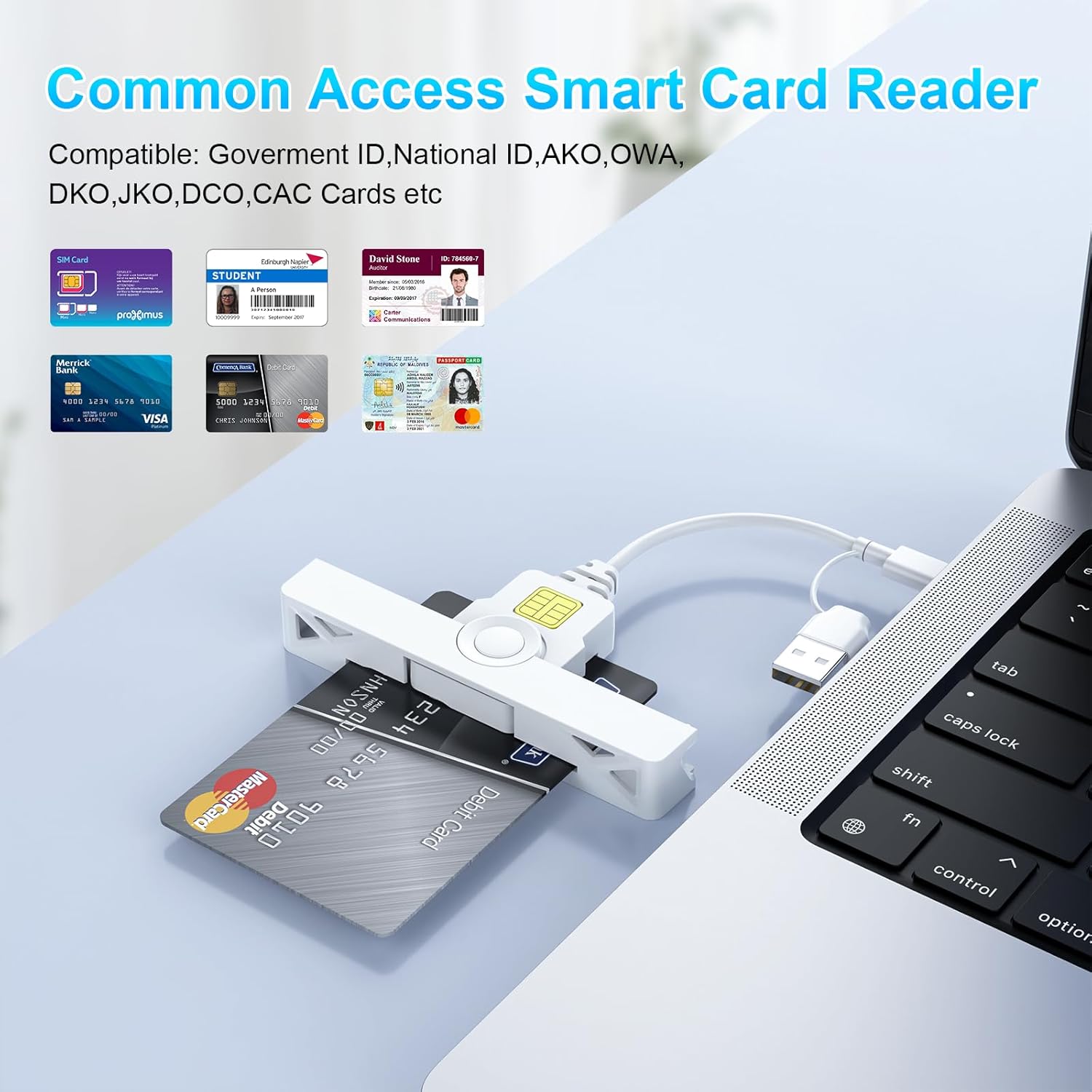
Image: The card reader shown with various types of smart cards, including government IDs and bank cards, demonstrating its broad compatibility for common access.
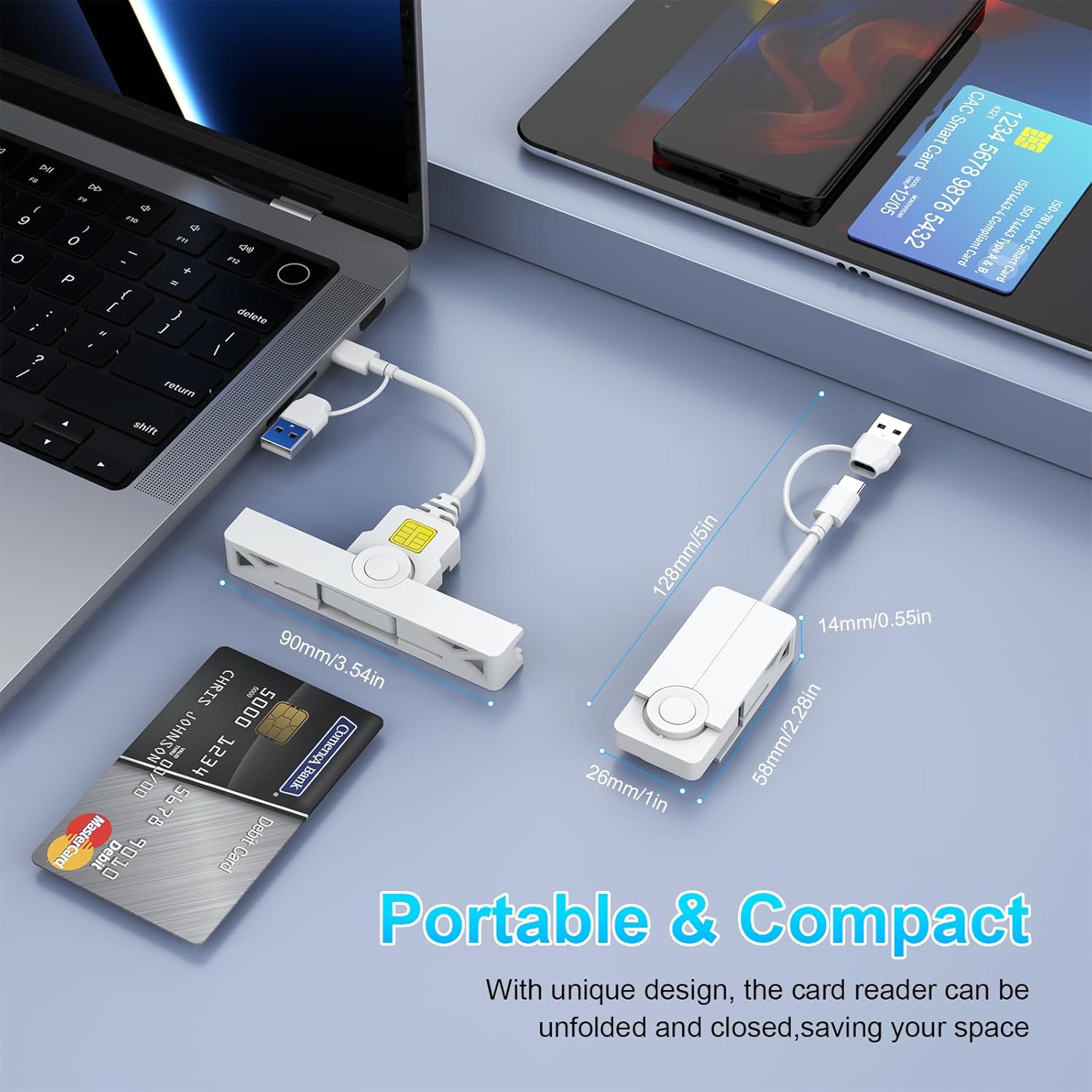
Obrázek: Koláž detailního záběru views detailing the card reader's features, including the smart card insertion point, the dual connectors, and its compact, foldable design.
5.2 Používání čtečky karet
Once the card is inserted and recognized by your system, you can proceed with your desired operation:
- Secure Login: Use with ActivClient, AKO, OWA, DKO, JKO, NKO, BOL, GKO, Marinenet, AF Portal, Pure Edge Viewer, ApproveIt, DCO, DTS, LPS, Disa Enterprise Email for secure access.
- Online Banking/Payment: Facilitates secure online transactions.
- Digital Signature: Supports applications requiring digital signatures.
5.3 Removing a Smart Card
Gently pull the smart card out of the slot when you are finished with your operation. Ensure any active processes using the card are completed before removal.
6. Kompatibilita
The Rocketek CAC Card Reader offers broad compatibility with various operating systems and devices.
- Operační systémy: Windows (10/8/7/Vista/XP), Mac OS, Android.
- Zařízení: Laptops (e.g., Macbook, AirRetina, Lenovo Yoga, ThinkPad), Desktop PCs, Android Phones, Surface, IdeaPad.

Obrázek: Overview of the card reader's extensive compatibility, displaying various laptops, smartphones, and operating system logos it supports.
6.1 Port Design for Convenience
The compact and foldable design of the Rocketek card reader ensures it does not block neighboring USB ports on your device, allowing for simultaneous use of other peripherals.
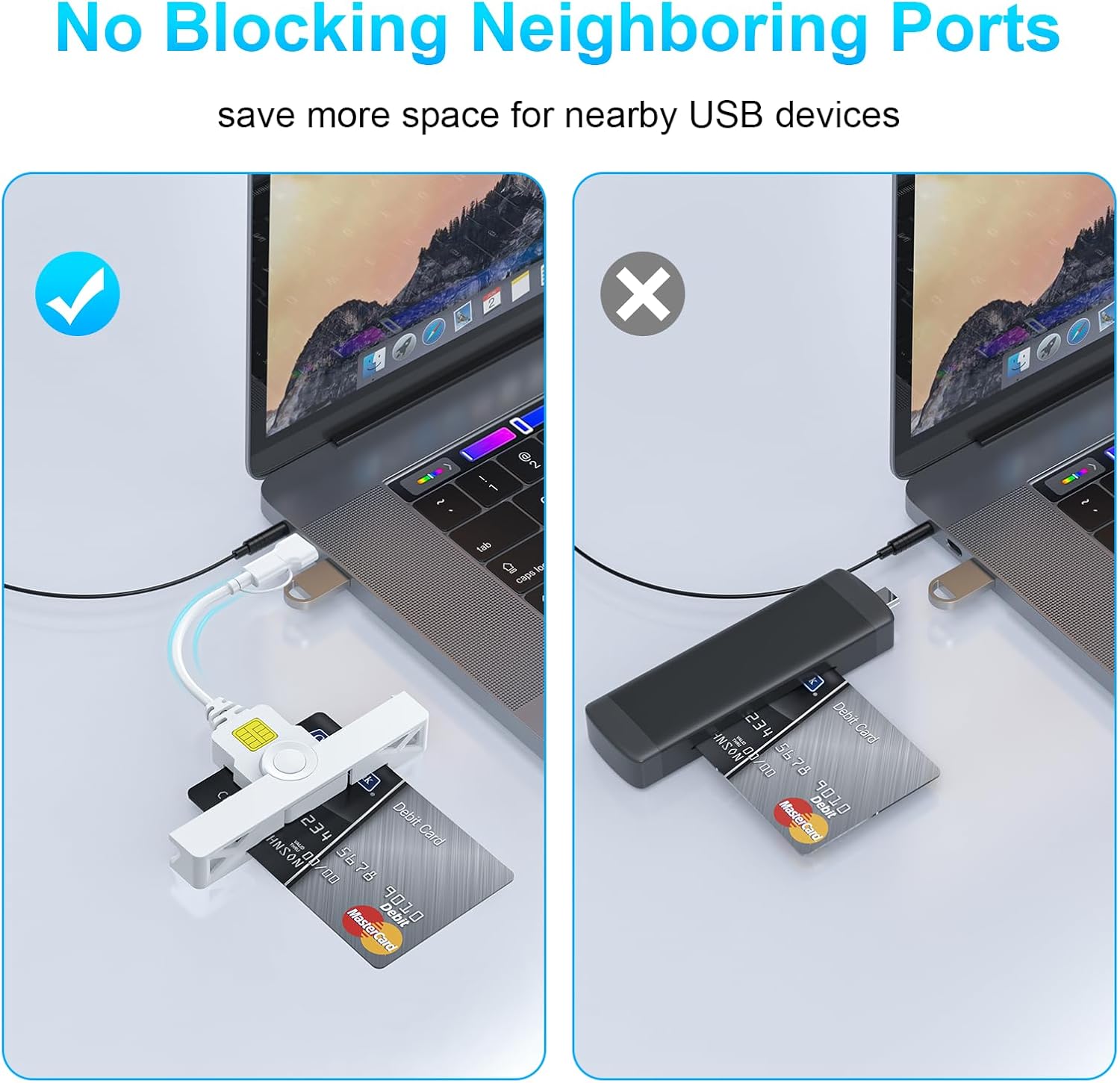
Image: A visual comparison demonstrating how the Rocketek reader's slim profile prevents it from obstructing adjacent USB ports, unlike bulkier alternatives.
7. Údržba
To ensure the longevity and optimal performance of your Rocketek CAC Card Reader, follow these simple maintenance guidelines:
- Udržujte zařízení čisté a bez prachu a nečistot. K čištění používejte měkký, suchý hadřík.
- Avoid exposing the reader to extreme temperatures, humidity, or direct sunlight.
- Nepokoušejte se zařízení rozebírat ani upravovat, jinak by došlo ke ztrátě záruky.
- Store the reader in a safe place when not in use, ideally in its folded, compact form to protect the connectors.
8. Řešení problémů
If you encounter issues with your Rocketek CAC Card Reader, please refer to the following common solutions:
- Čtečka nebyla detekována:
- Ensure the reader is firmly plugged into a working USB-A or Type-C port.
- Zkuste jiný port USB na počítači.
- Restartujte počítač.
- For Mac OS, verify that Java is installed and up to date.
- Karta nebyla rozpoznána:
- Ensure the smart card is inserted correctly with the chip facing upwards.
- Check if the card is damaged or dirty. Clean the chip gently if necessary.
- Verify that you have the necessary third-party software (e.g., CAC Enabler for DOD/USG users) installed and configured correctly.
- Ensure the card type is supported by the reader (ISO7816 Class A, B, C).
- Problémy s ovladači:
- For Windows, check Device Manager for any yellow exclamation marks next to the card reader device. If found, try updating the driver or uninstalling and reinstalling the device.
- Návštěva www.rocketek.hk for the latest drivers and troubleshooting guides.
9. Specifikace
| Funkce | Detail |
|---|---|
| Značka | Rocketek |
| Modelová řada | FBA_RT-CR7 |
| Technologie připojení | USB typu A, USB typu C |
| Kompatibilní operační systémy | Mac OS, Windows |
| Hmotnost položky | 0.634 unce |
| Rozměry balení | 5.2 x 3.35 x 0.63 palce |
| Barva | Bílý |
| Podporovaný typ média | CAC (Common Access Card) |
| Výrobce | SHENZHEN ROCKETEK ELECTRONICS CO., LTD. |
10. Záruka a podpora
Rocketek stands behind the quality of its products.
- Záruka výrobce: Tento produkt je dodáván s 18měsíční zárukou výrobce.
- Zásady výměny: Hassle-free replacement is available for eligible issues.
- Technická podpora: Enjoy free lifetime technical support for your Rocketek CAC Card Reader.
For warranty claims, technical assistance, or further inquiries, please visit the official Rocketek webwebu nebo kontaktujte jejich zákaznickou podporu.
Oficiální Webmísto: www.rocketek.hk
Ask a question about this manual
Ask about setup, troubleshooting, compatibility, parts, safety, or missing instructions. Manuals+ will review the question and use this page’s manual context to help answer it.