
Zavedení
The Teenage Engineering EP-1320 is an electronic medieval sampler, high-resolution sequencer, and composer. This device is designed for creating music with a unique medieval sound palette, offering a range of built-in sounds, sampling capabilities, and performance effects. This manual provides essential information for setting up, operating, and maintaining your EP-1320.
Nastavení
Rozbalení a komponenty
Po otevření balení se ujistěte, že jsou přítomny všechny součásti. Standardní balení obsahuje:
- EP-1320 Unit
- Rychlý průvodce
- Encoder Knobs (x4)
- 10-inch Collector's Box and Paper Foam Tray
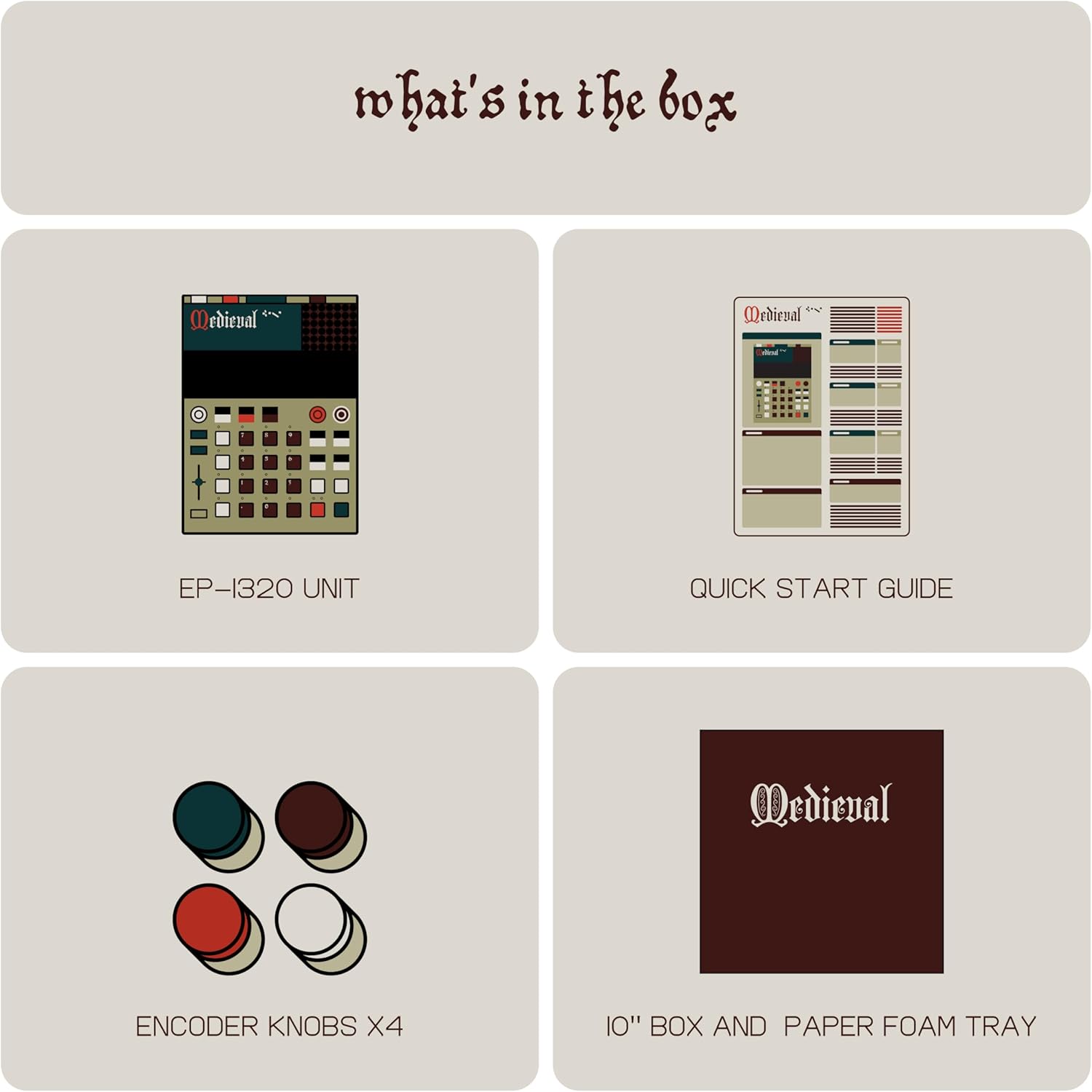
Image: Contents of the EP-1320 package, including the sampler unit, quick start guide, and encoder knobs.
Zapnutí
The EP-1320 is powered by AAA batteries for portability or via a USB-C connection. Insert fresh AAA batteries into the designated compartment or connect a USB-C cable to a power source. The device is designed to be highly portable.

Obrázek: Zadní view of the EP-1320, highlighting its power, USB-C, MIDI/SYNC, Input, and Output ports.
Spojení
The EP-1320 offers various connectivity options:
- USB-C: Pro napájení a přenos dat.
- MIDI vstup/výstup: Connect to other MIDI devices for synchronization and control.
- Synchronizace vstup/výstup: For analog clock synchronization with compatible instruments.
- Vstup: For external audio sources to be sampvedený.
- výstup: Connect to headphones or speakers for audio monitoring.
Software and Sample Transfer
To manage and transfer audio files a samples to and from your computer, utilize the dedicated EP Sample Tool. This tool facilitates the organization of your sound library.

Image: The EP Sample Tool interface for managing samples on a computer.
Provozní
Uživatelské rozhraní a displej
The EP-1320 features a responsive and intuitive hybrid display, designed to make beat crafting efficient. The interface incorporates medieval-themed labeling for various functions.

Image: The EP-1320's display and control surface, featuring its unique medieval aesthetic.
Sampling
The device allows for direct audio sampling using its built-in microphone or via the line-in input. You can record your voice, external instruments, or other audio sources. The EP-1320 includes 999 sample slots for your recordings.

Image: The EP-1320 in use, demonstrating its built-in microphone for direct sampling.
Sequencer and Sound Library
The EP-1320 features a four-track sequencer with 6 stereo voices or 12 mono voices. It comes pre-loaded with a comprehensive medieval sound library, including hurdy-gurdys, lutes, Gregorian chants, and other period-appropriate sounds. The total memory is 128 MB, with 96 MB dedicated to ROM sounds and 32 MB available for user samples.

Obrázek: Overview of the EP-1320's features, including memory, sound capabilities, and sequencer details.
Effects and Performance
Enhance your compositions with stereo effects and next-generation punch-in effects, accessible via the multifunctional fader. The device also includes an arpeggiator, which is particularly effective with plucked instrument samples.

Image: Visual representation of the EP-1320's sound library, effects, and performance modes.
Údržba
Obecná péče
The EP-1320 is constructed from plastic. To ensure longevity, keep the device clean and free from dust and moisture. Avoid exposing it to extreme temperatures or direct sunlight. Use a soft, dry cloth for cleaning.
Aktualizace softwaru
Periodically check the Teenage Engineering website for any available firmware updates for your EP-1320. Updates can provide new features, improvements, and bug fixes. Follow the instructions provided with the update package carefully.
Obnovení továrního nastavení
If you encounter persistent issues or wish to restore the device to its original settings, a factory reset option may be available. Refer to the Quick Start Guide or the official Teenage Engineering support resources for specific instructions on performing a factory reset.
Odstraňování problémů
If you experience any issues with your EP-1320, consider the following:
- Bez napájení: Ensure fresh AAA batteries are installed correctly or that the USB-C cable is securely connected to a working power source.
- Žádný zvukový výstup: Check that headphones or speakers are properly connected to the output jack and that the volume is adjusted appropriately. Verify that samples are loaded and tracks are active.
- Sampling Issues: Confirm that the input source is connected correctly and that the input level is sufficient. Ensure the built-in microphone is not obstructed.
- Connectivity Problems (MIDI/Sync): Double-check all cable connections and ensure that external devices are configured to send/receive MIDI or sync signals correctly.
- Software/Sample Transfer Errors: Ensure the EP-1320 is properly connected to your computer via USB-C and that the EP Sample Tool is running and recognizing the device.
For more detailed troubleshooting, consult the official Teenage Engineering support documentation or contact customer support.
Specifikace
| Funkce | Detail |
|---|---|
| Značka | Teenage Engineering |
| Název modelu | EP–1320 medieval |
| Číslo modelu | TE032AS005 |
| Materiál | Plast |
| Rozměry položky (D x Š x V) | 9.45 x 0.63 x 6.93 palce |
| Hmotnost položky | 1.65 libry |
| Typ konektoru | USB typ C |
| Paměť | 128 MB Total (96 MB ROM, 32 MB User) |
| Sample Slots | 999 |
| Hlasy | 6 Stereo or 12 Mono |
| Zahrnuté komponenty | EP-1320 Unit |
Záruka
The Teenage Engineering EP-1320 comes with a 1-letá záruka. Please retain your proof of purchase for warranty claims. For detailed terms and conditions, refer to the warranty information provided with your product or visit the official Teenage Engineering webmísto.
Podpora
For further assistance, technical support, or to access additional resources, please visit the official Teenage Engineering website. You can find FAQs, updated manuals, and contact information for customer service there.
Oficiální Webmísto: www.teenageengineering.com