
Zavedení
This manual provides instructions for the HP 685 Comfort Dual-Mode Mouse. This device is designed for business use, offering dual-mode connectivity (HP Unifying Dongle or Bluetooth), programmable buttons, and a 4D tilt wheel for enhanced productivity and comfort.
Obsah balení
- HP 685 Comfort Dual-Mode Mouse
- HP Unifying Dongle
Konec produktuview

Obrázek 1: Přední horní část view of the HP 685 Comfort Dual-Mode Mouse, showing the scroll wheel and main buttons.
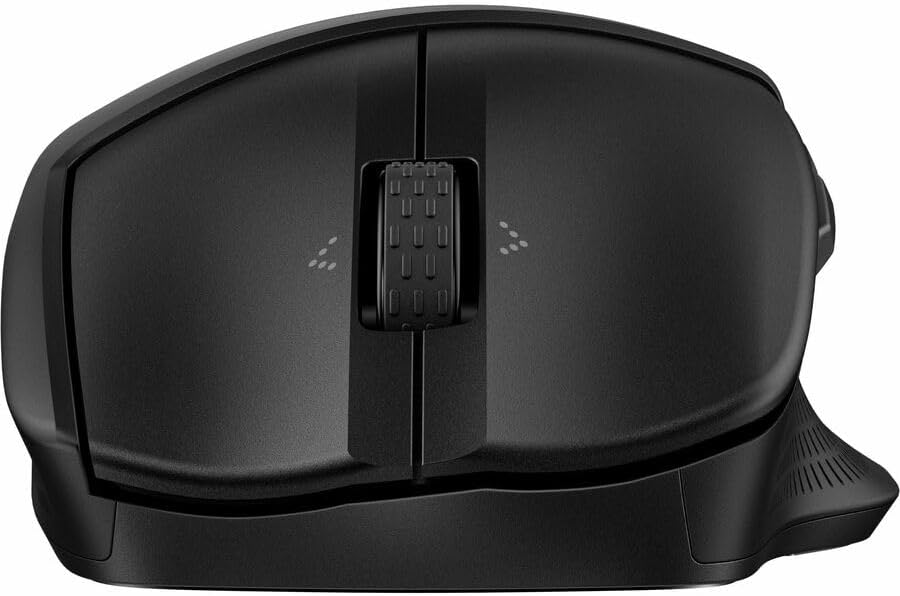
Obrázek 2: Shora dolů view of the HP 685 Comfort Dual-Mode Mouse, highlighting the scroll wheel and button layout.

Obrázek 3: Strana view of the HP 685 Comfort Dual-Mode Mouse, illustrating its ergonomic contour and side buttons.
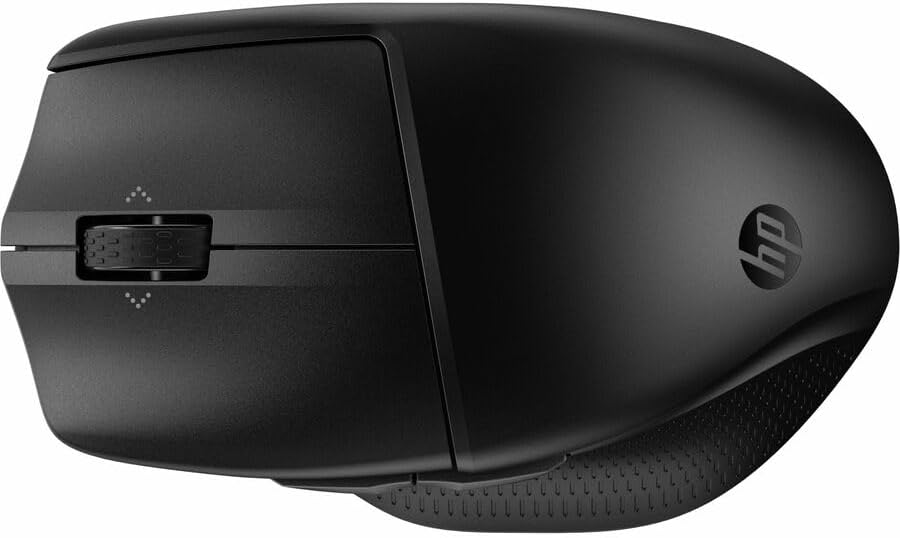
Obrázek 4: Zadní úhel view of the HP 685 Comfort Dual-Mode Mouse, displaying the HP logo and overall shape.

Obrázek 5: Dno view of the HP 685 Comfort Dual-Mode Mouse, showing the power switch, pairing button, and dongle storage compartment.
Nastavení
Connecting via HP Unifying Dongle
- Locate the HP Unifying Dongle in the mouse's battery compartment or packaging.
- Insert the HP Unifying Dongle into an available USB Type-A port on your computer.
- Zapněte myš pomocí vypínače umístěného na spodní straně zařízení.
- Myš by se měla automaticky připojit k počítači.
Připojení přes Bluetooth
- Zapněte myš pomocí vypínače na spodní straně.
- Press and hold the Bluetooth pairing button (often labeled with a Bluetooth icon or a number like '1' or '2' for multiple devices) on the bottom of the mouse until the indicator light begins to flash, indicating pairing mode.
- V počítači přejděte do nastavení Bluetooth.
- Vyberte možnost „Přidat zařízení“ nebo „Spárovat nové zařízení“.
- Choose 'HP 685 Comfort Dual-Mode Mouse' from the list of available devices.
- Dokončete proces párování podle pokynů na obrazovce.
Návod k obsluze
Funkce tlačítek
The HP 685 mouse features 7 buttons, with 6 of them being programmable. The standard functions include:
- Levé kliknutí: Primární výběr a interakce.
- Klikněte pravým tlačítkem myši: Zpřístupňuje kontextové nabídky.
- Rolovací kolečko: Vertikální rolování.
- 4D Tilt Wheel: Allows for both vertical and horizontal scrolling by tilting the wheel left or right.
- Boční tlačítka: Typically assigned for 'Back' and 'Forward' navigation in web prohlížeče popř file průzkumníci.
Programovatelná tlačítka
Six of the mouse buttons can be customized using HP's peripheral management software (available for download from the official HP support website). This software allows you to assign various functions, macros, or application-specific commands to these buttons.
Přepínání mezi zařízeními
The mouse supports connection to up to three devices. Use the device switch button (often located on the bottom or top of the mouse, labeled with '1', '2', '3' or a similar indicator) to cycle between paired devices with a single click.
Údržba
Čištění
To clean your mouse, use a soft, lint-free cloth lightly dampened with water or a mild cleaning solution. Avoid using harsh chemicals or abrasive materials. Ensure no liquid enters the mouse's internal components. Regularly clean the optical sensor on the bottom of the mouse for optimal tracking performance.
Nabíjení
The HP 685 mouse is rechargeable. Connect the mouse to a power source using a compatible USB cable (not included unless specified in package contents). An indicator light on the mouse will typically show charging status and battery level.
Odstraňování problémů
- Myš nereaguje: Ensure the mouse is powered on. Check battery level and recharge if necessary. Verify the dongle is securely inserted or Bluetooth is properly paired. Try restarting your computer.
- Přerušované připojení: Ensure the mouse is within the operating distance (up to 32.81 ft). Reduce interference from other wireless devices. Re-pair the mouse if using Bluetooth.
- Problémy se sledováním: Clean the optical sensor on the bottom of the mouse. Ensure you are using the mouse on a suitable surface; avoid highly reflective or transparent surfaces.
- Nefungují tlačítka: Check if the buttons are programmed correctly using the HP peripheral management software. If the issue persists, try re-pairing the mouse.
Specifikace
| Číslo modelu | 685 (8T6M0UT) |
| Technologie připojení | Wireless (HP Unifying Dongle), Bluetooth |
| Bezdrátová provozní vzdálenost | 32.81 stop (10 metrů) |
| Rozlišení pohybu (DPI) | 1200 dpi |
| Celkový počet tlačítek | 7 |
| Počet programovatelných tlačítek | 6 |
| Scroller Type | Scroll Wheel, 4 Way Scroll |
| Zdroj napájení | Dobíjecí |
| Barva | Černý |
| Hmotnost položky | 6.4 unce |
| Rozměry balení | 5.3 x 3.9 x 2 palce |
| Speciální funkce | Ergonomický design |
Záruka a podpora
Informace o záruce a technickou podporu naleznete v dokumentaci dodané s produktem nebo navštivte oficiální stránky podpory HP. website. You can find drivers, software, and troubleshooting resources there.