
1. Úvod
This manual provides detailed instructions for the safe and effective operation of your Flashpoint Flashback Lux Master Retro R2 TTL Camera Flash. Designed for photographers seeking precision and versatility, this advanced flash unit integrates a touch screen interface and supports the R2 2.4G wireless system. Please read this manual thoroughly before use to ensure optimal performance and to prevent damage to the unit or injury.
2. Bezpečnostní informace
Vždy dodržujte následující bezpečnostní opatření, abyste předešli úrazu elektrickým proudem, požáru nebo poškození produktu:
- Nerozebírejte ani neupravujte blesk. Vysoká hlasitosttagJsou přítomny e komponenty.
- Keep the flash unit dry. Do not expose it to rain or moisture.
- Vyhněte se přímému vystavení očí světlu blesku, zejména zblízka, protože může způsobit dočasné zhoršení zraku.
- Do not operate the flash in the presence of flammable gases or liquids.
- Ensure proper ventilation during use to prevent overheating. The flash tube can become very hot after continuous firing.
- Používejte pouze určené baterie a nabíjecí příslušenství.
3. Vlastnosti produktu
The Flashpoint Flashback Lux Master offers a range of advanced features:
- Vynikající výkon: Delivers a guide number of 82, providing ample illumination for various shooting scenarios.
- Lightning-Fast Recycle Time: Achieves a rapid 1.8-second recycle time for continuous shooting.
- Funkce TTL: Offers seamless integration with multi-brand cameras for accurate automatic flash exposure.
- HSS Support: High-Speed Sync enables shooting at faster shutter speeds, freezing motion and allowing creative depth of field control.
- R2 2.4G Wireless System: Supports TTL, Multi, Manual, and Auto modes for versatile wireless control.
- Innovative Touch Screen Interface: Provides intuitive control and access to various settings.
- Funkce bezdrátové synchronizace: Simplifies channel and ID settings when using multiple flash triggers.
- Výjimečná kvalita sestavení: Robust construction ensures reliable performance and durability.
4. Identifikace součásti
Familiarize yourself with the various parts of your Flashpoint Lux Master flash unit:
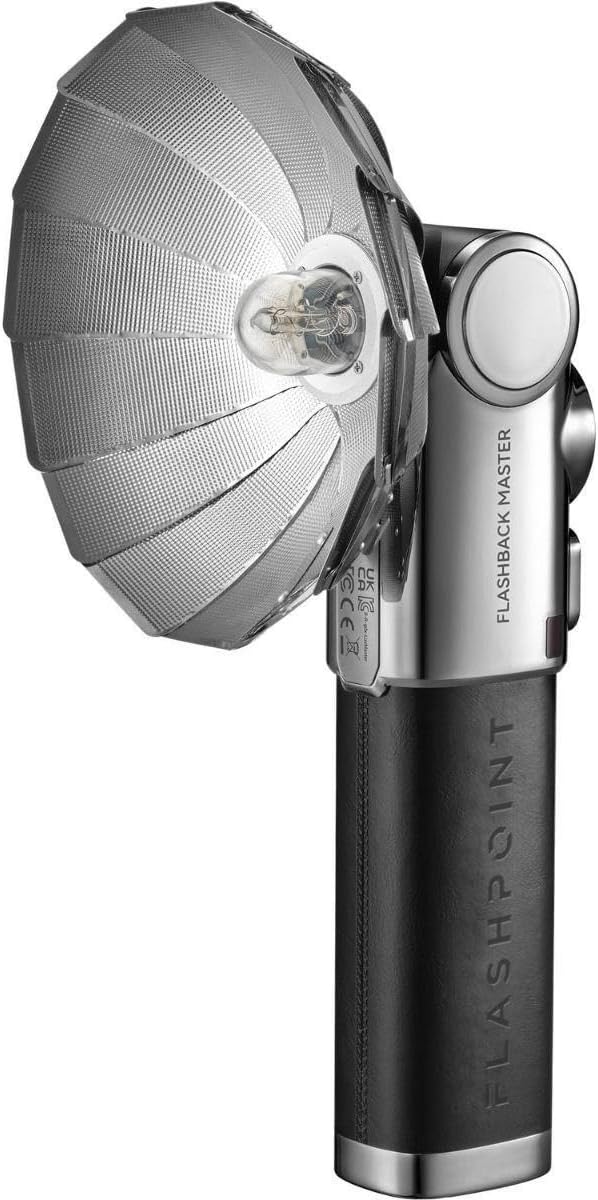
Figure 4.1: Flashpoint Flashback Lux Master Retro R2 TTL Camera Flash with its retro-styled parabolic reflector attached.

Obrázek 4.2: Zadní view of the Flashpoint Lux Master, showing the circular touchscreen interface and control buttons.
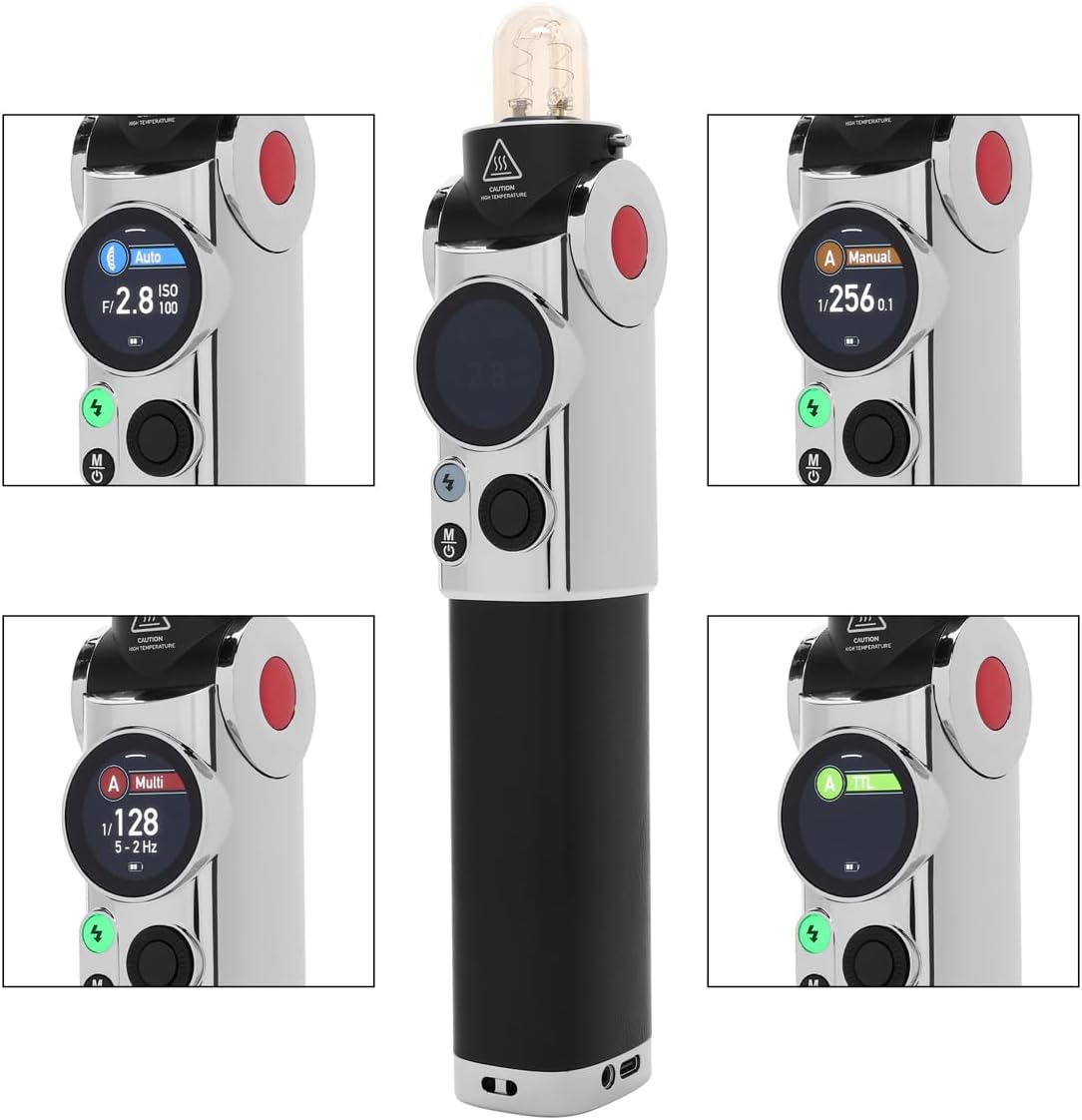
Obrázek 4.3: Detailní view of the Flashpoint Lux Master's touchscreen, displaying various operating modes including Auto, Manual, Multi, and TTL.
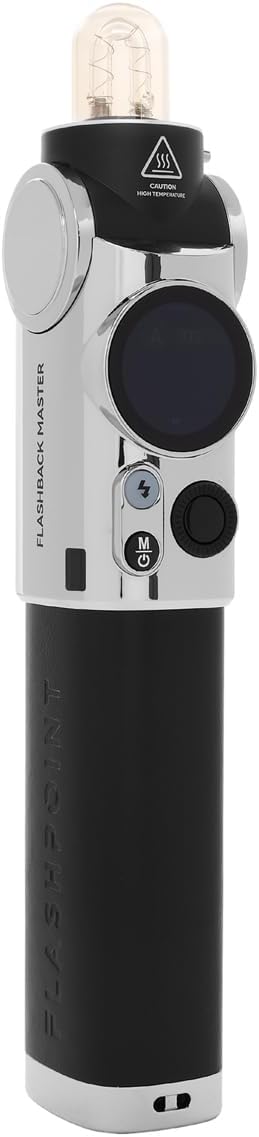
Obrázek 4.4: Boční profíkfile of the Flashpoint Lux Master without the reflector, highlighting its sleek design and control layout.

Obrázek 4.5: Přední strana view of the Flashpoint Lux Master, showing the flash tube and the 'CAUTION HIGH TEMPERATURE' warning.

Obrázek 4.6: Shora dolů view of the Flashpoint Lux Master, focusing on the flash tube and the power/mode buttons.
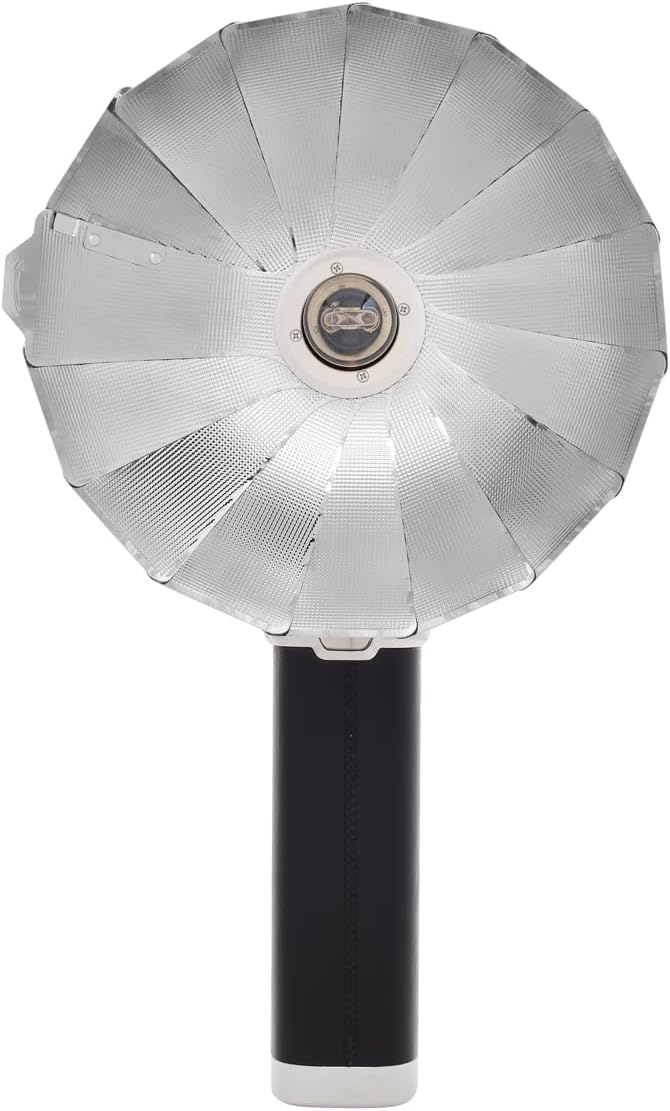
Obrázek 4.7: Zadní view of the Flashpoint Lux Master, showing regulatory markings and the Flashpoint branding.
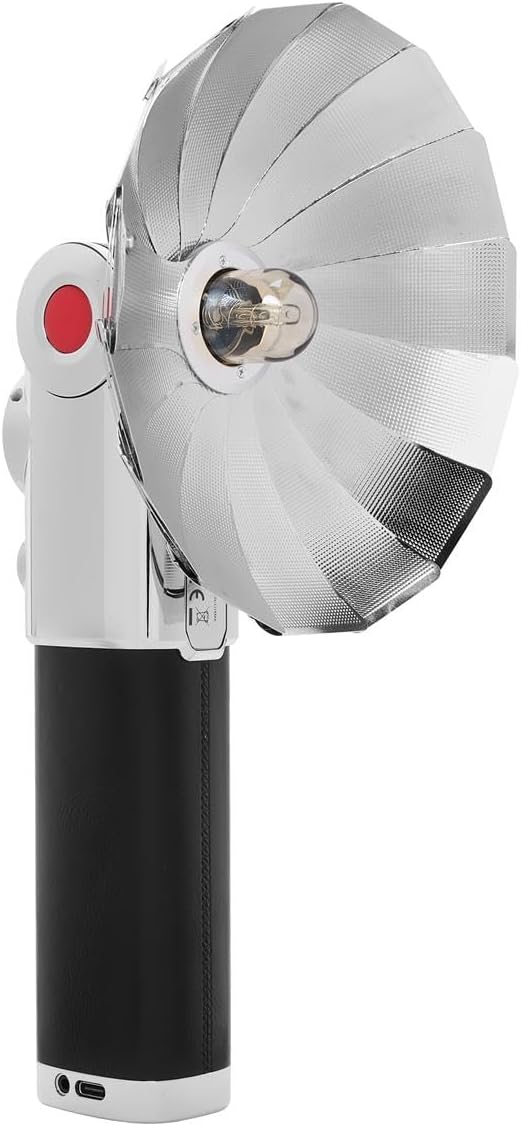
Obrázek 4.8: Přední strana view of the Flashpoint Lux Master with the parabolic reflector, showcasing the light-shaping accessory.
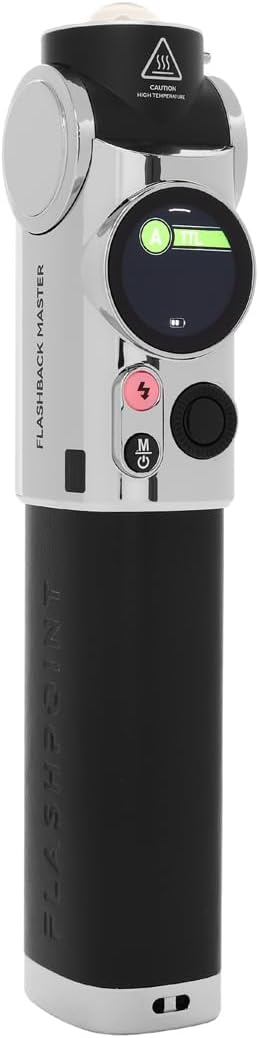
Obrázek 4.9: Druhá strana view of the Flashpoint Lux Master, emphasizing its compact form factor.
5. Nastavení
Follow these steps to set up your Flashpoint Lux Master for first use:
- Nabíjení baterie: Connect the flash unit to a power source using the provided USB-C cable. The battery indicator on the touchscreen will show charging status. Ensure the unit is fully charged before first use.
- Attaching to Camera: Slide the flash unit's hot shoe mount securely onto your camera's hot shoe. Tighten the locking mechanism if available on your camera or the flash.
- Zapnutí/vypnutí: Press and hold the power button (usually marked with a circle and a vertical line) for a few seconds to turn the unit on or off. The touchscreen will illuminate upon power-on.
- Počáteční nastavení: Use the touchscreen to navigate through initial setup options such as language, time, and basic flash parameters.
6. Provozní režimy
The Flashpoint Lux Master offers several operating modes to suit various photographic needs:
- Režim TTL (skrz objektiv): This mode automatically adjusts flash output based on the camera's metering system, providing accurate exposure without manual adjustments. Select TTL on the touchscreen for automatic flash control.
- Manuální režim: Allows you to manually set the flash power output from full power down to the lowest setting. This mode offers precise control over lighting for consistent results. Adjust power levels using the touchscreen interface.
- Multifunkční (stroboskopický) režim: Fires a series of rapid flashes during a single exposure, ideal for capturing multiple movements of a subject in one frame. Configure flash frequency and number of flashes via the touchscreen.
- Automatický režim: The flash uses its own light sensor to determine the correct exposure, independent of the camera's metering. This is useful for older cameras or specific creative effects.
- R2 2.4G Wireless System: The Lux Master can function as a master or slave unit within the Flashpoint R2 2.4G wireless system. This enables remote control and multi-flash setups. Use the wireless sync function on the touchscreen to set channels and IDs for seamless communication with other R2 devices.
- Vysokorychlostní synchronizace (HSS): When enabled, HSS allows the flash to synchronize with shutter speeds faster than the camera's native flash sync speed (e.g., 1/250s). This is crucial for shooting with wide apertures in bright conditions or freezing fast motion.
7. Údržba
Proper maintenance ensures the longevity and optimal performance of your flash unit:
- Čištění: Use a soft, dry cloth to clean the flash body and touchscreen. For stubborn dirt, a slightly damp Lze použít hadřík a ihned osušit. Nepoužívejte rozpouštědla ani abrazivní čisticí prostředky.
- Blesková trubice: Avoid touching the flash tube directly with bare hands, as oils can reduce its lifespan. If touched, clean gently with an alcohol wipe.
- Skladování: Store the flash unit in a cool, dry place away from direct sunlight and extreme temperatures. If storing for an extended period, remove the battery to prevent leakage.
- Péče o baterie: Recharge the battery regularly, even if not in use, to maintain its health. Avoid fully discharging the battery frequently.
8. Řešení problémů
If you encounter issues with your Flashpoint Lux Master, refer to the following common problems and solutions:
| Problém | Možná příčina | Řešení |
|---|---|---|
| Blesk se nespustí | Low battery; Incorrect camera/flash settings; Flash not securely mounted. | Charge battery; Check flash mode (TTL/Manual) and camera flash settings; Re-mount flash securely. |
| Incorrect exposure (too dark/bright) | Incorrect flash power; TTL compensation needed; ISO/aperture mismatch. | Adjust manual power; Apply flash exposure compensation in TTL mode; Verify camera ISO/aperture settings. |
| Problémy s bezdrátovým připojením | Mismatched channel/ID; Out of range; Interference. | Ensure master and slave units have matching channels and IDs; Reduce distance between units; Change channel to avoid interference. |
| Blesk se přehřívá | Excessive rapid firing. | Allow the flash to cool down. Reduce firing frequency. |
If the problem persists after attempting these solutions, please contact Flashpoint customer support.
9. Specifikace
Key technical specifications for the Flashpoint Flashback Lux Master:
- Model: Lux Master
- směrné číslo: 82 (přibližně)
- Doba recyklace: 1.8 sekund (přibližně)
- Rychlost synchronizace blesku: Up to 1/250s (standard), HSS supported
- Technologie připojení: Wireless (R2 2.4G System)
- Kompatibilní montáže: Sáňky pro blesk ISO
- Hmotnost položky: 2.45 libry
- Rozměry balení: 12.5 x 9 x 7.5 palce
- Výrobce: Bod vzplanutí
10. Záruka a podpora
For warranty information, please refer to the documentation provided at the time of purchase or visit the official Flashpoint website. For technical assistance, troubleshooting beyond this manual, or service inquiries, please contact Flashpoint customer support directly.