
1. Úvod
This manual provides detailed instructions for the Maxcom MM39D 4G VoLTE Big Button Wireless Phone. The MM39D is a modern 4G LTE phone designed for both home and office environments, serving as an ideal replacement for traditional analog landline phones. It features a large, clear display and user-friendly island-style keys.
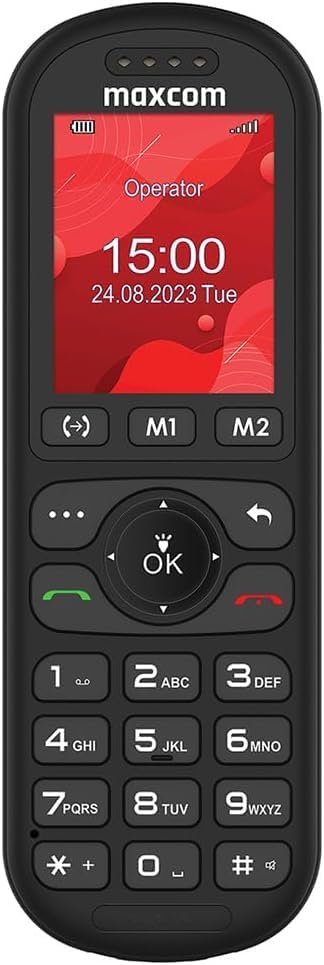
Obrázek 1: Přední strana view of the Maxcom MM39D phone, showcasinjeho velká tlačítka a přehledný displej.
Mezi klíčové vlastnosti patří:
- Připojení 4G VoLTE: Ensures clear call quality and reliable network connection.
- Velký 2palcový displej: A 176 x 220 px screen for excellent readability of text and images.
- Island-Style Keys: Designed for easy and accurate dialing and function selection.
- 1000 mAh Efficient Battery: Provides extended standby time, ensuring the phone is ready when needed.
- USB-C Desktop Charger: For convenient and universal charging.
- Integrované funkce: Includes calendar, alarm clock, speed dial, FM radio, SMS/MMS, audio/video player, hands-free mode, and call transfer function.
2. Nastavení
2.1 Obsah balení
Než začnete, ujistěte se, že balení obsahuje všechny položky:
- Maxcom MM39D Wireless Phone
- USB-C Desktop Charger
- USB-C kabel
- Power Adapter (UK Plug)
- Uživatelská příručka
2.2 Instalace SIM karty a baterie
- Sejměte zadní kryt: Jemně vypáčte zadní kryt telefonu pomocí zářezu, který se obvykle nachází na spodním okraji.
- Vložte SIM kartu: Locate the SIM card slot. Insert your 4G compatible SIM card into the slot with the gold contacts facing down and the cut corner aligned as indicated. Ensure it clicks into place.
- Vložte baterii: Place the 1000 mAh battery into the battery compartment, aligning the gold contacts on the battery with the contacts in the phone.
- Vyměňte zadní kryt: Opatrně zarovnejte zadní kryt a pevně jej zatlačte, dokud nezacvakne po všech okrajích.

Obrázek 2: Zadní view of the Maxcom MM39D, indicating the area for battery and SIM card installation.
2.3 Nabíjení telefonu
For first-time use, fully charge the phone.
- Connect the USB-C cable to the desktop charger and the power adapter.
- Zapojte napájecí adaptér do elektrické zásuvky.
- Place the Maxcom MM39D phone into the desktop charger, ensuring it sits securely and the charging indicator appears on the screen.
- Nechte telefon nabíjet, dokud ikona baterie neukazuje úplné nabití.
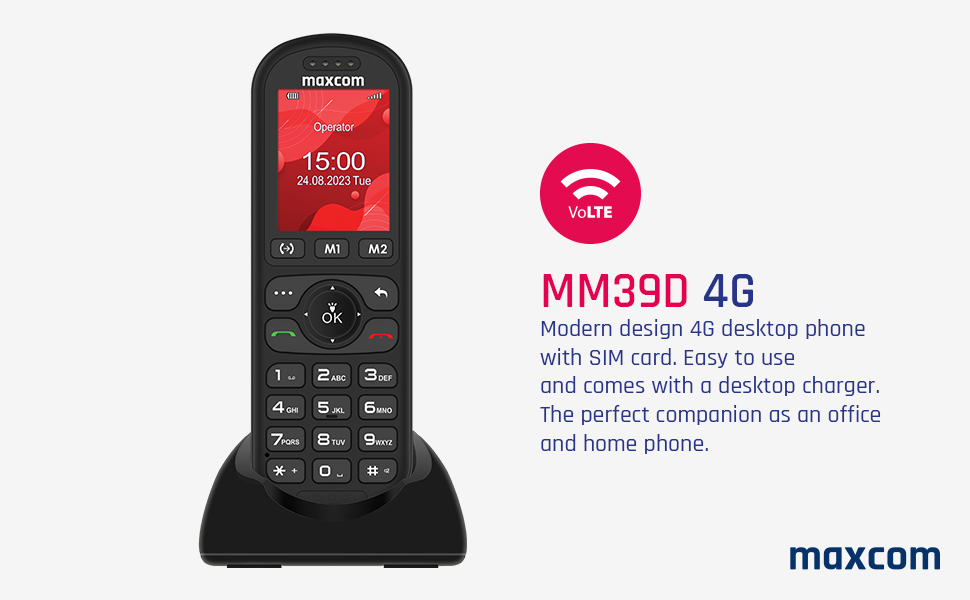
Figure 3: The Maxcom MM39D phone placed in its USB-C desktop charging dock.
3. Návod k obsluze
3.1 Zapnutí/vypnutí
- Zapnutí: Stiskněte a podržte červenou Ukončit hovor/Napájení dokud se obrazovka nerozsvítí.
- Vypnutí: Stiskněte a podržte červenou Ukončit hovor/Napájení button until the power-off options appear, then select "Power Off".
3.2 Uskutečňování a přijímání hovorů
- Chcete-li zavolat:
- Zadejte telefonní číslo pomocí klávesnice.
- Stiskněte zelenou Volání tlačítko pro zahájení hovoru.
- Chcete-li přijmout hovor: When the phone rings, press the green Volání tlačítko.
- Ukončení hovoru: Stiskněte červenou Ukončit hovor tlačítko.
- Rychlé vytáčení: Assign frequently called numbers to specific keys (M1, M2, or numeric keys). Refer to the phone's menu for speed dial setup.
3.3 Using Basic Functions
- Navigace: Use the directional keys (up, down, left, right) and the central OK button to navigate through menus and confirm selections.
- Kalendář: Přístup do kalendáře z hlavní nabídky view data a přidat události.
- Budík: Set multiple alarms with customizable tones and repeat options.
- SMS/MMS: Compose and send text messages. The phone supports multimedia messages (MMS) for sending images.
- FM rádio: Nalaďte si rádiové stanice FM. Jako anténa mohou být potřeba sluchátka.
- Audio and Video Player: Přehrát média files stored on the phone or an inserted memory card (if supported).
- Režim handsfree: Activate speakerphone during a call for hands-free communication.
- Call Transfer Function (CTF): Consult your network provider for details on activating and using call transfer services.
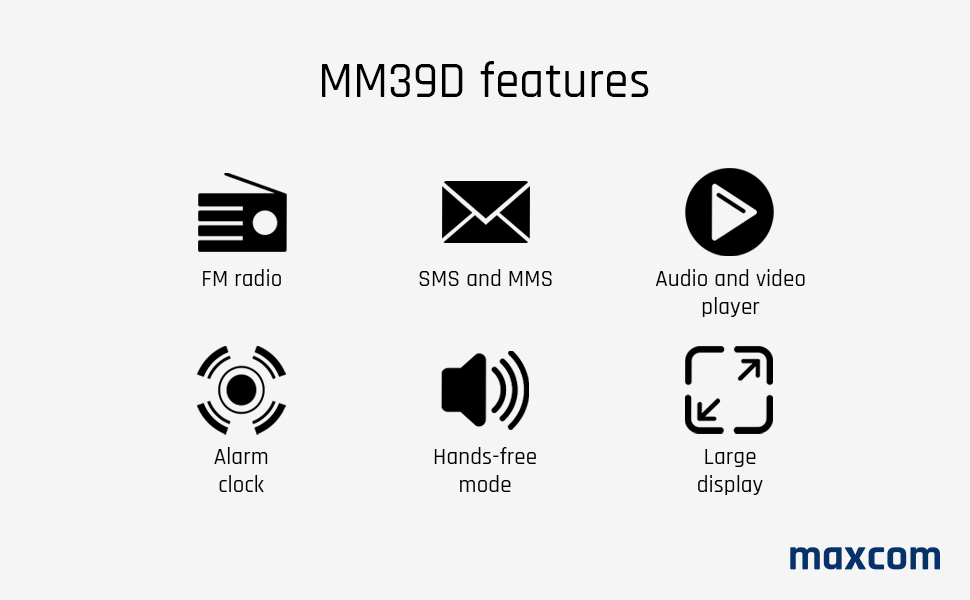
Figure 4: Visual representation of key features available on the Maxcom MM39D.
4. Údržba
4.1 Čištění telefonu
- Use a soft, dry cloth to wipe the phone's surface.
- Avoid using liquid cleaners, aerosols, or harsh chemicals, as these can damage the phone.
- Udržujte nabíjecí port bez prachu a nečistot.
4.2 Péče o baterii
- Nevystavujte baterii extrémním teplotám.
- Abyste prodloužili životnost baterie, vyhněte se častému úplnému vybíjení.
- Pokud telefon nebudete delší dobu používat, nabijte jej před uskladněním přibližně na 50 %.
- Používejte pouze originální nebo schválenou náhradní baterii a nabíječku.
5. Řešení problémů
If you encounter issues with your Maxcom MM39D, refer to the following common problems and solutions:
| Problém | Možná příčina | Řešení |
|---|---|---|
| Telefon se nezapne | Low battery; Battery not inserted correctly; Phone malfunction. | Charge the phone for at least 30 minutes. Reinsert the battery. If the problem persists, contact support. |
| Nelze uskutečňovat ani přijímat hovory | Chybí SIM karta; SIM karta není správně vložena; Žádný síťový signál; SIM karta není aktivována. | Ensure SIM card is correctly inserted and activated. Check network signal strength. Restart the phone. |
| Nízká hlasitost vyzvánění | Nastavení hlasitosti je příliš nízké. | Adjust the ringtone volume in the phone's settings menu. Ensure the phone is not in silent or vibrate-only mode. |
| Telefon se nenabíjí | Charger or cable faulty; Charging port blocked; Phone not properly seated in dock. | Check connections. Clean the USB-C port. Try a different USB-C cable or power adapter. Ensure the phone is correctly placed in the desktop charger. |
If these solutions do not resolve the issue, please refer to the Warranty and Support section.
6. Specifikace
| Značka | Maxcom |
| Číslo modelu | MM39D |
| Barva | Černý |
| Typ produktu | Bar Telefon |
| Síť | 4G VoLTE |
| Operační systém | Symbian 9.3 (Note: This OS is typically for smartphones, may be a generic entry or simplified OS.) |
| Velikost obrazovky | 2 palců |
| Rozlišení displeje | 176 x 220 px |
| Spojení | Bluetooth, mobilní |
| Nabíjecí port | USB Type-C |
| Kapacita baterie | 1000 XNUMX mAh |
| Zdroj napájení | Napájení z baterie |
| Typ vytáčení | Klávesnice |
7. Záruka a podpora
For warranty information, please refer to the documentation provided with your purchase or contact your retailer. Maxcom strives to provide reliable products, and any specific warranty terms will be outlined by the point of sale.
Information regarding spare parts availability and guaranteed software updates is not readily available. For technical support or service inquiries, please contact the Maxcom customer service department or your local distributor.
You can often find contact details on the official Maxcom webwebu nebo prostřednictvím obalu vašeho produktu.