
1. Úvod
Thank you for choosing the Phomemo M834 A4 Portable Thermal Printer. This device offers a convenient, inkless printing solution for various needs, from business documents to personal use. Its compact design and versatile connectivity make it an ideal companion for professionals, students, and home users. This manual provides essential information for setting up, operating, maintaining, and troubleshooting your printer to ensure optimal performance.
2. Konec produktuview
Klíčové vlastnosti
- Bezinkoustový termální tisk: Eliminates the need for ink cartridges or ribbons.
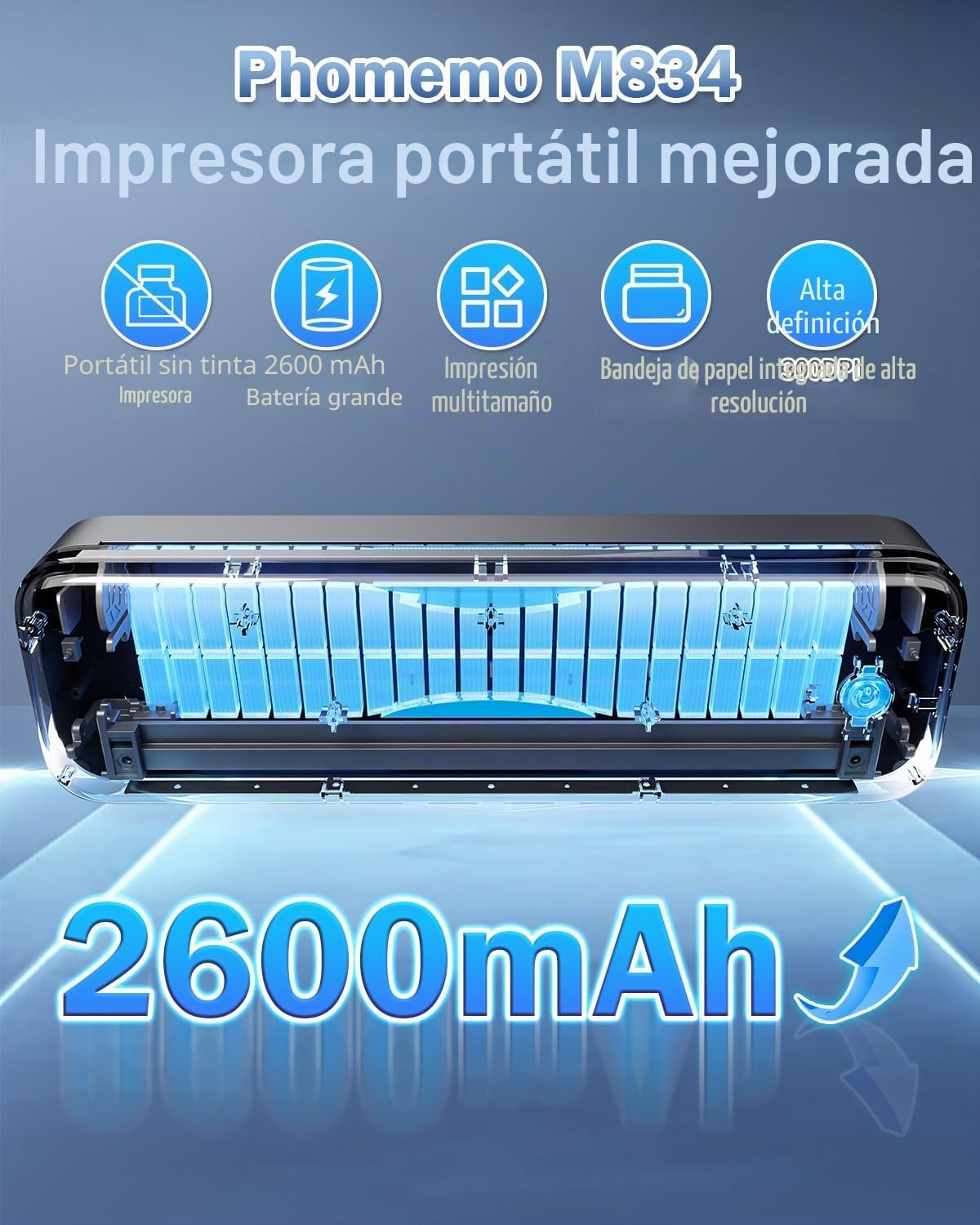
- Vysoké rozlišení: 300 DPI for clear and sharp prints.
- Přenosný design: Weighs approximately 690g with dimensions of 26.4 x 7.8 x 4.5 cm, similar to a 500ml water bottle.
- Multi-size Paper Support: Compatible with 210mm (A4), 110mm, 80mm, and 53mm thermal paper, including roll, sheet, and folded paper.
- Všestranná konektivita: Supports Bluetooth for smartphones/tablets (iOS/Android) and USB for PCs (Windows/macOS).
- Dlouhá výdrž baterie: Vybaven baterií s kapacitou 2600 mAh pro delší používání.
- Integrated Paper Box: Conveniently holds paper, reducing the need to carry separate sheets.
Co je v krabici
- Přenosná termální tiskárna Phomemo M834
- Termo papír A4
- USB-C kabel
- Uživatelská příručka
Schéma produktu
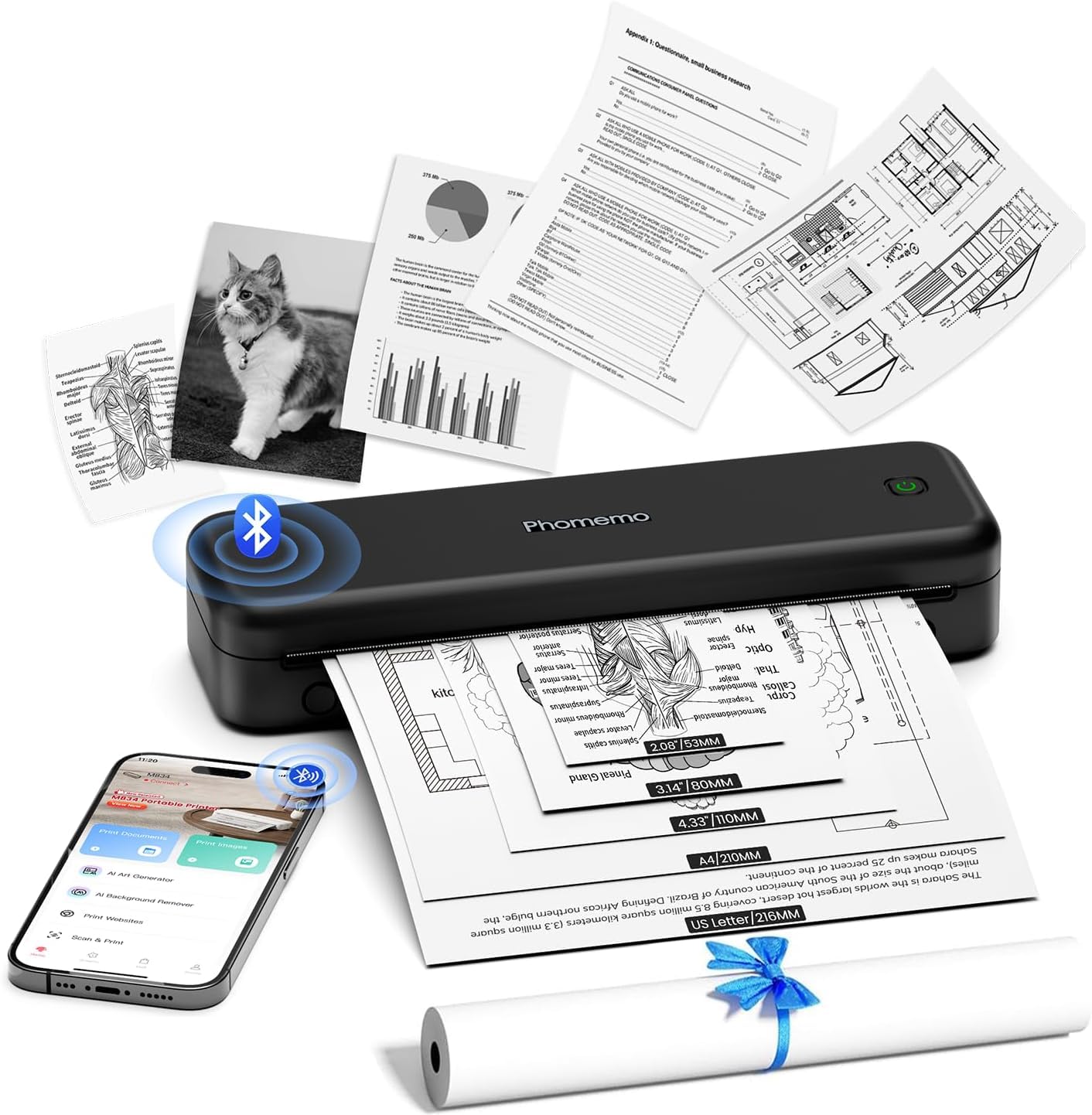
The Phomemo M834 printer features a sleek, compact design. The main body houses the thermal print head, paper feed mechanism, and battery. On the side, you will find the power button and USB-C port for charging and wired connection. The paper input slot is located at the top, and printed documents exit from the front.
3. Nastavení
3.1 Nabíjení tiskárny
Before initial use, fully charge the printer. Connect the provided USB-C cable to the printer's USB-C port and the other end to a compatible USB power adapter (not included) or a computer's USB port. The indicator light will show charging status (e.g., red for charging, green for fully charged).
3.2 Vkládání termopapíru
- Otevřete kryt přihrádky na papír.
- Insert the thermal paper roll or stack of sheets into the compartment, ensuring the printable side faces the print head. The printable side is typically smoother and will produce a mark when scratched with a fingernail.
- Gently feed the leading edge of the paper into the printer's feed slot until it is gripped by the rollers.
- Close the paper compartment cover. Ensure the paper is aligned correctly to prevent jams.

3.3 Driver Installation (for PC/Mac)
For printing from a computer, you need to install the appropriate drivers. Visit M834.Phomemo.com to download the latest drivers for your Windows or macOS operating system. Follow the on-screen instructions for installation.
4. Návod k obsluze
4.1 Connecting via Bluetooth (for Mobile/Tablet)
- Download the "Phomemo" application from the App Store (iOS) or Google Play Store (Android).
- Turn on your Phomemo M834 printer by pressing and holding the power button.
- Povolte na svém mobilním zařízení Bluetooth.
- Open the Phomemo app and follow the in-app instructions to search for and connect to your M834 printer.
- Once connected, you can select documents (Word, Excel, PDF, TXT, JPG) or images within the app to print.
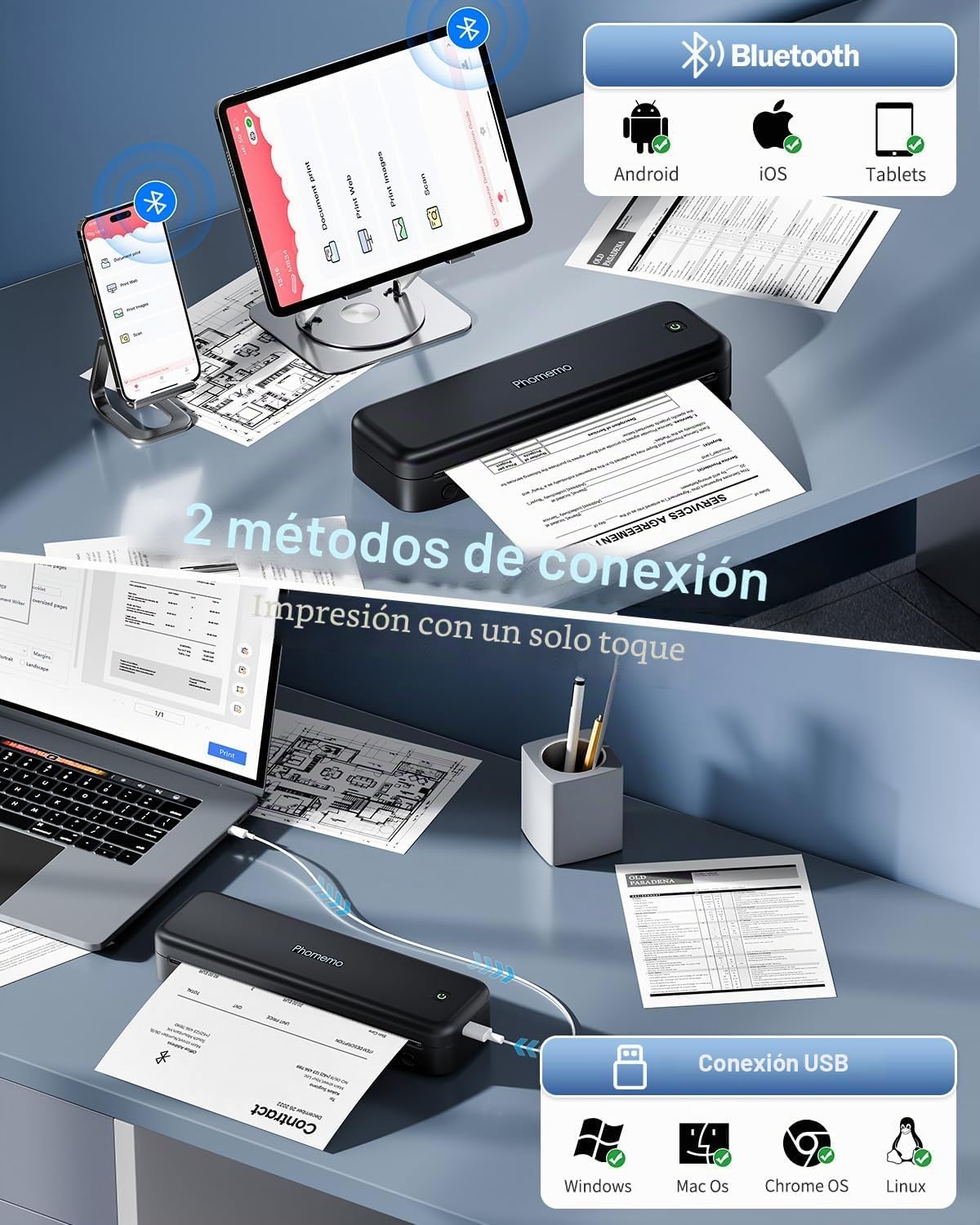
4.2 Connecting via USB (for PC/Mac)
- Ensure the printer drivers are installed on your computer (refer to Section 3.3).
- Turn on your Phomemo M834 printer.
- Připojte tiskárnu k počítači pomocí dodaného kabelu USB-C.
- Your computer should recognize the printer. You can now print documents from any application as you would with a standard printer.
4.3 Using the Phomemo App
The Phomemo app provides enhanced control over your printing experience:
- Tisk dokumentu: Supports various formats including Word, Excel, PDF, TXT, and JPG.
- Tisk obrázků: Offers free-form editing, batch printing, and collage printing.
- Vytisknout Web: Tiskněte obsah přímo z web stránky.
- Skenovat: Scan documents using your phone's camera and print them directly.
- Přizpůsobení: Adjust print depth and speed for optimal results.
5. Údržba
5.1 Čištění tiskové hlavy
Pro zachování kvality tisku pravidelně čistěte tiskovou hlavu. Používejte měkký hadřík, který nepouští vlákna, lehce osušenýampened with isopropyl alcohol. Gently wipe the print head surface. Ensure the printer is turned off and cooled down before cleaning.
5.2 Péče o baterii
- Vyhněte se častému úplnému vybíjení baterie.
- Pokud tiskárnu delší dobu nepoužíváte, skladujte ji na chladném a suchém místě.
- Charge the printer at least once every three months to prevent battery degradation.
5.3 Skladování papíru
Store thermal paper in a cool, dry place away from direct sunlight and heat. Exposure to high temperatures or light can cause the paper to darken prematurely or reduce print longevity.
6. Řešení problémů
| Problém | Možná příčina | Řešení |
|---|---|---|
| Tiskárna se nezapíná | Slabá baterie; Tlačítko napájení nebylo správně stisknuto | Nabijte tiskárnu; Stiskněte a několik sekund podržte tlačítko napájení. |
| Špatná kvalita tisku (bledý, pruhovaný) | Dirty print head; Low battery; Old/poor quality thermal paper; Incorrect print density setting | Clean the print head (Section 5.1); Charge the printer; Use fresh, high-quality thermal paper; Adjust print density in the Phomemo app. |
| Zaseknutý papír | Nesprávné vložení papíru; Poškozený papír | Turn off the printer, carefully remove jammed paper; Reload paper correctly (Section 3.2); Use undamaged paper. |
| Nelze se připojit přes Bluetooth | Bluetooth na zařízení vypnutý; Tiskárna není v režimu párování; Problém s aplikací | Ensure Bluetooth is enabled; Restart printer and app; Try pairing again through the app. |
| Cannot print from PC via USB | Drivers not installed; Loose USB connection | Install drivers from M834.Phomemo.com; Ensure USB cable is securely connected. |
7. Specifikace
| Funkce | Detail |
|---|---|
| Číslo modelu | M834-BK |
| Technologie tisku | Tepelný |
| Rozlišení tisku | 300 DPI |
| Konektivita | Bluetooth, USB-C |
| Compatible Paper Sizes | A4 (210x297 mm), 110mm, 80mm, 53mm, 8.5" x 11" US Letter |
| Maximální rychlost černobílého tisku | 20 stran za minutu |
| Baterie | Lithium Polymer s kapacitou 2600 mAh |
| Rozměry produktu (D x Š x V) | 26.4 x 7.8 x 4.5 cm |
| Hmotnost produktu | 695 gramů |
| Kompatibilní operační systémy | Android, iOS, Windows, macOS |
| Barva inkoustu | Black (Monochrome output) |
| Země původu | Čína |
8. Záruka a podpora
Phomemo products come with a standard manufacturer's warranty. For specific warranty details, please refer to the warranty card included with your product or visit the official Phomemo website. Our professional technical support team is available to assist you with any questions or issues you may encounter.
For support, please:
- Navštivte našeho úředníka webmísto: www.phomemo.com
- Contact us through the "Phomemo" application.
- Viz kontaktní informace uvedené na obalu produktu.