
1. Úvod
This manual provides essential information for the safe and efficient operation of your OMTech Galvo 50W Fiber Laser Engraver Cutter. This all-metal body fiber laser engraver is designed for precision marking and cutting on various materials, offering high accuracy and speed.
Key features include a 0.01 mm spot diameter, a 5.9''x5.9'' workbed, and a maximum engraving speed of up to 10,000 mm/s. The laser is classified as Class 2 with an output power of 0.874 mW.

Figure 1: OMTech Galvo 50W Fiber Laser Engraver Cutter unit.
2. Bezpečnostní informace
Always prioritize safety when operating the laser engraver. Failure to follow safety guidelines can result in serious injury or damage to the equipment.
- Ochrana očí: Always wear appropriate laser safety glasses to protect your eyes from laser radiation.
- Větrání: Ensure adequate ventilation in the work area to remove fumes and particles generated during engraving or cutting.
- Materiálová kompatibilita: Only engrave or cut materials approved for fiber lasers. Avoid materials that produce toxic fumes or are highly flammable.
- Nouzové zastavení: Seznamte se s umístěním a obsluhou tlačítka nouzového zastavení.
- Dozor: Nikdy nenechávejte stroj během provozu bez dozoru.
3. Nastavení
3.1 Počáteční umístění a připojení
Place the laser engraver on a stable, level surface. Connect the power cable and ensure all necessary peripheral connections are secure.
3.2 Instalace a kompatibilita softwaru
The OMTech Galvo 50W is compatible with LightBurn software and comes pre-loaded with EZCad. Install the required software on your computer (Windows 7, 8, 10, 11, or macOS) to control the laser engraving operations.

Figure 2: The laser engraver is compatible with LightBurn and EZCad on multiple operating systems.
3.3 Focusing with Red Dot Pointer
The engraver is equipped with a red dot indicator to assist in adjusting the laser focus. To activate or deactivate the red dot guider, press the dedicated focus button.

Figure 3: Red dot pointer for precise focus adjustment.
3.4 Rotary Axis Connection
For engraving on curved surfaces such as rings and bracelets, the unit includes a rotary axis connection port. Connect a compatible rotary axis accessory to this port as per the accessory's instructions.

Figure 4: The laser engraver supports a rotary axis for cylindrical objects.
4. Návod k obsluze
4.1 Proces gravírování a řezání
- Prepare your design in LightBurn or EZCad software.
- Place the material on the workbed. For curved items, use the rotary axis.
- Use the red dot pointer to adjust the focus for optimal results.
- Set the appropriate laser parameters (power, speed, frequency) for your material.
- Spusťte proces gravírování nebo řezání ze softwaru.
- Monitor the process and ensure proper ventilation.
4.2 High Accuracy and Speed
The laser engraver offers high accuracy at 0.01 mm, allowing for detailed engravings. Its maximum engraving speed of 10,000 mm/s significantly boosts productivity.
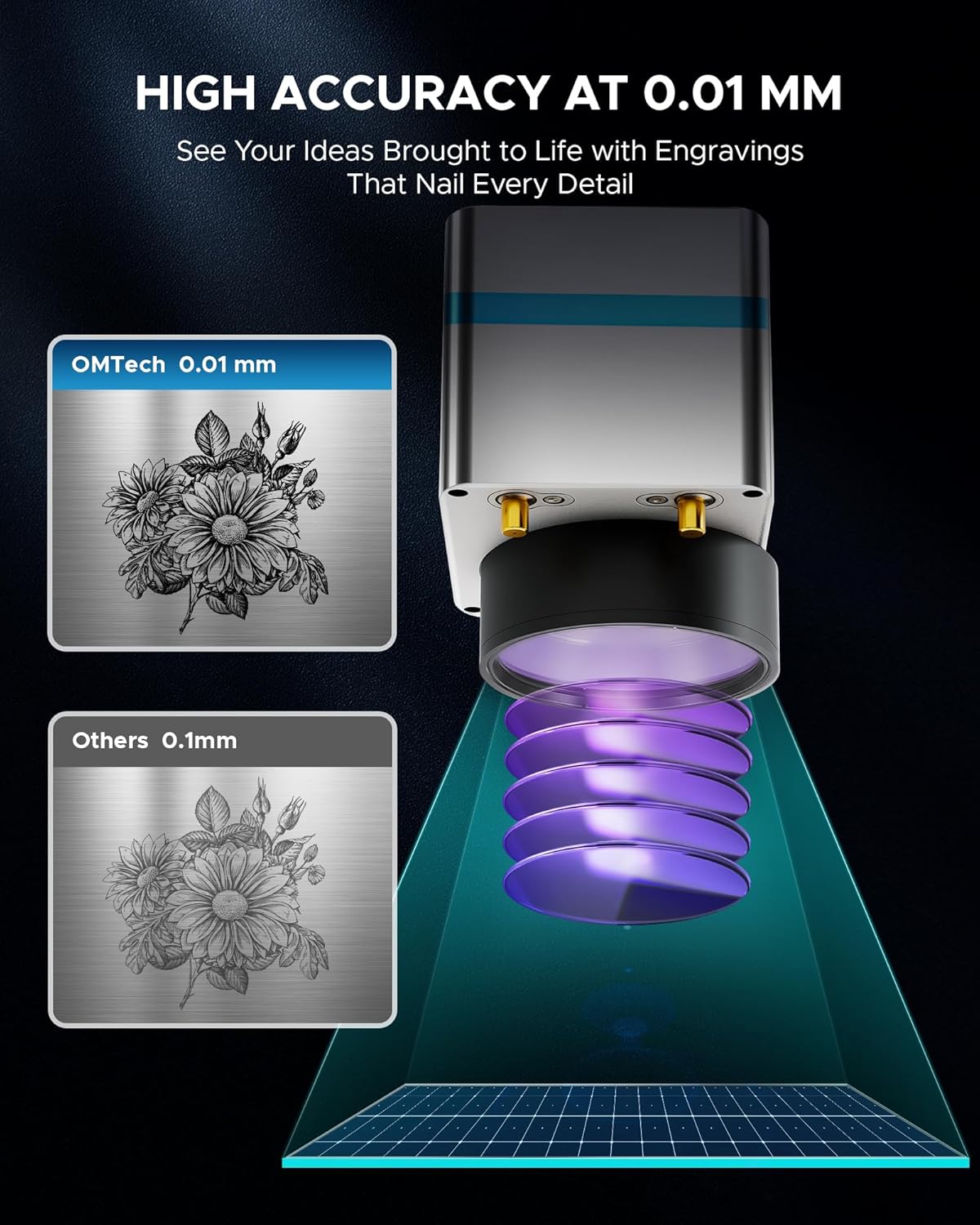
Obrázek 5: Přample of high-accuracy engraving.

Figure 6: Speed comparison highlighting the fiber laser's performance.
4.3 Kompatibilita materiálů
The OMTech Galvo 50W Fiber Laser Engraver Cutter is suitable for marking and etching a wide range of materials, including but not limited to:
- Kovy: Brass, Aluminum, Silver, Tungsten, Titanium, Gold, Stainless Steel, Cast Aluminum, Copper.
- Non-Metals: Brick, Granite, Tile, Marble, Stone, Acrylic, Leather, Paper, Plastic, Wood, Glass.

Figure 7: Various materials suitable for engraving with the OMTech 50W Fiber Laser.
5. Údržba
Pravidelná údržba zajišťuje dlouhou životnost a optimální výkon vašeho laserového gravírovacího stroje.
- Čištění objektivu: Periodically clean the laser lens with a specialized lens cleaning solution and cloth to maintain beam quality.
- Čištění pracovní desky: Keep the workbed clean from debris and residue to prevent interference with engraving and ensure proper material placement.
- Kontroly připojení: Regularly inspect all cables and connections for any signs of wear or looseness.
- Ventilační systém: Ensure the ventilation system is clear and functioning effectively to extract smoke and particles.
6. Řešení problémů
Tato část se zabývá běžnými problémy, se kterými se můžete setkat.
6.1 Laser Not Engaging
If the red laser pointer is active but the fiber laser does not engage, check the internal connections. A common issue can be a loose flat control cable from the mainboard to the fiber laser source. If accessible and you are comfortable, carefully open the case and ensure this cable is securely plugged in. If the issue persists or you are unsure, contact customer support.
6.2 Software Connection Issues
If the software (LightBurn or EZCad) fails to connect to the engraver, ensure:
- The engraver is powered on.
- The USB cable is securely connected to both the engraver and the computer.
- The correct drivers are installed on your computer.
- No other software is attempting to communicate with the engraver simultaneously.
7. Specifikace
| Funkce | Specifikace |
|---|---|
| Číslo modelu | LYF-60W (Galvo 50W) |
| Výkon laseru | 50W |
| Laserová třída | 2 |
| Výstupní výkon | 0.874 mW |
| Pracovní oblast | 5.9" × 5.9" (150 mm × 150 mm) |
| Bodový průměr | 0.01 mm |
| Max. Rychlost gravírování | 10,000 mm/s |
| Přesnost značení | ±0.001 mm |
| Max. Single Pass Marking Depth | 0.1 mm |
| Vlnová délka laseru | 1064 nm |
| Estimated Laser Service Life | 100,000+ hodin |
| Kompatibilní software | LightBurn, EZCad |
| Podporované formáty obrázků | .bmp, .gif, .jpg, .jpeg, .dxf, .dst, .ai |
| Rotary Axis Compatibility | Ano |
| Čistá hmotnost | 40 lb |
| Rozměry (D x Š x V) | 15.8 cm x 13.4 cm x 21.3 cm |
| Výrobce | OMTech |
| Datum první dostupnosti | 2. července 2024 |

Obrázek 8: Přesview klíčových specifikací produktu.
8. Záruka a podpora
OMTech provides comprehensive customer service and support for its products.
- Záruka: A 2-year support period is provided for this product.
- Služby zákazníkům: A 24-hour service team is available in the US, Philippines, and China.
- Technická podpora: Professional pre-sales and after-sales service, technical support, and on-site experience (by appointment) are offered.
Kontaktní údaje:
Telefon: +1 (949) 438-4949
E-mailová podpora: SUPPORT@OMTECHLASER.COM
Email Tech Support: TECHSUPPORT@OMTLASER.COM
9. Produktová videa
No relevant product videos created by the seller were found in the provided data for the OMTech Galvo 50W Fiber Laser Engraver Cutter. The available videos pertain to a different product (WIFI Backup Camera) and have therefore not been embedded.