
WIOONI HWTCQ0627
WIOONI WLAN Indoor Motion Detector User Manual
Model: HWTCQ0627
Brand: WIOONI
1. Úvod
Thank you for choosing the WIOONI WLAN Indoor Motion Detector. This device is designed to enhance your home security and smart automation experience by detecting motion and sending real-time notifications to your smartphone. It integrates seamlessly with Smart Life and Tuya Smart applications, allowing for intelligent linkages with other smart devices.
This manual provides detailed instructions on how to set up, operate, and maintain your motion detector. Please read it thoroughly before use to ensure proper functionality and safety.

Image 1.1: WIOONI WLAN Indoor Motion Detector and its corresponding mobile application interface.
2. Bezpečnostní informace
- Toto zařízení je určeno pro pouze pro vnitřní použitíNevystavujte jej vodě, vlhkosti ani extrémním teplotám.
- Chraňte zařízení před přímým slunečním zářením, zdroji tepla a silnými elektromagnetickými poli.
- Používejte pouze specifikovaný typ baterií (AAA) a během instalace dbejte na správnou polaritu.
- Nepokoušejte se zařízení sami rozebírat nebo opravovat. Požádejte o pomoc zákaznickou podporu.
- Uchovávejte mimo dosah dětí a domácích zvířat.
3. Obsah balení
Balíček obsahuje následující položky:
- 2 x WIOONI WLAN Indoor Motion Sensor
- 4 x AAA Batteries (2 per sensor)
- Mounting Accessories (e.g., double-sided adhesive tapes, hanging ropes)
- Uživatelská příručka
4. Konec produktuview
The WIOONI motion detector features a compact design with an infrared PIR sensor for detecting human movement. It includes a small LED indicator for status and a button for pairing. The device is powered by AAA batteries for wireless operation.
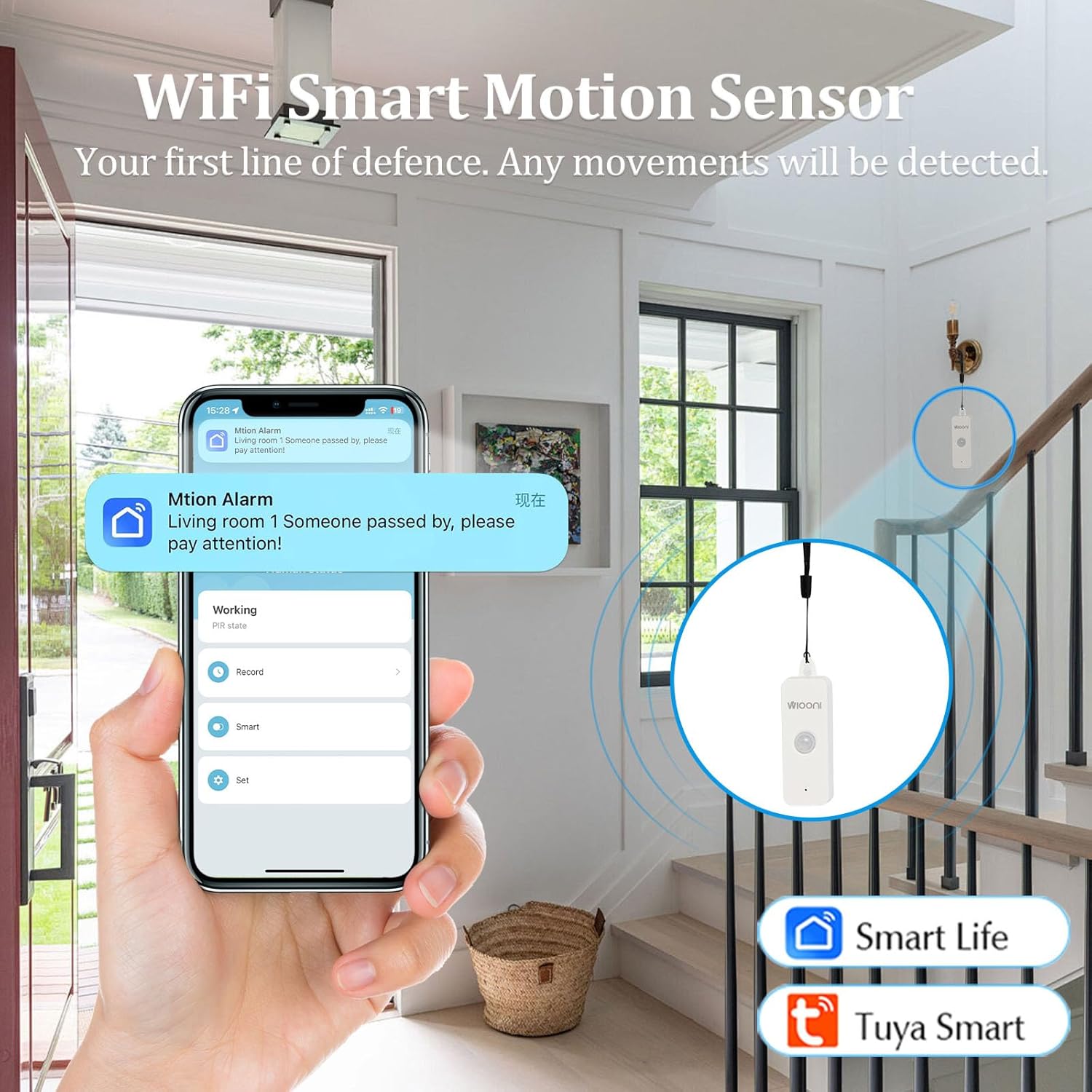
Image 4.1: The WIOONI motion sensor discreetly installed in a home environment, demonstrating its role as a security device.
5. Nastavení
5.1. Instalace baterie
- Gently open the back cover of the motion detector.
- Vložte dvě baterie typu AAA a dbejte na správnou polaritu (+/-).
- Remove the battery insulation strip (if present) to activate the device.
- Bezpečně zavřete zadní kryt.

Image 5.1: Step-by-step guide for initial setup, including battery activation and app pairing.
5.2. Stažení a instalace aplikace
The WIOONI motion detector is compatible with the Smart Life and Tuya Smart applications. Choose one to manage your device.
- Scan the QR code provided in Image 5.1 or search for "Smart Life" or "Tuya Smart" in your mobile app store (App Store for iOS, Google Play Store for Android).
- Stáhněte a nainstalujte aplikaci.
- Zaregistrujte si nový účet nebo se přihlaste, pokud již nějaký máte.
You can also download the Smart Life app directly from: https://smartapp.tuya.com/smartlife
5.3. Device Pairing/Connection
- Ujistěte se, že je váš smartphone připojen k síti Wi-Fi s frekvencí 2.4 GHz. (Sítě 5 GHz nejsou podporovány).
- Otevřete aplikaci Smart Life nebo Tuya Smart.
- Povolte na svém telefonu Bluetooth a Wi-Fi.
- In the app, tap "Add Device" or the "+" icon in the top right corner.
- The app may automatically discover the device. If not, select "Security & Sensor" > "Motion Sensor (Wi-Fi)" or similar.
- Follow the on-screen instructions to connect the device. This usually involves pressing the pairing button on the sensor until the LED indicator flashes, then confirming in the app.
- Po úspěšném přidání můžete zařízení přejmenovat a přiřadit ho ke konkrétní místnosti.
6. Provoz
6.1. Basic Motion Detection
The WIOONI motion detector uses Passive Infrared (PIR) technology to detect changes in infrared radiation caused by moving objects, such as people. When motion is detected within its range, the device will trigger an alert.

Image 6.1: Illustration of PIR motion detection and instant notification to your smartphone.
6.2. Funkce aplikace
- Monitorování v reálném čase: View the current status of the motion detector (e.g., "No motion detected," "Motion detected") directly from the app, no matter where you are.
- Okamžitá upozornění: Receive push notifications on your smartphone immediately when motion is detected, keeping you informed of any activity.
- Záznam aktivit: Review a history of detected movements with timestamps.
- Chytrá automatizace: Create intelligent scenarios (routines) to link the motion detector with other Smart Life/Tuya Smart devices. For example, you can set up a rule to turn on lights automatically when motion is detected in a room.
6.3. Sharing Functions
You can share control of the motion detector with family members or trusted individuals through the Smart Life/Tuya Smart app. This allows multiple users to receive notifications and manage the device.

Image 6.2: Sharing device control with family members for collaborative home security management.
7. Instalace / montáž
The WIOONI motion detector offers flexible mounting options:
- Závěsný: The top of the detector has a hanging hole. You can use the provided rope to hang it in a suitable location.
- Lepicí montáž: Use the included double-sided adhesive tapes to securely attach the sensor to any flat surface, such as a wall or furniture.
- Umístění: Simply place the sensor on a shelf, table, or any elevated surface within the desired detection area.
Consider the detection angle and distance when choosing a mounting location to ensure optimal coverage.

Obrázek 7.1: Příkladamples of suitable installation locations for the motion sensor.
8. Řešení problémů
| Problém | Možná příčina | Řešení |
|---|---|---|
| Zařízení se nepřipojuje k Wi-Fi | Incorrect Wi-Fi band (5GHz not supported); Weak Wi-Fi signal; Incorrect password; Device not in pairing mode. | Ensure your router is set to 2.4GHz. Move the device closer to the router. Re-enter Wi-Fi password carefully. Press the pairing button on the sensor to enter pairing mode (LED flashing). |
| No motion detected / False alarms | Incorrect placement; Obstructions; Environmental factors (e.g., drafts, direct sunlight, pets). | Ensure the sensor has a clear line of sight to the detection area. Avoid placing near vents, windows, or areas with rapid temperature changes. Adjust placement to avoid pets. |
| Oznámení nebyla přijata | App notification settings disabled; Phone's notification settings disabled; App not running in background. | Check notification settings within the Smart Life/Tuya Smart app. Verify your phone's system notification settings for the app. Ensure the app is allowed to run in the background. |
| Krátká výdrž baterie | Frequent detections; Low-quality batteries. | Reduce the number of unnecessary detections by optimizing placement. Use high-quality alkaline AAA batteries. |
9. Specifikace
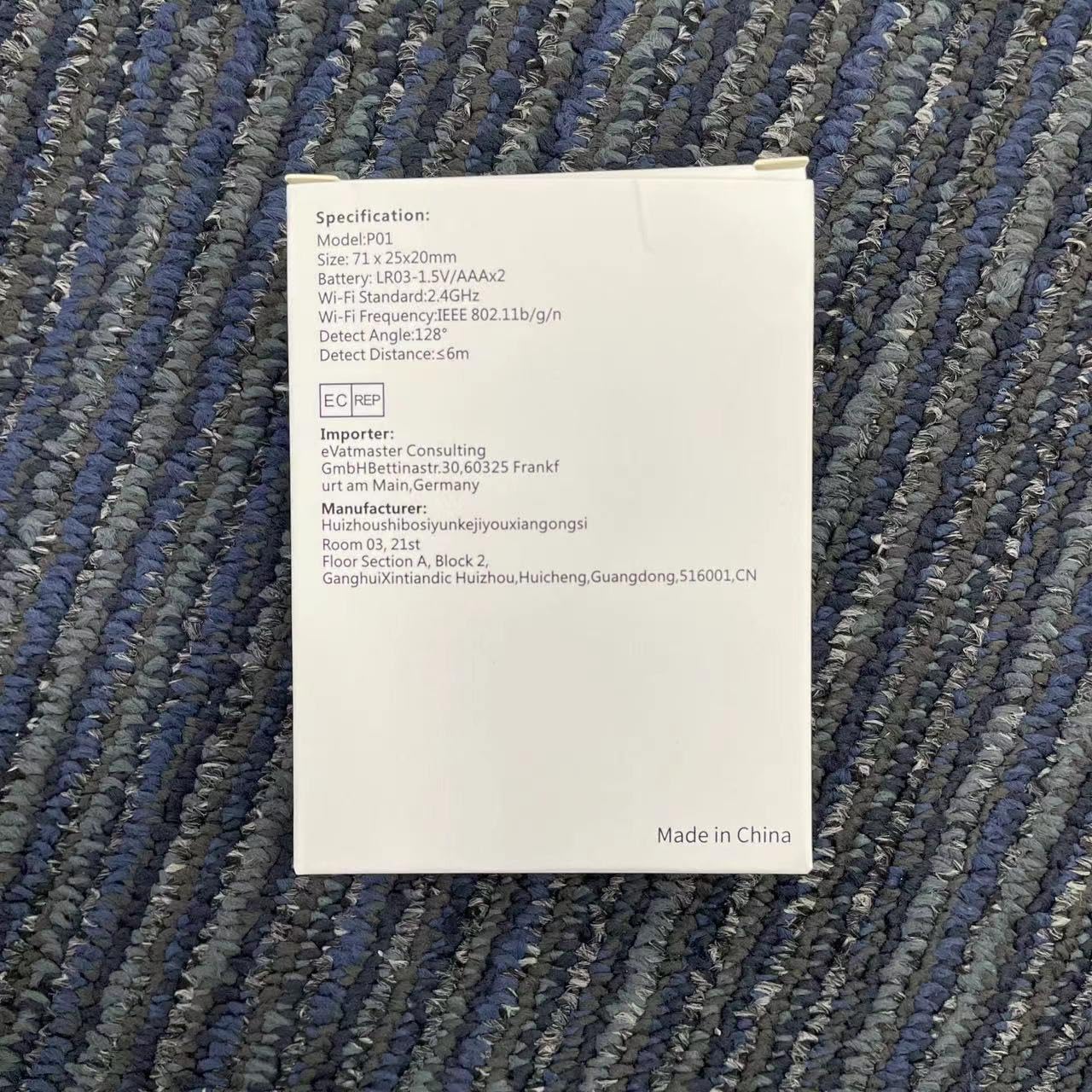
Image 9.1: Detailed specifications as listed on the product packaging.
| Funkce | Detail |
|---|---|
| Číslo modelu | HWTCQ0627 |
| Rozměry | 8.99 x 6.68 x 2.59 cm |
| Hmotnost | 68 gramů |
| Zdroj napájení | 4 x AAA baterie (součástí balení) |
| Detekční technologie | Infračervené PIR |
| Detekční úhel | 130° |
| Detekční vzdálenost | 2~12 meters (Note: Detection angle and distance values may vary by location.) |
| Bezdrátové připojení | Wi-Fi 802.11b/g/n (2.4GHz only) |
| Kompatibilita | Smart Life App, Tuya Smart App |
| Typ montáže | Wall Mount / Hanging / Placement |
10. Záruka a podpora
WIOONI products are designed for reliability and performance. For any technical support, troubleshooting, or warranty inquiries, please contact your retailer or the WIOONI customer service team.
Uschovejte si prosím doklad o koupi pro účely záruky.
Manufacturer: WIOONI
Address: Huizhouhbosiyunkeijiyouxiangongsi, Room 03, 21st Floor, Section A, Block 2, GanghuiXintiandic Huizhou, Huicheng, Guangdong, 516001, CN
Ask a question about this manual
Ask about setup, troubleshooting, compatibility, parts, safety, or missing instructions. Manuals+ will review the question and use this page’s manual context to help answer it.