
BOTSLAB HK30
Uživatelská příručka k autokameře BOTSLAB HK30
4K+1080P+1080P Car Dash Cam with Angle Front Camera and Color Night Vision
1. Úvod
Thank you for choosing the BOTSLAB HK30 Car Dash Cam. This manual provides detailed instructions for the installation, operation, and maintenance of your new dash camera system. Please read this manual thoroughly before using the product to ensure proper function and safety. Keep this manual for future reference.
2. Bezpečnostní informace
- Neovládejte palubní kameru ani nepřistupujte k jejímu nastavení během jízdy. Před prováděním jakýchkoli úprav vždy bezpečně zastavte.
- Ujistěte se, že je palubní kamera bezpečně upevněna a nebrání řidiči ve výhledu view nebo narušovat aktivaci airbagu.
- Use only the original power adapter and cables provided with the device. Using unauthorized accessories may damage the product and void the warranty.
- Nevystavujte palubní kameru extrémním teplotám, delšímu přímému slunečnímu záření nebo nadměrné vlhkosti.
- Nepokoušejte se zařízení sami rozebírat nebo opravovat. Požádejte o pomoc zákaznickou podporu.
- Regularly format the memory card to ensure optimal recording performance.
3. Obsah balení
Zkontrolujte prosím balení, zda neobsahuje následující položky:
- BOTSLAB HK30 Dash Cam Unit
- Nabíječka do auta (napájecí kabel)
- Mounting Bracket (with adhesive pad)
- Uživatelská příručka
- Optional: Rear Camera (if purchased as a bundle)
- Optional: GPS Module
4. Konec produktuview
The BOTSLAB HK30 is a multi-channel dash cam designed to provide comprehensive coverage of your driving environment. It features a main front camera with 4K resolution, and supports additional cameras for rear and interior views (sold separately or as part of a bundle).

Image: The main BOTSLAB HK30 dash cam unit, showing the front lens and the Botslab branding.
Mezi klíčové vlastnosti patří:
- 4K přední fotoaparát: Captures high-resolution video of the road ahead.
- 140° široký Viewúhel: Provides extensive coverage, minimizing blind spots.
- Barevné noční vidění: Enhances visibility and clarity in low-light conditions.
- Vestavěná GPS: Records speed and location data for your journeys.
- G-senzor: Automaticky uzamkne video filepři nárazu, aby se zabránilo přepsání.
- Nahrávání ve smyčce: Nepřetržitě nahrává přepisováním nejstarších files, když je paměťová karta plná.
- Sledování parkování: Offers 24-hour surveillance with time-lapse recording and collision-triggered normal recording (requires buck line kit, sold separately).
- Ovládání aplikace: Connects to your smartphone for easy settings adjustment, live view, and video download.

Image: An illustration demonstrating the 140-degree wide viewing angle of the dash cam, showing its ability to capture a broad perspective of the road.
5. Nastavení a instalace
5.1 Vložení paměťové karty
Before first use, insert a high-speed (Class 10 or higher) microSD card (up to 256GB recommended) into the dash cam's memory card slot. Ensure the card is inserted correctly until it clicks into place. Format the card via the dash cam's settings menu or the mobile app before initial recording.
5.2 Montáž palubní kamery
- Vyčistěte oblast čelního skla, kam chcete namontovat palubní kameru. Ujistěte se, že je bez prachu a mastnoty.
- Attach the adhesive pad to the mounting bracket, then firmly press the bracket onto the chosen spot on your windshield, ideally behind the rearview zrcadlo pro optimální view a minimální překážkou.
- Slide the dash cam unit onto the mounted bracket until it locks securely.
- Adjust the camera lens angle to ensure it captures the road ahead clearly, with approximately 60% road and 40% sky visible.
5.3 Připojení napájení
- Připojte dodaný kabel autonabíječky k napájecímu portu palubní kamery.
- Zapojte druhý konec autonabíječky do 12V zásuvky ve vozidle (zásuvka zapalovače cigaret).
- Route the power cable neatly along the edge of the windshield and dashboard to conceal it and prevent interference with driving.
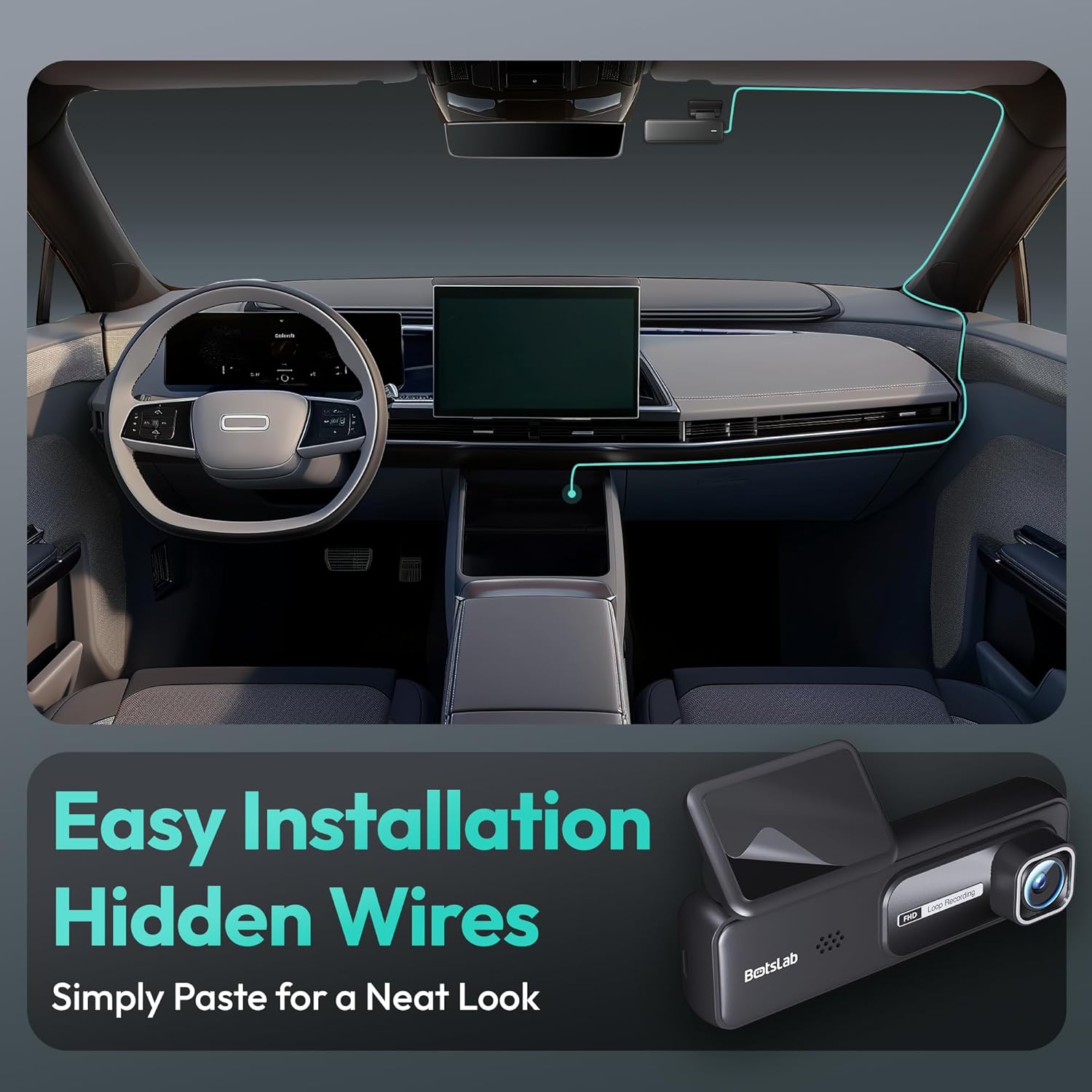
Image: A visual guide illustrating the process of easy dash cam installation with hidden wires, showing how to route the cable neatly along the car's interior for a clean look.
5.4 GPS Module Connection (if applicable)
If your package includes a separate GPS module, connect it to the designated port on the dash cam. Ensure the GPS module is placed in an area with a clear view oblohy pro optimální příjem signálu.
6. Návod k obsluze
6.1 Automatický záznam
Once powered on and connected to your vehicle's ignition, the dash cam will automatically start recording when the engine is started. It will stop recording and power off shortly after the engine is turned off.
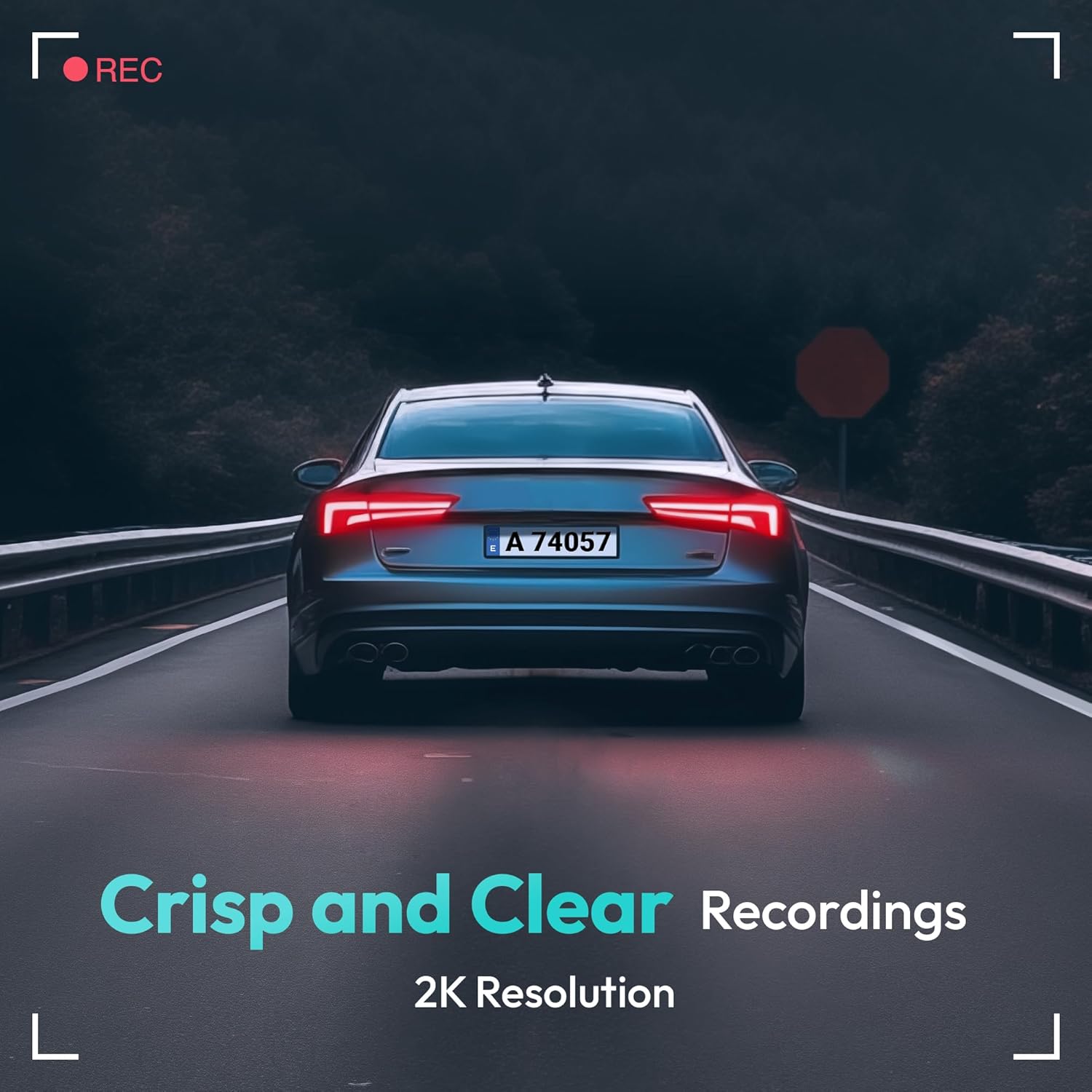
Image: A visual representation highlighting the crisp and clear recording capabilities of the dash cam, indicating 2K resolution for detailed footage.
6.2 Nahrávání ve smyčce
The dash cam records video in continuous loops (e.g., 1, 3, or 5-minute segments). When the memory card is full, the oldest unlocked filebudou automaticky přepsány novými nahrávkami. Tím je zajištěno nepřetržité nahrávání bez ručního zásahu.
6.3 G-senzor (nouzové nahrávání)
The built-in G-Sensor detects sudden impacts or collisions. When an impact is detected, the current video segment will be automatically locked and saved to a protected folder on the memory card, preventing it from being overwritten by loop recording. These files are crucial for accident evidence.
6.4 Monitorování parkování
For 24-hour parking surveillance, a hardwire kit (buck line) is required (sold separately). Once installed, the dash cam can utilize:
- Časosběrné nahrávání: Records continuously at a low frame rate to save storage space while providing a full overview of parking events.
- Collision-Triggered Recording: If an impact is detected while parked, the dash cam will wake up and record a short video segment, which will be locked.

Image: An illustration depicting the 24/7 parking monitoring feature, highlighting time-lapse recording and collision-triggered normal recording capabilities, with a shield icon indicating protection.
6.5 App Control and Connectivity
Download the official BOTSLAB app from your smartphone's app store. Connect your phone to the dash cam's Wi-Fi network (SSID and password usually found on the device or in the manual). Through the app, you can:
- View živý video přenos.
- Adjust dash cam settings (resolution, G-sensor sensitivity, loop recording duration, etc.).
- Přehrávání nahraných videí.
- Stáhnout video filepřímo do vašeho telefonu.
- Aktualizujte firmware.
6.6 GPS Tracking and Playback
With the GPS module connected, the dash cam records your vehicle's speed and location data. This information can be viewed during video playback using the dedicated PC viewer software (available for download from the BOTSLAB website) or within the mobile app, often overlaid on a map (e.g., Google Maps).
7. Údržba
7.1 Čištění zařízení
Use a soft, dry cloth to clean the dash cam's lens and body. Do not use liquid cleaners or abrasive materials, as they may damage the device.
7.2 Správa paměťových karet
It is recommended to format the microSD card once a month to maintain optimal performance and prevent data corruption. Back up any important files před formátováním.
7.3 aktualizací firmwaru
Periodically check the BOTSLAB official website or the mobile app for available firmware updates. Firmware updates can improve performance, add new features, or fix bugs. Follow the instructions provided with the firmware update carefully.
8. Řešení problémů
| Problém | Možná příčina | Řešení |
|---|---|---|
| Palubní kamera se nezapne. | No power supply; faulty cable; vehicle's power outlet issue. | Check power cable connection; try another power outlet; ensure vehicle ignition is on. |
| Nahrávání se zastaví nebo zamrzne. | Memory card full or corrupted; slow memory card; firmware issue. | Format memory card; use a high-speed (Class 10+) card; update firmware. |
| Kvalita videa je špatná. | Znečištěný objektiv; na objektivu stále ochranná fólie; nesprávné nastavení rozlišení. | Clean the lens; remove protective film; set recording resolution to highest available. |
| GPS signál nebyl nalezen. | GPS modul není připojen; špatný satelitní příjem. | Ensure GPS module is connected; move vehicle to an open area with clear sky view. |
| Nelze se připojit k Wi-Fi/aplikaci. | Incorrect Wi-Fi password; phone too far from device; app not updated. | Verify Wi-Fi password; ensure phone is close to dash cam; update app. |
9. Specifikace
| Funkce | Detail |
|---|---|
| Název modelu | HK30 |
| Rozlišení záznamu videa | Front: 4K (1944p), Rear/Interior: 1080P (if applicable) |
| Viewúhel | 140° (vpředu) |
| Technologie připojení | USB, bezdrátové (Wi-Fi) |
| Speciální funkce | App Control, G-Sensor, Loop Recording, Parking Monitor, Color Night Vision |
| Skladování | MicroSD Card (up to 256GB, Class 10 or higher) |
| Typ montáže | Držák na čelní sklo |
| Zdroj napájení | Nabíječka do auta (12V) |
| Rozměry produktu | 2 x 5.5 x 5.5 palce |
| Hmotnost položky | 9.6 unce |
10. Záruka a podpora
BOTSLAB products come with a limited warranty. Please refer to the warranty card included in your package or visit the official BOTSLAB website for detailed warranty terms and conditions. For technical support, troubleshooting assistance, or any inquiries, please contact BOTSLAB customer service through the contact information provided on their official webwebu nebo v mobilní aplikaci.
Webmísto: www.botslab.com (Napřampodkaz, správné informace naleznete v dokumentaci k produktu. URL)
Ask a question about this manual
Ask about setup, troubleshooting, compatibility, parts, safety, or missing instructions. Manuals+ will review the question and use this page’s manual context to help answer it.