
Techmade TM-GLOW
Uživatelská příručka chytrých hodinek Techmade Glow
Model: TM-GLOW
1. Úvod
Welcome to the Techmade Glow Smartwatch user manual. This guide provides detailed instructions on how to set up, operate, and maintain your new smartwatch. The Techmade Glow combines elegant design with advanced technology, offering features such as a 1.69-inch touchscreen, Bluetooth calls, real-time notifications, comprehensive health tracking, and over 80 sport modes.
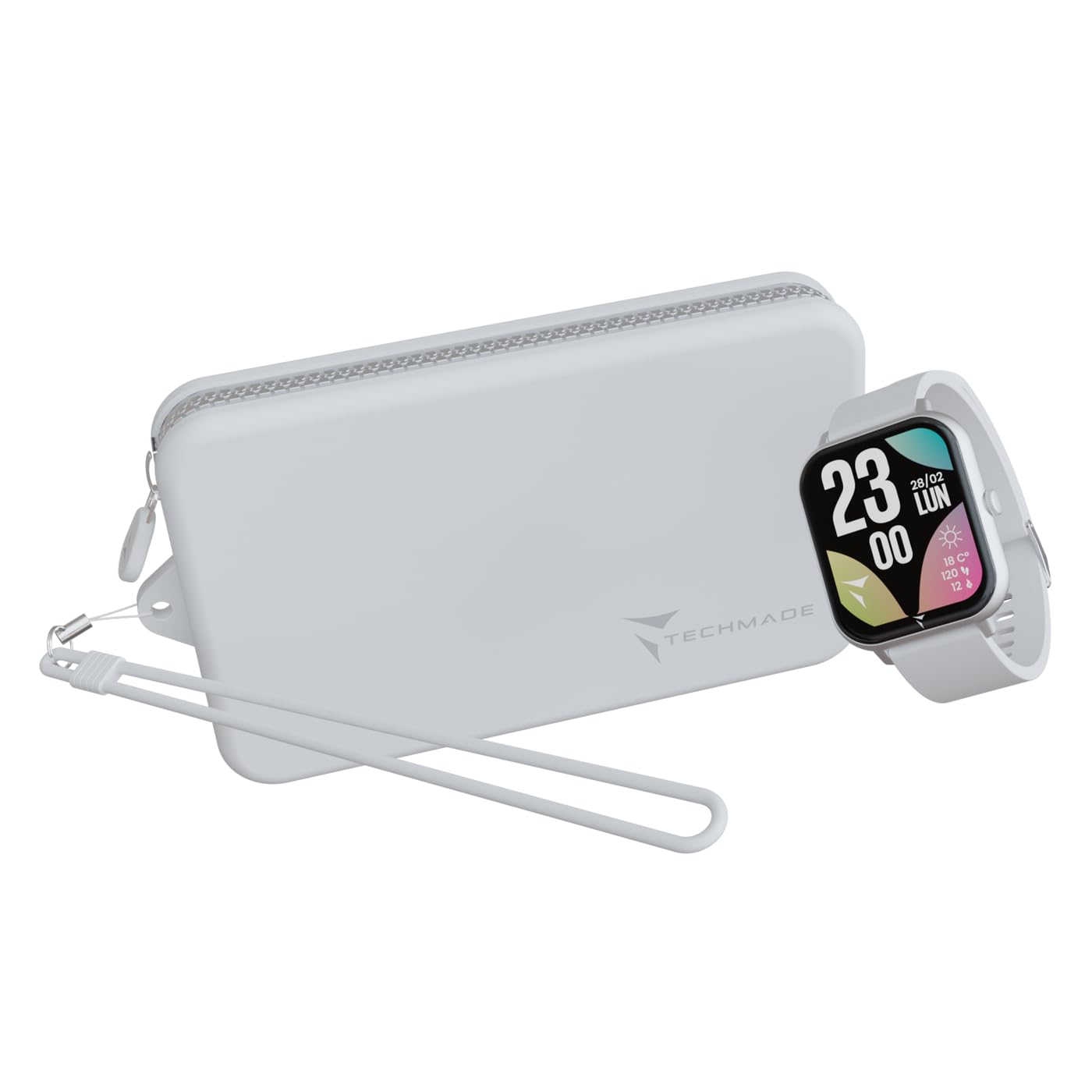
Figure 1: Techmade Glow Smartwatch
2. Co je v krabici
Please check the contents of your Techmade Glow package. If any items are missing or damaged, contact customer support.
- Techmade Glow Smartwatch
- Nabíjecí kabel
- Uživatelská příručka (tento dokument)
- Matching Pouch

Obrázek 2: Obsah balení
3. Konec produktuview
Familiarize yourself with the main components of your Techmade Glow Smartwatch.
- 1.69palcový dotykový displej: Pro veškeré interakce a zobrazení informací.
- Boční tlačítko: Typically used for power on/off, returning to the home screen, or accessing menus.
- Senzory: Located on the back for heart rate, blood pressure, and SpO2 monitoring.
- Kontakty pro nabíjení: Na zadní straně pro připojení magnetického nabíjecího kabelu.
- Reproduktor/mikrofon: For Bluetooth call functionality.
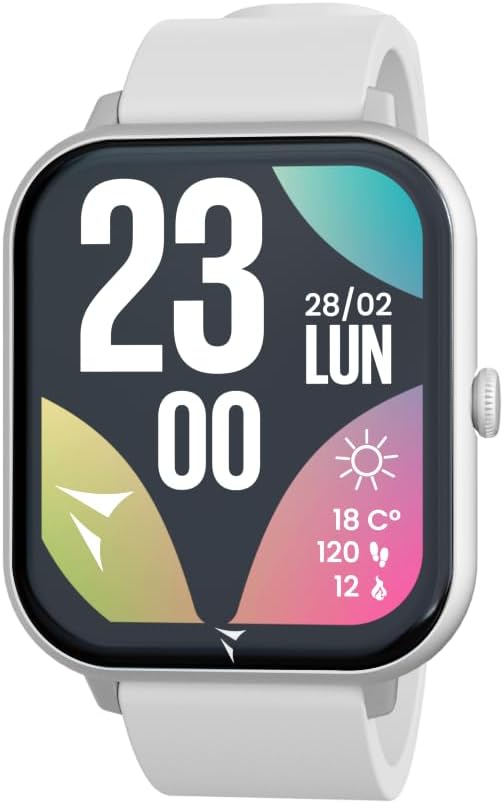
Figure 3: Smartwatch Display Interface
4. Nastavení
4.1. Nabíjení chytrých hodinek
Before first use, fully charge your Techmade Glow Smartwatch.
- Připojte USB konec nabíjecího kabelu k napájecímu adaptéru (není součástí balení) nebo k USB portu počítače.
- Attach the magnetic end of the charging cable to the charging contacts on the back of the smartwatch. Ensure it snaps into place securely.
- Displej hodinek bude ukazovat stav nabíjení. Úplné nabití obvykle trvá 1–2 hodiny.
A fully charged battery provides up to 7 days of typical use.
4.2. Párování s vaším smartphonem
To unlock all features and synchronize data, pair your smartwatch with the dedicated Techmade app on your smartphone.
- Stáhněte si aplikaci: Hledat the "Techmade" app in your smartphone's app store (compatible with iOS 9.0+ and Android 4.4+).
- Povolit Bluetooth: Ujistěte se, že je na vašem smartphonu povoleno Bluetooth.
- Otevřete aplikaci: Launch the Techmade app and follow the on-screen instructions to create an account or log in.
- Přidat zařízení: In the app, navigate to "Add Device" or "Pair Device".
- Vyberte si hodinky: The app will scan for nearby devices. Select "Techmade Glow" from the list.
- Potvrdit spárování: Na telefonu i hodinkách se může zobrazit požadavek na spárování. Potvrďte párování na obou zařízeních.
Once paired, the watch will synchronize time, date, and other settings from your phone.
4.3. Počáteční konfigurace
After pairing, use the app to set up your personal profile a preference:
- Uživatel Profile: Enter your height, weight, age, and gender for accurate health and fitness tracking.
- Nastavení oznámení: Choose which app notifications you want to receive on your watch.
- Přizpůsobení ciferníku: Select from various watch faces available in the app.
5. Návod k obsluze
5.1. Základní navigace
- Dotyková obrazovka: Přejetím prstem doleva/doprava, nahoru/dolů procházejte nabídkami a widgety. Klepnutím vyberete.
- Boční tlačítko: Press once to return to the home screen. Press and hold to power on/off or access system options.
5.2. Hovory a oznámení
With Bluetooth connectivity, you can manage calls and receive notifications directly on your wrist.
- Uskutečňování/přijímání hovorů: When a call comes in, you can answer or reject it from the watch. You can also dial numbers or select contacts from the watch interface.
- Oznámení: Alerts for messages, social media, and other apps will appear on the watch screen. Swipe down from the top to view historii oznámení.

Figure 4: Receiving a Call

Obrázek 5: Viewing a Notification

Figure 6: SOS Calling Feature
5.3. Sledování zdraví
The Techmade Glow monitors various health metrics to help you stay informed about your well-being.
- Srdeční frekvence: Nepřetržité nebo dle potřeby monitorování tepové frekvence.
- Krevní tlak: Measure your blood pressure (for reference only, not a medical device).
- SpO2 (kyslík v krvi): Sledujte hladinu saturace krve kyslíkem.
- Sledování spánku: Automaticky sleduje vaše spánkové vzorce, včetně hlubokého spánku, lehkého spánku a doby probuzení.

Obrázek 7: Rozhraní sledování spánku
5.4. Sportovní režimy
Choose from over 80 integrated sport modes to track your workouts accurately.
- V hodinkách přejděte do sekce „Sport“ nebo „Trénink“.
- Select your desired activity (e.g., running, cycling, yoga, tennis).
- Start the activity. The watch will record duration, steps, calories burned, and other relevant metrics.
- Po dokončení aktivitu ukončete. Data se synchronizují s aplikací.

Figure 8: Exercise Records

Figure 9: Activity Tracking
5.5. Přizpůsobení
Personalize your smartwatch experience through the dedicated app.
- Ciferníky: Change your watch face from a wide selection available in the app.
- Rozložení aplikace: Customize the order of apps and widgets on your watch.
- Upozornění: Set alarms, sedentary reminders, and hydration alerts.
6. Údržba
6.1. Čištění
Keep your smartwatch clean to ensure optimal performance and hygiene.
- Otřete obrazovku a tělo měkkým hadříkem, který nepouští vlákna.
- Pro odolnou špínu lehceamphadřík vodou. Nepoužívejte agresivní chemikálie ani abrazivní materiály.
- Pravidelně čistěte nabíjecí kontakty, aby se zajistilo správné nabíjení.
6.2. Voděodolnost
The Techmade Glow Smartwatch is rated IP67 water-resistant. This means it is protected against dust ingress and can withstand immersion in water up to 1 meter for up to 30 minutes.
Důležité: While IP67 rated, it is not recommended for swimming, showering with hot water, or diving. Avoid exposure to high-pressure water or chemicals. Water resistance is not a permanent condition and may decrease over time with normal wear and tear.
7. Řešení problémů
| Problém | Možné řešení |
|---|---|
| Hodinky se nezapínají. | Ujistěte se, že jsou hodinky plně nabité. Připojte je k nabíječce alespoň na 30 minut. |
| Nelze spárovat se smartphonem. |
|
| Oznámení nejsou přijímána. |
|
| Nepřesné zdravotní údaje. |
|
| Obrazovka nereaguje. | Zkuste hodinky restartovat stisknutím a podržením bočního tlačítka. Pokud nereagují, nechte baterii zcela vybít a poté ji nabijte. |
8. Specifikace
| Funkce | Detail |
|---|---|
| Název modelu | TM-GLOW |
| Zobrazit | 1.69palcový dotykový LCD displej |
| Rezoluce | 160 x 160 pixelů |
| Konektivita | Bluetooth |
| Kapacita baterie | 230 mAh (lithium-polymer) |
| Životnost baterie | Až 7 dny (typické použití) |
| Voděodolnost | IP67 (Protected against dust and immersion up to 1m for 30 min) |
| Operační systém | Wear OS |
| Kapacita paměti | 120 kB |
| Senzory | Heart Rate, Blood Pressure, SpO2, Sleep Tracker, Pedometer |
| Kompatibilita | iOS 9.0+ a Android 4.4+ |
| Materiál pásku | Silikon |
| Cílové publikum | Unisex pro dospělé |
9. Záruka a podpora
9.1. Informace o záruce
The Techmade Glow Smartwatch comes with a Doživotní záruka as per manufacturer specifications. Please retain your proof of purchase for warranty claims. The warranty covers manufacturing defects under normal use. It does not cover damage caused by misuse, accidents, unauthorized modifications, or normal wear and tear.
9.2. Zákaznická podpora
For any questions, technical assistance, or warranty claims, please contact Techmade customer support. Refer to the official Techmade webstránky s nejaktuálnějšími kontaktními informacemi.
Online zdroje: Visit the official Techmade webweb s nejčastějšími dotazy, aktualizacemi softwaru a dalšími podpůrnými materiály.
Ask a question about this manual
Ask about setup, troubleshooting, compatibility, parts, safety, or missing instructions. Manuals+ will review the question and use this page’s manual context to help answer it.