
1. Úvod
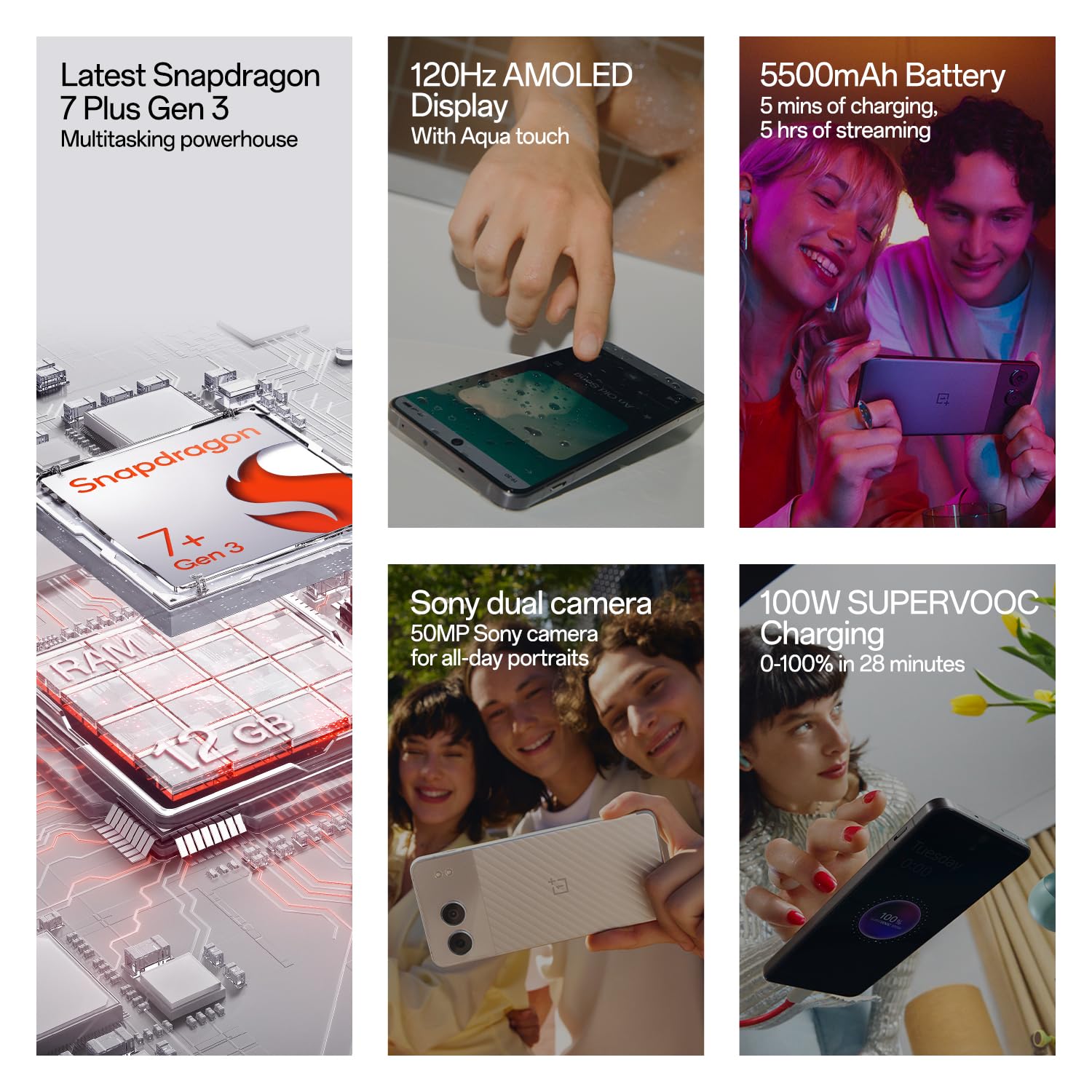
Welcome to the user manual for your new OnePlus Nord 4 5G smartphone. This guide provides essential information to help you set up, operate, maintain, and troubleshoot your device. The OnePlus Nord 4 5G combines powerful performance with a sleek design, featuring a Snapdragon 7+ Gen 3 processor, a vibrant 120Hz AMOLED display, and a long-lasting 5500mAh battery with 100W SUPERVOOC fast charging.

Image: OnePlus Nord 4 5G showcasinjeho design a klíčové vlastnosti.
2. Co je v krabici
Upon unboxing your OnePlus Nord 4 5G, you should find the following items:
- OnePlus Nord 4 5G Phone
- Napájecí adaptér (100W SUPERVOOC)
- USB kabel (typ C)
- Vysunutí zásobníku SIM
- Pouzdro na telefon
3. Nastavení
3.1 Vložení SIM karty
- Vyhledejte držák SIM karty na boku telefonu.
- Vložte nástroj pro vysunutí SIM karty do malého otvoru vedle držáku a pevně zatlačte, dokud držák nevyskočí.
- Place your Nano-SIM card(s) into the tray with the gold contacts facing down. Ensure they are correctly seated. The device supports Dual SIM.
- Opatrně vložte zpět zásobník SIM karty do telefonu.

Obrázek: Boční view of the OnePlus Nord 4 5G, highlighting the SIM card tray location.
3.2 Počáteční zapnutí a nastavení
- Press and hold the Power button (located on the right side) until the OnePlus logo appears.
- Postupujte podle pokynů na obrazovce a vyberte jazyk, připojte se k Wi-Fi a nastavte si účet Google.
- Provedeme vás nastavením bezpečnostních funkcí, jako je odemykání otiskem prstu a odemykání obličejem.
4. Obsluha vašeho zařízení
4.1 Zapnutí/vypnutí a restart
- Zapnutí: Stiskněte a podržte tlačítko napájení, dokud zařízení nezavibruje a nezobrazí se logo.
- Vypnutí/restart: Press and hold the Power button and Volume Up button simultaneously. Select 'Power off' or 'Restart' from the menu.
4.2 Volume and Alert Slider
- The Volume Up and Down buttons are located on the left side of the device.
- The Alert Slider, located on the right side, allows you to quickly switch between Ring, Vibrate, and Silent modes without unlocking your phone.
4.3 Navigation and Gestures (OxygenOS)
Your OnePlus Nord 4 5G runs on OxygenOS, offering a smooth and intuitive user experience. You can choose between gesture navigation or traditional navigation buttons in the settings.
- Domov: Přejeďte prstem od spodní části obrazovky nahoru (gesto) nebo klepněte na tlačítko Domů.
- Zadní: Swipe inward from the left or right edge of the screen (gesture) or tap the Back button.
- Nedávné aplikace: Přejeďte prstem odspodu nahoru a podržte (gesto) nebo klepněte na tlačítko Nedávné aplikace.
Obrázek: Přední strana view of the OnePlus Nord 4 5G, displaying the screen.
5. Funkce fotoaparátu
The OnePlus Nord 4 5G is equipped with a versatile camera system to capture your moments.
- Hlavní fotoaparát: 50MP Sony True-skin Main Camera with OIS for high-resolution photos and 4K 60fps video recording.
- Ultraširokoúhlý fotoaparát: 8MP Ultra-wide Camera with a 112° Field of View pro rozsáhlé záběry.
- Selfie kamera: 16MP True-skin Selfie Camera with skin-tone optimization.

Image: The OnePlus Nord 4 5G highlighting its dual camera setup.
6. Funkce umělé inteligence
Experience enhanced functionality with the integrated AI features on your Nord 4 5G:
- Guma s umělou inteligencí: Remove unwanted objects or 'photobombers' from your pictures with a single tap.
- Nejlepší tvář s umělou inteligencí: Automatically fix blinking eyes or unexpected expressions in group photos.
- AI Audio & Article Summary: Summarize lectures, meetings, or long articles to quickly grasp key points.
- AI Smart Cutout: Lasso objects from images to create stickers or save them for creative photo editing.

Image: Demonstration of the AI Eraser feature removing an object from a photo.

Image: Demonstration of the AI Best Face feature correcting expressions in a photo.
7. Baterie a nabíjení
Your device is equipped with a powerful battery and advanced charging technology:
- Kapacita baterie: 5500mAh Lithium-Ion battery for extended usage.
- 100W SUPERVOOC Fast Charging: Achieve 0-100% charge in approximately 28 minutes. A 5-minute charge can provide up to 5 hours of video streaming.
- Battery Health Engine: Intelligent AI and hardware synergy adapt to your charging habits, extending battery life to an impressive 4 years with daily charges up to 80% or more. Monitor and adjust settings to maximize performance.

Image: Visual representation of the 100W SUPERVOOC fast charging and 5500mAh battery capacity.
8. Displej
Enjoy a superior visual experience with the OnePlus Nord 4 5G's display:
- Typ: 120Hz AMOLED Display.
- Rezoluce: 2772 x 1240 pixelů.
- Jas: Up to 2150 nits peak brightness for clear visibility even in bright sunlight.
- Aqua Touch: Provides precise typing and swiping, even with wet fingers.

Image: Visual representation of the 120Hz OLED display's vibrant and deep visuals.
9. Výkon
The OnePlus Nord 4 5G is engineered for smooth and powerful performance:
- Procesor: Qualcomm Snapdragon 7+ Gen 3, transforming your device into a powerhouse for gaming and AI tasks.
- Operační systém: OxygenOS, based on Android.
- BERAN: 8GB RAM (for this variant) for efficient multitasking.
- Skladování: 128GB UFS3.1 storage (for this variant).
- System Fluency: Rated 'A' by TUV SUD for 6 years of system fluency, ensuring a consistently fast and smooth experience.

Image: Diagram illustrating the Snapdragon 7 Plus Gen 3 processor and memory components.
10. Údržba
10.1 Čištění vašeho zařízení
- K čištění obrazovky a těla telefonu použijte měkký hadřík, který nepouští vlákna.
- Vyhněte se používání agresivních chemikálií nebo abrazivních materiálů.
- The device is Water Resistant; however, avoid intentional submersion in water.
10.2 Aktualizace softwaru
OnePlus is committed to providing long-term support for your device:
- Obdržíte 4 Android updates, ensuring access to the latest features and improvements.
- Obdržíte 6 years of security updates to protect your device from vulnerabilities.
- Pravidelně kontrolujte a instalujte aktualizace systému prostřednictvím Nastavení > O zařízení > Verze OxygenOS.
10.3 Péče o baterii
- To prolong battery lifespan, consider enabling the 'Charging Limit' feature in Battery Health settings, which can halt charging at 80%.
- Avoid exposing your phone to extreme temperatures.
11. Řešení problémů
If you encounter issues with your OnePlus Nord 4 5G, try the following steps:
- Zařízení se nezapíná: Ujistěte se, že je baterie nabitá. Připojte ji k nabíječce alespoň na 10 minut a poté zkuste zařízení zapnout.
- Aplikace padá nebo zamrzá: Restart the device. If the issue persists, clear the app's cache (Settings > Apps > App management > [App Name] > Storage usage > Clear cache).
- Problémy s připojením k síti: Check if Airplane Mode is off. Restart your device. Verify your SIM card is correctly inserted. Contact your network provider if problems persist.
- Problémy s nabíjením: Ensure the charger and cable are securely connected and undamaged. Try a different power outlet or charger.
- Pomalý výkon: Close unnecessary background apps. Clear cache regularly. Ensure your device software is up to date.
V případě složitějších problémů se obraťte na oficiální podporu OnePlus. webnebo kontaktujte zákaznický servis.
12. Specifikace
| Funkce | Specifikace |
|---|---|
| Značka | OnePlus |
| Model | Nord 4 5G |
| Operační systém | OxygenOS |
| Procesor | Qualcomm Snapdragon 7+ 3. generace (2.8 GHz) |
| BERAN | 8 GB |
| Skladování | 128 GB (UFS3.1) |
| Typ zobrazení | AMOLED |
| Velikost obrazovky | 6.74 palce |
| Rezoluce | 2772 x 1240 pixelů |
| Zadní kamera | 50 MP (Main) + 8 MP (Ultrawide) |
| Přední kamera | 16 MP |
| Kapacita baterie | 5500 XNUMX mAh |
| Nabíjení | Rychlé nabíjení 100W SUPERVOOC |
| Slot pro SIM kartu | Dual SIM (Nano) |
| Konektivita | 5G, Bluetooth, USB Type C, Wi-Fi |
| Voděodolnost | Vodě odolný |
| Rozměry | 16.3 x 7.5 x 0.8 centimetrů |
| Hmotnost | 200 gramů |
13. Záruka a podpora
13.1 Záruka na produkt
Your OnePlus Nord 4 5G comes with a 1letá záruka výrobce for the device itself and a 1-year manufacturer warranty for in-box accessories, including batteries, from the date of purchase.
OnePlus also provides a Doživotní záruka na displej for industry-wide green line issues. This service does not cover damage caused by human or external factors. Specific terms apply and will be based on the conditions at the service center on the day of service. OnePlus reserves the right of final interpretation regarding this service.

Image: OnePlus Lifetime Display Warranty logo, indicating coverage for green line issues.
13.2 Zákaznická podpora
For any queries, technical assistance, or warranty claims, please contact OnePlus Customer Service:
- Kontaktní číslo: 1800 102 8411
- WhatsApp: +91-9289606888
- Výrobce: Oppo Mobiles India Private Limited
Můžete také navštívit Official OnePlus Store další informace a zdroje podpory.