
Zavedení
Thank you for choosing the YOWU Cat Ear Headphones CE. These wired/wireless gaming headsets are designed to provide a seamless live sound experience with customizable RGB lighting effects. This manual will guide you through the setup, operation, and maintenance of your new headphones.
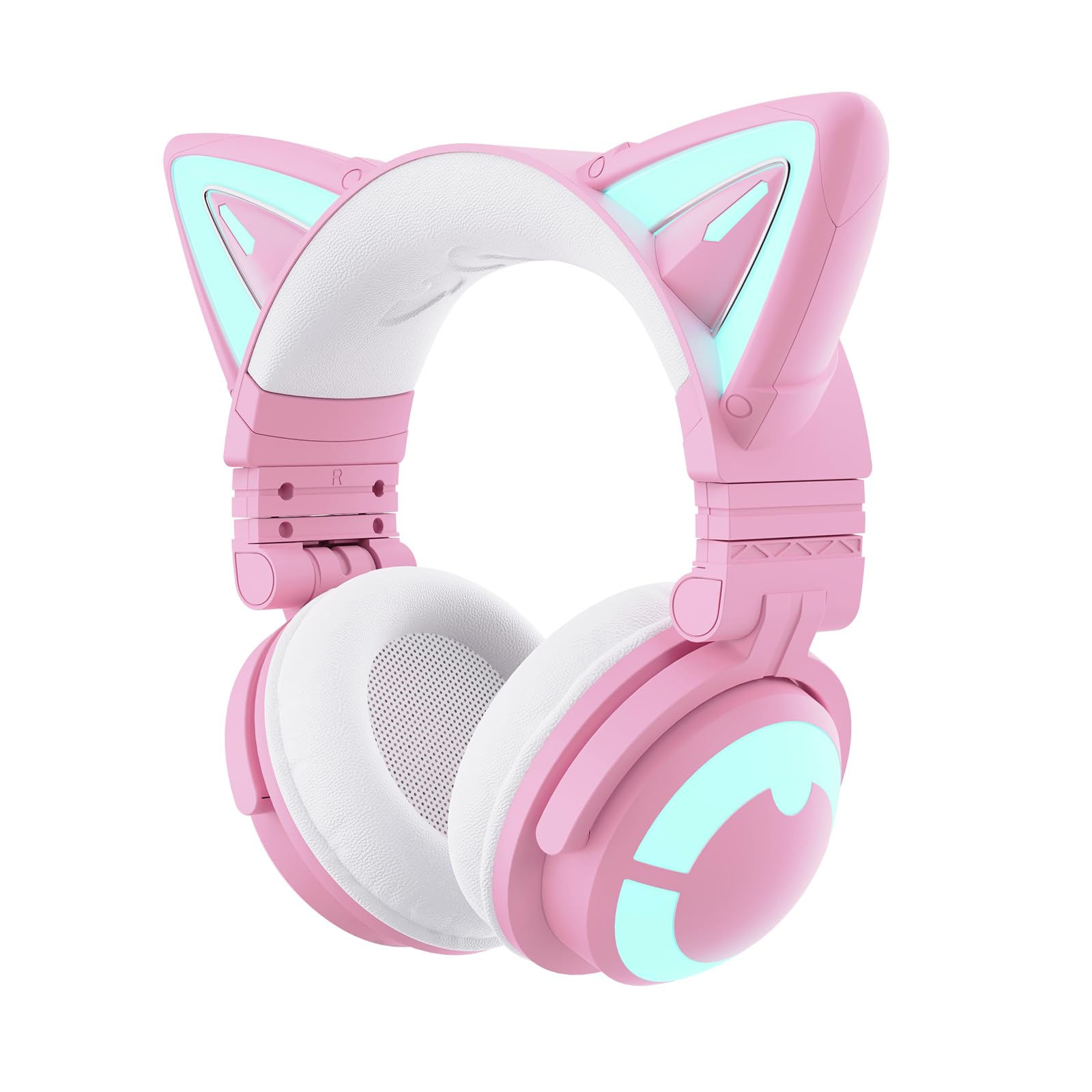
Image: YOWU Cat Ear Headphones CE in pink, showcasindesign a náušníky s kočičími ušima.
Co je v krabici
Zkontrolujte prosím obsah balení, abyste se ujistili, že jsou přítomny všechny položky:
- YOWU Cat Ear Headphones CE (Pink)
- 2v1 audio/nabíjecí kabel typu C
- Uživatelská příručka

Image: The YOWU Cat Ear Headphones CE packaging, showing the headphones, charging cable, and user manual.
Konec produktuview
Ovládací prvky a porty
Seznamte se s ovládacími prvky a porty na sluchátkách:
- Vypínač: Located on the earcup, used for turning the headphones on/off and pairing.
- Ovládání hlasitosti: Integrované v náušníku pro snadné nastavení zvuku.
- Přepínač ztlumení mikrofonu: Allows quick muting/unmuting of the microphone.
- Port USB-C: Pro nabíjení a kabelové audio připojení.
- Jack 3.5 mm: Pro kabelové audio připojení.
- Odnímatelný mikrofon: Can be plugged into the dedicated port on the earcup.

Obrázek: Podrobný view of the headphone earcup, highlighting the power button, volume control, and various ports.
Nastavení
1. Nabíjení sluchátek
Before first use, fully charge your headphones:
- Connect the 2-in-1 Type-C cable to the USB-C port on the headphones.
- Plug the other end of the cable into a compatible 5V2A USB power adapter (not included) or a USB port on your computer.
- LED indikátor bude zobrazovat stav nabíjení. Plné nabití trvá přibližně 1.6 hodiny.
Important: Use the original charger or any charger with an output rated for 5V2A to prevent product damage.

Image: Headphones being charged via a Type-C cable, highlighting the fast charging and long battery life.
2. Připojení odnímatelného mikrofonu
The microphone is detachable for convenience:
- Vyhledejte port mikrofonu na levém sluchátku.
- Align the microphone's connector with the port and gently push until it clicks into place.
- To remove, pull the microphone straight out from the port.

Image: The detachable microphone connected to the YOWU Cat Ear Headphones CE.
3. Připojení k zařízením
Your headphones support both wired and wireless connections:
Bezdrátové připojení (Bluetooth 5.2)
- Power on the headphones by pressing and holding the Power Button until the LED indicator flashes.
- On your device (PC, Switch, smartphone), enable Bluetooth and search for "YOWU CE".
- Select "YOWU CE" to pair. The LED indicator will show a solid light when connected.
Drátové připojení
Use the 2-in-1 Type-C cable for wired audio:
- For PC/PE/Switch: Connect the Type-C end to the headphones and the USB-A end to your device.
- Pro PS4/PS5: Only wired connection is supported. Use the provided 3.5mm audio cable.
- Pro XBOX: Requires an additional Bluetooth adapter for wireless use. Wired connection may be possible via controller's 3.5mm jack.

Image: Visual guide showing wired and wireless connection options for PC, console, and mobile devices.
Návod k obsluze
Zapnutí/vypnutí
- Zapnutí: Stiskněte a podržte tlačítko napájení po dobu 3 sekund.
- Vypnout: Stiskněte a podržte tlačítko napájení po dobu 5 sekund.
Ovládání hlasitosti
Use the volume control knob on the earcup to adjust audio levels.
Použití mikrofonu
- Ujistěte se, že je odnímatelný mikrofon bezpečně připojen.
- Use the Microphone Mute Switch to quickly mute or unmute your voice.
Ovládání osvětlení RGB
The headphones feature customizable RGB lighting effects:
- Use the dedicated button on the earcup to cycle through different lighting modes and colors.
- For advanced customization, download the YOWU app on your smartphone to program specific effects.
Video: Official YOWU video demonstrating the RGB lighting effects of the Cat Ear Headphones CE.
Vlastnosti
- Ultimate Aesthetics: Pink cat ear design with changeable lighting and customizable effects.
- 7.1 Pro Surround Sound: Immersive audio experience for gaming and music.
- Bluetooth 5.2: Provides seamless wireless connectivity with ultra-low latency.
- Kompatibilita s více platformami: Supports PC, Switch, PS4/PS5 (wired), and smartphones.
- Ergonomický design: Super-soft protein leather and memory foam earcups ensure comfort during long wear.
- E-sports Grade Noise Canceling: Effectively blocks out external noises for clear communication.
- Longer Battery Endurance: Up to 48 hours playing time without lighting, or 2-10 hours with lighting. Fast charging in 1.6 hours.

Image: Features such as SoundMage acoustic system and Qualcomm Bluetooth 5.2 are highlighted.
Kompatibilita
The YOWU Cat Ear Headphones CE offer wide compatibility:
- Bezdrátové připojení (Bluetooth 5.2): Compatible with PC, Switch, and smartphones.
- Wired (Type-C Audio/3.5mm Jack): Compatible with PC, PS4, PS5, and other devices with a 3.5mm audio jack.
- XBOX: Requires an additional Bluetooth adapter for wireless functionality.
Image: Visual guide showing wired and wireless connection options for PC, console, and mobile devices.
Údržba
To ensure the longevity and optimal performance of your YOWU Cat Ear Headphones CE, follow these maintenance guidelines:
- Čištění: K čištění náušníků a hlavového mostu používejte měkký, suchý hadřík. Nepoužívejte agresivní chemikálie ani abrazivní materiály.
- Skladování: Pokud sluchátka nepoužíváte, skladujte je na chladném a suchém místě. Skládací konstrukce umožňuje kompaktní skladování.
- Péče o kabely: Avoid excessive bending or tugging on the cables to prevent damage.
- Nabíjení: Always use the recommended 5V2A charger to protect the battery.
Odstraňování problémů
If you encounter any issues with your headphones, refer to the following common solutions:
- Žádný zvuk:
- Ensure headphones are powered on and connected (Bluetooth or wired).
- Zkontrolujte hlasitost zařízení a hlasitost sluchátek.
- For wired connection, ensure the cable is fully inserted into both the headphones and the device.
- Mikrofon nefunguje:
- Ensure the detachable microphone is securely attached.
- Check the microphone mute switch on the earcup.
- Ověřte nastavení mikrofonu na připojeném zařízení.
- RGB světla nefungují:
- Ujistěte se, že jsou sluchátka zapnutá.
- If using wired, ensure the USB-A end of the 2-in-1 cable is connected to a power source.
- Check lighting settings via the dedicated button or the YOWU app.
- Odpojení Bluetooth:
- Ensure headphones are within range of the device.
- Zkuste zrušit párování sluchátek se zařízením a znovu je spárovat.
- Ujistěte se, že jsou sluchátka dostatečně nabitá.
Specifikace
| Název modelu | CAT-CE-PK-450742 |
| Číslo modelu položky | MODEL-Z |
| Značka | YOWU |
| Barva | Růžový |
| Technologie připojení | Wireless (Bluetooth 5.2) / Wired (USB-C, 3.5 mm Jack) |
| Kontrola hluku | Aktivní potlačení hluku |
| Tvar sluchátka | Přes ucho |
| Materiál | Umělá kůže |
| Životnost baterie | 48 Hours (without lighting) / 2-10 Hours (with lighting) |
| Doba nabíjení | 1.6 hodiny |
| Hmotnost položky | 2.42 liber (1.1 kilogramů) |
Záruka a podpora
YOWU offers a 1-year warranty for your Cat Ear Headphones CE. For any product-related inquiries, technical assistance, or warranty claims, please contact YOWU customer support. Our dedicated team is available 24 hours to enhance your shopping experience.
Zákaznická podpora: Refer to the contact information provided in your product packaging or visit the official YOWU webmísto.