
HP Envy 2-in-1 16-inch Laptop User Manual
Model: HP - Envy
Zavedení
This manual provides essential information for setting up, operating, maintaining, and troubleshooting your HP Envy 2-in-1 16-inch laptop. Please read this guide thoroughly to ensure optimal performance and longevity of your device.
Co je v krabici
Ověřte, zda jsou v balení přítomny všechny položky:
- HP Envy 2-in-1 16-inch Laptop
- Napájecí adaptér
- Baterie (integrovaná)
- Dokumentace
- Podložka pod myš
Nastavení
1. První zapnutí a nabíjení
Before first use, connect the AC power adapter to the laptop and a power outlet. Allow the battery to charge sufficiently. The laptop can be used while charging.

Image: The HP Envy 2-in-1 16-inch laptop being used for productivity, highlighting its multitasking capabilities.
2. Nastavení systému Windows 11 Pro
Upon first power-on, follow the on-screen instructions to complete the Windows 11 Pro operating system setup. This includes setting up your user account, network connection, and privacy settings.
3. Připojení periferií
Connect the included mouse pad and any other external devices such as a mouse or keyboard to the available USB ports.

Obrázek: Podrobný view of the laptop's side ports, including USB Type-A, HDMI 2.1, USB Type-C (with Power Delivery and DisplayPort 1.4a), and a headphone/microphone combo jack.
Ovládání notebooku
1. Power On/Off and Sleep
- Zapnutí: Stiskněte tlačítko napájení.
- Vypnout: Přejděte do nabídky Start > Napájení > Vypnout.
- Spát: Close the lid or go to Start Menu > Power > Sleep. The laptop features hibernation detection to prevent battery drain when placed in a carrying bag.
2. 2-in-1 Design and Touchscreen
The HP Envy is a versatile 2-in-1 device, allowing you to switch between laptop, tent, stand, and tablet modes. The 16-inch Wide Ultra XGA (1920 x 1200) display is a touchscreen, enabling direct interaction with the screen using your fingers.

Image: The laptop in tent mode, showcasing its WUXGA touchscreen display, AMD FreeSync technology for fluid visuals, and Poly Studio Audio with dual speakers.
3. Keyboard and Camera
- Podsvícená klávesnice: Adjust keyboard backlight settings through Windows or dedicated function keys for comfortable typing in various lighting conditions.
- 5MP IR Camera: The integrated 5MP IR camera supports high-quality video calls (up to 2592x1944 resolution) and Windows Hello facial recognition.
- Závěrka fotoaparátu: For privacy, use the physical camera shutter to block the camera lens when not in use.
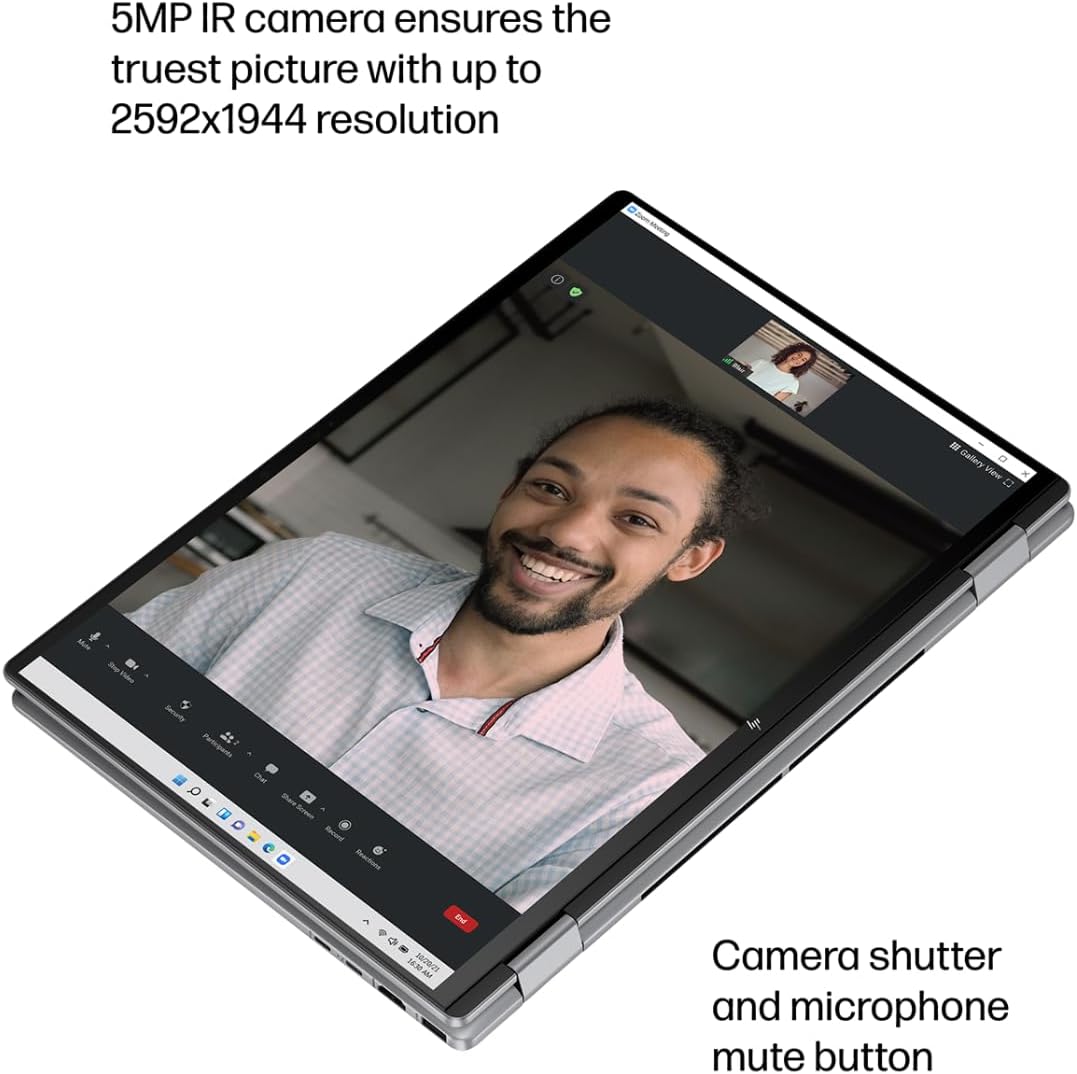
Image: The laptop in tablet mode during a video call, emphasizing the 5MP IR camera for clear visuals and the camera shutter for privacy.
4. Audio
The laptop features Poly Studio Audio with dual speakers, providing enhanced sound quality for communication and entertainment.
5. Konektivita
- Wi-Fi 6E: Connect to high-speed wireless networks.
- Bluetooth 5.3: Pair with wireless accessories like headphones, mice, and keyboards.
- Porty: Utilize the USB Type-A, USB Type-C (supporting Power Delivery and DisplayPort 1.4a), and HDMI 2.1 ports for external devices and displays.
6. Windows Copilot
Access the AI-powered intelligent assistant, Windows Copilot, by pressing the dedicated Copilot key. Use it for summarizing documents, basic image generation, and text, voice, or image-based chat.
Údržba
1. Čištění
- K čištění obrazovky a vnějších povrchů používejte měkký hadřík, který nepouští vlákna.
- Vyhněte se agresivním chemikáliím nebo abrazivním materiálům.
- Před čištěním se ujistěte, že je notebook vypnutý a odpojený od sítě.
2. Péče o baterie
- Pro prodloužení životnosti baterie se vyhněte extrémním teplotám.
- Utilize HP Fast Charge for quick recharging (0 to 50% in approximately 45 minutes).
- The laptop's hibernation detection helps prevent unnecessary battery drain.
3. Aktualizace softwaru
Pravidelně kontrolujte a instalujte aktualizace systému Windows a aktualizace ovladačů HP, abyste zajistili optimální výkon, zabezpečení a kompatibilitu.
Odstraňování problémů
If you encounter issues with your HP Envy laptop, consider the following basic troubleshooting steps:
- Bez napájení: Ujistěte se, že je síťový adaptér bezpečně připojen a že je zásuvka funkční. Zkuste jinou zásuvku.
- Problémy se zobrazením: Pokud je obrazovka prázdná, zkuste připojit externí monitor a zkontrolovat, zda je problém s displejem notebooku. Restartujte notebook.
- Problémy s připojením: For Wi-Fi or Bluetooth issues, try restarting the laptop and your router/modem. Check device manager for driver status.
- Pomalý výkon: Zavřete nepotřebné aplikace, zkontrolujte, zda se neobjevuje malware, a zajistěte dostatek volného úložného prostoru.
V případě složitějších problémů se obraťte na podporu HP webwebu nebo se obraťte na zákaznický servis HP.
Specifikace

Image: An infographic summarizing key specifications of the HP Envy 2-in-1 laptop.
| Funkce | Detail |
|---|---|
| Značka | HP |
| Název modelu | HP ENVY |
| Velikost obrazovky | 16 palce |
| Nativní rozlišení | 1920 x 1200 pixelů (WUXGA) |
| Technologie displeje | LCD |
| Model CPU | AMD Ryzen 5 8640HS |
| Počet procesorů | 6 |
| CPU Speed Maximum | 4900 MHz |
| Velikost nainstalované paměti RAM | 8 GB LPDDR5 |
| Rychlost paměti | 6400 MHz |
| Velikost pevného disku | 512 GB NVMe PCIe SSD |
| Operační systém | Windows 11 Pro |
| Grafický koprocesor | AMD Radeon R5 (integrovaná) |
| Speciální funkce | Backlit Keyboard, HD Audio, Touchscreen |
| Webcam Capability | Yes (5MP IR Camera) |
| Form Factor | Konvertibilní (2 v 1) |
| Celkový počet portů USB | 4 |
| Celkový počet portů HDMI | 1 2.1 (HDMI XNUMX) |
| Hardwarové rozhraní | Bluetooth, USB, USB Type C, HDMI |
| Bezdrátová technologie | Wi-Fi 6E, Bluetooth 5.3 |
| Typ baterie | Lithium Polymer |
| Lithium-Battery Energy Content | 65 W hodin |
| Rozměry položky (D x Š x Tloušťka) | 14.04"D x 9.68"Š x 0.72"V |

Image: A diagram illustrating the physical dimensions of the HP Envy 2-in-1 16-inch laptop.
Informace o záruce
Your HP Envy 2-in-1 laptop comes with a 1letá omezená záruka. This warranty covers manufacturing defects and hardware malfunctions under normal use conditions.
For complete details regarding warranty terms, conditions, and service procedures, please refer to the official HP warranty documentation included with your product or visit the HP support webmísto.
Podpora
For further assistance, technical support, driver downloads, or service requests, please visit the official HP support webmísto:
Ensure you have your product's serial number and model information ready when contacting support.