
1. Úvod
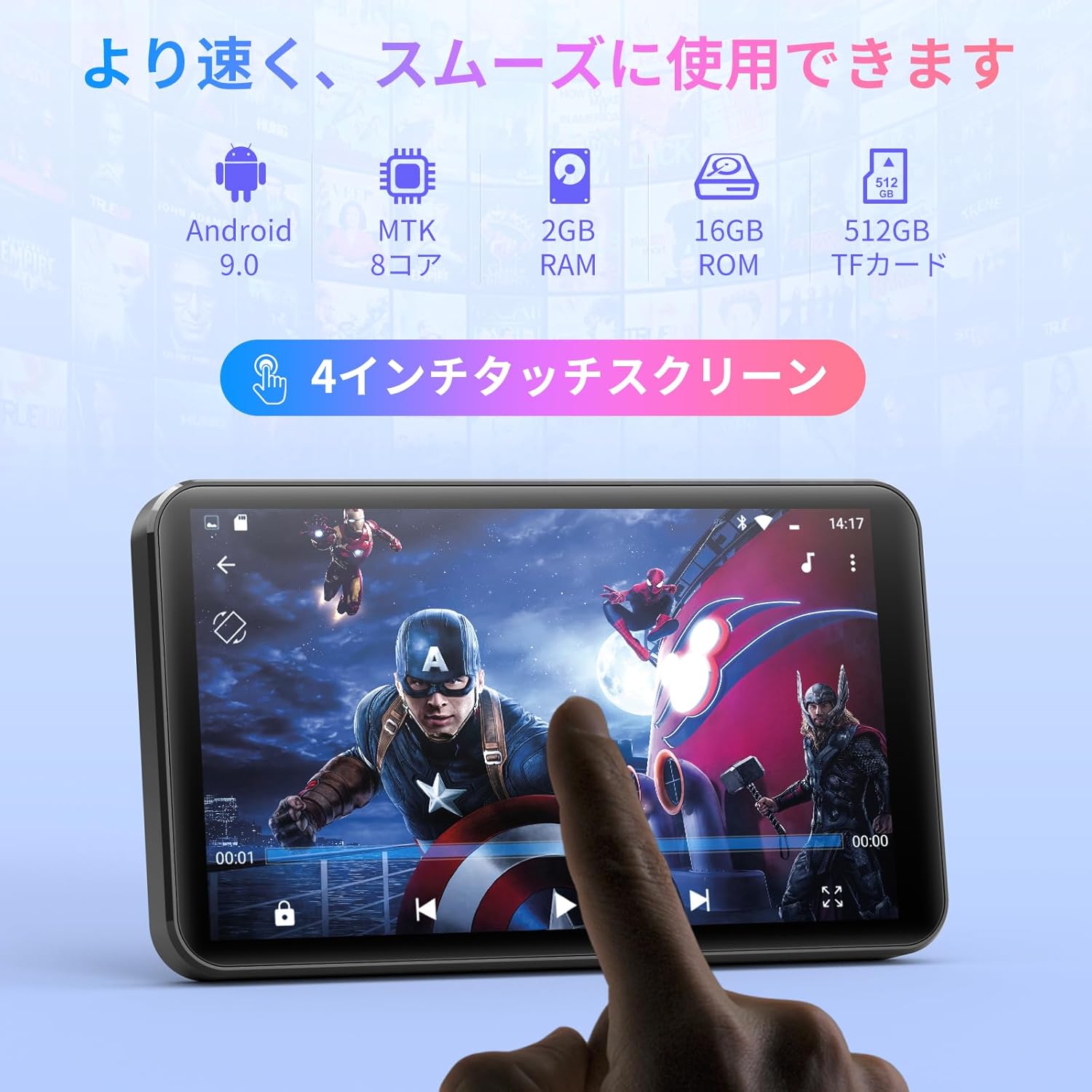
Thank you for choosing the MECHEN H1-Pro Bluetooth MP3 Player with WiFi. This device is designed to provide a versatile and enjoyable audio and video experience. Featuring a 4-inch touchscreen and running on Android 9.0, it supports various applications and connectivity options. This manual provides essential information for setting up, operating, and maintaining your device.
2. Obsah balení
Ověřte, zda jsou všechny níže uvedené položky součástí balení. Pokud některé položky chybí nebo jsou poškozené, kontaktujte zákaznickou podporu.
- MECHEN H1-Pro MP3 Player
- USB kabel
- Sluchátka
- Ochranná fólie
- Ochranné pouzdro
- Uživatelská příručka

Image: The MECHEN H1-Pro MP3 Player displayed with its accessories, including a USB cable, headphones, protective film, and a clear protective case.
3. Zařízení skončiloview
Familiarize yourself with the physical components and controls of your MECHEN H1-Pro MP3 Player.
Obrázek: Přední strana view of the MECHEN H1-Pro MP3 Player, showcasinjeho 4palcový dotykový displej.

Obrázek: Boční view of the MECHEN H1-Pro MP3 Player, highlighting the power button and volume controls.

Obrázek: Nahoře a dole views of the MECHEN H1-Pro MP3 Player, illustrating the USB-C charging port, headphone jack, and Micro SD card slot.
4. Nastavení
4.1 Počáteční nabíjení
Before first use, fully charge the device. Connect the provided USB cable to the player's USB-C port and the other end to a USB power adapter (not included) or a computer's USB port. The charging indicator will show the charging status.
4.2 Zapnutí/vypnutí
- Zapnutí: Press and hold the Power button on the side of the device until the screen lights up.
- Vypnutí: Stiskněte a podržte tlačítko napájení, dokud se na obrazovce nezobrazí nabídka vypnutí. Vyberte možnost „Vypnout“ pro vypnutí zařízení.
4.3 Připojení k Wi-Fi
To access online features and download apps, connect your device to a Wi-Fi network.
- Přejít na Nastavení > Síť a internet > Wi-Fi.
- Přepnout Wi-Fi On.
- Vyberte ze seznamu požadovanou síť Wi-Fi.
- Zadejte heslo, pokud se zobrazí výzva, a klepněte na Připojit.

Image: The MECHEN H1-Pro MP3 Player screen showing Wi-Fi settings and available networks.
4.4 Vložení Micro SD karty
The device supports Micro SD cards for expanded storage. Locate the Micro SD card slot on the side of the device. Gently insert the card with the gold contacts facing down until it clicks into place.
5. Návod k obsluze
5.1 Basic Navigation (Touchscreen)
The MECHEN H1-Pro features a responsive 4-inch touchscreen. Use standard touch gestures:
- Klepněte na: Výběr položky nebo otevření aplikace.
- Výpad: Procházení seznamů nebo přepínání mezi obrazovkami.
- Štípání: To zoom in or out (in supported applications).
5.2 Přehrávání hudby
The device supports various audio formats including MP3, WAV, WMA, APE, OGG, and FLAC for high-fidelity music playback.
- Otevřete Hudba aplikace.
- Procházejte svou hudební knihovnu podle interpreta, alba, skladby nebo seznamu skladeb.
- Klepnutím na skladbu spustíte přehrávání.
- Use the on-screen controls for play/pause, skip tracks, and volume adjustment.

Image: The MECHEN H1-Pro MP3 Player screen showing a music playback interface with album art and controls.
5.3 Přehrávání videa
Enjoy 720P/1080P full-format HD video playback without conversion. Supported formats include RM, RMVB, FLV, MP4, DAT, MKV, MPG, MOV, TS, etc.
- Otevřete Videopřehrávač aplikace.
- Vyberte video file z vašeho úložiště.
- Tap to play. Use on-screen controls for playback options.

Image: The MECHEN H1-Pro MP3 Player screen showing a video playing in full-screen mode.
5.4 Připojení Bluetooth
Connect to Bluetooth headphones, speakers, or other compatible devices.
- Přejít na Nastavení > Připojená zařízení > Bluetooth.
- Přepnout Bluetooth On.
- Ujistěte se, že je vaše Bluetooth příslušenství v režimu párování.
- Vyberte příslušenství ze seznamu dostupných zařízení, která chcete spárovat.

Image: The MECHEN H1-Pro MP3 Player shown alongside a pair of wireless headphones, indicating Bluetooth connectivity.
5.5 Wi-Fi Connectivity & App Downloads
With Android 9.0 and Wi-Fi, you can download and install various applications from the Google Play Store.
- Ensure the device is connected to Wi-Fi (see Section 4.3).
- Otevřete Obchod Play aplikace.
- Přihlaste se pomocí svého účtu Google.
- Hledat and download desired applications (e.g., Spotify, Amazon Music, Audible).

Image: The MECHEN H1-Pro MP3 Player screen showing a variety of installed applications, including music streaming services and web prohlížeče.
5.6 FM rádio
Poslouchejte své oblíbené FM rozhlasové stanice.
- Connect wired headphones to the 3.5mm audio jack; they act as the antenna.
- Otevřete FM rádio aplikace.
- Pomocí ovládacích prvků na obrazovce můžete vyhledávat stanice nebo je ladit ručně.
5.7 File Řízení
Použijte vestavěný file manažera uspořádat vaše files on internal storage and the Micro SD card.
- Otevřete File Manažer aplikace.
- Navigate through folders to view, copy, move, or delete files.
6. Údržba
6.1 Čištění
Wipe the device with a soft, dry, lint-free cloth. Do not use liquid cleaners or abrasive materials.
6.2 Skladování
Zařízení skladujte na chladném a suchém místě mimo dosah přímého slunečního záření a extrémních teplot. Pokud jej skladujete delší dobu, ujistěte se, že je baterie částečně nabitá (kolem 50 %), abyste prodloužili její životnost.
6.3 Péče o baterii
To maximize battery life, avoid fully discharging the battery frequently. Use the original charging cable for optimal performance.
7. Řešení problémů
| Problém | Možné řešení |
|---|---|
| Zařízení se nezapne. | Ensure the battery is charged. Connect to a charger for at least 30 minutes. If unresponsive, perform a hard reset by holding the power button for 10-15 seconds. |
| Nelze se připojit k Wi-Fi. | Check if Wi-Fi is enabled. Verify the Wi-Fi password. Restart your router and the MP3 player. |
| Zařízení Bluetooth se nespáruje. | Ensure Bluetooth is enabled on both devices and the accessory is in pairing mode. Move devices closer together. |
| Aplikace jsou pomalé nebo padají. | Close unnecessary background apps. Clear app cache (Settings > Apps > [App Name] > Storage > Clear Cache). Restart the device. Too many apps can lead to slowdowns. |
| Ze sluchátek není slyšet žádný zvuk. | Check headphone connection. Ensure volume is not muted or too low. Test with different headphones. |
8. Specifikace
| Funkce | Detail |
|---|---|
| Značka | MECHEN |
| Název modelu | H1-Pro (EU-H11) |
| Operační systém | Android 9.0 |
| Procesor | MTK 8jádrový |
| BERAN | 2 GB |
| Interní úložiště | 16 GB |
| Rozšiřitelné úložiště | Micro SD (až 512 GB) |
| Velikost obrazovky | 4 palců |
| Technologie obrazovky | LCD |
| Konektivita | Bluetooth, USB, Wi-Fi |
| Speciální funkce | FM Radio, Equalizer, Video Playback |
| Podporované zvukové formáty | MP3, WAV, WMA, APE, OGG, FLAC |
| Podporované video formáty | RM, RMVB, FLV, MP4, DAT, MKV, MPG, MOV, TS, etc. |
| Kapacita baterie | 2000 XNUMX mAh |
| Výdrž baterie (hudba) | Až 50 hodin |
| Výdrž baterie (video) | Až 8 hodin |
| Rozměry (D x Š x V) | 10.5 x 6.2 x 1.2 cm (4.14 x 2.44 x 0.46 palce) |
| Hmotnost položky | 97.5 gramů (3.45 oz) |

Image: The MECHEN H1-Pro MP3 Player shown with its physical dimensions and weight specifications.
9. Záruka a podpora
For warranty information and technical support, please refer to the warranty card included in your package or visit the official MECHEN webUschovejte si účtenku jako doklad o koupi pro případ reklamace.