
1. Úvod
Thank you for choosing the BOTSLAB G980H 4K Dash Cam with Hardwire Kit. This manual provides detailed instructions for the installation, operation, and maintenance of your new dash camera system. Please read this manual thoroughly before using the product to ensure proper functionality and safety.
2. Konec produktuview
The BOTSLAB G980H is a high-performance dash camera system designed to capture clear video footage of your journeys. The front camera records in true 4K resolution, while the rear camera records in 1080P (optimized to approximately 2K via BOTSLAB algorithm). Both cameras utilize the Sony IMX 415 sensor, providing clear video capture, including in low-light conditions. The system includes advanced features such as 24/7 parking mode, ADAS (Advanced Driver-Assistance Systems), and built-in GPS for reliable recording and enhanced driving safety.
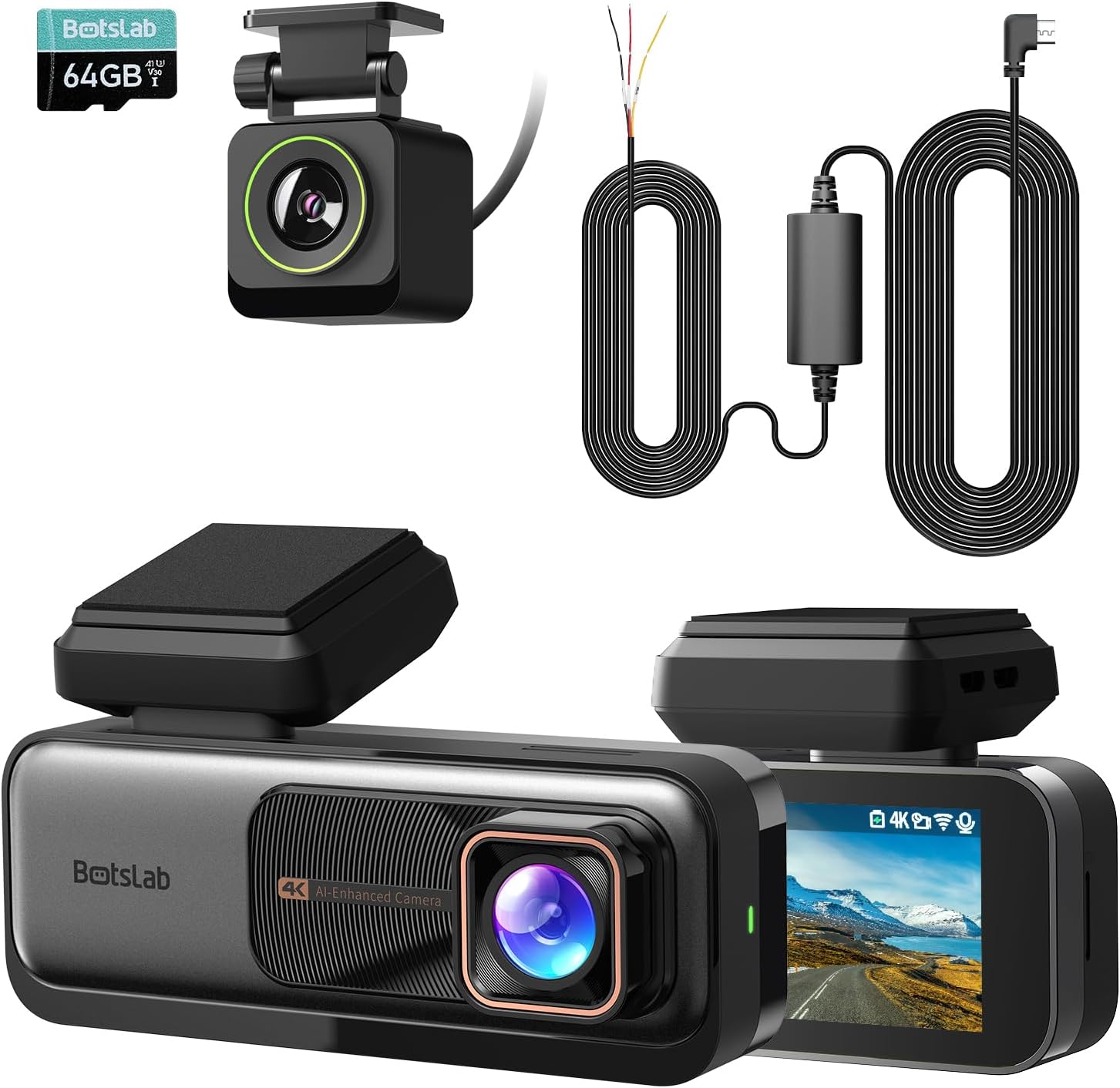
Image: The main components of the BOTSLAB G980H Dash Cam system, including the front camera, rear camera, and hardwire kit.
3. Co je v krabici
Po vybalení zkontrolujte, zda jsou součástí balení všechny následující položky:
- BOTSLAB G980H Dash Cam (Front Unit)
- Zadní kamera
- Sada k pevnému zapojení
- ADAS (Advanced Driver-Assistance Systems) functionality
- Micro USB cable (integrated with hardwire kit)
- Uživatelská příručka
Obrázek: Vizuální znázornění položek obsažených v balení produktu.
4. Nastavení a instalace
Proper installation is crucial for optimal performance. The G980H dash cam is designed for windshield mounting.
4.1 Hardwire Kit Installation
The included hardwire kit enables 24/7 parking mode functionality. It requires connection to your vehicle's fuse box.
- Step 1: Test Power Sources
Use a multimeter to check for a 12V constant power source and an ACC (Accessory) power source in your car's fuse box. - Step 2: Set Up the Wires
Connect the Yellow Wire (ACC) to the accessory power, the Red Wire (VCC+) to the constant power, and the Black Wire (GND-) to a grounding point on the vehicle chassis. - Step 3: Connect the Dash Cam
Attach the micro USB port of the hardwire kit to your BOTSLAB G980H dash cam. Ensure the cable is routed neatly and securely.

Image: A multimeter being used to test fuse box connections for constant and ACC power.

Obrázek: Detail view of the hardwire kit's yellow, red, and black wires connected to the car's fuse box and ground.
Image: The micro USB connector of the hardwire kit ready to be plugged into the dash cam.

Image: A diagram showing the micro USB port, power conversion box, and the three wires (ACC, VCC+, GND-) of the hardwire kit.

Image: The 9ft long hardwire cable, designed for compatibility with various car models.
4.2 Dash Cam Mounting
Mount the front dash cam on your windshield, ideally behind the rearview mirror, to ensure it does not obstruct your view. Position the rear camera on the rear window for optimal coverage.
4.3 Vložení paměťové karty
Insert a high-quality U3 or V30 rated microSD card (not included) into the designated slot on the dash cam. Ensure it is inserted correctly until it clicks into place. The dash cam requires a memory card for recording footage.
5. Návod k obsluze
5.1 Základní obsluha
- Zapnutí/vypnutí: The dash cam will automatically power on and begin recording when your vehicle starts, and power off when the engine is turned off (if connected via ACC power).
- Nahrávání ve smyčce: The G980H features seamless loop recording, continuously overwriting the oldest footage když je paměťová karta plná.
- G-senzor: In the event of a sudden impact or collision, the built-in G-Sensor will automatically lock the current video segment to prevent it from being overwritten.
- Kvalita videa: The front camera records in 4K resolution, providing a wide 170-degree view cesty před sebou.

Image: Illustration of the dash cam's 4K resolution and 170-degree wide-angle recording capability.
5.2 ADAS Features (Advanced Driver-Assistance Systems)
The G980H is equipped with a 1.5TOPS AI NPU chip and BOTSLAB's AI algorithm to provide real-time driving alerts:
- Varování před srážkou s chodcem: Alerts you to potential collisions with pedestrians.
- Front Vehicle Starts Moving: Notifies you when the vehicle ahead begins to move, useful in traffic.
- Upozornění na opuštění jízdního pruhu: Alerts if you unintentionally drift out of your lane.
- Headway Monitoring Warning: Helps maintain a safe distance from the vehicle in front.
- Driver Fatigue Alerts: Provides alerts every 2 hours to encourage breaks and prevent fatigue.

Image: Visual representation of the various ADAS warnings provided by the dash cam, along with illustrations of the AI NPU chip and built-in GPS.
5.3 Parkovací režim 24/7
With the hardwire kit installed, the G980H can monitor your vehicle even when it's turned off, providing protection against theft and vandalism.
- The dash cam will automatically switch to parking mode when the vehicle is parked.
- It will record emergencies and suspicious activities around your car.

Image: The dash cam display showing options for Time-Lapse Recording (Parking Mode) and Normal Recording (Driving Mode), illustrating its 24-hour monitoring capability.
5.4 GPS Integration
The built-in GPS module integrates with Google Maps, allowing you to track your driving path. The dash cam's display will show your real-time speed, and recorded videos will include speed records.

Image: The dash cam screen showing real-time speed and GPS data, with a map overlay indicating the driving path.
6. Údržba
- Čištění: K čištění objektivu a obrazovky fotoaparátu používejte měkký, suchý hadřík. Nepoužívejte abrazivní čisticí prostředky ani rozpouštědla.
- Paměťová karta: Regularly format the memory card (at least once a month) to ensure optimal performance and prevent data corruption. Use a high-quality U3 or V30 rated microSD card.
- Aktualizace firmwaru: Check the BOTSLAB official webPravidelně navštěvujte web, kde najdete aktualizace firmwaru, abyste zajistili, že vaše palubní kamera bude mít nejnovější funkce a opravy chyb.
7. Řešení problémů
| Problém | Možná příčina / řešení |
|---|---|
| Palubní kamera se nezapne. |
|
| Kvalita videa je špatná nebo rozmazaná. |
|
| Parkovací režim nefunguje. |
|
| Signál GPS je slabý nebo nebyl nalezen. |
|
8. Specifikace
| Funkce | Detail |
|---|---|
| Název modelu | G980H |
| Značka | BOTSLAB |
| Rozlišení předního fotoaparátu | True 4K (Sony IMX 415 sensor) |
| Rozlišení zadní kamery | 1080P (optimized to near 2K) |
| Speciální funkce | Hardwire Kit, ADAS, 24/7 Parking Mode, Built-in GPS, Loop Recording, G-Sensor |
| Technologie připojení | USB, bezdrátové (pro funkce displeje) |
| Typ montáže | Držák na čelní sklo |
| Barva | Černý |
| AI čip | 1.5TOPS AI NPU chip |
9. Záruka a podpora
For warranty information and technical support, please refer to the official BOTSLAB webnebo se obraťte přímo na jejich zákaznický servis. Uschovejte si účtenku jako doklad o koupi pro případ reklamace.
Výrobce: BOTSLAB
Datum první dostupnosti: 25. října 2024