
Zavedení
This manual provides comprehensive instructions for the installation, operation, and maintenance of your PNI House WIFI800 Wireless NVR. Please read this manual thoroughly before using the product to ensure proper functionality and to prevent damage. Keep this manual for future reference.
Vlastnosti produktu
- 4K UHD Wireless NVR: Supports up to 8 IP cameras with 5MP resolution or up to 4 8MP 4K (3840 x 2160px) cameras. Compatible with PNI IP590 and PNI IP840 cameras.
- Easy Installation and Remote Access: Simple to install, configure, and control locally or remotely. View real-time images or play back recordings via phone, PC, or browser. Motion detection triggers SMS notifications via the mobile application.
- HDD and MicroSD Compatibility: Supports connecting a 2.5-inch hard drive up to 14 TB or a microSD card up to 128 GB. For optimal performance, use special CCTV hard drives designed for 24/7 reliability and durability.
- H.265AI/H.265+ Video Compression: Increases bandwidth and storage efficiency, supports higher resolution, and allows for longer recording times. Compatible with H.265/H.264.

Image: PNI House WIFI800 NVR with its packaging, highlighting its key features.

Image: Illustrates the NVR's advanced detection capabilities, including motion, human, and face detection, enhancing security monitoring.

Image: A mobile phone displaying the iCSee and XMEye applications, used for remote access and control of the NVR system.

Obrázek: Zadní view of the NVR highlighting Wi-Fi, H.265AI/H.265+ compression, and ONVIF compatibility.
Obsah balení
Balíček obsahuje následující položky:
- PNI House WIFI800 Wireless NVR
- Uživatelská příručka
- Myš
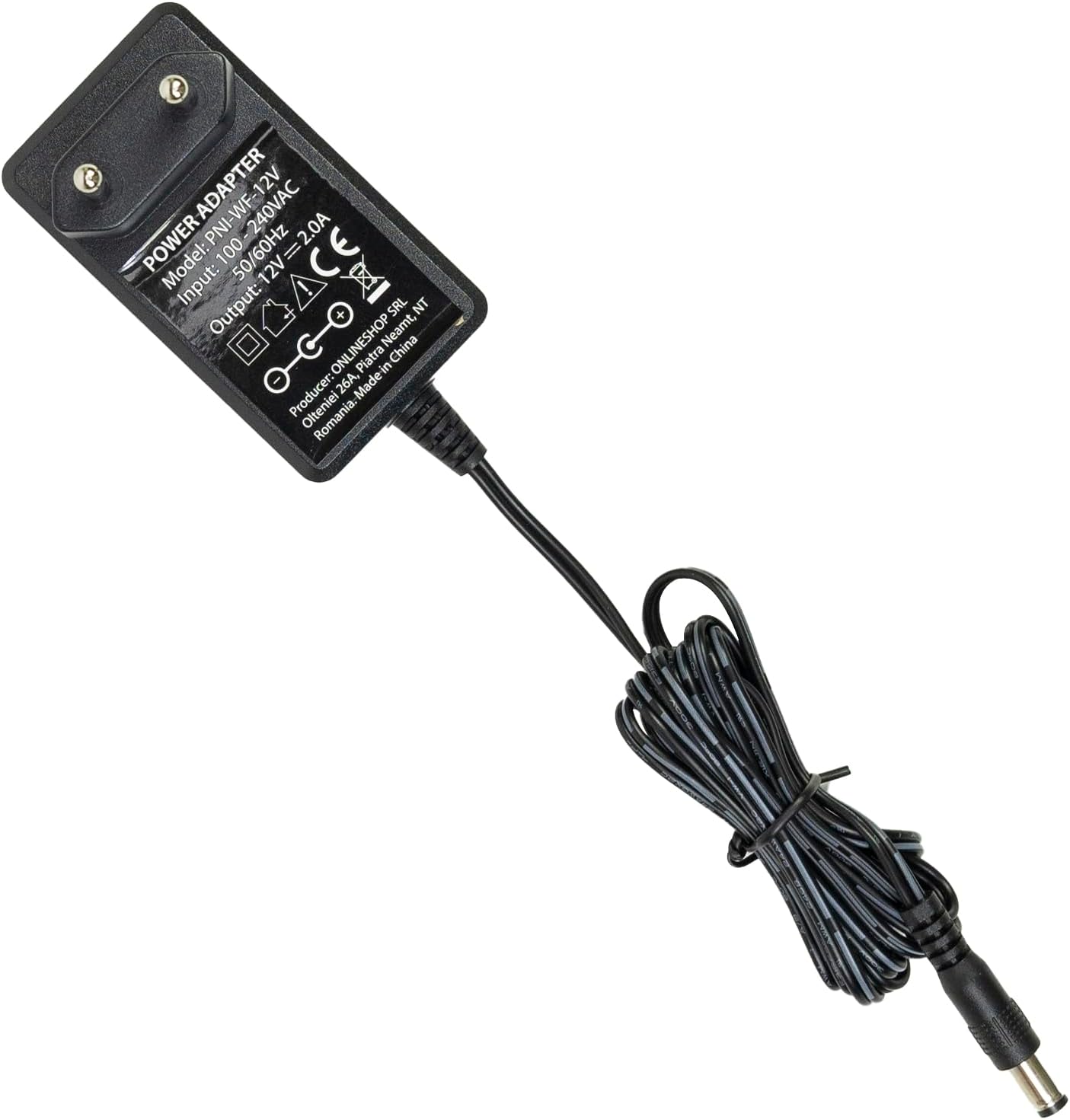
- Napájecí adaptér

Image: The PNI House WIFI800 NVR shown with its included accessories: a mouse and a power adapter.
Pokyny pro nastavení
- Připojte napájení: Připojte dodaný napájecí adaptér ke vstupnímu portu napájení NVR a poté jej zapojte do elektrické zásuvky.
- Připojit k síti: For initial setup or wired connection, connect an Ethernet cable from the NVR's LAN port to your router. The NVR also supports wireless connectivity.
- Připojení displeje: Connect a monitor to the NVR's HDMI port using an HDMI cable (not included) to view rozhraní.
- Připojení myši: Pro navigaci zapojte dodanou USB myš do USB portu NVR.
- Install Storage (Optional):
The NVR supports a 2.5-inch HDD up to 14 TB or a microSD card up to 128 GB for recording. To install an HDD:
- Opatrně otevřete NVR casing (refer to the diagram below).
- Connect the HDD to the internal SATA power and data connectors.
- Secure the HDD within the NVR and close the casing.
- Alternatively, insert a microSD card into the dedicated slot.
- Párování fotoaparátu: Follow the on-screen instructions on the connected display to pair your compatible PNI IP cameras (e.g., PNI IP590, PNI IP840) or other ONVIF-compatible cameras.

Obrázek: Zadní view of the PNI House WIFI800 NVR, illustrating the power input, microSD card slot, HDMI output, Ethernet (LAN) port, USB port, and audio output.
Obrázek: Spodní část view of the PNI House WIFI800 NVR with the cover removed, indicating the internal slot for a 2.5-inch HDD.
Návod k obsluze
Místní provoz
Once the NVR is connected to a display and mouse, you can navigate the on-screen interface to manage your cameras, view live feeds, and access recordings.
- Žít View: Select the desired camera channels to view real-time video feeds.
- Záznam: The NVR supports manual, alarm-triggered (motion detection), and scheduled recording. Configure these options in the system settings.
- Přehrávání: Přístup zaznamenán footage from the storage device (HDD or microSD) through the playback menu.
- Nastavení systému: Adjust network settings, video resolution, recording schedules, and other system parameters.
Remote Operation via Mobile App
The PNI House WIFI800 NVR can be accessed remotely using a mobile application (e.g., iCSee, XMEye) on your smartphone or tablet.
- Stáhnout aplikaci: Download and install the recommended mobile application (e.g., iCSee or XMEye) from your device's app store.
- Registrace/Přihlášení: Vytvořte si účet nebo se přihlaste do aplikace.
- Přidat zařízení: Follow the app's instructions to add your NVR. This typically involves scanning a QR code on the NVR or manually entering its device ID.
- Vzdálený Viewing: Po připojení můžete view live camera feeds, play back recordings, and receive motion detection alerts directly on your mobile device.
Údržba
- Pravidelný úklid: Keep the NVR unit clean and free from dust. Use a soft, dry cloth for cleaning. Do not use liquid cleaners.
- Aktualizace firmwaru: Periodically check for firmware updates on the PNI official webwebu, aby byl zajištěn optimální výkon a zabezpečení.
- Záloha dat: Regularly back up important recordings to an external storage device to prevent data loss.
- Stav pevného disku: If using an HDD, monitor its health through the NVR's system settings to anticipate potential failures.
Odstraňování problémů
| Problém | Možná příčina | Řešení |
|---|---|---|
| Žádný video výstup na monitoru | Uvolněný kabel HDMI, na monitoru vybrán nesprávný vstup, NVR není zapnutý. | Check HDMI cable connection. Ensure monitor is on correct input. Verify NVR power. |
| Kamery se nepřipojují | Incorrect network settings, cameras out of range, camera not powered, pairing issue. | Check NVR and camera network settings. Ensure cameras are within Wi-Fi range. Verify camera power. Re-attempt camera pairing. |
| Žádný vzdálený přístup | NVR není připojen k internetu, nesprávné nastavení aplikace, problémy s firewallem. | Verify NVR internet connection. Check app login and device ID. Ensure router firewall allows NVR access. |
| Žádný záznam | No storage device, storage device full, recording schedule not set, storage device fault. | Install HDD/microSD. Check storage capacity. Configure recording schedule. Format or replace faulty storage. |
Specifikace
| Značka | PNI |
| Číslo modelu | PNI-WIFI800 |
| Výrobce | ONLINESHOP SRL |
| Technologie připojení | Kabelové, bezdrátové |
| Kompatibilní zařízení | PNI IP125, PNI IP575, PNI KIMSD128, PNI IP590, PNI IP840 |
| Rozměry produktu (D x Š x V) | 17 l x 12 š x 3.5 v centimetrů |
| Hmotnost položky | 247 gramů |
| Kapacita paměti (HDD) | Up to 14 TB (2.5 inch) |
| Memory Storage Capacity (MicroSD) | Až 128 GB |
| Moc | 24 wattů |
| Počet kanálů | 4 (supports up to 8x5MP or 4x8MP cameras) |
| Digital Video Media Format | H.265AI/H.265+ |
| Zvukový vstup | Mikrofon |
| Celkový počet portů USB | 1 |
| Supported Video Input Type | RJ45 |
| Země původu | Čína |
| Baterie | 1 lithium-iontové – součástí balení |
Záruka a podpora
The PNI House WIFI800 Wireless NVR comes with a 2-letá záruka. For technical support, troubleshooting assistance, or warranty claims, please contact PNI customer service or visit their official webmísto.
Spare parts availability and guaranteed software updates information are currently unavailable.
Konec produktuview Video
Video: Oficiální produkt skončilview and demonstration of the PNI House WIFI800 Wireless NVR features, including connectivity, remote access, and recording capabilities.