
Zavedení
The VTech KidiMagic Galaxy Light is a versatile 9-in-1 device designed for children aged 6 to 12 years. It functions as an alarm clock, FM radio, speaker, and features an aurora borealis projector, interactive light effects, and various games and activities. This manual provides instructions for proper setup, operation, and maintenance of your device.
Bezpečnostní informace
- VAROVÁNÍ: Nevhodné pro děti do 36 měsíců z důvodu malých částí.
- Při používání vždy dohlížejte na děti.
- Do not immerse the device in water. Clean with a dry cloth only.
- Use only the recommended batteries or VTech power adapter (sold separately).
- Uchovávejte mimo dosah zdrojů tepla a přímého slunečního záření.
Obsah balení
- 1 KidiMagic Galaxy Light unit
- 4 LR6-AA batteries (for demonstration purposes)
- 1 Audio cable (for external music player connection)
Konec produktuview
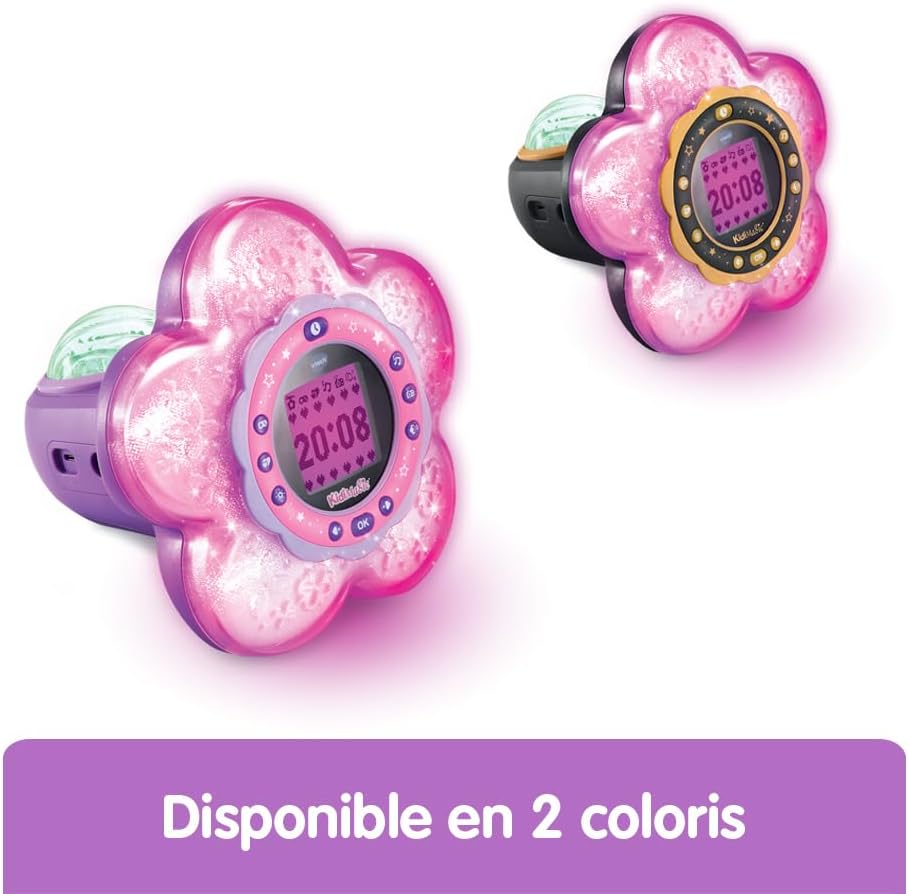
Familiarize yourself with the main components and controls of your KidiMagic Galaxy Light.

Obraz: Přední view of the KidiMagic Galaxy Light, illustrating the time display and the aurora borealis projection feature.

Obraz: Zadní view of the KidiMagic Galaxy Light, highlighting the battery compartment and various connection ports.
Ovládání a displej:
- LCD obrazovka: Displays time, game information, and settings.
- Senzor: Located on top, detects hand movements for light effects.
- tlačítka: Various buttons for navigation, settings, and game control.
- Reproduktor: Integrovaný reproduktor pro audio výstup.
- Vstupní audio konektor: For connecting external music players.
- Přihrádka na baterie: Located at the back.
Nastavení
1. Instalace baterie
- Najděte přihrádku na baterie na zadní straně jednotky.
- Pomocí šroubováku otevřete kryt prostoru pro baterie.
- Vložte 4 nové baterie LR6-AA a dbejte na správnou polaritu (+/-).
- Vraťte zpět kryt a utáhněte šroub.
Alternatively, the device can be powered by a VTech duo AC adapter (002181), sold separately.
2. Počáteční zapnutí
Press the Power button to turn on the device. The screen will light up, and you may be prompted to set the time.
Základní operace
Nastavení času
- Access the 'Settings' menu using the navigation buttons.
- Select 'Time' and adjust the hour and minute using the arrow buttons.
- Confirm your selection with the 'OK' button.
Nastavení budíku
- Navigate to the 'Alarm' menu.
- Choose an alarm slot and set the desired wake-up time.
- Select an alarm melody from the available options.
- Confirm to activate the alarm.
Nastavení hlasitosti
Use the dedicated volume buttons (usually marked with '+' and '-') to increase or decrease the sound level.
Automatické vypnutí
The device features an automatic shut-off timer to conserve battery life. You can set it to 60 minutes, 120 minutes, 240 minutes, or disable the sleep mode entirely through the settings menu.
Vlastnosti
Aurora Borealis Projection
The KidiMagic Galaxy Light projects beautiful aurora borealis effects onto the ceiling, creating a celestial atmosphere in the room. This feature can be activated and customized through the light settings.

Obraz: A child interacting with the KidiMagic Galaxy Light, demonstrating the dynamic light effects and color changes.
Interactive Light Effects and Color Changes
Wave your hand over the magic sensor on the device to change its color and activate 12 different light effects and 7 color variations. This allows for personalized ambiance.
FM rádio
Tune into your favorite FM radio stations. The device can store preferred stations for quick access.
External Music Player (MP3) Connection
Connect an external music player, such as an MP3 player, using the included audio cable. This transforms the KidiMagic Galaxy Light into a speaker, allowing you to play your own music.

Obraz: Strana view of the KidiMagic Galaxy Light, emphasizing its capability to function as a musical speaker when connected to an external device.
Integrated Games
The device includes 4 enchanting games for entertainment:
- Buzzy Adventure
- Hide-and-Seek
- Magic Mushroom
- Kouzelná zahrada
Obraz: A child engaged in playing one of the integrated games on the KidiMagic Galaxy Light's screen.
Magic Activities
Explore 6 magical activities designed for fun and relaxation:
- Křišťálová koule
- Magic Card
- Your Elf of the Day
- Emotion Management
- Positive Emotions
- Relaxace
Údržba
- Čištění: Otřete zařízení mírně damp tkanina. Nepoužívejte agresivní chemikálie nebo abrazivní čisticí prostředky.
- Výměna baterie: Replace batteries when the device's performance diminishes or if the screen becomes dim. Follow the battery installation steps.
- Skladování: Store the device in a cool, dry place away from direct sunlight when not in use for extended periods. Remove batteries if storing for several months.
Odstraňování problémů
Zařízení se nezapne:
- Zkontrolujte, zda jsou baterie vloženy správně se správnou polaritou.
- Vyměňte za nové baterie.
- Pokud používáte síťový adaptér, ujistěte se, že je správně připojen a funkční.
Obrazovka je tmavá nebo bliká:
- Baterie mohou být vybité. Vyměňte je.
- Ujistěte se, že zařízení není vystaveno extrémním teplotám.
Problémy se zvukem:
- Zkontrolujte nastavení hlasitosti.
- If using an external music player, ensure the audio cable is fully inserted and the external device's volume is up.
Specifikace
| Číslo modelu | 572705 |
| Rozměry (D x Š x V) | 18.5 x 18 x 17.3 cm |
| Hmotnost | 635 gramů |
| Doporučený věk | 6 - 10 years (Manufacturer's minimum: 72 months, maximum: 120 months) |
| Zdroj napájení | 4 x LR6-AA batteries (included for demo) or VTech AC adapter (sold separately) |
| Materiál | Plast |
| Jazyk | French (Product content) |
| Vlastnosti | Alarm Clock, FM Radio, Speaker, Aurora Projection, 12 Light Effects, 7 Colors, 6 Magic Activities, 4 Games |
Záruka a podpora
Informace o záruce a zákaznické podpoře naleznete v dokumentaci dodané s vaším nákupem nebo navštivte oficiální webové stránky VTech. webUschovejte si doklad o koupi pro případné reklamace.