
SEDSEY B0D78Y5BMM
SEDSEY Smart Watch User Manual
Model: B0D78Y5BMM
Zavedení
This manual provides comprehensive instructions for the operation, maintenance, and troubleshooting of your SEDSEY Smart Watch. Please read this manual carefully before using the device to ensure proper functionality and to maximize your user experience.

Figure 1: SEDSEY Smart Watch (Orange Silver variant) with active display and flashlight feature.
Nastavení
1. Nabíjení zařízení
Before first use, fully charge your smart watch. Connect the magnetic charging cable to the charging points on the back of the watch and plug the USB end into a compatible power adapter (not included) or a computer USB port.
- Doba nabíjení: Přibližně 2 hodiny pro plné nabití.
- Battery Life: Up to 15 days of working time, or 30 days standby time.

Figure 2: Smart Watch with LED Flashlight and Battery Information.
2. Instalace a párování aplikace
To unlock the full features of your smart watch, download and install the FitCloudPro aplikace na vašem smartphonu.
- Scan the QR code in the watch manual (if provided) or search for "FitCloudPro" in your smartphone's app store (compatible with Android 4.4+ and iOS 8.0+).
- Otevřete aplikaci FitCloudPro a postupujte podle pokynů na obrazovce k vytvoření účtu nebo přihlášení.
- Povolte na svém smartphonu Bluetooth.
- In the FitCloudPro app, navigate to the device pairing section and select your SEDSEY Smart Watch from the list of available devices. Confirm the pairing request on both your watch and smartphone.
Návod k obsluze
1. Základní navigace
The smart watch features a 1.43" AMOLED HD display. Swipe across the screen to access different functions and menus. Use the physical buttons on the side for power, back, and quick access to features like the flashlight.

Figure 3: 1.43" AMOLED Display Features.
2. Uskutečňování a přijímání hovorů
The smart watch supports Bluetooth calls. Once paired with your mobile phone, you can dial, receive, and reject calls directly from your wrist using the built-in high-quality speaker and microphone.
- Vytáčení čísla: Access the dial pad on the watch or select a contact from your synced phonebook.
- Příjem: When a call comes in, the watch will vibrate and display the caller ID. Tap to answer or reject.

Figure 4: Bluetooth Call and Smart Notification Features.
3. Chytrá oznámení
Receive notifications for calls, messages, and app alerts (e.g., Twitter, Facebook, Skype, WhatsApp) directly on your watch. Ensure notification permissions are enabled in the FitCloudPro app and your phone settings.
4. Monitorování zdraví
The smart watch features upgraded sensors for continuous health monitoring.
- Monitorování srdeční frekvence: Sledování tepové frekvence v reálném čase po celý den.
- Monitorování spánku: Tracks your sleep patterns and provides comprehensive analysis.
- Sledování aktivity: Accurately tracks steps, calories burned, distance, and activity time.
View detailed health data and trends within the FitCloudPro app.

Figure 5: Health Monitoring Features.
5. Sportovní režimy
The watch supports over 100 sports modes, including walking, running, hiking, cycling, and more. Select your desired mode before starting an activity to record specific data.
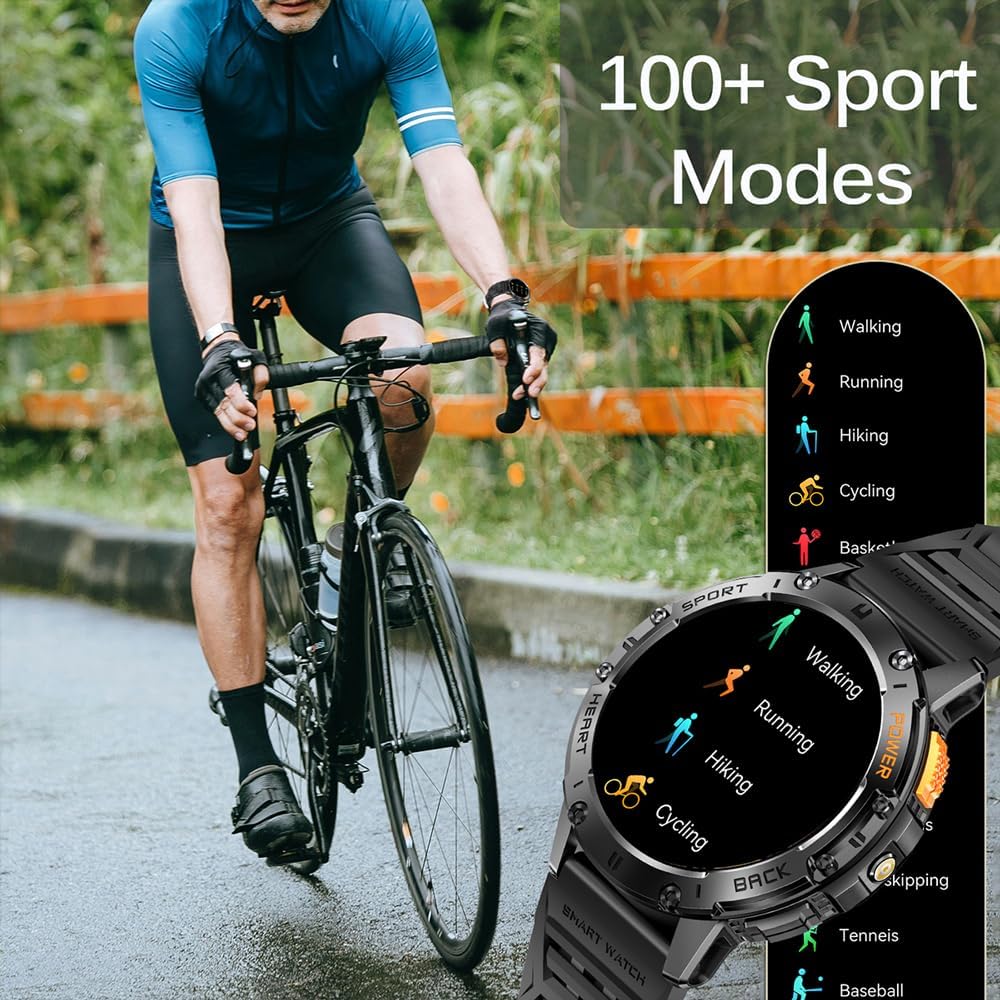
Figure 6: 100+ Sports Modes.
6. LED svítilna
Activate the built-in LED flashlight for convenience in low-light conditions. This feature is useful for outdoor adventures, night running, or short-term home lighting.
7. Přizpůsobitelné ciferníky
Personalize your watch with over 200 watch faces available through the FitCloudPro app. You can also customize watch faces with your own images.
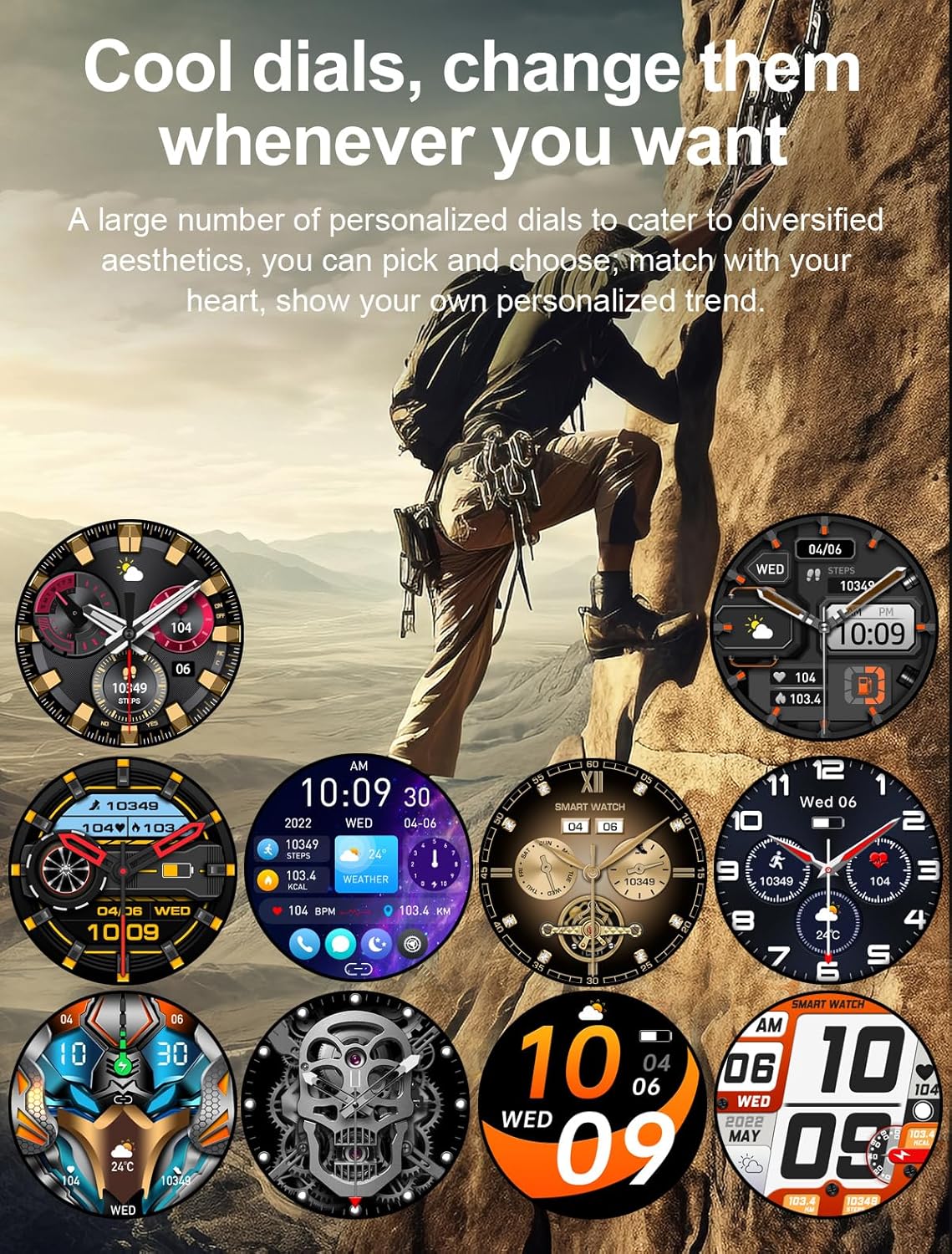
Obrázek 7: Přizpůsobitelné ciferníky.
8. Další funkce
- Hlasový asistent AI
- 7-day Weather Forecast
- Stopky
- Budík
- Ovládání hudby
- Ovládání kamery
- Sedavý připomenutí
Údržba
1. Čištění
Regularly clean your smart watch and wrist strap with a soft, dry cloth. If necessary, use a slightly damp hadříkem a poté důkladně osušte. Nepoužívejte agresivní chemikálie ani abrazivní materiály.
2. Voděodolnost
The watch is IP68 waterproof, meaning it can withstand hand washing and rain. However, it is ne suitable for diving, saunas, or hot showers. Avoid prolonged submersion in water.

Figure 8: IP68 Waterproof and Additional Features.
3. Skladování
Pokud hodinky delší dobu nepoužíváte, skladujte je na chladném a suchém místě mimo dosah přímého slunečního záření a extrémních teplot.
Odstraňování problémů
- Hodinky se nezapínají: Ujistěte se, že jsou hodinky plně nabité. Připojte je k nabíječce alespoň na 10 minut.
- Nelze spárovat s telefonem:
- Ujistěte se, že máte v telefonu i hodinkách zapnutou funkci Bluetooth.
- Ujistěte se, že hodinky jsou v dosahu Bluetooth vašeho telefonu.
- Restartujte hodinky i telefon.
- Vymažte mezipaměť Bluetooth v telefonu (pokud je k dispozici) a zkuste spárování zopakovat.
- Neobdržená oznámení:
- Zkontrolujte oprávnění k oznámením v aplikaci FitCloudPro.
- Ujistěte se, že máte v nastavení systému telefonu povolena oznámení aplikací.
- Ověřte, zda jsou hodinky správně připojeny přes Bluetooth.
- Nepřesné zdravotní údaje:
- Ujistěte se, že hodinky máte na zápěstí pevně připevněné, ne příliš volné ani příliš těsné.
- Vyčistěte oblast senzoru na zadní straně hodinek.
- Upozorňujeme, že zdravotní údaje slouží pouze pro informativní účely a ne pro lékařskou diagnózu.
Specifikace
| Funkce | Detail |
|---|---|
| Zobrazit | 1.43" AMOLED HD (460*460 resolution) |
| Kapacita baterie | 530 XNUMX mAh |
| Doba nabíjení | Přibl. 2 hodin |
| Životnost baterie | 15 days (working), 30 days (standby) |
| Hodnocení voděodolnosti | IP68 |
| Konektivita | Bluetooth |
| Kompatibilita operačního systému | Android 4.4+ / iOS 8.0+ |
| Název aplikace | FitCloudPro |
| Materiál pouzdra | Zinc Alloy (Military-grade tested) |
| Rozměry | 48mm (diameter), 12.9mm (thickness) |
| Wrist Strap Size | 150-260 mm |

Obrázek 9: Rozměry produktu.
Podpora
For any questions or assistance, please contact our customer service. We provide 7/24 service to ensure your satisfaction.
Please refer to your purchase documentation or the FitCloudPro app for specific contact details.
Ask a question about this manual
Ask about setup, troubleshooting, compatibility, parts, safety, or missing instructions. Manuals+ will review the question and use this page’s manual context to help answer it.