
1. Úvod
This manual provides comprehensive instructions for the Chujianxi Mini 4K HD Wireless WiFi Camera (Model: sdw2). Please read this manual carefully before operating the device to ensure proper use and optimal performance. Keep this manual for future reference.
2. Obsah balení
- Chujianxi Mini 4K HD Wireless WiFi Camera
- Držák pro montáž fotoaparátu
- USB nabíjecí kabel
- Uživatelská příručka
3. Konec produktuview
The Chujianxi Mini 4K HD Wireless WiFi Camera is a compact surveillance device designed for indoor and outdoor use. It features 4K video resolution, two-way audio, motion detection, and night vision capabilities. The camera supports both cloud storage and local TF card storage.

Figure 3.1: Chujianxi Mini 4K HD Wireless WiFi Camera and its accompanying mobile application interface, demonstrating key features like 4K resolution, 2.4G WiFi connectivity, and two-way talk.
Klíčové vlastnosti:
- Rozlišení 4K HD: Zachycuje jasné a podrobné video footage.
- 140° širokoúhlý objektiv: Nabízí rozsáhlé pole view.
- Detekce pohybu: Sends real-time notifications upon detecting movement.
- Obousměrný zvuk: Built-in microphone and speaker for communication via the app.
- Noční vidění: Automatically activates in low-light conditions for clear monitoring.
- Možnosti úložiště: Supports Cloud storage and TF card storage (up to 256GB, not included).
- Bezdrátové připojení: Compatible with 2.4 GHz WiFi networks.
- Dlouhá výdrž baterie: 3000 mAh battery provides up to 10 hours of operation.
4. Nastavení
4.1 Nabíjení fotoaparátu
Before initial use, fully charge the camera using the provided USB cable. Connect the USB cable to the camera's charging port and a standard USB power adapter (not included). The charging indicator light will show the charging status.
4.2 Vložení TF karty (volitelné)
If you plan to use local storage, insert a TF (MicroSD) card (up to 256GB, not included) into the designated slot. Ensure the camera is powered off before inserting or removing the card.
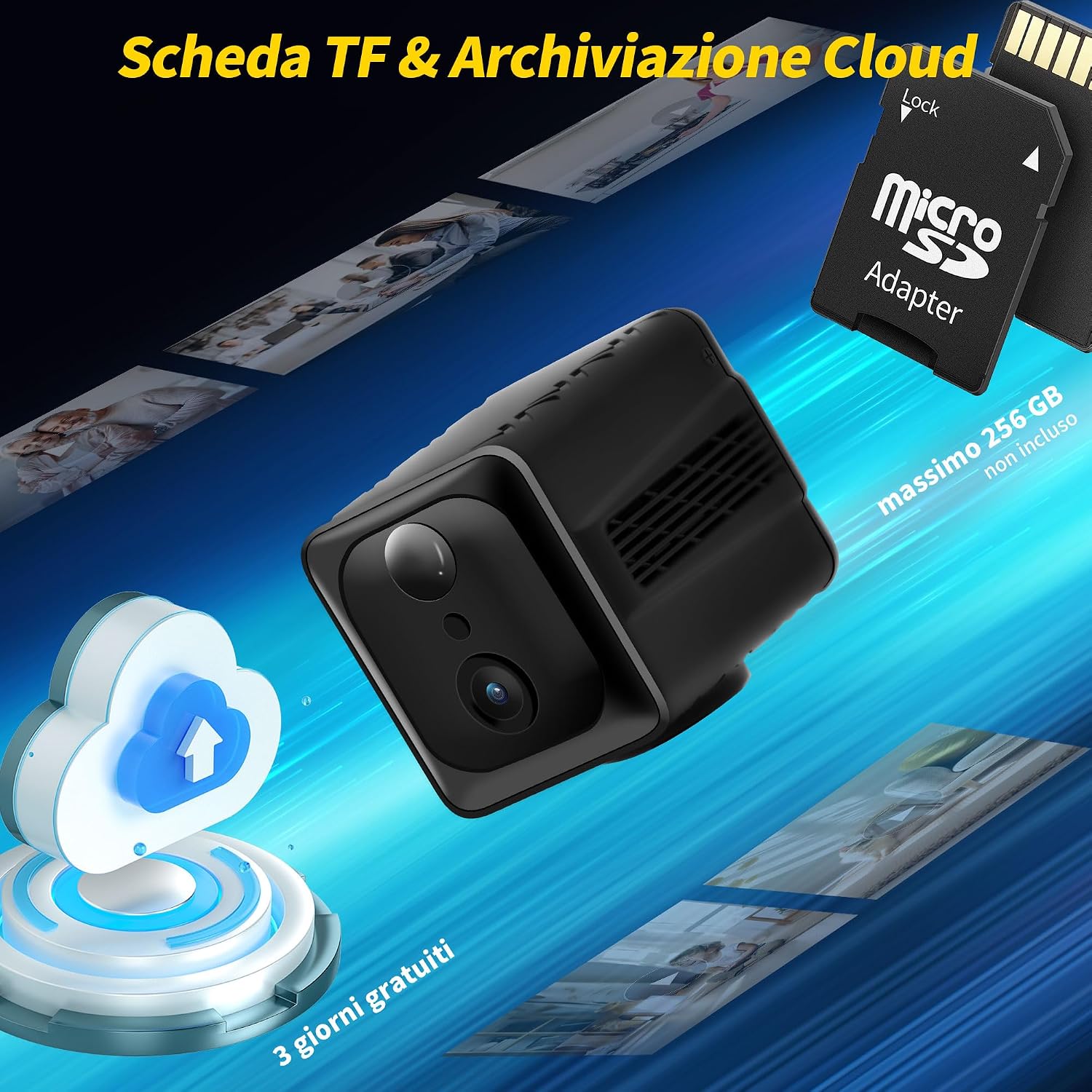
Figure 4.1: Illustration of the camera's TF card slot and the concept of cloud storage, highlighting the flexibility in data storage options.
4.3 Instalace aplikace a párování fotoaparátu
- Download the official mobile application from your smartphone's app store (iOS or Android). Refer to the packaging or a QR code in the quick start guide for the correct app.
- Zaregistrujte si účet a přihlaste se.
- Zapněte fotoaparát.
- Follow the in-app instructions to add a new device. This typically involves scanning a QR code on the camera or connecting to the camera's temporary WiFi hotspot.
- Connect the camera to your home 2.4 GHz WiFi network.
- Po úspěšném spárování můžete view the live feed and access camera settings through the app.
5. Ovládání fotoaparátu
5.1 Živě View a Nahrávání
Access the live video feed through the mobile application. From the live view interface, you can manually start/stop recording, take snapshots, and monitor the area.
5.2 Detekce pohybu
Enable motion detection in the app settings. When motion is detected, the camera will automatically record and send a real-time notification to your smartphone. You can adjust sensitivity levels and set detection zones.
5.3 Obousměrný zvuk
Utilize the two-way audio feature to communicate with individuals near the camera. Press and hold the microphone icon in the app to speak, and release to listen.
5.4 Noční vidění
Kamera se při slabém osvětlení automaticky přepne do režimu nočního vidění a poskytne tak jasný černobílý videozáznam.tage. This feature ensures continuous monitoring regardless of ambient light.
5.5 Playback and Storage Management
Nahráno footage can be accessed via the app. You can review videos stored on the TF card or in the cloud (if subscribed). The app allows you to download, delete, or share recordings.

Figure 5.1: The mobile application interface demonstrating real-time access to multiple camera feeds, suitable for monitoring children, pets, elderly family members, or general home security.

Figure 5.2: Depiction of the multi-user real-time viewing feature, allowing several individuals to access the camera feed simultaneously on iOS and Android devices.
6. Údržba
- Čištění: K čištění objektivu a těla fotoaparátu používejte měkký, suchý hadřík. Nepoužívejte abrazivní čisticí prostředky ani rozpouštědla.
- Aktualizace firmwaru: Regularly check the mobile application for firmware updates to ensure optimal performance and security.
- Péče o baterie: Chcete-li prodloužit životnost baterie, vyhněte se extrémním teplotám a před delšími obdobími nečinnosti fotoaparát plně nabijte.
- Správa úložiště: Pravidelně znovuview a spravovat své nahrané footage to free up storage space on the TF card or cloud.
7. Řešení problémů
| Problém | Možná příčina | Řešení |
|---|---|---|
| Kamera se nepřipojuje k Wi-Fi | Incorrect WiFi password; Camera too far from router; Only supports 2.4 GHz WiFi. | Verify WiFi password; Move camera closer to router; Ensure your router is broadcasting a 2.4 GHz network. |
| Špatná kvalita videa | Insufficient network bandwidth; Dirty lens; Low light conditions. | Check internet speed; Clean the camera lens; Ensure night vision is active in low light. |
| Detekce pohybu nefunguje | Feature disabled in app; Incorrect sensitivity settings; Obstructions in detection zone. | Enable motion detection in app; Adjust sensitivity; Clear any obstructions. |
| Baterie se rychle vybíjí | Časté živé vystoupení view access; High motion detection activity; Extreme temperatures. | Reduce live view time; Adjust motion detection frequency; Operate in moderate temperatures. |
8. Specifikace
| Funkce | Detail |
|---|---|
| Název modelu | sdw2 |
| Značka | Chujianxi |
| Rozlišení záznamu videa | 4K |
| Technologie připojení | Bezdrátové připojení (Wi-Fi 2.4 GHz) |
| Speciální funkce | Two-Way Audio, Motion Detector, Night Vision |
| Vnitřní/venkovní použití | Venkovní (vhodné i pro vnitřní použití) |
| Typ montáže | Nástěnný držák |
| Zahrnuté komponenty | Držák pro montáž fotoaparátu |
| Baterie je součástí dodávky | Ano |
| Složení baterie | Lithium Polymer |
| Rozměry produktu (D x Š x V) | 4.99 x 3.6 x 4 cm (1.96 x 1.42 x 1.57 palce) |
| Hmotnost položky | 230 gramů (0.51 lb) |
| Doporučená použití | Vnitřní bezpečnost |
Poznámka: Specifikace se mohou změnit bez předchozího upozornění.
9. Záruka a podpora
For warranty information and technical support, please refer to the contact details provided on the product packaging or the official Chujianxi webwebu. Uschovejte si účtenku jako doklad o koupi.
For further assistance, you may contact Chujianxi customer service directly.