
1. Úvod
This user manual provides comprehensive instructions for the operation, maintenance, and troubleshooting of your DOOGEE T20 Ultra 12 Inch Tablet. Please read this manual thoroughly before using your device to ensure optimal performance and longevity.
2. Co je v krabici
Upon unboxing your DOOGEE T20 Ultra tablet, verify that all components are present:
- Tablet DOOGEE T20 Ultra
- Napájecí adaptér
- USB-C kabel
- Nástroj pro vysunutí SIM karty
- Protective Case (if included with specific package)
- Screen Protector (if included with specific package)

Image: The DOOGEE T20 Ultra tablet displayed with its accessories, including a power adapter, USB-C cable, and a protective case.
3. Konec produktuview
3.1 Displej
The DOOGEE T20 Ultra features a 12-inch 2.4K BOE display with a resolution of 2000x1200 pixels, offering an immersive viewing experience. It boasts an 87.2% screen-to-body ratio and a slim 7mm narrow bezel. The display is also TUV certified for eye protection, reducing blue light emission.

Obrázek: Detailní záběr view of the DOOGEE T20 Ultra's 12-inch 2.4K display, highlighting its narrow bezels and high screen-to-body ratio.

Image: A person using the DOOGEE T20 Ultra tablet, demonstrating its eye-care display with TUV certification for low blue light.
3.2 procesor
The tablet is powered by the MediaTek Helio G99 Octa-Core processor, clocked at 2.2GHz and built on a 6nm process. This powerful chip ensures smooth performance for gaming, multitasking, and various applications.

Image: A visual representation of the Helio G99 Octa-Core processor chip, highlighting its core components and specifications.
3.3 Paměť a úložiště
The DOOGEE T20 Ultra comes with 32GB of RAM (12GB physical + 20GB expandable virtual memory) and 256GB of internal ROM. Storage can be further expanded up to 2TB using a microSD card.

Image: The tablet screen displaying multiple applications, with icons indicating 256GB ROM, 2TB storage expansion, and Android 13 OS.
3.4 Baterie
Equipped with a large 10800mAh battery, the tablet provides extended usage time. It supports 18W fast charging and OTG (On-The-Go) functionality for connecting external devices.

Image: A visual emphasizing the 10800mAh battery capacity, along with icons for OTG support and 18W fast charging.
3.5 zvuk
For an enhanced audio experience, the T20 Ultra features Hi-Res Audio certification and four Smart PA stereo speakers, delivering rich and immersive sound.

Image: The tablet shown with sound waves emanating from its speakers, indicating Hi-Res Audio certification and quad-speaker setup.
3.6 Kamery
Capture moments with the 16MP AI rear camera and conduct high-quality video calls with the 8MP front camera. The front camera also supports face unlocking.

Image: Split image showing the rear camera module and the front camera view, alongside example photos taken with the tablet's cameras.
3.7 Připojení a navigace
The tablet supports 4G Dual SIM for cellular connectivity, 2.4G/5GHz dual-band Wi-Fi for fast internet, and Bluetooth 5.0 for wireless accessories. For navigation, it utilizes A-GPS, GPS, BeiDou, GLONASS, and Galileo systems.

Image: The tablet displaying network icons for 2.4G/5G Dual Band WiFi, 4G Dual SIM, and Bluetooth 5.0, with an inset showing the SIM tray.

Image: A person holding the tablet displaying a navigation map, illustrating its GPS capabilities.
3.8 Design and Operating System
The T20 Ultra features a 7.6mm ultra-thin full metal design with curved edges, providing a premium feel. It runs on the Android 13 operating system, offering a personalized, secure, and efficient user experience. The tablet also supports Widevine L1 for high-definition streaming from platforms like Amazon Prime Video, Disney+, HBO Max, and Hulu.
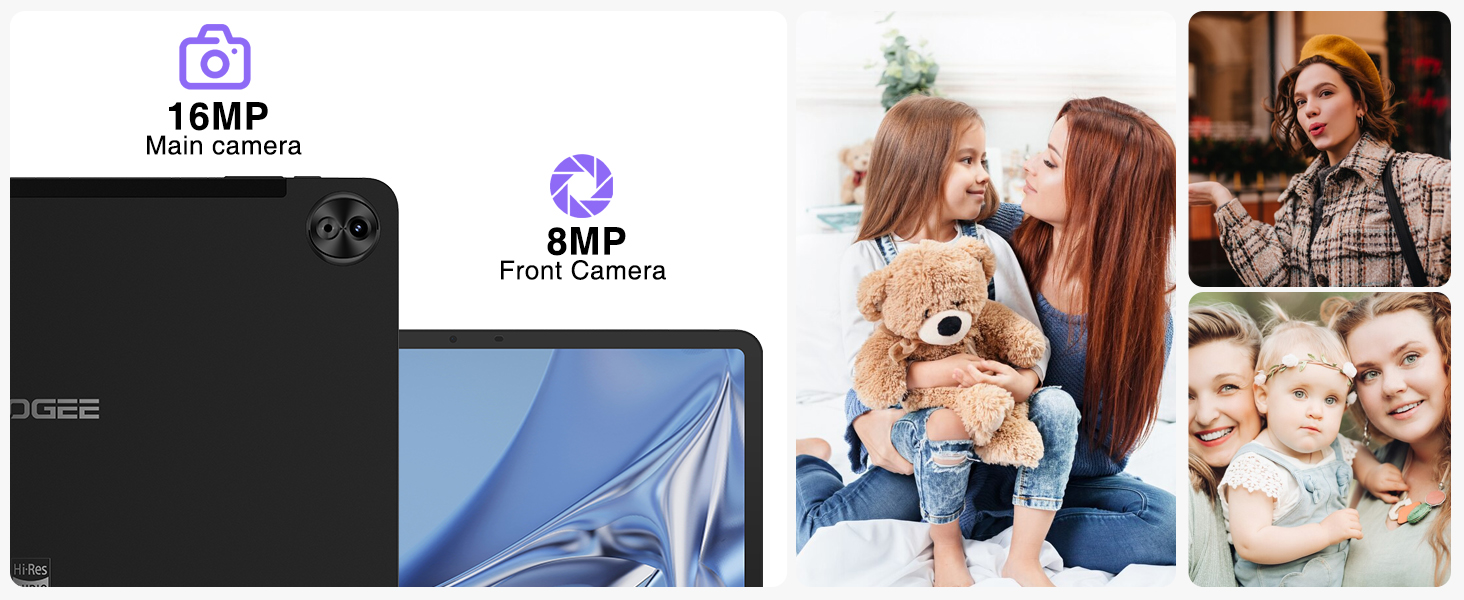
Image: A screenshot of the Android 13 interface on the tablet, showcasing its clean design and notification panel.
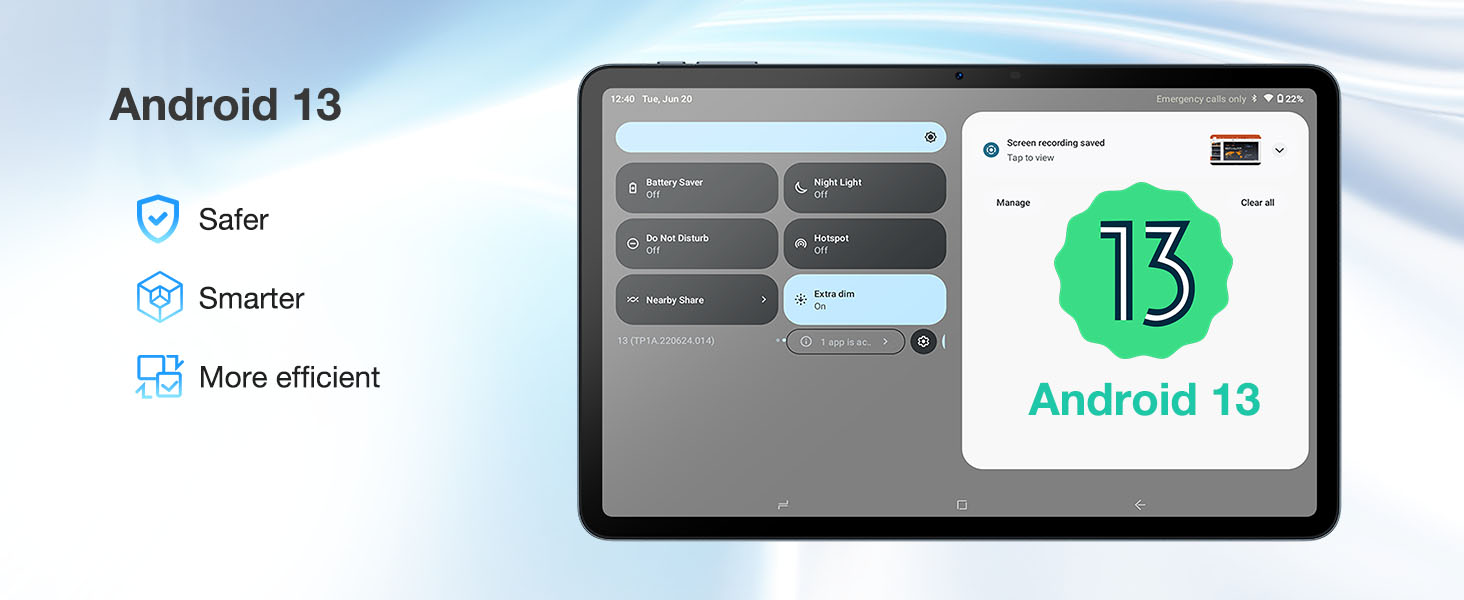
Image: The tablet screen displaying "Widevine L1 Support" with logos of popular streaming services like Disney+, HBO Max, Amazon Prime Video, and Hulu.
4. Nastavení
- Nabíjení tabletu: Connect the provided USB-C cable to the tablet's charging port and the power adapter. Plug the adapter into a wall outlet. The battery indicator will show charging status. For optimal battery life, fully charge the tablet before first use.
- Zapnutí/vypnutí: Press and hold the Power button (located on the side) until the DOOGEE logo appears to power on. To power off, press and hold the Power button, then select "Power off" from the options.
- Počáteční nastavení: Follow the on-screen prompts to complete the initial setup, including language selection, Wi-Fi connection, Google account login, and setting up security features like face unlock.
- Inserting SIM/MicroSD Card: Use the provided SIM ejector tool to open the SIM tray. Carefully insert your 4G SIM card(s) and/or microSD card into the designated slots. Ensure the tray is fully reinserted.
5. Návod k obsluze
5.1 Základní navigace
- Dotyková gesta: Klepnutím vyberete, přejetím prstem posouváte, přiblížením rozevřením prstů.
- Domovská obrazovka: Přístup k aplikacím, widgetům a oznámením.
- Panel oznámení: Přejetím prstu dolů od horního okraje obrazovky získáte přístup k rychlému nastavení a oznámením.
- Multitasking: Use the recent apps button (square icon) to switch between open applications. The tablet supports split-screen mode for enhanced productivity.

Image: A person using the tablet in split-screen mode, demonstrating multitasking capabilities.
5.2 Konektivita
- Wi-Fi: Pro připojení k dostupným sítím přejděte do Nastavení > Síť a internet > Wi-Fi.
- Mobilní síť: If using a SIM card, configure mobile data settings in Settings > Network & internet > Mobile network.
- Bluetooth: Spárování se zařízeními Bluetooth (sluchátka, klávesnice) provedete přes Nastavení > Připojená zařízení > Bluetooth.
5.3 Spotřeba médií
- Streamování: Utilize Widevine L1 support for high-definition streaming on compatible platforms.
- Zvuk: Enjoy high-fidelity audio through the quad speakers or connected Hi-Res audio devices.
6. Údržba
- Čištění: K čištění obrazovky a těla přístroje používejte měkký hadřík, který nepouští vlákna. Nepoužívejte abrazivní materiály ani agresivní chemikálie.
- Aktualizace softwaru: Pravidelně kontrolujte aktualizace systému v Nastavení > Systém > Aktualizace systému, abyste zajistili optimální výkon a zabezpečení.
- Péče o baterie: Chcete-li prodloužit životnost baterie, vyhněte se extrémním teplotám a nenechávejte baterii často zcela vybíjet.
- Správa úložiště: Pravidelně odstraňujte nepotřebné filea aplikace pro udržení dostatečného úložného prostoru a rychlosti systému.
7. Řešení problémů
| Problém | Možná příčina / řešení |
|---|---|
| Tablet se nezapne | Ujistěte se, že je baterie nabitá. Připojte ji k nabíječce alespoň na 30 minut. Pokud stále nereaguje, proveďte vynucený restart podržením tlačítka napájení po dobu 10–15 sekund. |
| Pomalý výkon / Zpoždění | Close unused applications. Clear cache of frequently used apps. Check for system updates. Consider a factory reset if issues persist (backup data first). |
| Baterie se rychle vybíjí | Reduce screen brightness. Disable Wi-Fi/Bluetooth when not in use. Close background apps. Limit location services. Check battery usage in settings to identify power-hungry apps. |
| Nelze se připojit k Wi-Fi | Ensure Wi-Fi is enabled. Restart the tablet and router. Forget the network and reconnect. Check Wi-Fi password. |
| SIM karta nebyla detekována | Ensure the SIM card is correctly inserted. Restart the tablet. Check if the SIM card is active with your carrier. |
8. Specifikace
| Funkce | Detail |
|---|---|
| Značka | DOOGEE |
| Název modelu | T20ULTRA |
| Operační systém | Android 13 |
| Velikost obrazovky | 12 palce |
| Rozlišení obrazovky | 2.4K (2000x1200 pixelů) |
| Procesor | MediaTek Helio G99 Octa-Core (2.2GHz) |
| BERAN | 32 GB (12 GB fyzické + 20 GB virtuální) |
| Interní úložiště (ROM) | 256 GB |
| Rozšiřitelné úložiště | Až 2 TB (microSD) |
| Zadní kamera | 16MP AI fotoaparát |
| Přední kamera | 8MP fotoaparát |
| Kapacita baterie | 10800 XNUMX mAh |
| Nabíjení | 18W rychlé nabíjení, typ C |
| Zvuk | Hi-Res Audio, 4 Smart PA Stereo Speakers |
| Konektivita | 4G Dual SIM, 2.4G/5GHz Dual-Band Wi-Fi, Bluetooth 5.0 |
| Navigace | A-GPS/GPS/BeiDou/GLONASS/Galileo |
| Rozměry | 12.2 x 12.2 x 2.1 inches (Product), 278.8 x 174.3 x 7.6mm (Tablet) |
| Hmotnost | 3.08 pounds (Product), 568g (Tablet) |
| Speciální funkce | TUV Eye-Care Display, Widevine L1 Support, OTG Support |
9. Záruka a podpora
DOOGEE provides a 2-Year Limited Warranty for the T20 Ultra tablet, covering manufacturing defects. For any technical assistance, product inquiries, or warranty claims, please contact DOOGEE customer support. Online support is available 24/7.
- Záruční doba: 2 roky omezená záruka
- Zásady vrácení: 30-Day Money Back Guarantee and Free Return (check retailer policy)
- Podpora: 24/7 online podpora

Image: Icons representing 30-day money back guarantee, 2-year limited warranty, and 24/7 online support.