
1. Úvod
The M-Wave M21CW is a wireless bicycle computer designed to enhance your cycling experience by providing essential ride data. Featuring wireless transmission between the hub sensor and the main unit, this device offers 21 functions, including speed, distance, time, and more. Its backlit display ensures readability in various conditions, and tool-free mounting simplifies installation.
2. Vlastnosti produktu
- Bezdrátový přenos: Eliminates the need for cables, providing a clean setup.
- Funkce 21: Includes current speed, average speed, maximum speed, trip distance, total odometer, riding time, clock, thermometer, calorie consumption, cadence calculator, stopwatch, freeze frame function, and more.
- Podsvícený displej: Ensures clear visibility of data in low-light conditions.
- Montáž bez použití nářadí: Easy installation on handlebars or stem.
- Automatické zapnutí/vypnutí: Automatically activates with motion and powers down after inactivity to conserve battery life.
- Metrický/anglický převod: Supports both kilometers/miles and Celsius/Fahrenheit units.
- Baterie v ceně: Připraveno k okamžitému použití.
3. Obsah balení
Ověřte, zda jsou v balení přítomny všechny položky:
- M-Wave M21CW Bicycle Computer Unit
- Bezdrátový snímač rychlosti
- Mounting Bracket for Handlebar/Stem
- Magnet na kolo
- Batteries (for computer unit and sensor)

Image: M-Wave M21CW Bicycle Computer in its retail packaging.
4. Nastavení
4.1. Instalace baterie
- Computer Unit: Open the battery compartment on the back of the computer unit. Insert the battery, ensuring correct polarity (+/-). Close the compartment securely.
- Bezdrátový senzor: Open the battery compartment on the wireless sensor. Insert the battery, ensuring correct polarity. Close the compartment securely.
4.2. Mounting the Sensor and Magnet
- Attach the wireless speed sensor to the bicycle fork using the provided zip ties or strap. Position it on the side of the fork closest to the wheel spokes.
- Secure the wheel magnet to a spoke on the wheel.
- Adjust the position of the sensor and magnet so that the magnet passes within 5mm of the sensor when the wheel rotates. Ensure they do not touch.
4.3. Montáž počítačové jednotky
- Attach the mounting bracket to your bicycle's handlebar or stem using the provided tool-free strap.
- Slide the M21CW computer unit onto the mounting bracket until it clicks securely into place.
4.4. Počáteční nastavení
After battery installation, the unit will typically enter setup mode automatically. If not, press and hold the SOUBOR tlačítko.
- Obvod kola: The display will show a flashing number. Use the MODE button to adjust the value and the SOUBOR button to confirm and move to the next digit. Refer to your bicycle tire's sidewall for its size (e.g., 700x23c) and consult a wheel circumference chart for the corresponding value in millimeters.
- jednotky: Select between kilometers per hour (km/h) or miles per hour (mph) for speed/distance, and Celsius (°C) or Fahrenheit (°F) for temperature. Use MODE přepínat a SOUBOR potvrdit.
- Hodiny: Set the current time (24-hour or 12-hour format, depending on model). Use MODE upravit a SOUBOR potvrdit.
5. Návod k obsluze
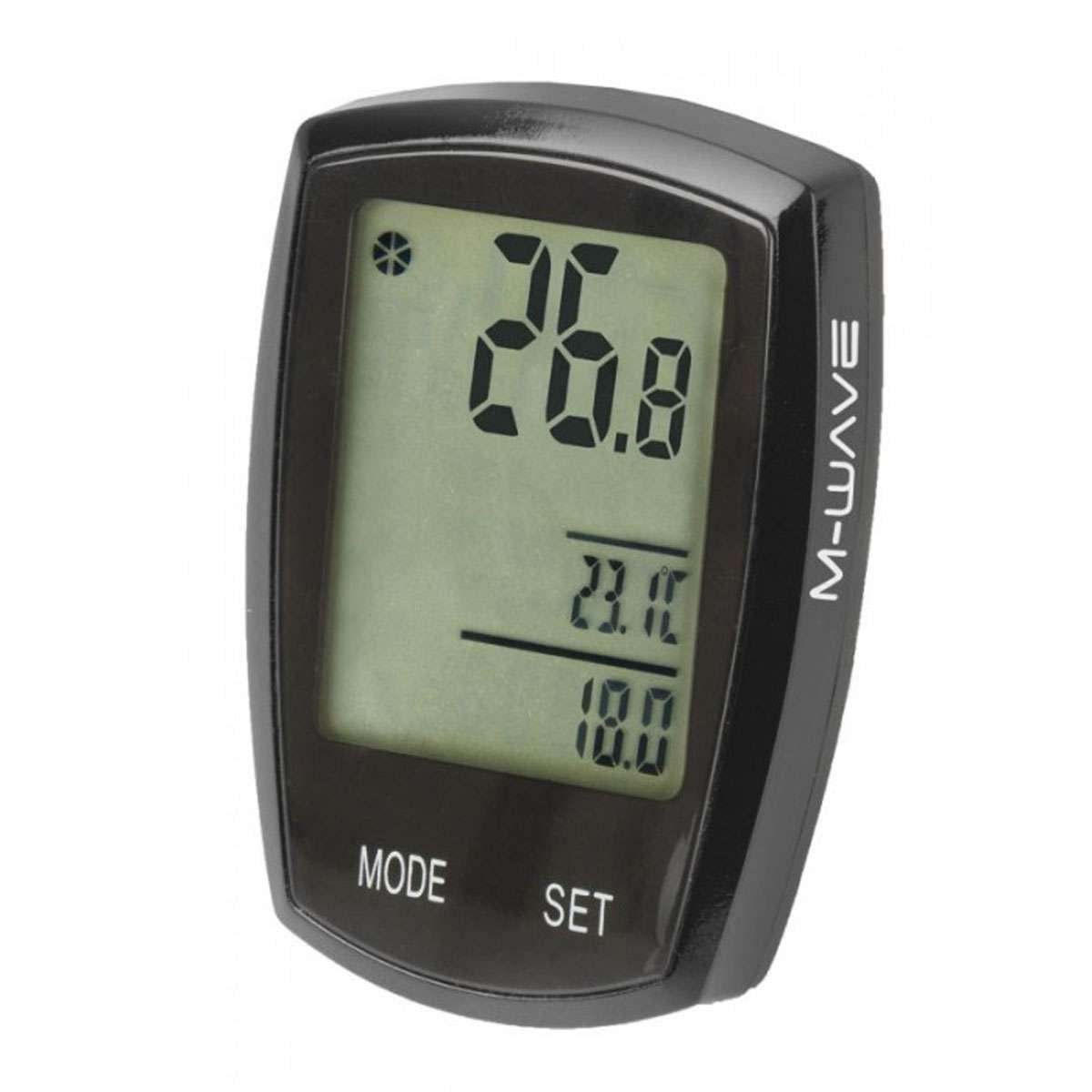
Image: M-Wave M21CW Bicycle Computer display.
5.1. Funkce tlačítek
- Tlačítko MODE:
- Krátký tisk: Cycles through various display functions (e.g., Current Speed, Odometer, Trip Distance, Max Speed, Avg Speed, Riding Time, Clock, Thermometer, Calories, Cadence).
- Dlouhé stisknutí: May activate specific sub-menus or reset certain values depending on the current mode.
- Tlačítko SET:
- Krátký tisk: Used to confirm selections or adjust values during setup.
- Dlouhé stisknutí: Typically used to enter or exit setup mode, or to reset trip data (e.g., trip distance, riding time) when in the corresponding display mode.
5.2. Navigating Functions
From the main display, repeatedly press the MODE tlačítko na view different data points. The display will show one or more functions simultaneously, such as current speed at the top, and other data like trip distance or temperature at the bottom.
5.3. Podsvícení
The M21CW features a backlight for improved visibility. The activation method may vary (e.g., automatic in low light, short press of a button, or a specific button combination). Refer to the quick start guide included with your product for precise instructions.
5.4. Automatické zapnutí/vypnutí
The computer automatically powers on when it detects wheel movement and powers off after a period of inactivity to conserve battery life. No manual intervention is typically required for this function.
6. Údržba
- Čištění: Wipe the computer unit and sensor with a soft, damp hadříkem. Nepoužívejte abrazivní čisticí prostředky, rozpouštědla ani agresivní chemikálie, protože by mohly poškodit displej neboasing.
- Výměna baterie: When the low battery indicator appears on the display, replace the batteries in both the computer unit and the wireless sensor. Ensure you use the correct battery type (Lithium Manganese Dioxide) and observe correct polarity.
- Skladování: If the computer will not be used for an extended period, consider removing the batteries to prevent leakage and damage. Store the unit in a dry, cool place away from direct sunlight.
7. Řešení problémů
- No Speed Display or Incorrect Readings:
- Check the alignment between the wireless sensor and the wheel magnet. Ensure the gap is no more than 5mm.
- Verify that batteries in both the computer unit and the sensor are correctly installed and have sufficient charge. Replace if necessary.
- Ensure the computer unit is securely seated in its mounting bracket.
- Displej nefunguje:
- Check the battery in the computer unit.
- Ensure the unit is properly connected to the mounting bracket.
- Inaccurate Distance or Speed:
- Re-check the wheel circumference setting in the initial setup. An incorrect value will lead to inaccurate measurements.
8. Specifikace
| Funkce | Specifikace |
|---|---|
| Značka | M-Wave |
| Číslo modelu | 244750 |
| Hmotnost položky | 0.09 kg |
| Složení článků baterie | Oxid manganičitý lithný |
| Hodnocení mezinárodní ochrany | IP54 (odolnost proti prachu a stříkající vodě) |
| Vstup lidského rozhraní | Tlačítka |
| Barva | Černý |
9. Záruka a podpora
For detailed warranty information, technical support, or service inquiries regarding your M-Wave M21CW Wireless Bicycle Computer, please refer to the official M-Wave webnebo se obraťte na prodejce, od kterého jste produkt zakoupili. Uschovejte si doklad o koupi pro případ reklamace.