
Zavedení
Thank you for choosing FosPower Kids Bluetooth 5.2 Headphones with LED Cat Ears. These headphones are designed with comfort, safety, and fun in mind, featuring a safe volume limit, versatile connectivity, and a long-lasting battery. This manual provides essential information for setup, operation, and maintenance to ensure optimal performance and enjoyment.
Co je v krabici
- 1x Wireless Cat Ears Headphones
- 1x nabíjecí kabel USB-C
- Audio kabel 1x 3.5mm
- 1x Uživatelská příručka
Vlastnosti produktu
The FosPower Kids Bluetooth Headphones are engineered to provide a safe and enjoyable listening experience for children. Key features include:
- Pohodlí a bezpečnost: Padded ear cushions and an adjustable headband ensure a comfortable fit. A dual safe volume setting allows you to choose between 85dB or 94dB maximum volume to protect young ears.
- Stylový design: Featuring vibrant LED cat ears and ear muffs that add a fun and playful touch.
- Všestranná konektivita: Connect wirelessly via Bluetooth 5.2 for up to 100 hours of play time, or use the included 3.5mm audio cable for a wired connection.
- Vestavěný mikrofon: Enables clear communication for online learning or calls.
- Skládací design: For easy storage and portability, making them ideal for school or travel.

Image: The headphones highlighting padded ear cushions, an adjustable headband, and a foldable design for comfort and durability.

Image: A visual representation of the headphones with vibrant LED cat ears and ear muffs, cushioned padding, dual volume limits, wireless/wired options, built-in microphone, and 100 hours of listening time.
Ovládání je ukončenoview

Image: A detailed diagram illustrating the location and function of all control buttons and ports on the headphones, including the ON/OFF power button, volume controls, track skip buttons, light mode button, built-in microphone, 3.5mm audio port, and USB-C charging port.
Familiarize yourself with the headphone controls for seamless operation:
- Přepínač ON/OFF: Located on the ear cup, slide to power on/off.
- Tlačítko M: Long press to turn off the LED flashing light.
- Tlačítko Přehrát/Pozastavit: Play or pause music, answer or reject calls.
- Zvýšení hlasitosti (+)/Další skladba: Krátkým stisknutím zvýšíte hlasitost, dlouhým stisknutím přejdete na další skladbu.
- Ztlumit hlasitost (-)/Předchozí skladba: Krátkým stisknutím snížíte hlasitost, dlouhým stisknutím přejdete na předchozí skladbu.
- Nabíjecí port USB-C: Pro nabíjení sluchátek.
- 3.5mm audio port: Pro kabelové připojení.
Nastavení
Párování pomocí Bluetooth
- Ujistěte se, že jsou sluchátka plně nabitá.
- Slide the ON/OFF switch to the 'ON' position. The headphones will automatically boot into Bluetooth Mode.
- The LED indicator light will rapidly alternate between blue and green colors, and a voice prompt will announce "Bluetooth Mode".
- On your smart device (phone, tablet, laptop), open the Bluetooth settings and search for available devices.
- Select "CT-7S" from the list. No password is required.
- Upon successful pairing, a voice prompt will announce "Connected", and the LED indicator light will stay blue.
Drátové připojení
If Bluetooth is not available or the battery is low, you can use the included 3.5mm audio cable:
- Zapojte jeden konec 3.5mm audio kabelu do AUX portu na sluchátkách.
- Plug the other end into the audio jack of your device.
- The headphones will now function in wired mode.

Image: Two children wearing the headphones, demonstrating both wireless (Bluetooth) and wired (audio cable) connectivity options.
Návod k obsluze
Volume Limit Adjustment
The headphones offer two safe volume limits (85dB or 94dB). To switch between them, refer to the detailed instructions in the included user manual or the product's online resources.

Image: A graphic illustrating the dual safe volume settings of 85dB and 94dB, emphasizing the hearing protection feature for children.
Ovládání LED světla
To turn the LED flashing lights on or off, long press the 'M' button on the ear cup. The lights will cycle through various colors when active.
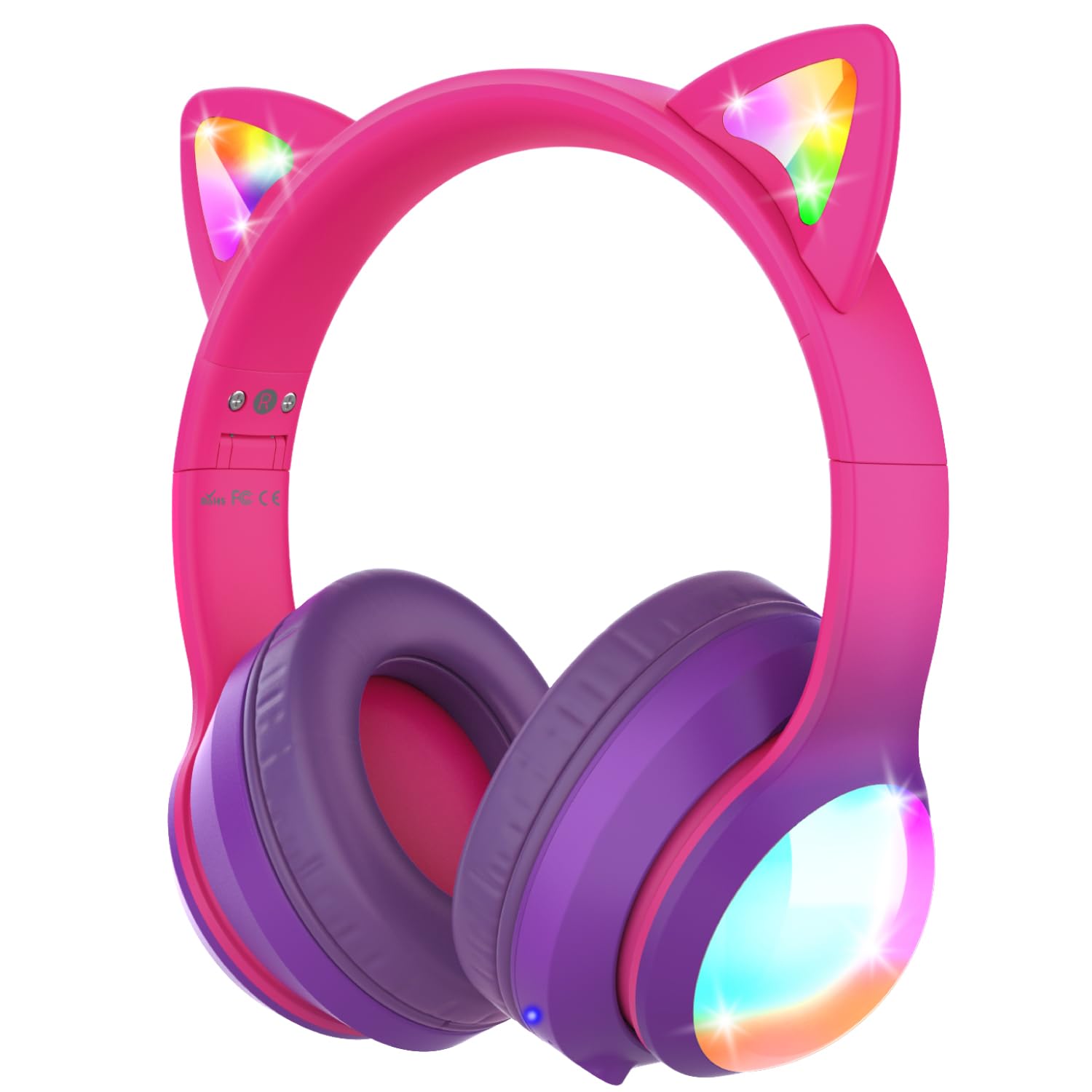
Obrázek: Představení sluchátekasing their vibrant colored LED lights on the cat ears and earcups, making the listening experience fun and stylish.
Music and Call Management
Use the dedicated buttons on the ear cup to control music playback and manage calls as described in the 'Controls Overviewsekce '.
Video: An official product video from FosPower demonstrating the features and usage of the Kids Bluetooth Headphones with LED Cat Ears.
Video: A seller-provided video highlighting the protective decibel limited volume, soft earcups, foldable design, and inline controls of the headphones.
Video: A short seller-provided video showcasing the light-up feature of the Kids Bluetooth Headphones.
Nabíjení
To charge your headphones, connect the included USB-C charging cable to the USB-C port on the headphones and to a compatible USB power source. Charging time is approximately 2 hours. The LED indicator will show charging status (e.g., red for charging, blue for fully charged).
Údržba
- Sluchátka čistěte měkkým, suchým hadříkem. Nepoužívejte agresivní chemikálie ani abrazivní materiály.
- Když sluchátka nepoužíváte, uchovávejte je na chladném a suchém místě.
- Nevystavujte sluchátka extrémním teplotám nebo přímému slunečnímu záření.
- Nepokoušejte se sluchátka rozebírat ani opravovat sami. Mohlo by dojít ke zrušení platnosti záruky.
Odstraňování problémů
No Power/Cannot Turn On
- Ujistěte se, že jsou sluchátka plně nabitá.
- Zkontrolujte, zda je vypínač ZAP/VYP v poloze „ZAPNUTO“.
Nelze spárovat přes Bluetooth
- Ensure the headphones are in Bluetooth pairing mode (LED alternating blue/green).
- Make sure Bluetooth is enabled on your device and it's within range (up to 33 feet).
- Zapomeňte/odeberte sluchátka ze seznamu Bluetooth vašeho zařízení a zkuste je spárovat znovu.
- Zkuste restartovat sluchátka i zařízení.
No Sound in Wired Mode
- Ensure the 3.5mm audio cable is securely plugged into both the headphones and your device.
- Zkontrolujte úroveň hlasitosti na sluchátkách i na připojeném zařízení.
- Test with a different audio cable or device to rule out cable or device issues.
LED světla nefungují
- Ujistěte se, že jsou sluchátka zapnutá.
- Press the 'M' button to cycle through or activate the LED light modes.
- Check battery level; low battery may affect LED functionality.
Specifikace
| Název modelu | FOSHP-2446PA |
| Verze Bluetooth | 5.2 |
| Dosah Bluetooth | 33 stop |
| Životnost baterie | 100 hodiny |
| Doba nabíjení | 2 hodiny |
| Kontrola hluku | Pasivní potlačení hluku |
| Jack pro sluchátka | Zásuvka 3.5 mm |
| Materiál | Leather, Polycarbonate (PC) |
| Hmotnost položky | 11.7 unce |
Záruka a podpora
FosPower offers a Omezená doživotní záruka for this product. For any support needs, please contact our experienced and dedicated USA-based customer service team. Refer to the included user manual for specific contact information or visit the official FosPower webmísto.