
Altec Lansing HydraJolt 2.0
Uživatelská příručka k magnetickému Bluetooth reproduktoru Altec Lansing HYDRAJOLT 2.0
Model: HydraJolt 2.0
Zavedení
Thank you for choosing the Altec Lansing HYDRAJOLT 2.0 Magnetic Bluetooth Speaker. This manual provides essential information for setting up, operating, and maintaining your speaker to ensure optimal performance and longevity. Please read this manual thoroughly before using the product.
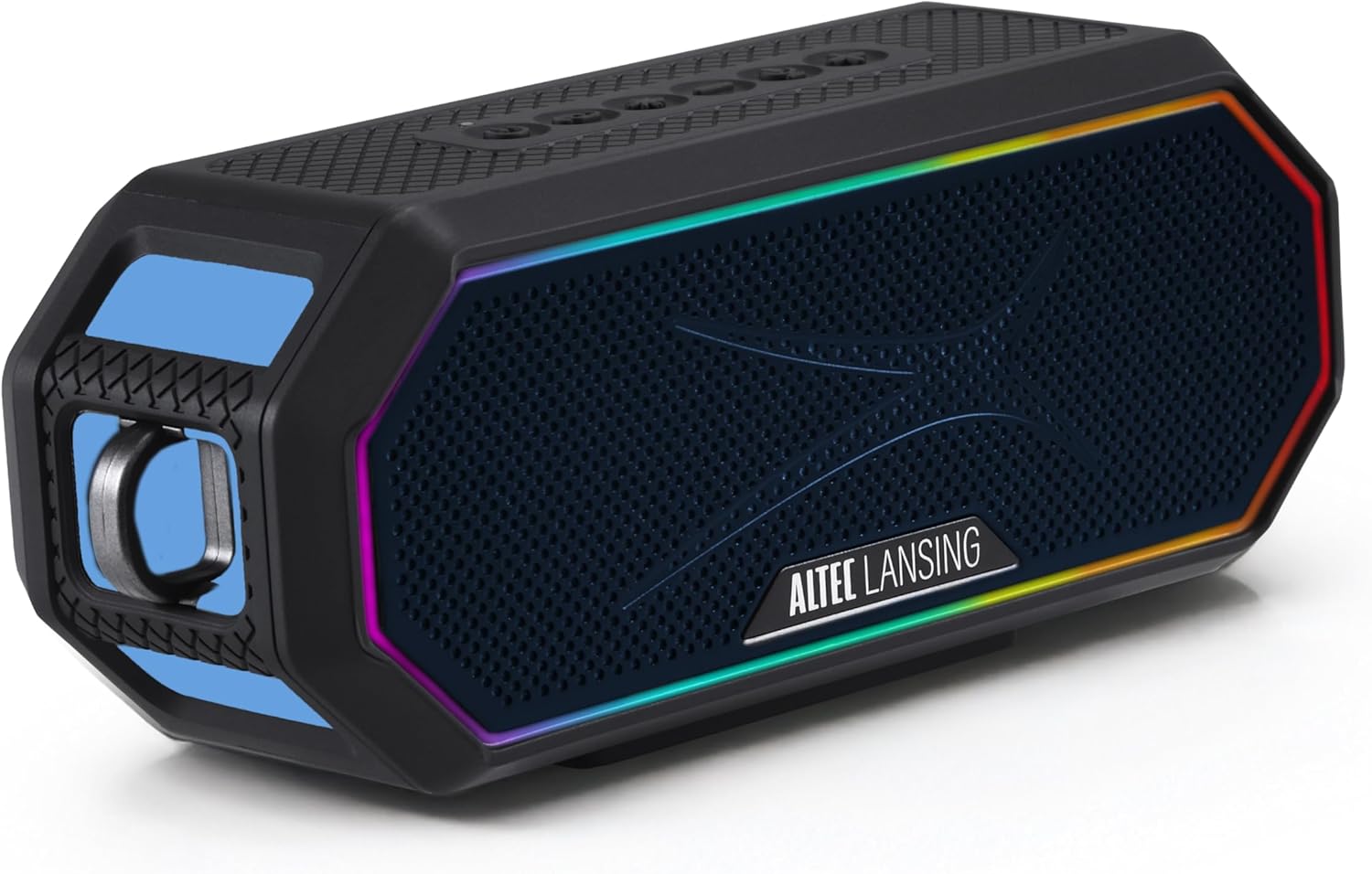
Image: The Altec Lansing HYDRAJOLT 2.0 speaker, showcasing its hexagonal design and vibrant multicolor LED lighting around the speaker grille.
Obsah balení
Ujistěte se, že máte v balení všechny položky:
- Altec Lansing HYDRAJOLT 2.0 Speaker
- Nabíjecí kabel USB-C
- Mountable Carabiner Clip
- Držák reproduktoru
- Uživatelská příručka (tento dokument)
Nastavení
Nabíjení reproduktoru
Before first use, fully charge your HYDRAJOLT 2.0 speaker. The speaker features a USB-C quick charge port.
- Locate the USB-C charging port on the speaker, typically protected by a rubber flap.
- Open the rubber flap to expose the port.
- Připojte dodaný kabel USB-C k nabíjecímu portu reproduktoru.
- Druhý konec kabelu USB-C připojte ke kompatibilnímu napájecímu adaptéru USB (není součástí balení) nebo k portu USB počítače.
- Rozsvítí se kontrolka nabíjení. Úplné nabití trvá přibližně 3 hodiny.
- Once fully charged, the indicator light will change or turn off, depending on the model. Disconnect the charging cable and close the rubber flap to maintain IP67 waterproof integrity.

Obrázek: Podrobný view of the speaker's charging and power bank ports, showing the USB-C input and USB-A output, both covered by a protective flap.
Párování pomocí Bluetooth
Spárujte reproduktor se zařízením s podporou Bluetooth pro bezdrátové přehrávání zvuku.
- Power on the speaker by pressing and holding the Power button until you hear an audible cue or see the LED indicator light up.
- Reproduktor se automaticky přepne do režimu párování Bluetooth, což bude signalizováno blikající LED kontrolkou (často modrou).
- On your smartphone, tablet, or other Bluetooth device, navigate to the Bluetooth settings.
- Select "HYDRAJOLT 2.0" from the list of available devices.
- Once connected, the speaker will provide an audible confirmation, and the LED light will become solid or flash differently.
- Your speaker is now ready for audio playback.
Návod k obsluze
Funkce tlačítek
The HYDRAJOLT 2.0 features intuitive top-panel controls:

Image: A close-up of the speaker's top control panel, clearly labeling the functions of each button: ON/OFF, PAIRING, LED LIGHT MODES, VOLUME DOWN, VOICE ASSISTANT, and VOLUME UP.
- Zapnutí/vypnutí: Stiskněte a podržte tlačítko napájení (⏻) pro zapnutí nebo vypnutí reproduktoru.
- Zvýšení/Snížení hlasitosti: Stiskněte tlačítko + button to increase volume, and the - tlačítko pro snížení hlasitosti.
- Přehrát/pozastavit: Press the Play/Pause button (often integrated with the Power button or a separate icon) to control playback.
- LED světelné režimy: Press the Light Mode button (often indicated by a lightbulb icon) to cycle through various multicolor LED lighting effects.
- Hlasový asistent: Press the Voice Assistant button (often indicated by a microphone icon) to activate your device's voice assistant (Siri or Google Assistant).
- Bluetooth párování: Press the Pairing button (often indicated by a Bluetooth icon) to enter pairing mode or clear existing pairings.
Party Sync Feature
The Party Sync feature allows you to connect over 100 HYDRA speakers together for an expansive audio experience.
- Ensure all speakers are powered on and not currently paired with any device.
- On the first speaker (the master speaker), press and hold the Party Sync button (refer to your speaker's specific button layout if not labeled).
- Once the master speaker is in Party Sync mode, activate Party Sync on all other speakers you wish to connect.
- The speakers will automatically connect to each other. The LED indicators will confirm successful connection.
- Pair your device to the master speaker via Bluetooth. Audio will now play across all connected speakers.
Možnosti montáže
The HYDRAJOLT 2.0 offers versatile mounting options:
- Vestavěné magnety: Securely attach the speaker to any metal surface for hands-free listening.
- Karabinový klip: Use the included mountable carabiner clip to hang the speaker from bags, loops, or other fixtures.
- Speaker Mount: Utilize the included mount for attachment to handlebars, poles, or similar structures.

Image: The Altec Lansing HYDRAJOLT 2.0 speaker demonstrating its strong magnetic attachment to a metal surface, highlighting its versatile placement.

Image: The Altec Lansing HYDRAJOLT 2.0 speaker attached to a mount, with a carabiner clip visible, illustrating its adaptability for various uses.
Údržba
Waterproof and Durability Features
The HYDRAJOLT 2.0 is designed for rugged use with an IP67 rating, meaning it is waterproof, dustproof, and shockproof. It can even float in water.
- Voděodolnost (IP67): The speaker can be submerged in water up to 1 meter for 30 minutes. Ensure all port covers are securely closed before exposure to water.
- Prachotěsný: Protected against ingress of dust.
- Nárazuvzdorné: Designed to withstand drops and impacts from normal use.

Image: The Altec Lansing HYDRAJOLT 2.0 speaker demonstrating its IP67 waterproof capability, floating on water.
Čištění a skladování
- To clean, wipe the speaker with a soft, damp tkanina. Nepoužívejte agresivní chemikálie nebo abrazivní čisticí prostředky.
- Ensure the speaker is completely dry before charging or opening any port covers.
- Reproduktor skladujte na chladném a suchém místě mimo dosah přímého slunečního záření a extrémních teplot.
Odstraňování problémů
| Problém | Možná příčina | Řešení |
|---|---|---|
| Reproduktor se nezapne. | Slabá baterie. | Plně nabijte reproduktor. |
| Nelze spárovat přes Bluetooth. | Reproduktor není v režimu párování; Bluetooth zařízení je vypnuté; zařízení je příliš daleko. | Ensure speaker is in pairing mode (flashing LED). Turn device Bluetooth off/on. Move speaker closer to device (within 100ft). Clear previous pairings. |
| Žádný zvuk nebo nízká hlasitost. | Příliš nízká hlasitost reproduktoru nebo zařízení; nesprávný zdroj zvuku. | Zvyšte hlasitost na reproduktoru i připojeném zařízení. Ujistěte se, že je na zařízení vybrán správný zvukový výstup. |
| Party Sync not working. | Speakers not in Party Sync mode; too many speakers connected. | Ensure all speakers are in Party Sync mode. Verify no more than 100 speakers are attempting to connect. |
Specifikace
| Funkce | Detail |
|---|---|
| Název modelu | HydraJolt 2.0 |
| Výstupní výkon | 12 Watts (6W x 2 RMS) |
| Životnost baterie | Až 16 hodin |
| Doba nabíjení | Approximately 3 Hours (USB-C Quick Charge) |
| Bezdrátové Dosah | Up to 100ft (Bluetooth) |
| Voděodolnost | IP67 (Waterproof, Dustproof, Shockproof, Floats) |
| Konektivita | Bluetooth |
| Speciální funkce | Built-in Microphone, Party Sync, Multicolor LED, Magnetic Mounting |
| Rozměry produktu | 7.6"H x 3.2"Š x 4.6"V |
| Hmotnost položky | 1.7 libry |
Záruka a podpora
Altec Lansing products come with a limited warranty. For detailed warranty information, product registration, or technical support, please visit the official Altec Lansing webnebo kontaktujte jejich zákaznický servis.
Můžete také navštívit Obchod Altec Lansing na Amazonu pro více informací a nabídku produktů.
Oficiální videa produktů
No official seller instruction videos are available for embedding at this time based on the provided criteria.
Ask a question about this manual
Ask about setup, troubleshooting, compatibility, parts, safety, or missing instructions. Manuals+ will review the question and use this page’s manual context to help answer it.