
STRONG SRT32HG6733C
STRONG SRT32HG6733C 32-inch HD Android Smart TV User Manual
Model: SRT32HG6733C
Zavedení
This manual provides essential information for the setup, operation, and maintenance of your STRONG SRT32HG6733C 32-inch HD Android Smart TV. Please read these instructions carefully before using the product to ensure proper functionality and safety.
Co je v krabici
Po vybalení zkontrolujte, zda jsou všechny níže uvedené položky přítomny a v dobrém stavu:
- STRONG SRT32HG6733C TV Unit
- Remote control with voice recognition
- 2 x AAA baterie
- Uživatelská příručka (tento dokument)

Image: The STRONG SRT32HG6733C TV unit with its central stand, remote control, and included accessories.
Nastavení
1. Připevnění stojanu
Carefully place the TV screen-down on a soft, clean surface to prevent scratches. Align the central stand with the mounting holes on the bottom of the TV. Secure the stand using the provided screws. Ensure the stand is firmly attached before proceeding.

Obrázek: Zadní view of the TV showing the central stand attachment points and various input ports.
2. Připojení napájení
Zapojte napájecí kabel do vstupu napájení televizoru a poté do zásuvky ve zdi. Televizor přejde do pohotovostního režimu.
3. Počáteční nastavení a síťové připojení
Upon first power-on, the TV will guide you through the initial setup process. This includes language selection, country, and network connection. For optimal Smart TV functionality, connect to your Wi-Fi network. You can also connect via an Ethernet cable for a stable wired connection.

Image: The TV screen displaying connectivity options, highlighting Wi-Fi and Bluetooth symbols.
Návod k obsluze
Základní funkce
- Zapnutí/vypnutí: Stiskněte tlačítko napájení na dálkovém ovladači nebo na televizoru.
- Výběr kanálu: Use the CH+/- buttons or the number pad on the remote.
- Ovládání hlasitosti: Použijte tlačítka VOL+/-.
- Vstupní zdroj: Press the SOURCE button to select between HDMI, AV, DVB-T/T2, DVB-C, DVB-S/S2 inputs.
Funkce chytré televize (Google TV)
Your TV runs on Google TV, providing access to a wide range of applications and services.
- Domovská obrazovka: Access your favorite apps, movies, and shows directly from the customizable home screen.
- Streamovací aplikace: Pre-installed apps include Netflix, Prime Video, YouTube, and Disney+. Additional apps can be downloaded from the Google Play Store.
- Asistent Google: Use the voice recognition remote to control your TV, search for content, and get information by pressing the Google Assistant button and speaking your command.
- Google Cast: Stream content from your compatible smartphone or tablet directly to the TV.

Image: The TV screen showing the Google TV interface with icons for Netflix, YouTube, Prime Video, Disney+, and other streaming services.

Image: A user holding the voice-controlled remote, with a visual representation of Google Assistant responding to a voice command on the TV screen.
Konektivita
Televizor nabízí různé porty pro připojení externích zařízení:
- HDMI porty (x2): Připojte přehrávače Blu-ray, herní konzole nebo jiná zařízení s rozhraním HDMI.
- USB port (x1): Přehrát média file(fotografie, videa, hudbu) z paměťového zařízení USB.
- Ethernetový port (RJ45): Pro kabelové připojení k internetu.
- Antenna (ANT in) / Satellite (SAT in) Inputs: Connect your terrestrial or satellite antenna for live TV.
- CI slot: Pro moduly podmíněného přístupu (CAM) k dešifrování šifrovaných kanálů.
- SPDIF výstup: Pro digitální audio výstup do soundbaru nebo systému domácího kina.
- AV vstup: Pro připojení starších zařízení používajících kompozitní video a stereo audio.
- Sluchátkový výstup: Pro připojení sluchátek.

Obrázek: Detailní zadní část view of the TV highlighting all available input and output ports, including AV in, HDMI, USB, Ethernet, S/PDIF, ANT in, SAT in, CI slot, and Headphone output.
Video: Krátká předmluvaview demonstrating the TV's use in a mobile setting, such as a camper van, showing its compact size and clear display for entertainment on the go.
Údržba
Čištění televizoru
Obrazovku jemně otřete měkkým hadříkem, který nepouští vlákna. V případě odolných skvrn ji lehce otřete.ampen the cloth with water or a screen-cleaning solution. Avoid using harsh chemicals or abrasive materials. Clean the TV casinsuchým, měkkým hadříkem.
Aktualizace softwaru
Your Android TV may receive software updates periodically. Ensure your TV is connected to the internet to receive these updates. Updates can improve performance, add new features, and enhance security. You can check for updates manually in the TV's settings menu.
Odstraňování problémů
| Problém | Možné řešení |
|---|---|
| Žádná síla | Zkontrolujte, zda je napájecí kabel bezpečně zapojený do televizoru a do zásuvky. Ujistěte se, že je zásuvka funkční. |
| Žádný obraz, ale zvuk je přítomný | Ověřte, zda je vybrán správný vstupní zdroj. Zkontrolujte připojení kabelů k externím zařízením. |
| Žádný zvuk, ale obraz je přítomen | Check the volume level and mute status. Ensure audio cables are correctly connected if using external speakers. |
| Dálkové ovládání nefunguje | Vyměňte baterie. Ujistěte se, že mezi dálkovým ovladačem a infračerveným senzorem televizoru nejsou žádné překážky. |
| Nelze se připojit k Wi-Fi | Ujistěte se, že je váš router zapnutý a funkční. Znovu zadejte heslo k Wi-Fi. Zkuste restartovat televizor i router. |
| Aplikace chytré televize jsou pomalé nebo nereagují | Check your internet connection speed. Close unused applications. Restart the TV. |
Specifikace
| Funkce | Detail |
|---|---|
| Číslo modelu | SRT32HG6733C |
| Velikost obrazovky | 32 palců (81 cm) |
| Technologie displeje | LED |
| Rezoluce | HD Ready (1366 x 768p) |
| Operační systém | Google TV |
| Konektivita | Wi-Fi, Bluetooth, 2x HDMI, 1x USB, Ethernet (RJ45), AV In, SPDIF, ANT in, SAT in, CI Slot |
| Tunery | DVB-T/T2, DVB-C, DVB-S/S2 (HEVC 265 codec) |
| Speciální funkce | Google Assistant, Google Cast, Dolby Audio |
| Rozměry (Š x H x V) | 71.8 x 22.3 x 45.2 cm (s podstavcem) |
| Zahrnuté komponenty | TV, Voice Remote, 2x AAA Batteries, Manual |
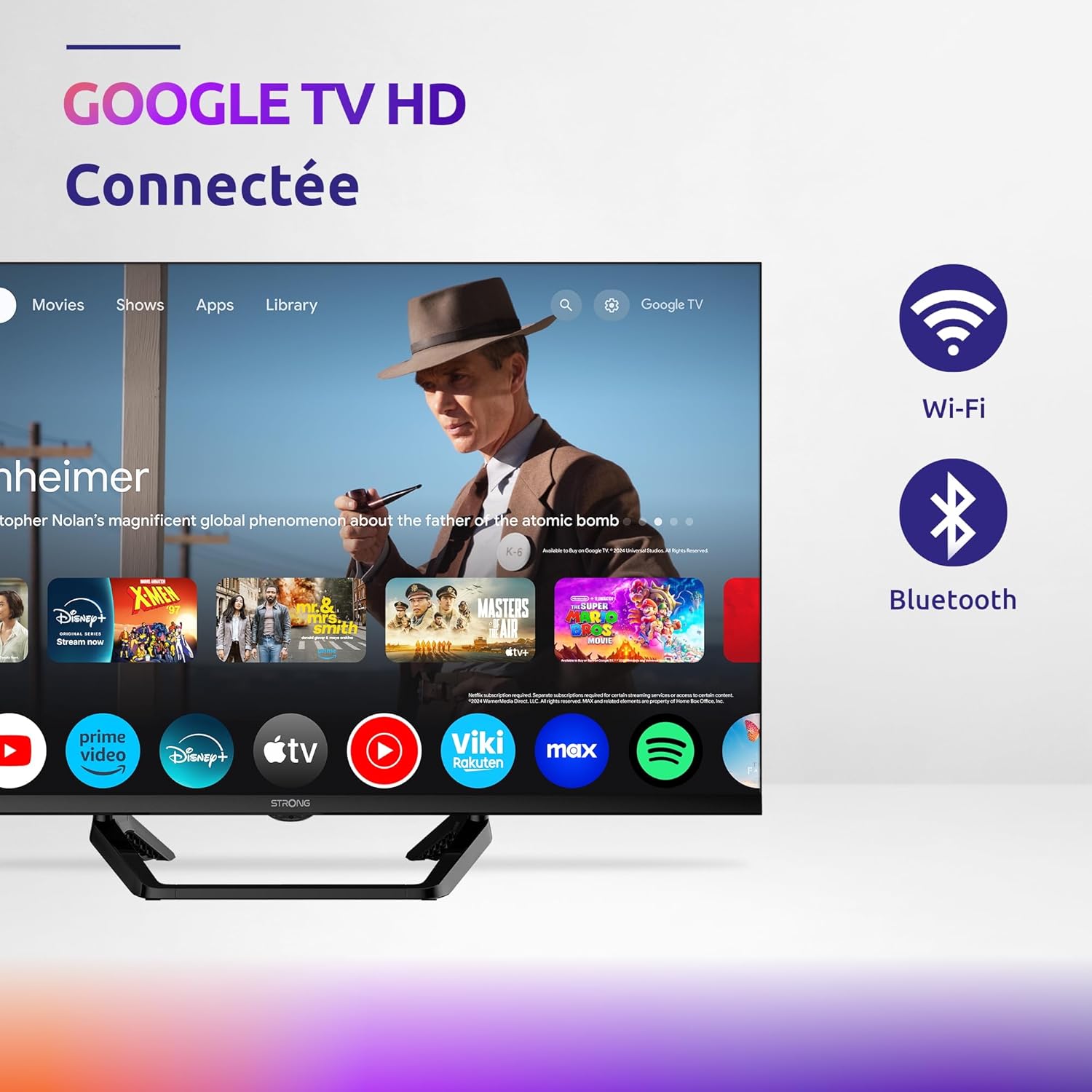
Image: Diagram showing the dimensions of the STRONG SRT32HG6733C TV, including width, height, and depth with the central stand.
Záruka a podpora
This product comes with a manufacturer's warranty of 24 months. For warranty claims or technical support, please refer to the contact information provided on the official STRONG webwebu nebo v dokumentaci k nákupu.
For frequently asked questions and additional resources, visit the STRONG Brand Store.


Images: Icons representing warranty information and frequently asked questions.
Ask a question about this manual
Ask about setup, troubleshooting, compatibility, parts, safety, or missing instructions. Manuals+ will review the question and use this page’s manual context to help answer it.