
1. Úvod
This manual provides detailed instructions for the safe and efficient use of your Linkind Plug Remote. This device is designed to offer convenient control over Linkind/AiDot Smart Plugs, enabling easy management of your smart home devices.
2. Bezpečnostní informace
Please read all safety instructions before using the product. Failure to follow these instructions may result in electric shock, fire, or other hazards.
- Udržujte zařízení mimo dosah vody a vysoké vlhkosti.
- Nepokoušejte se zařízení rozebírat nebo opravovat.
- Používejte pouze specifikovaný typ baterie (CR2032).
- Udržujte baterie mimo dosah dětí.
3. Obsah balení
Ověřte, zda jsou v balení přítomny všechny položky:
- Linkind Plug Remote
- Nástěnná deska
- Baterie CR2032 (předinstalovaná nebo dodávaná samostatně)
- Mounting Screws and Adhesive
- Icon Stickers for Customization
4. Nastavení
4.1. Instalace baterie
The Linkind Plug Remote uses one CR2032 button battery. If not pre-installed, open the battery compartment on the back of the remote and insert the battery with the positive (+) side facing up. Close the compartment securely.
Video: Demonstrates the unboxing and battery installation process for the Linkind Smart Plug Remote.
4.2. Pairing the Remote with Smart Plugs
Follow these steps to pair your Linkind Plug Remote with compatible smart plugs:
- Press any button on the remote control three times. The red light on the remote will start blinking, indicating pairing mode.
- Plug in the smart plug you wish to pair.
- Press and hold the button on the smart plug for 5 seconds. The green and yellow lights on the plug will flash.
- Once successfully paired, the green light on the plug will flash twice.

Image: Visual guide for pairing the Linkind Plug Remote with a smart plug.
4.3. Kompatibilita aplikací
The Linkind Plug Remote is exclusively compatible with the Linkind Official App, AiDot. Ensure you have the AiDot app installed on your smartphone for advanced control and customization. Other smart home platforms like Alexa, Google Home, and SmartThings are not directly supported by the remote itself, but Linkind/AiDot smart plugs may have broader compatibility.

Image: Illustrates the exclusive compatibility of the remote with the AiDot app.
5. Návod k obsluze
The Linkind Plug Remote offers versatile control options for your smart plugs.
5.1 Základní ovládání zapnutí/vypnutí
Each key on the remote can be configured to turn a specific smart plug or group of plugs on or off. Simply press the assigned button to toggle the power state of your connected devices.
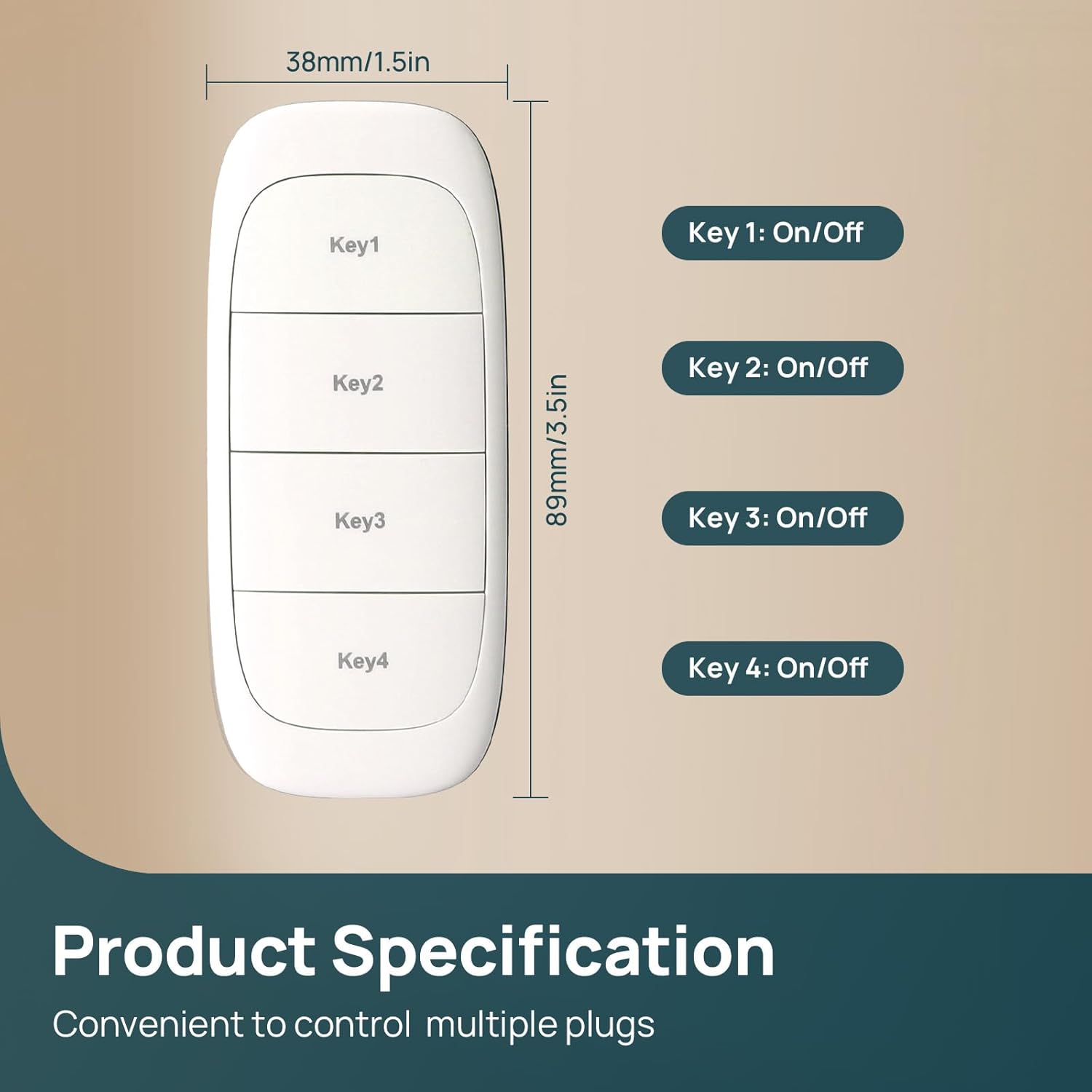
Obrázek: Overview of the remote's keys and their basic On/Off function.
5.2. Skupinová kontrola
You can configure the remote to control multiple smart plugs simultaneously with a single press. This allows for customized control of various devices in a room or area.

Image: Demonstrates how one remote can control multiple smart outlets for group control.
5.3. Separate Control
Each button can also be assigned to control individual smart plugs, allowing for precise management of specific devices. This is useful for controlling a lamp, humidifier, or Christmas lights independently.

Obrázek: Přamples of separate control for various household items using smart plugs.
5.4. Wide Range Control
The Linkind Plug Remote offers an impressive RF range of up to 98 feet (approximately 30 meters), ensuring reliable control even from distant rooms or outdoor spaces within your home.

Image: Visual representation of the remote's wide wireless range within a home environment.
Video: Showcases the Linkind smart plugs and remote in a festive Christmas setting, demonstrating ease of use.
6. Údržba
6.1. Výměna baterie
The CR2032 battery is designed to last up to one year under normal usage. When the remote's indicator light no longer illuminates or the remote becomes unresponsive, it's time to replace the battery. Carefully open the battery compartment on the back of the remote and replace the old battery with a new CR2032 battery, ensuring correct polarity.
7. Řešení problémů
If you encounter issues with your Linkind Plug Remote, refer to the following common solutions:
- Vzdálené nereaguje: Check the battery. Replace the CR2032 battery if necessary.
- Zástrčka nereaguje: Ensure the smart plug is powered on and within the remote's 98ft RF range. Re-pair the remote with the smart plug if the issue persists.
- Lepící tlačítka: Occasionally, buttons may stick due to manufacturing tolerances. Ensure you press the buttons directly and firmly.
- Zpožděná odpověď: While generally quick, occasional short delays may occur depending on environmental factors or network conditions.
- Problémy s připojením aplikace: Ensure your smartphone has a stable internet connection and the AiDot app is up to date.
8. Specifikace
| Funkce | Specifikace |
|---|---|
| Rozměry produktu | 2.4 x 2.4 x 2.4 palce |
| Hmotnost položky | 1.44 unce |
| Číslo modelu položky | LC2300284 |
| Baterie | Vyžaduje 1 CR2032 baterie (součástí balení) |
| Speciální funkce | Group Control, Remote Control, Separate Control |
| Barva | Bílý |
| Maximální počet podporovaných zařízení | 1 (per button, multiple plugs can be grouped) |
| Kompatibilní zařízení | Linkind/AiDot Smart Plug |
9. Záruka a podpora
For warranty information and technical support, please refer to the official Linkind webnebo se obraťte na jejich zákaznický servis. Uschovejte si doklad o koupi pro případ reklamace.