
Walfront PM6508
PM6508 Digital Humidity and Temperature Meter User Manual
Model: PM6508 | Brand: Walfront
Zavedení
This user manual provides detailed instructions for the operation and maintenance of the Walfront PM6508 Digital Humidity and Temperature Meter. This device is designed for accurate measurement of ambient temperature, humidity, dew point temperature, and wet bulb temperature. Please read this manual thoroughly before use to ensure proper operation and to prevent damage.
Bezpečnostní informace
- Nepokoušejte se měřič rozebírat nebo upravovat.
- Keep the device away from water and high humidity environments unless specified for such use.
- Avoid exposing the sensor to direct sunlight or extreme temperatures.
- Pokud zařízení nebudete delší dobu používat, vyjměte baterie, abyste zabránili jejich vytečení.
- Baterie a zařízení zlikvidujte v souladu s místními předpisy.
Konec produktuview
The PM6508 is an ergonomic, handheld digital meter featuring a clear LCD backlight display and intuitive button controls.

This image displays the front of the PM6508 meter, highlighting its orange protective casing, the black control panel, and the LCD screen. The screen shows current humidity and temperature readings. Below the screen are the power button, backlight button, unit conversion button (°C/°F), memory button (MEM), data hold button (H), dew point/wet bulb button (DP/WB), MIN/MAX button, and READ button. The sensor probe is visible at the top.
Komponenty:
- LCD displej: Shows humidity, temperature, and other indicators.
- Humidity/Temperature Sensor: Located at the top of the device, protected by a cover.
- Ovládací tlačítka:
- Vypínač: Zapíná/vypíná zařízení.
- Tlačítko podsvícení: Aktivuje/deaktivuje podsvícení displeje.
- Tlačítko °C/°F: Přepíná mezi jednotkami teploty Celsia a Fahrenheita.
- Tlačítko MEM: Accesses stored data records.
- Tlačítko H: Funkce uchování dat.
- Tlačítko DP/WB: Přepíná mezi zobrazením rosného bodu a teploty mokrého teploměru.
- Tlačítko MIN/MAX: Displays minimum and maximum recorded values.
- Tlačítko ČTENÍ: Used for reading stored data.
- Přihrádka na baterie: Nachází se na zadní straně zařízení.
Nastavení
Instalace baterie:
- Locate the battery compartment cover on the back of the PM6508 meter.
- Posuňte kryt dolů a otevřete přihrádku.
- Insert four (4) AAA dry batteries (24A, LR03) into the compartment, ensuring correct polarity (+/-).
- Zavřete kryt přihrádky na baterie posunutím nahoru, dokud nezacvakne.
Poznámka: Batteries are not included with the device. A low battery indicator will appear on the display when battery power is low.

This image provides a dual view of the PM6508 meter, displaying both its front and back. The back view clearly shows the battery compartment cover and a "Q.C. PASSED" sticker, indicating quality control. This view is useful for understanding how to access and install batteries.
Návod k obsluze
Zapnutí/vypnutí:
- Stiskněte tlačítko Tlačítko napájení pro zapnutí měřiče.
- Stiskněte a podržte Tlačítko napájení for approximately 2 seconds to turn the meter off.
- The device has an automatic shutdown function to conserve battery life.
Měření:
- Once powered on, the meter will immediately begin displaying ambient humidity and temperature readings.
- Ensure the sensor probe at the top of the device is exposed to the environment you wish to measure.
- Allow a few moments for the readings to stabilize, especially when moving between environments with different conditions. The update rate is approximately 400ms.
Změna teplotních jednotek (°C/°F):
- Stiskněte tlačítko Tlačítko ° C / ° F to toggle the temperature display between Celsius (°C) and Fahrenheit (°F).
Dew Point and Wet Bulb Temperature:
- Stiskněte tlačítko DP/WB Button to cycle through the display modes: Ambient Temperature, Dew Point Temperature, and Wet Bulb Temperature.
Uchování dat (H):
- Stiskněte tlačítko Tlačítko H to freeze the current readings on the display. The "H" icon will appear.
- Stiskněte tlačítko Tlačítko H again to release the data hold and resume live readings.
Minimum/Maximum Readings (MIN/MAX):
- Stiskněte tlačítko Tlačítko MIN/MAX once to display the maximum recorded values (MAX icon).
- Stiskněte tlačítko Tlačítko MIN/MAX again to display the minimum recorded values (MIN icon).
- Stiskněte tlačítko Tlačítko MIN/MAX a third time to exit MIN/MAX mode and return to live readings.
Memory Storage (MEM) and Recall:
- The meter has a capacity to store up to 99 records.
- To save a current reading, press and hold the Tlačítko MEM.
- Chcete-li vyvolat uložená data, stiskněte tlačítko Tlačítko MEM briefly. Use the READ Button or arrow keys (if available, not explicitly shown but implied by "READ") to navigate through the stored records.
Funkce podsvícení:
- Stiskněte tlačítko Tlačítko podsvícení to illuminate the LCD display for better visibility in low-light conditions.
- Stiskněte tlačítko Tlačítko podsvícení znovu pro vypnutí podsvícení.
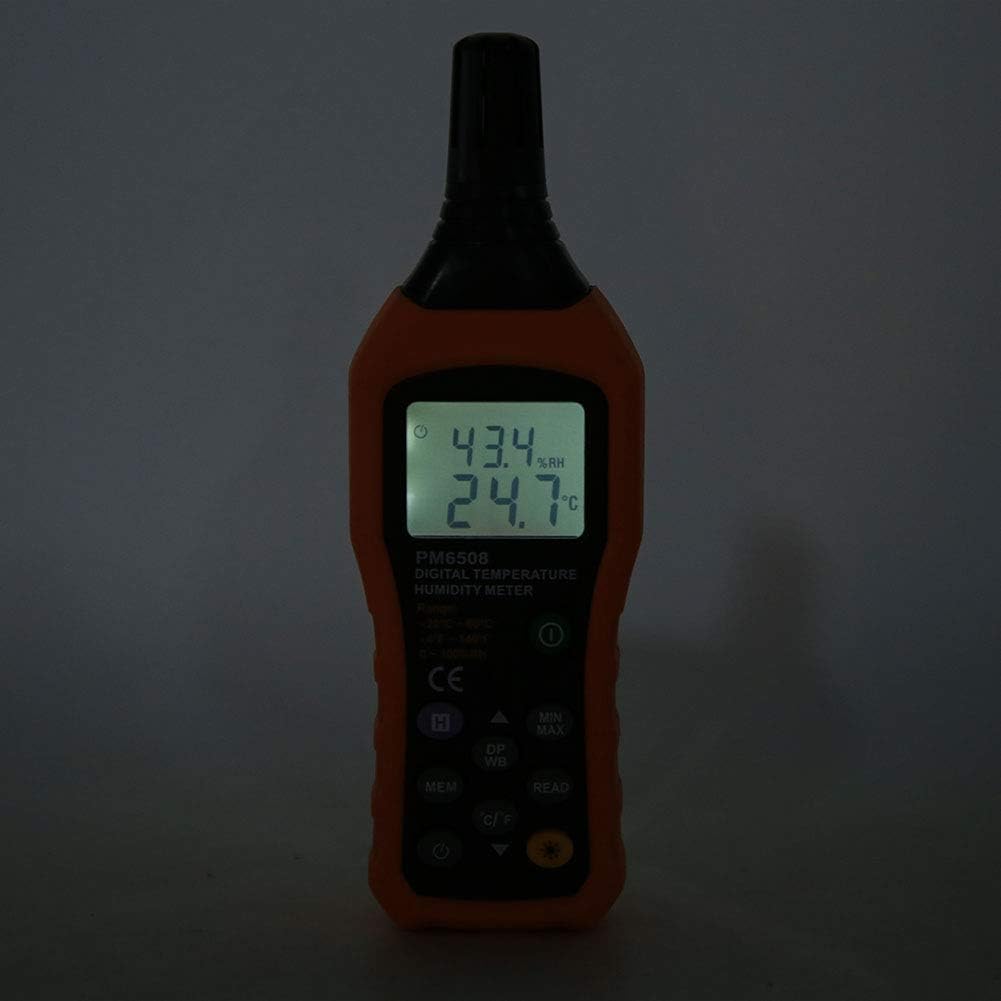
This image shows the PM6508 meter in a dark environment with its LCD backlight turned on. The illuminated display clearly shows the humidity and temperature readings, demonstrating the effectiveness of the backlight feature for use in low-light conditions.
Údržba
Čištění:
- Otřete c měřičeasing s měkkým, damp tkanina. Nepoužívejte abrazivní čisticí prostředky nebo rozpouštědla.
- Keep the sensor area clean and free from dust or debris. Do not insert objects into the sensor opening.
Skladování:
- Měřič skladujte na chladném a suchém místě, mimo dosah přímého slunečního záření a extrémních teplot.
- Pokud zařízení skladujete delší dobu, vyjměte baterie, abyste zabránili vytečení a možnému poškození zařízení.
- Utilize the provided protective holster/bag for storage to prevent physical damage.
Odstraňování problémů
| Problém | Možná příčina | Řešení |
|---|---|---|
| Měřič se nezapne. | Vybité nebo nesprávně vložené baterie. | Zkontrolujte polaritu baterií. Vyměňte za nové baterie AAA. |
| Nepřesné údaje. | Sensor obstructed or dirty; rapid environmental changes; device not calibrated. | Clean the sensor. Allow time for readings to stabilize. Ensure sensor is exposed to the correct environment. If issues persist, contact support. |
| Displej je tlumený nebo bliká. | Slabá baterie. | Vyměňte baterie. |
| Cannot recall stored data. | No data saved; incorrect button sequence. | Ensure data was saved. Refer to "Memory Storage" section for correct recall procedure. |
Specifikace
| Parametr | Hodnota |
|---|---|
| Model | PM6508 (Item model number: WALFRONTinpedoqgs5) |
| Rozsah okolní teploty | -20 až 60 °C (-4 až 140 °F) |
| Přesnost okolní teploty | ±1.0°C (0 to 45°C), ±1.5°C (-20 to 0°C, 45 to 60°C) |
| Ambient Temperature Resolution | 0.1 °C/°F |
| Rozsah RH | 0-100% RH |
| Přesnost RH | ±3.0% RH (20% to 80%), ±4.0% RH (0% to 20%, 80% to 100%) |
| RH rozlišení | 0.1 % |
| Rozsah teplot mokrého teploměru | -20 až 60 °C (-4 až 140 °F) |
| Přesnost teploty mokrého teploměru | ±1°C (0 to 45°C), ±1.5°C (-20 to 0°C, 45 to 60°C) |
| Wet Bulb Temperature Resolution | 0.1 °C/°F |
| Dew-point Temperature Range | -50 až 60 °C (-58 až 140 °F) |
| Dew-point Temperature Accuracy | ±1°C (0 to 45°C), ±1.5°C (-50 to 0°C, 45 to 60°C) |
| Dew-point Temperature Resolution | 0.1 °C/°F |
| Aktualizovat rychlost | 400 ms |
| Number of Storage Records | 99 |
| Napájení | 4 * AAA dry Batteries (not included) |
| Životnost baterie | 200 hodin |
| Hmotnost | Přibl. 261 g / 9.2 oz |
| Rozměry | Přibližně 184 * 60 * 29 mm / 7.2 * 2.4 * 1.1 palce |
| Výrobce | WALFRONT |
| Země původu | Čína |
Záruka a podpora
For product support, technical assistance, or warranty inquiries, please contact Walfront customer service through the retailer where the product was purchased or visit the official Walfront store page on Amazon: Walfront Amazon Store.
Uschovejte si prosím doklad o koupi jako doklad o koupi pro případné reklamace.
Ask a question about this manual
Ask about setup, troubleshooting, compatibility, parts, safety, or missing instructions. Manuals+ will review the question and use this page’s manual context to help answer it.