
RENAISSER Raphael 510
Uživatelská příručka k stylusu RENAISSER
Model: Raphael 510
Zavedení
The RENAISSER Raphael 510 Stylus Pen is designed to provide a smooth and precise writing and drawing experience on compatible Microsoft Surface and other devices. Featuring advanced palm rejection, 1024 pressure points, and convenient USB-C fast charging, this stylus enhances your productivity and creativity. This manual provides essential information for setting up, operating, maintaining, and troubleshooting your stylus pen.
Co je v krabici
Carefully unbox your RENAISSER Raphael 510 Stylus Pen and ensure all components are present:
- 1 x RENAISSER Stylus Pen
- 2 x náhradní hroty
- Záruční list
- No USB-C cable included (use any standard USB-C cable for charging)

Image: The RENAISSER Stylus Pen, two replacement tips, and the product packaging.
Nastavení
The RENAISSER Raphael 510 Stylus Pen is designed for immediate use without complex pairing. Simply turn it on, and it's ready to go.
- Počáteční poplatek: Before first use, it is recommended to fully charge the stylus. Connect a USB-C cable (not included) to the charging port on the pen and to a power source. The indicator light will illuminate during charging.
- Zapnutí: Press and hold the eraser button (top button) for 1 second to power on the stylus. The pen will automatically connect to your compatible device.
- Připraveno k použití: Once powered on, the pen is ready for writing, drawing, and navigation on your device's screen. No Bluetooth pairing is required for basic functionality.
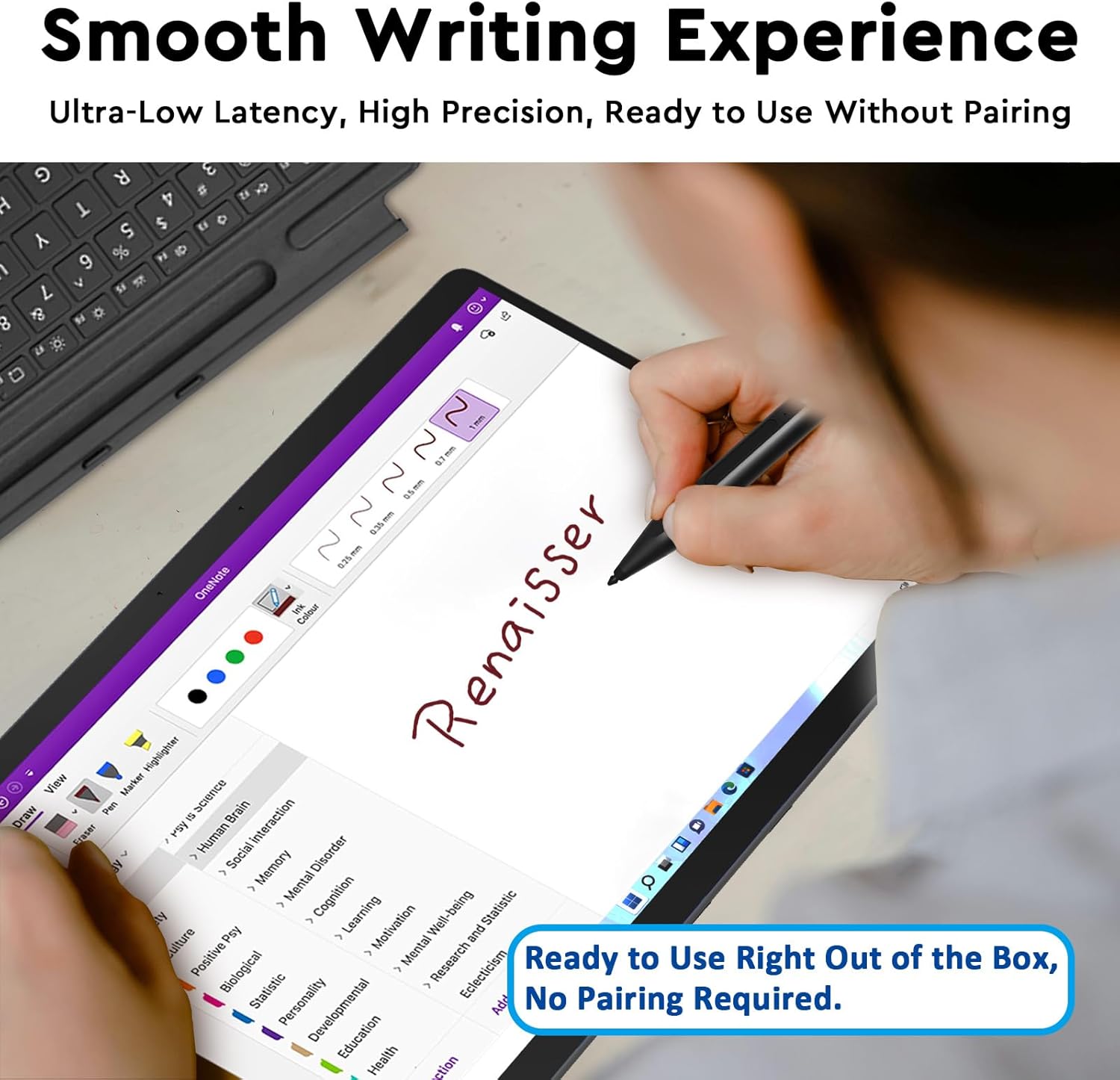
Image: The stylus in use, highlighting its ready-to-use functionality without pairing.
Návod k obsluze
Smooth Writing and Pressure Sensitivity
The Raphael 510 offers a fine control with 1024 pressure points, allowing for real-time, lag-free writing and drawing. The pen flows smoothly, mimicking a natural pen-on-paper feel.

Image: Key features of the Raphael 510 stylus, including its pressure sensitivity.
Funkce odmítnutí dlaně
Rest your hand comfortably on the screen while using the stylus. The built-in palm rejection technology ensures that only the pen's input is registered, preventing accidental marks from your palm.
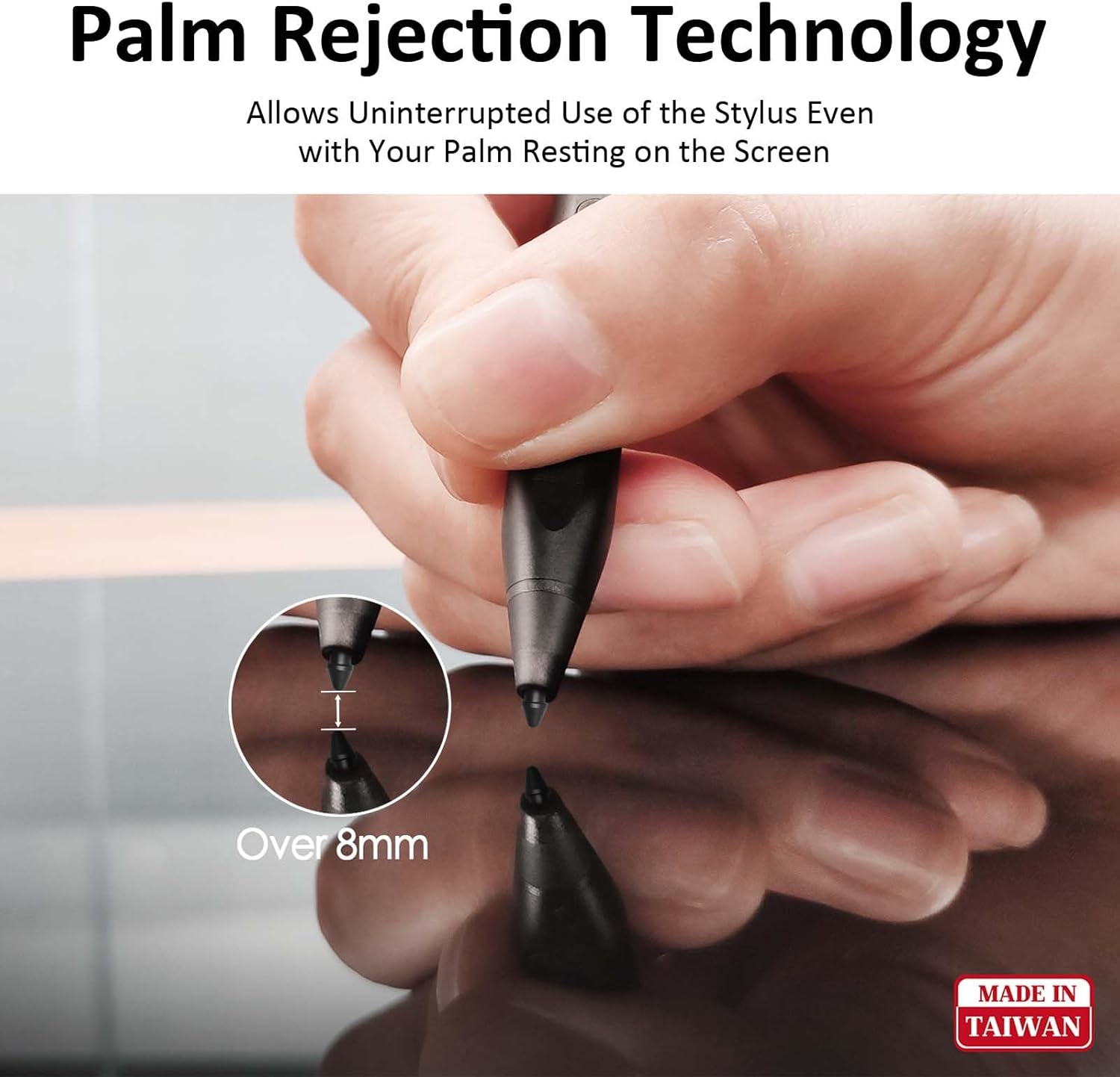
Image: Demonstration of palm rejection technology, allowing comfortable hand placement on the screen.
Eraser and Right-Click Buttons
The stylus features two convenient side buttons. The top button functions as an eraser, allowing you to quickly correct mistakes. The lower button provides a right-click function, offering quick access to contextual menus or other assigned actions.
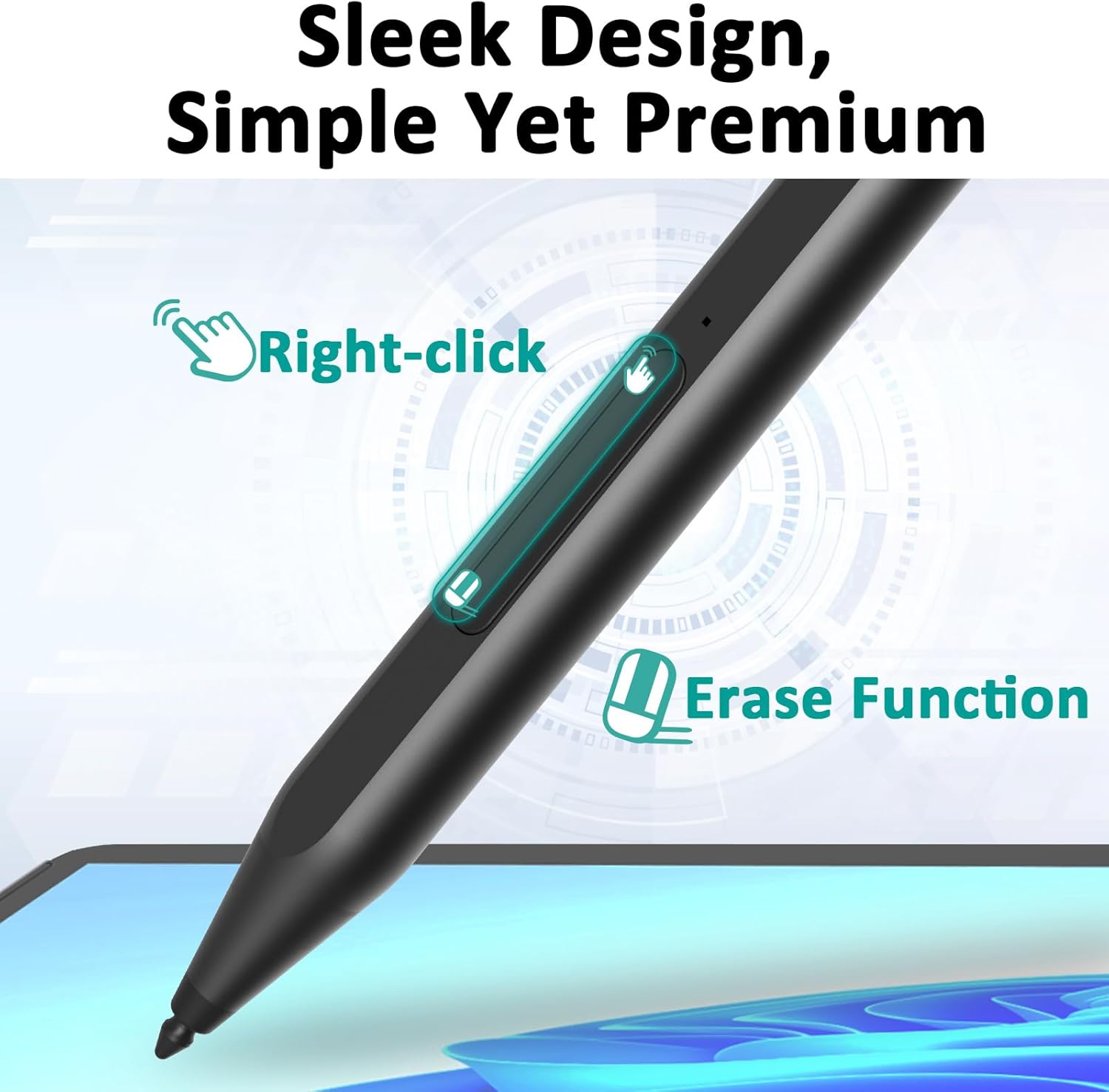
Image: The stylus highlighting the location and function of its right-click and erase buttons.
Nabíjení
The RENAISSER Raphael 510 Stylus Pen features USB-C ultra-fast charging and smart power management for extended use.
- Rychlé nabíjení: Just 15 minutes of charging provides enough power for 70 hours of use. A full 1-hour charge can last for more than 100 hours.
- Smart Power Management: The pen will automatically turn off after 10 minutes of non-use to conserve battery life.
- Upozornění na vybitou baterii: An indicator light on the pen will illuminate when the battery is low, signaling that it needs to be recharged.
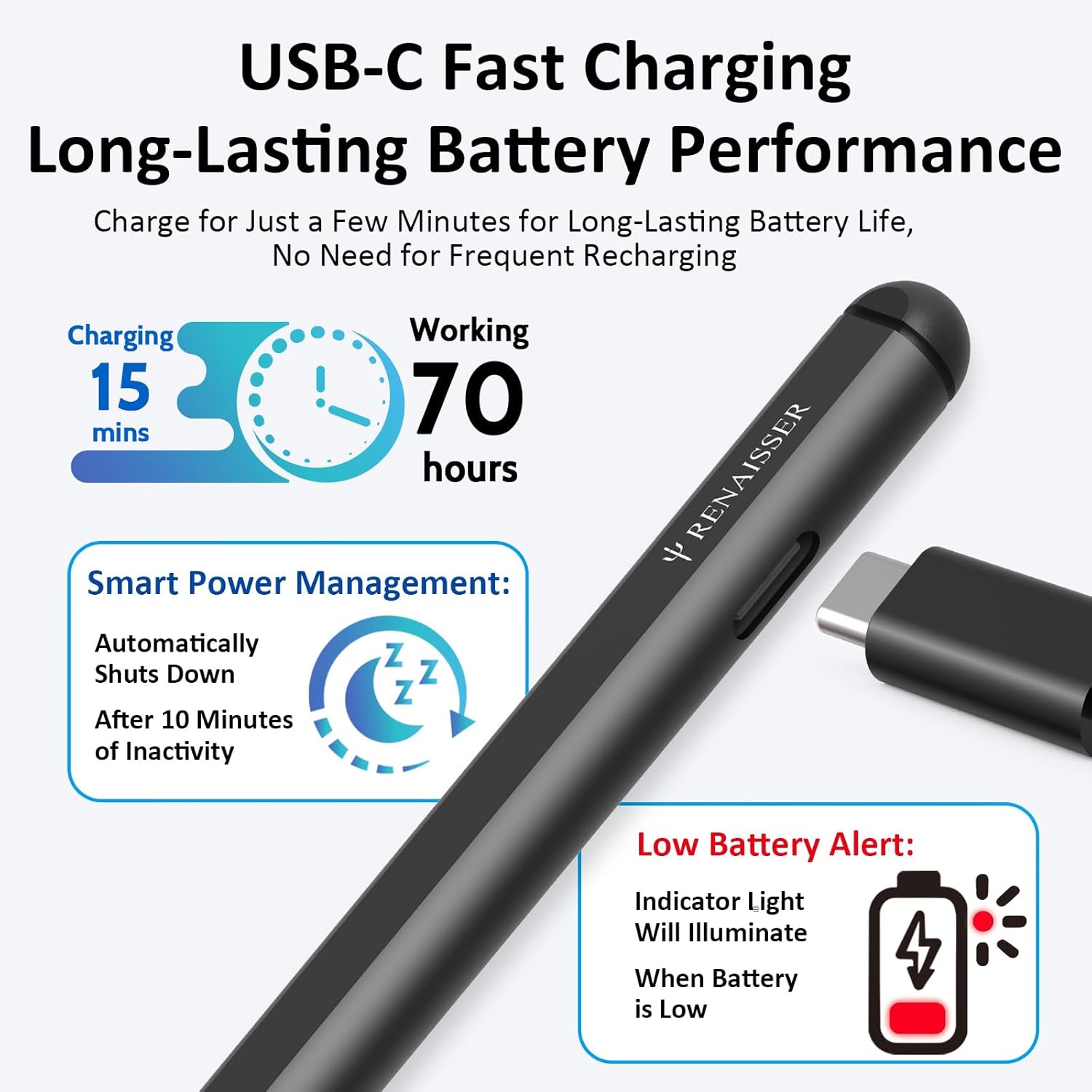
Image: Details on the stylus's fast charging and smart power management features.
Kompatibilita
The RENAISSER Raphael 510 Stylus Pen is compatible with a wide range of Microsoft Surface devices and select models from other brands. Please refer to the list below for compatible models:
- Microsoft Surface: Surface Pro 11th Edition, Surface Pro 10, Surface Pro 9, Surface Pro 8, Surface Pro 7+, Surface Pro 7, Surface Pro 6, Surface Pro 5, Surface Pro 4, Surface Duo/Duo 2, Surface Pro X, Surface Go/Go 2/Go 3, Surface Book/Book 2/Book 3, Surface Studio 1st Gen, Surface Studio 2, Surface Studio 2+, Surface Laptop 1/Laptop 2/Laptop 3/Laptop 4/Laptop 5/Laptop 6, Surface Laptop Studio.
- Poznámka: The Surface Laptop Go and Surface Laptop Go 2 are not compatible with this stylus. Not compatible with Android/iOS/other smart devices.

Image: Comprehensive compatibility list for the RENAISSER Stylus.
Údržba
To ensure the longevity and optimal performance of your RENAISSER Stylus Pen, follow these maintenance guidelines:
- Čištění: Use a soft, dry, lint-free cloth to clean the pen's surface. Do not use abrasive cleaners or solvents.
- Skladování: Pero skladujte na chladném a suchém místě mimo dosah přímého slunečního záření a extrémních teplot.
- Péče o hroty: Avoid applying excessive force to the pen tip. Replace the tip if it becomes worn or damaged to maintain writing precision.
- Vyhněte se tekutinám: Do not expose the pen to water or other liquids.
Odstraňování problémů
If you encounter issues with your RENAISSER Stylus Pen, try the following solutions:
| Problém | Možné řešení |
|---|---|
| Pero nereaguje |
|
| Inconsistent lines or skipping |
|
| Tlačítka nefungují |
|
| Pero se nenabíjí |
|
If the issue persists after trying these steps, please contact RENAISSER customer support for further assistance.
Specifikace
| Funkce | Detail |
|---|---|
| Číslo modelu | Raphael 510 |
| Značka | RENAISSER |
| Hmotnost položky | 14 gramů (0.494 unce) |
| Materiál | Hliník |
| Barva | Tmavý |
| Citlivost na tlak | 1024 úrovní |
| Typ nabíjení | USB-C |
| Doba nabíjení | 1 Hour (for full charge) |
| Životnost baterie | Až 100+ hodin na plné nabití |
| Automatické vypnutí | Po 10 minutách nepoužívání |
Záruka a podpora
RENAISSER stands behind the quality of its products. The Raphael 510 Stylus Pen comes with a 1letá záruka bez starostí. If you encounter any defects or issues with your RENAISSER product, our customer service team is available to assist you.
For support, please refer to the contact information provided on your warranty card or visit the official RENAISSER website. We are committed to ensuring your satisfaction and providing the best customer service possible.
Ask a question about this manual
Ask about setup, troubleshooting, compatibility, parts, safety, or missing instructions. Manuals+ will review the question and use this page’s manual context to help answer it.