
Zavedení
Thank you for choosing the BCUOZ 4 Lesn Dash Cam M8. This manual provides detailed instructions for the installation, operation, and maintenance of your dash camera. Please read this manual thoroughly before use to ensure proper functionality and to maximize your device's performance.
Konec produktuview
The BCUOZ 4 Lesn Dash Cam M8 is a comprehensive vehicle recording system designed to capture events from multiple perspectives. It features a 1080P resolution, a 2.4-inch IPS screen, and a unique 4-lens system for front, left, right, and rear views. Key features include infrared night vision, loop recording, G-sensor collision detection, and 24-hour parking monitoring.
Klíčové vlastnosti:
- Nahrávání v rozlišení 1080P HD: Zachycuje jasné videotage.
- 4-Lens System: Records simultaneously from front, left, right, and rear perspectives. The interior camera can rotate 360 degrees.
- 2.4palcová IPS obrazovka: Provides a clear display for live view a přehrávání.
- Infračervené (IR) noční vidění: Ensures clear recording in low-light conditions, especially for the interior camera with 3 IR LED fill lights.
- Nahrávání ve smyčce: Automaticky přepíše nejstarší soubor footage, když je paměťová karta plná, což zajišťuje nepřetržitý záznam.
- G-senzor: Detekuje náhlé nárazy nebo kolize a automaticky uzamkne aktuální videozáznam.tage, aby se zabránilo jeho přepsání.
- 24hodinový monitoring parkování: Monitors your vehicle even when parked, recording events triggered by motion or impact (requires hardwire kit, not included).
- Snadná instalace: Mounts securely to the windshield using suction cups and connects via the cigarette lighter.

Image: The BCUOZ 4 Lesn Dash Cam M8 displaying simultaneous views from its four cameras on the 2.4-inch IPS screen.

Image: Visual representation of the 4-camera system, highlighting the front, built-in left/right, and rear camera components.
Obsah balení
- BCUOZ 4 Lesn Dash Cam M8 Unit
- Nabíječka do auta
- Držák přísavky
- Uživatelská příručka (tento dokument)
- 64GB Micro SD karta (předinstalovaná nebo dodávaná samostatně)
Nastavení
1. Připravte si kartu Micro SD
The dash cam supports up to a 64GB Micro SD card. A 64GB card is included. For optimal performance, it is recommended to format the Micro SD card within the dash cam settings before first use and periodically thereafter.
- Vložte kartu Micro SD do určeného slotu v palubní kameře.
- Zapněte palubní kameru.
- Přejděte do nabídky nastavení systému.
- Select the "Format" option and confirm. This will erase all data on the card.
2. Mount the Dash Cam
The dash cam is designed for easy and secure mounting to your vehicle's windshield using the included suction cup mount.
- Očistěte místo na čelním skle, kam chcete namontovat palubní kameru. Ujistěte se, že je bez prachu a mastnoty.
- Připevněte přísavný držák k jednotce palubní kamery.
- Press the suction cup firmly against the cleaned windshield surface and engage the locking mechanism to secure it.
- Adjust the angle of the dash cam to ensure the front camera has a clear view of the road ahead. The interior camera can be rotated 360 degrees to capture the cabin as desired.
3. Připojení napájení
Připojte palubní kameru k elektrické síti vašeho vozidla pomocí dodané autonabíječky.
- Insert the small end of the car charger cable into the power input port on the dash cam.
- Zapojte větší konec autonabíječky do zásuvky zapalovače cigaret ve vozidle.
- Palubní kamera se automaticky zapne a začne nahrávat po zapnutí zapalování vozidla.
Návod k obsluze
Základní operace
- Zapnutí/vypnutí: The dash cam powers on automatically with vehicle ignition and powers off when the ignition is turned off. You can also manually power it on/off using the power button.
- Záznam: Once powered on, the dash cam automatically begins continuous loop recording. A recording indicator (e.g., flashing red dot) will be visible on the screen.
- Displej: The 2.4-inch IPS screen can display live views from multiple cameras simultaneously. Use the menu buttons to switch display modes if available.
Nahrávání ve smyčce
The dash cam records video in segments (e.g., 1, 3, or 5 minutes) and stores them on the Micro SD card. When the card is full, the oldest unlocked filese automaticky přepisují novými nahrávkami. Tím je zajištěno nepřetržité nahrávání bez ručního zásahu.
- To adjust loop recording duration, access the settings menu.
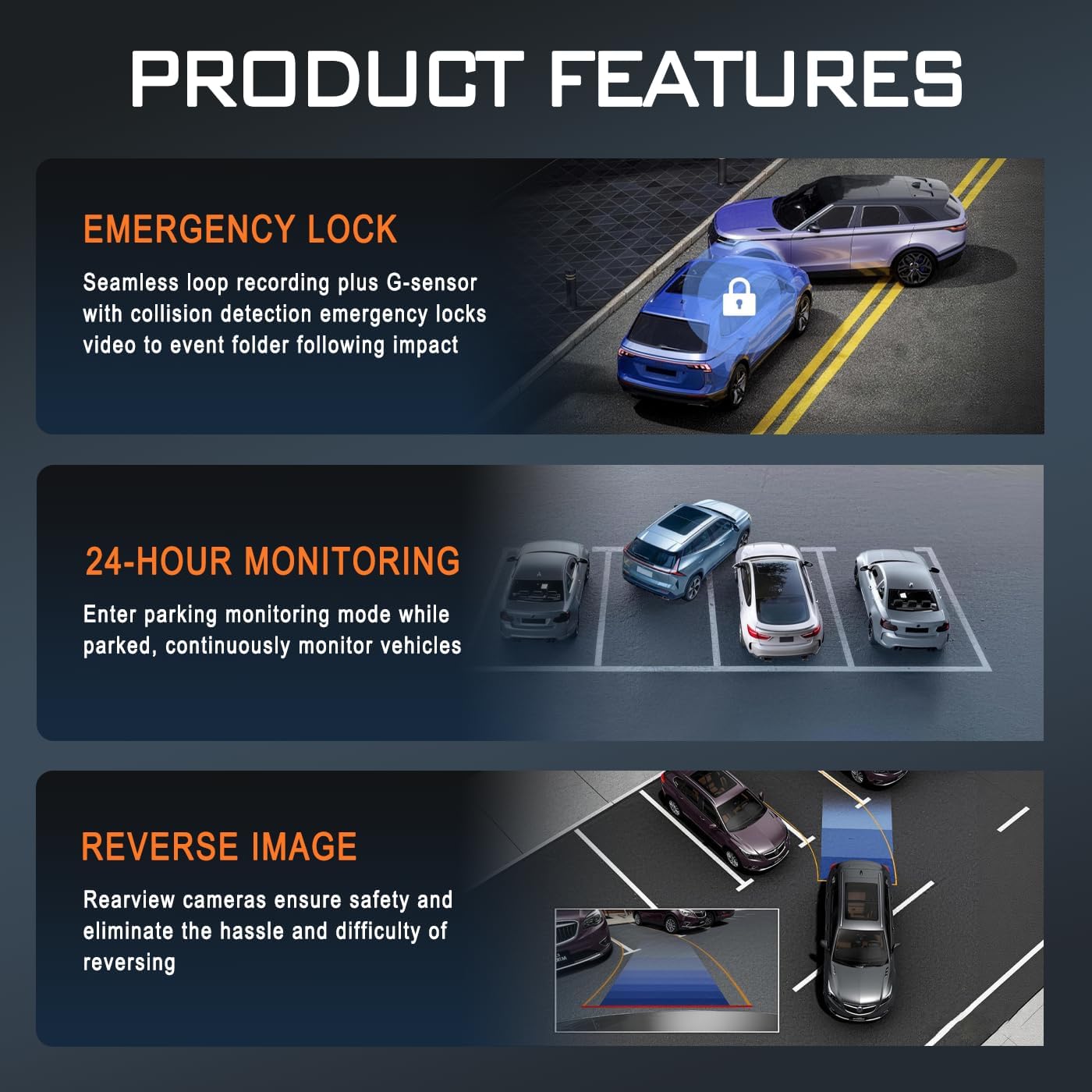
Image: Illustration of key product features: Emergency Lock (G-sensor), 24-Hour Monitoring, and Reverse Image functionality.
G-senzor (nouzové zamknutí)
The built-in G-sensor detects sudden acceleration, braking, or impacts. When triggered, it automatically locks the current video segment, preventing it from being overwritten by loop recording. These locked files are stored in a separate folder on the Micro SD card.
- The G-sensor sensitivity can be adjusted in the settings menu (e.g., Low, Medium, High, Off).
24hodinový monitoring parkování
When enabled, the parking monitor allows the dash cam to continue monitoring your vehicle after it's parked and the ignition is off. It can detect impacts or motion and automatically start recording. This feature requires a continuous power supply, typically achieved through a hardwire kit (sold separately) connected to your vehicle's fuse box.
- Ensure a hardwire kit is installed for continuous 24-hour parking monitoring.
- The parking mode settings (e.g., time-lapse recording, impact detection) can be configured in the menu.
Infračervené noční vidění
The dash cam is equipped with infrared technology to enhance recording clarity in low-light or dark conditions. The interior camera utilizes 3 IR LED fill lights to capture clear images of the cabin occupants even in complete darkness.
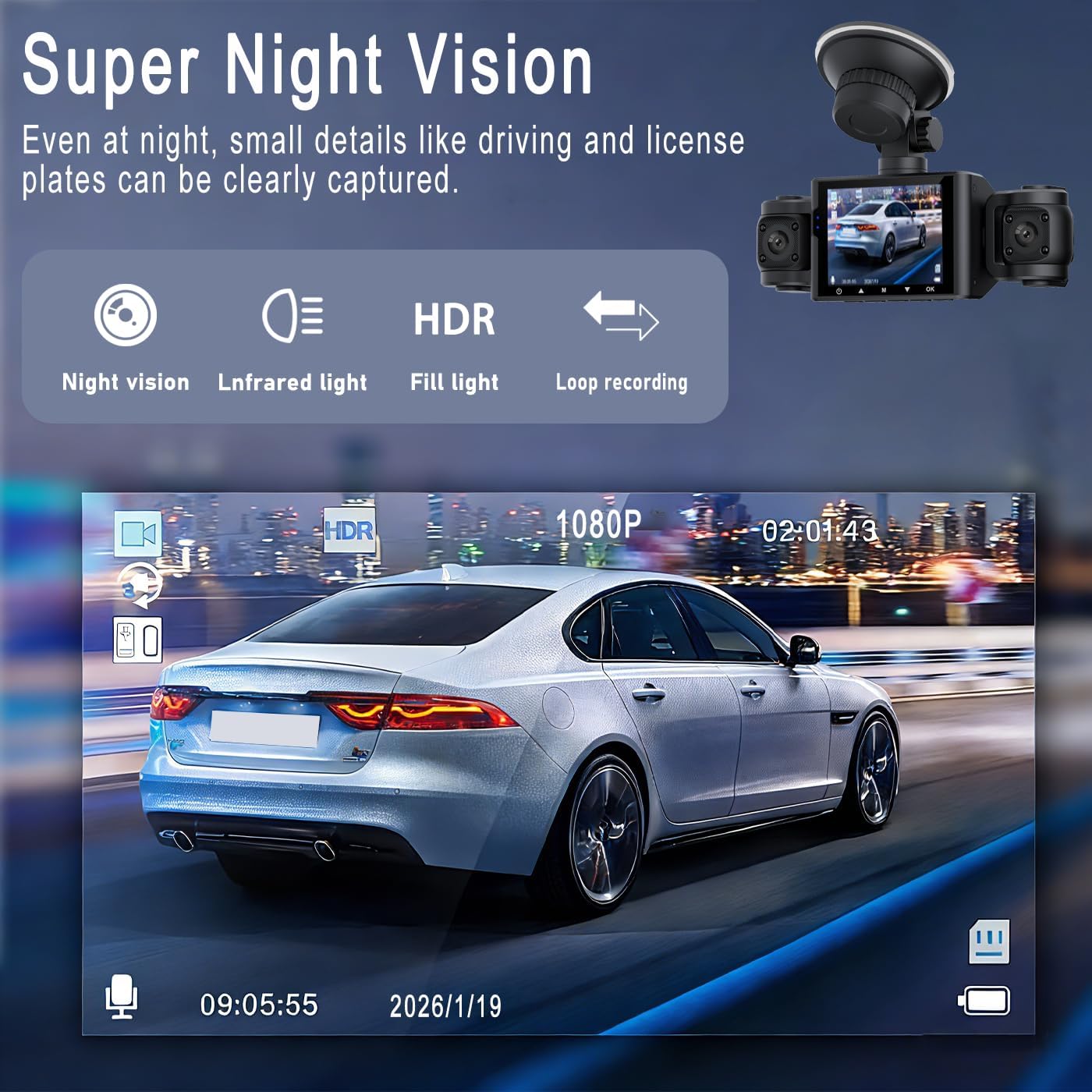
Obrázek: Přample of Super Night Vision performance, showing clear capture of details like license plates in low light.

Obrázek: Podrobný view of the dash cam's lens system, highlighting features like aspheric high-index lens and optical plating for enhanced image quality in various lighting conditions.
Přehrávání a File Řízení
- Přehrávání na zařízení: Stop recording, then navigate to the playback menu on the dash cam's screen to view nahraná videa.
- Počítačové přehrávání: Remove the Micro SD card from the dash cam and insert it into a computer's card reader. Video files can be accessed and played using standard media players.
- File Organizace: Videos are typically organized into folders such as "Normal," "Event" (for G-sensor triggered recordings), and "Parking" (for parking mode recordings).
Údržba
- Vyčistěte čočky: Pravidelně čistěte čočky kamery měkkým hadříkem, který nepouští vlákna, abyste zajistili čistou kvalitu videa. Nepoužívejte abrazivní materiály.
- Micro SD Card Maintenance: Format the Micro SD card every 2-4 weeks to prevent data corruption and ensure optimal recording performance. Back up any important files před formátováním.
- Provozní teplota: Nevystavujte palubní kameru extrémním teplotám po delší dobu.
- Aktualizace firmwaru: Zkontrolujte výrobce webPravidelně kontrolujte web, zda nejsou k dispozici aktualizace firmwaru pro zlepšení výkonu a přidání nových funkcí.
Odstraňování problémů
| Problém | Možné řešení |
|---|---|
| Palubní kamera se nezapne. |
|
| Palubní kamera přestala nahrávat nebo se zobrazí chyba „Karta plná“. |
|
| Video footage je rozmazané nebo nejasné. |
|
| Parking monitor is not working. |
|
| G-senzor je příliš citlivý nebo nedostatečně citlivý. |
|
Specifikace
| Název modelu | M8 |
| Značka | Obecný |
| Rozlišení záznamu videa | 1080p |
| Velikost obrazovky | 2.4 palce (IPS displej) |
| Konfigurace objektivu | 4-lens system (Front, Left, Right, Rear) |
| Speciální funkce | Loop Recording, IR Night Vision, G-Sensor, 24hr Parking Mode |
| Technologie připojení | Pomocný |
| Typ paměti Flash | Micro SD (podporuje až 64 GB) |
| Typ montáže | Dashboard Mount (Suction Cup) |
| Rozměry produktu (D x Š x V) | 9 cm H x 2.5 cm Š x 4 cm V (přibližně 3.54 cm x 0.99 cm x 1.57 cm) |
| Hmotnost položky | 200 gramů |
| Zahrnuté komponenty | Car Charger, 64GB Micro SD Card |
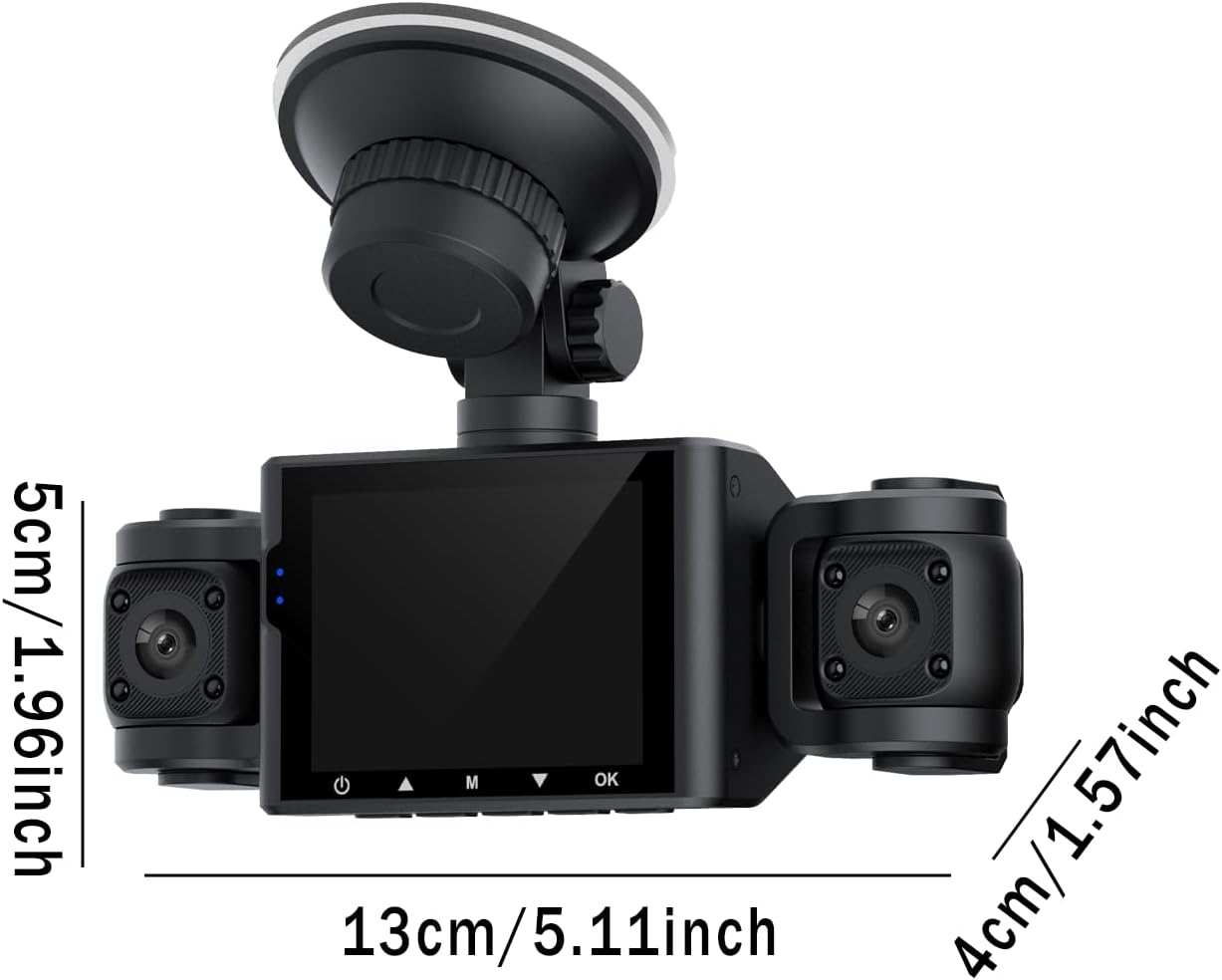
Image: Diagram showing the approximate dimensions of the dash cam unit in centimeters and inches.
Záruka a podpora
Informace o záruce
This BCUOZ 4 Lesn Dash Cam M8 comes with a 2letá záruka výrobce from the date of purchase. This warranty covers defects in materials and workmanship under normal use. It does not cover damage caused by misuse, accidents, unauthorized modifications, or natural disasters. Please retain your proof of purchase for warranty claims.
Zákaznická podpora
For technical assistance, troubleshooting, or warranty inquiries, please refer to the contact information provided with your purchase or visit the manufacturer's official support website. When contacting support, please have your product model (M8) and purchase details ready.