
Zavedení
The Noise Buds Connect 2 are true wireless earbuds designed to provide a high-quality audio experience with advanced features. This manual provides detailed instructions for setting up, operating, maintaining, and troubleshooting your earbuds to ensure optimal performance.
Co je v krabici
Upon unboxing your Noise Buds Connect 2, you will find the following items:
- 1N Bluetooth Headphone (Earbuds)
- 1N nabíjecí pouzdro
- 1N Charging Cable
- Uživatelská příručka 1N
- 1N Warranty Registration Card
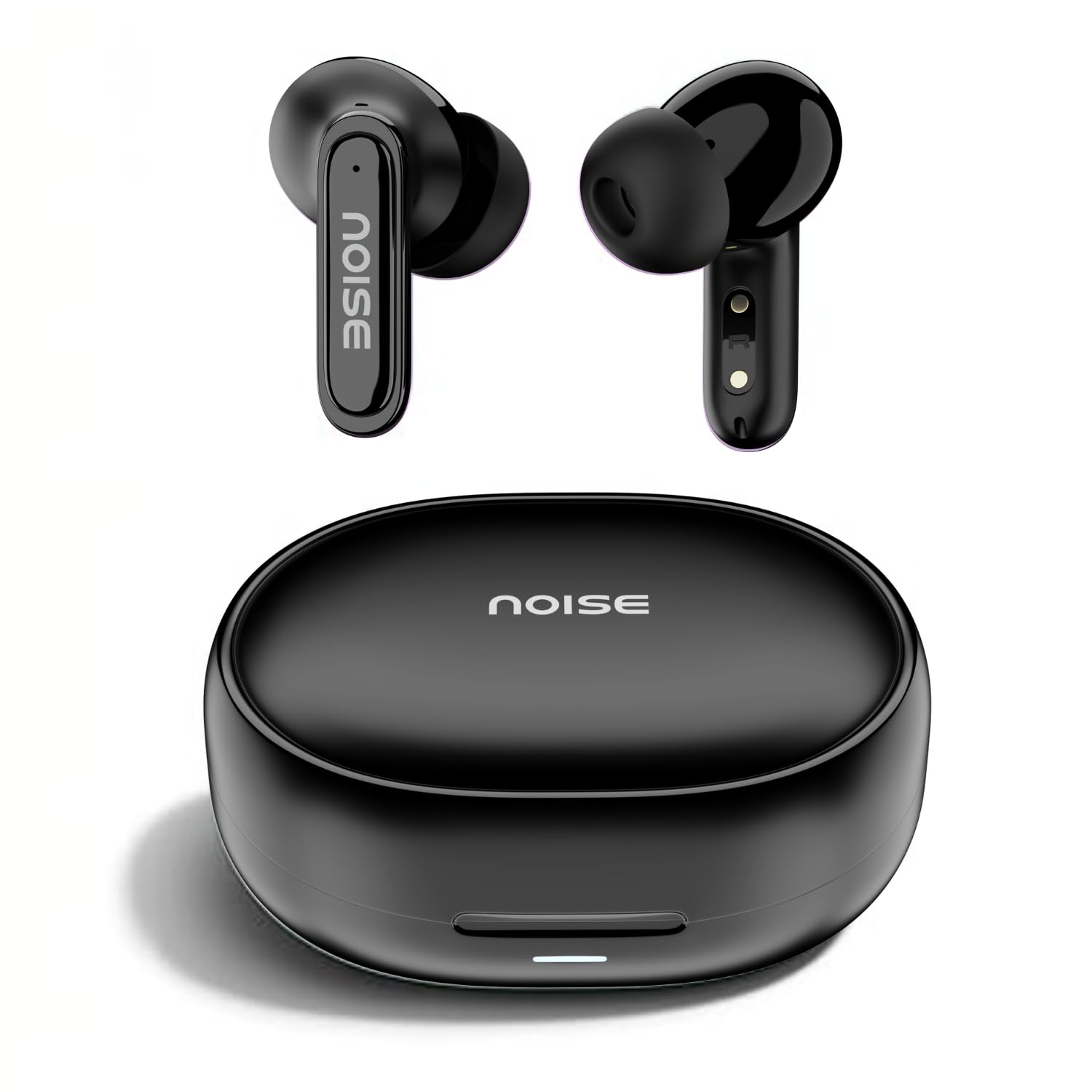
Image: Noise Buds Connect 2 earbuds and their charging case.
Nastavení
1. Nabíjení sluchátek
Before first use, fully charge the earbuds and the charging case. Connect the provided charging cable to the charging case and a power source. The indicator light on the case will show the charging status.
- Průměrná životnost baterie: Až 50 hodin (s nabíjecím pouzdrem)
- Doba nabíjení baterie: Přibližně 1.5 hodiny na plné nabití.
- Instacharge: 10 minutes of charge provides up to 120 minutes of playtime.

Image: Noise Buds Connect 2 earbuds placed inside their charging case.
2. Počáteční párování
- Otevřete nabíjecí pouzdro. Sluchátka se automaticky přepnou do režimu párování.
- Na svém zařízení (chytrý telefon, tablet, notebook) povolte Bluetooth.
- Hledat 'Noise Buds Connect 2' in the list of available Bluetooth devices.
- Select 'Noise Buds Connect 2' to connect. A voice prompt will confirm successful pairing.

Image: Earbuds connected to a device via Bluetooth 5.3, showing music playback.
3. Párování dvou zařízení
The Noise Buds Connect 2 support dual device pairing, allowing you to connect to two devices simultaneously and switch between them seamlessly.
- Pair the earbuds with your first device as described above.
- Odpojte sluchátka z nastavení Bluetooth na prvním zařízení.
- Spárujte sluchátka s druhým zařízením.
- Reconnect the earbuds to the first device from its Bluetooth settings. The earbuds are now paired with both devices.

Image: Noise Buds Connect 2 earbuds shown with a smartphone and a laptop, illustrating dual device pairing.
Návod k obsluze
Dotykové ovládání
The earbuds feature touch controls for easy management of music and calls. Specific gestures for play/pause, track skipping, volume adjustment, and call handling are typically detailed in the quick start guide included with your product. Refer to that guide for precise touch commands.
Detekce do uší
The earbuds are equipped with in-ear detection. Music playback will automatically pause when you remove an earbud from your ear and resume when you place it back in.

Image: A person wearing Noise Buds Connect 2, demonstrating the in-ear detection feature.
Vlastnosti
- Quad Mic with Environmental Noise Cancellation (ENC): Ensures clear voice calls by filtering out ambient noise.
- IPX5 voděodolnost: Protects your earbuds from sweat and light splashes, making them suitable for workouts and outdoor activities.
- Low Latency (up to 40ms): Provides a synchronized audio-visual experience, ideal for gaming and video playback.
- Bluetooth v5.3: Offers stable and efficient wireless connectivity with a range of up to 10 meters.
Image: Noise Buds Connect 2 earbuds highlighting the Quad Mic with ENC feature for enhanced call clarity.

Image: Noise Buds Connect 2 showcasing its IPX5 water resistance feature.
Údržba
Čištění
- Jemně otřete sluchátka a nabíjecí pouzdro měkkým, suchým hadříkem, který nepouští vlákna.
- Nepoužívejte agresivní chemikálie, čisticí rozpouštědla ani silné čisticí prostředky.
- Pravidelně čistěte nabíjecí kontakty na sluchátkách i pouzdře, aby se zajistilo správné nabíjení.
Skladování
- Když sluchátka nepoužíváte, uložte je do jejich nabíjecího pouzdra, abyste je ochránili a udrželi nabitá.
- Nevystavujte sluchátka extrémním teplotám, vlhkosti nebo přímému slunečnímu záření.
Odstraňování problémů
- Sluchátka se nespárují: Ensure both earbuds are in the charging case, then open the lid to initiate pairing mode. Check your device's Bluetooth settings and try re-pairing.
- Jedno sluchátko nefunguje: Vložte obě sluchátka zpět do pouzdra, zavřete víko, počkejte několik sekund a poté jej znovu otevřete. Tím se často resetuje připojení.
- Problémy s nabíjením: Vyčistěte nabíjecí kontakty na sluchátkách i na pouzdře. Ujistěte se, že je nabíjecí kabel bezpečně připojen a že je zdroj napájení aktivní.
- Nízká hlasitost nebo špatná kvalita zvuku: Check the volume on both your device and the earbuds. Ensure the earbuds are properly seated in your ears. Clean any debris from the earbud nozzles.
- In-ear detection not working: Ujistěte se, že senzory jsou čisté a neblokované.
Specifikace
| Funkce | Specifikace |
|---|---|
| Značka | Hluk |
| Název modelu | Buds Connect 2 |
| Číslo modelu | AUD-HDPHN-BUDSCONNECT-2-BLK |
| Barva | Uhlově černá |
| Umístění uší | V uchu |
| Form Factor | Skutečné bezdrátové |
| Kontrola hluku | Potlačení okolního hluku (ENC) |
| Průměrná životnost baterie | 50 hodiny |
| Doba nabíjení baterie | 1.5 hodiny |
| Frekvenční rozsah | 20 Hz - 20 kHz |
| Typ zvukového ovladače | Dynamický ovladač |
| Vlastnosti produktu | Fast Charging, Lightweight, Microphone Included, Rechargeable Battery, Sweatproof |
| Materiál pouzdra | Polykarbonát (PC) |
| Úroveň odolnosti proti vodě | IPX5 Voděodolný |
| Verze Bluetooth | 5.3 |
| Dosah Bluetooth | 10 metrů |
| Typ ovládání | Ovládání médií |
| Kontrolní metoda | Dotek |
Záruka a podpora
The Noise Buds Connect 2 come with a 1-year assured warranty from the date of purchase, provided by the manufacturer. For warranty claims, technical support, or further information, please refer to the warranty registration card included in your package or visit the official Noise brand store.
Oficiální prodejna značky: Noise Store on Amazon.in
Produktové videoview
Pro krátkou představu se podívejte na toto videoview of the Noise Buds Connect 2 features and contents.
Video: Krátká předmluvaview highlighting key features of the Noise Buds Connect 2 earbuds.