
1. Úvod
Welcome to the user manual for your ONERugged M10J Rugged Tablet. This device is engineered for durability and high performance in challenging environments, featuring IP65 water and dust resistance, MIL-STD-810H certification, and powered by Windows 11 Pro. This manual provides essential information for setting up, operating, maintaining, and troubleshooting your tablet to ensure optimal performance and longevity.
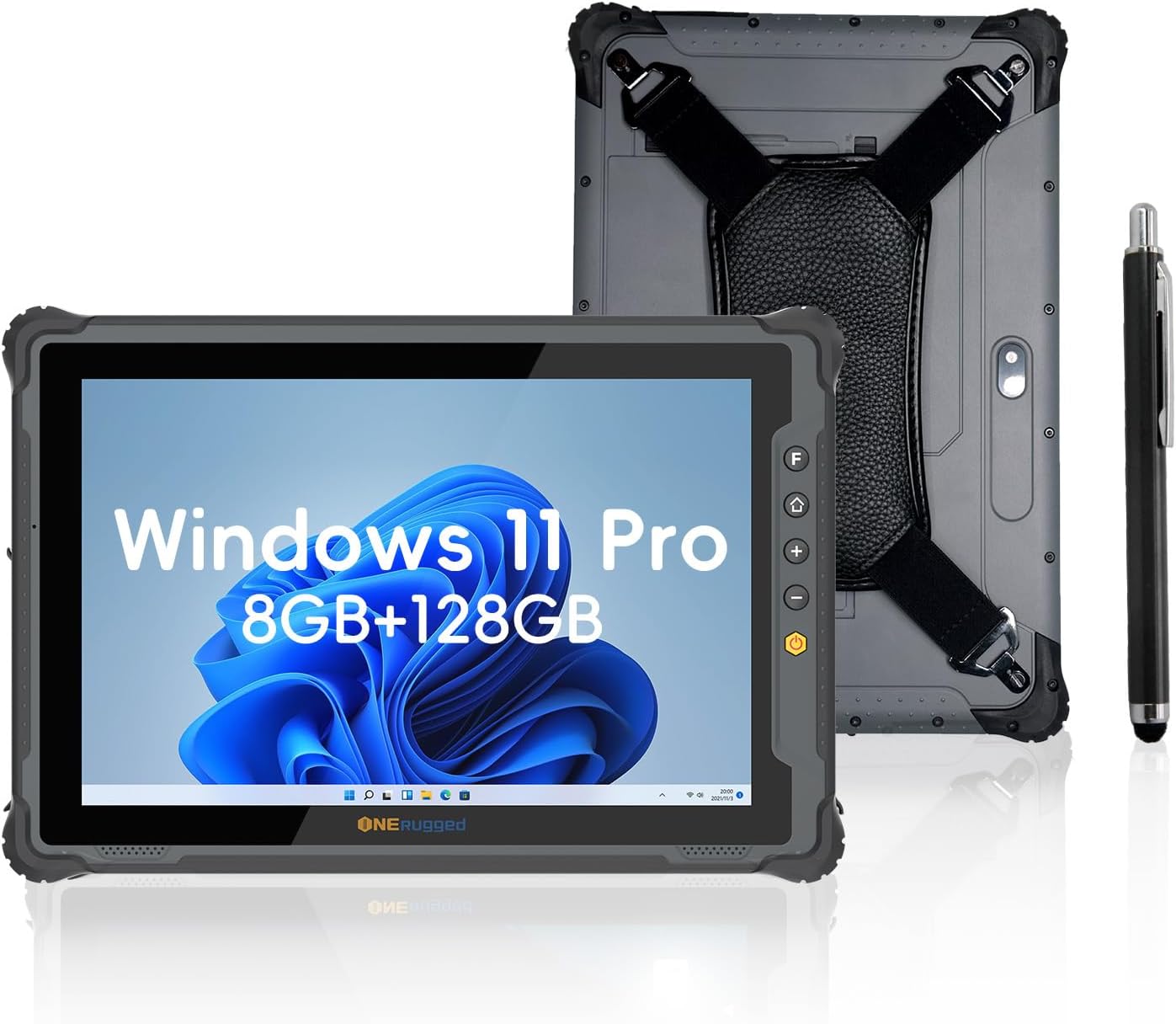
Image: The ONERugged M10J Rugged Tablet, showcasing its front display with Windows 11 Pro and its ruggedized back with a hand strap, alongside a digital stylus.
2. Co je v krabici
Upon unboxing your ONERugged M10J Rugged Tablet, please verify that all the following items are included:
- 1 x ONERugged M10J Tablet
- 1 x řemínek na ruku
- 1 x 19V/3.42A Adapter
- 1 x Stylus Pen
- 1 x Uživatelská příručka

Image: A comprehensive diagram illustrating the tablet's physical dimensions, port locations (USB 3.0, HDMI, Type-C, Headphone Jack, Ethernet Port, DC Jack), and a visual representation of all items included in the product packaging.
3. Vlastnosti produktu
3.1. Trvanlivost a ochrana
The ONERugged M10J is built to withstand harsh conditions, certified with IP65 and MIL-STD-810H standards.
- Stupeň krytí IP65: Poskytuje ochranu před vniknutím prachu a nízkotlakými tryskajícími vodami z jakéhokoli směru.
- Certifikace MIL-STD-810H: Tested to endure accidental drops from up to 4 feet, extreme temperatures (-20°C to 60°C), moisture, and dust.

Image: Visual representation of the tablet's robust design, demonstrating its resistance to drops, dust, and water, and its ability to operate in a wide range of temperatures.
3.2. Výkon
Vybaven výkonným procesorem a ample memory for efficient multitasking and application handling.
- Procesor: Intel Jasper Lake N5100 CPU (up to 2.8GHz).
- BERAN: 8 GB.
- Skladování: 128GB ROM, expandable up to 512GB via TF card.
- Operační systém: Předinstalovaný systém Windows 11 Pro.

Obrázek: Podrobný view of the Intel Jasper Lake N5100 processor, highlighting its specifications and capabilities.

Image: Representation of the tablet's memory and storage capacity, emphasizing its ability to handle multiple applications.

Image: Visual of the Windows 11 Pro operating system running on the tablet, highlighting its business-class tools and features.
3.3. Display and Cameras
Experience clear visuals and capture moments with the tablet's high-quality display and integrated cameras.
- Zobrazit: 10.1-inch FHD IPS display with 1200x1920P resolution and 1000 nits brightness for sunlight readability.
- Zadní kamera: 8MP.
- Přední kamera: 5MP.
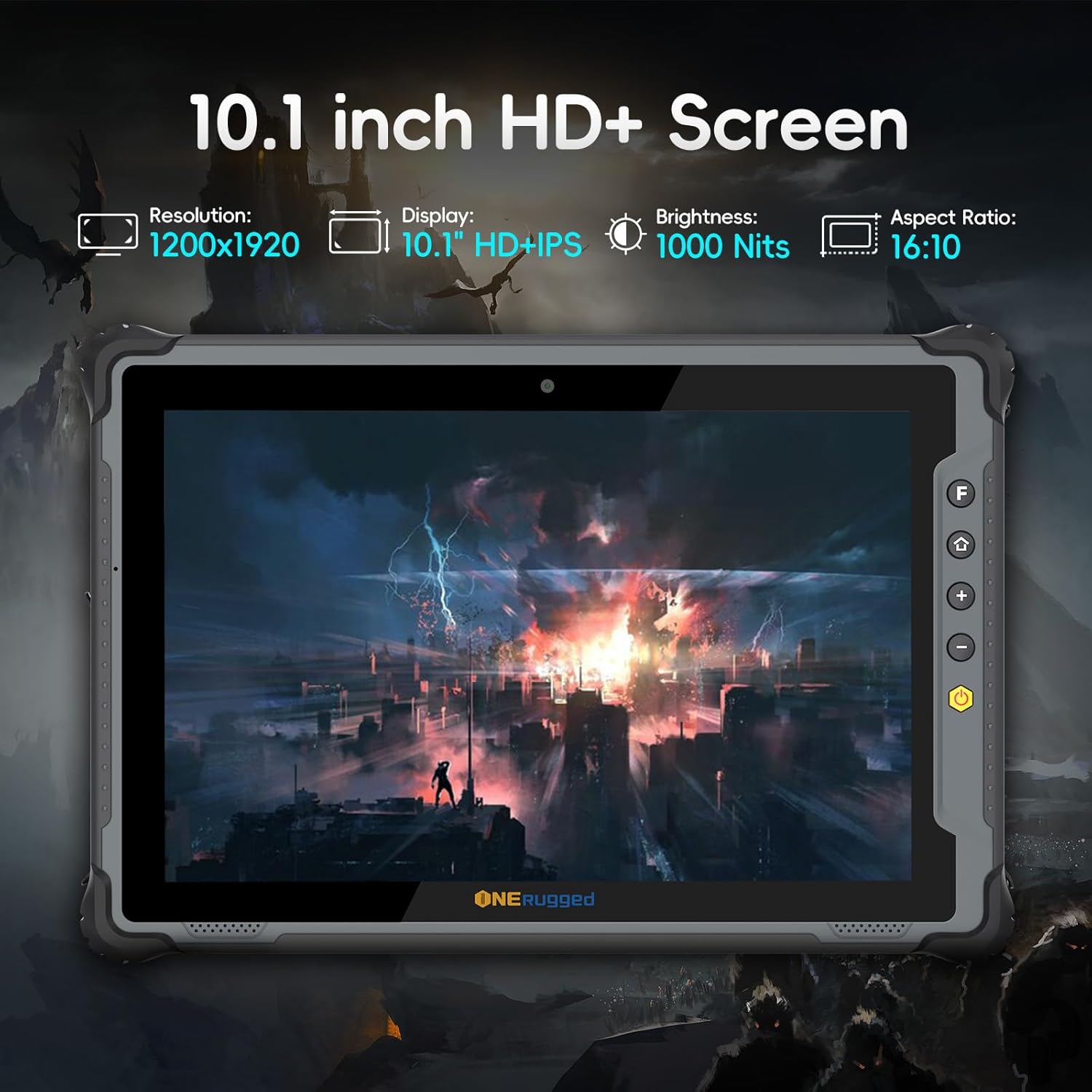
Image: The tablet's display specifications, emphasizing its clarity and brightness for outdoor use.

Image: Detail of the tablet's camera setup, showing the front and rear camera resolutions.
3.4. Baterie
The tablet features a long-lasting, user-friendly detachable battery.
- Kapacita: 5000 XNUMX mAh.
- Životnost baterie: Up to 8 hours of continuous performance.
- Design: Detachable for easy replacement without tools.
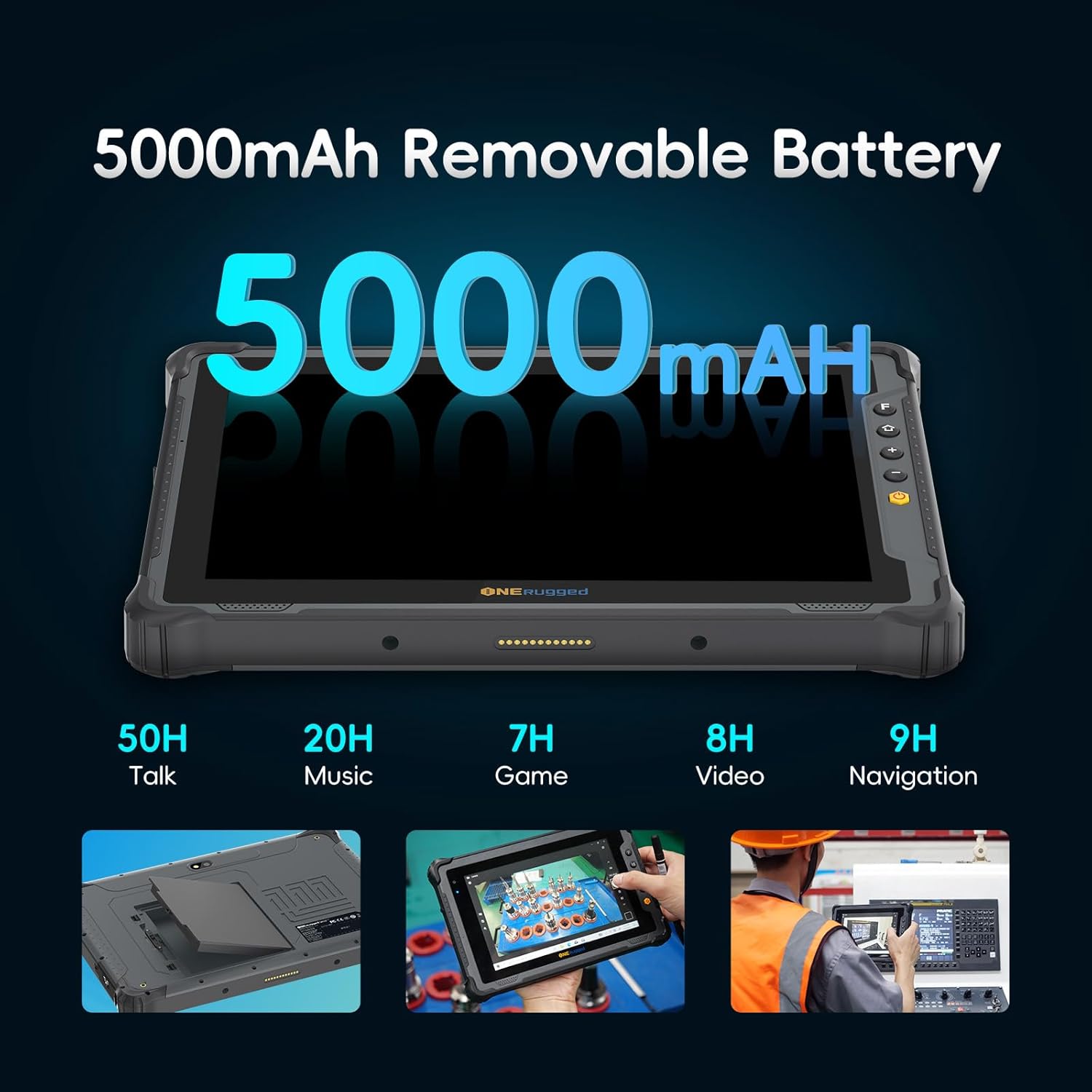
Image: Illustration of the tablet's removable battery and its extended usage times across various activities.
3.5. Konektivita
Stay connected with a variety of wireless and wired options.
- Wi-Fi: 2.4G+5.8G dual-band Wi-Fi (802.11a/b/g/n/ac).
- Mobilní: 4G LTE (supports Nano SIM card, compatible with Verizon, AT&T, T-Mobile).
- Bluetooth: BT 5.0 for fast file převod.
- Navigace: GPS.
- Ostatní: NFC, Gravity Sensor.

Image: Depiction of the tablet's seamless connectivity features, including Bluetooth, SIM card support, dual-band Wi-Fi, and GPS.
4. Nastavení
4.1. Initial Power On and Battery Installation
- Nabijte tablet: Before first use, connect the provided 19V/3.42A adapter to the DC power jack on the tablet and plug it into a power outlet. Allow the tablet to charge fully.
- Install Battery (if not pre-installed): If the battery is separate, locate the battery compartment on the back of the tablet. Align the battery with the contacts and gently push it into place until it clicks securely.
- Zapnutí: Press and hold the Power On/Off button located on the side of the tablet until the screen illuminates.
4.2. Nastavení systému Windows 11 Pro
Follow the on-screen prompts to complete the initial setup of Windows 11 Pro. This typically includes:
- Výběr regionu a rozložení klávesnice.
- Připojování k síti Wi-Fi.
- Přijetí licenční smlouvy.
- Vytvoření účtu Microsoft nebo přihlášení pomocí něj.
- Nastavení PINu nebo hesla.
4.3. SIM Card Installation (Optional)
To use 4G LTE connectivity, install a Nano SIM card:
- Locate the SIM card slot on the side of the tablet.
- Otevřete ochranný kryt.
- Insert the Nano SIM card into the slot with the gold contacts facing down and the notched corner aligned correctly.
- Jemně zatlačte SIM kartu, dokud nezacvakne na místo.
- Close the protective cover to maintain IP65 rating.
5. Ovládání tabletu
5.1. Základní navigace
- Dotyková obrazovka: Navigate Windows 11 Pro using touch gestures. Tap to select, swipe to scroll, pinch to zoom.
- Stylus Pen: Use the provided stylus for precise input, drawing, or handwriting recognition.
- Fyzická tlačítka:
- Vypínač: Press to turn on/off, or short press to sleep/wake.
- Tlačítka hlasitosti: Upravte hlasitost zvuku.
- Přizpůsobené tlačítko: Refer to Windows settings for programmable functions.
- Tlačítko Domů: Returns to the Windows desktop or Start screen.
5.2. Connectivity Usage
- Wi-Fi: Access Wi-Fi settings in Windows to connect to available networks.
- 4G LTE: Once a SIM card is installed and activated, cellular data will be available. Manage cellular settings in Windows.
- Bluetooth: Pair Bluetooth devices (e.g., headphones, keyboards) via Windows Bluetooth settings.
- GPS: Utilize location-based services and navigation applications.
6. Údržba
6.1. Čištění
- Obrazovka: Použijte měkký hadřík, který nepouští vlákna dampOpláchněte vodou nebo čističem obrazovek. Vyhněte se agresivním chemikáliím.
- Tělo: Wipe the rugged body with a damp cloth. For stubborn dirt, a mild soap solution can be used, ensuring all ports are sealed.
- Porty: Keep port covers securely closed when not in use to maintain water and dust resistance.
6.2. Péče o baterie
- Nabíjení: Use only the provided original charger. Avoid overcharging or completely draining the battery frequently.
- Skladování: If storing the tablet for an extended period, charge the battery to about 50% and store it in a cool, dry place.
- Nahrazení: The detachable battery design allows for easy replacement. Contact ONERugged support for genuine replacement batteries.
6.3. Aktualizace softwaru
Regularly check for and install Windows updates to ensure optimal performance, security, and compatibility. Go to Nastavení > Aktualizace systému Windows.
7. Řešení problémů
| Problém | Možná příčina | Řešení |
|---|---|---|
| Tablet se nezapne. | Low battery; power button issue. | Charge the tablet for at least 30 minutes. Press and hold the power button for 10-15 seconds. |
| Obrazovka nereaguje. | Softwarová chyba; poškození obrazovky. | Restart the tablet. If issue persists, contact support. |
| Nelze se připojit k Wi-Fi. | Incorrect password; router issue; Wi-Fi adapter off. | Ověřte heslo Wi-Fi. Restartujte router. Zkontrolujte nastavení Wi-Fi ve Windows. |
| 4G LTE not working. | SIM card not installed correctly; no signal; data plan issue. | Ensure SIM card is properly inserted. Check signal strength. Contact your service provider. |
| Tablet runs slowly. | Too many applications running; low storage. | Close unnecessary applications. Free up storage space. Run Windows Defender scan. |
For issues not covered here, please refer to the official ONERugged support resources or contact customer service.
8. Specifikace
| Funkce | Detail |
|---|---|
| Název modelu | M10J |
| Operační systém | Windows 11 Professional |
| Procesor | Intel Jasper Lake N5100 (up to 2.8 GHz) |
| Grafický koprocesor | Grafika Intel HD |
| BERAN | 8 GB |
| Velikost paměti Flash | 128 GB (expandable up to 512GB with TF card) |
| Velikost obrazovky | 10.1 palců (25.65 centimetrů) |
| Rozlišení obrazovky | 1200 x 1920 pixelů (FHD IPS) |
| Jas | 1000 nitů |
| Zadní WebRozlišení vačky | 8 MP |
| Přední WebRozlišení vačky | 5 MP |
| Bezdrátový typ | 802.11a/b/g/n/ac (2.4G+5.8G Dual-band Wi-Fi), Bluetooth 5.0, 4G LTE |
| Kapacita baterie | 5000mAh Lithium Polymer (Detachable) |
| Průměrná životnost baterie | Až 8 hodin |
| Trvanlivost | IP65 Waterproof & Dustproof, MIL-STD-810H Certified |
| Hmotnost položky | 2.2 libry (přibližně 1.0 kg) |
| Rozměry produktu | 10.83 x 7.44 x 0.87 palce (27.5 x 18.9 x 2.2 cm) |
| Barva | Šedá |
9. Záruka a podpora
ONERugged is committed to providing high-quality products and excellent customer service.
- Záruka: The ONERugged M10J Tablet comes with a 12-month warranty from the date of purchase.
- Technická podpora: Long-term technical support is available for all ONERugged products.
- Služby zákazníkům: For any issues or inquiries, please contact the ONERugged customer service team. They are available 24 hours online to assist you.
Uschovejte si prosím doklad o koupi pro uplatnění záruky.