
1. Úvod
The ttec Spoti Smart Tracker 2SMT01S is an Apple-certified device designed to help you locate your personal belongings. It integrates seamlessly with the Apple Find My network, allowing you to track items such as keys, bags, and luggage using your iOS device. The tracker features audible alerts for easy detection and boasts a compact, lightweight design for portability. Advanced wireless connectivity is provided by Bluetooth 5.1, and with iOS 17 or later, you can utilize multiple profiles within the Find My app.
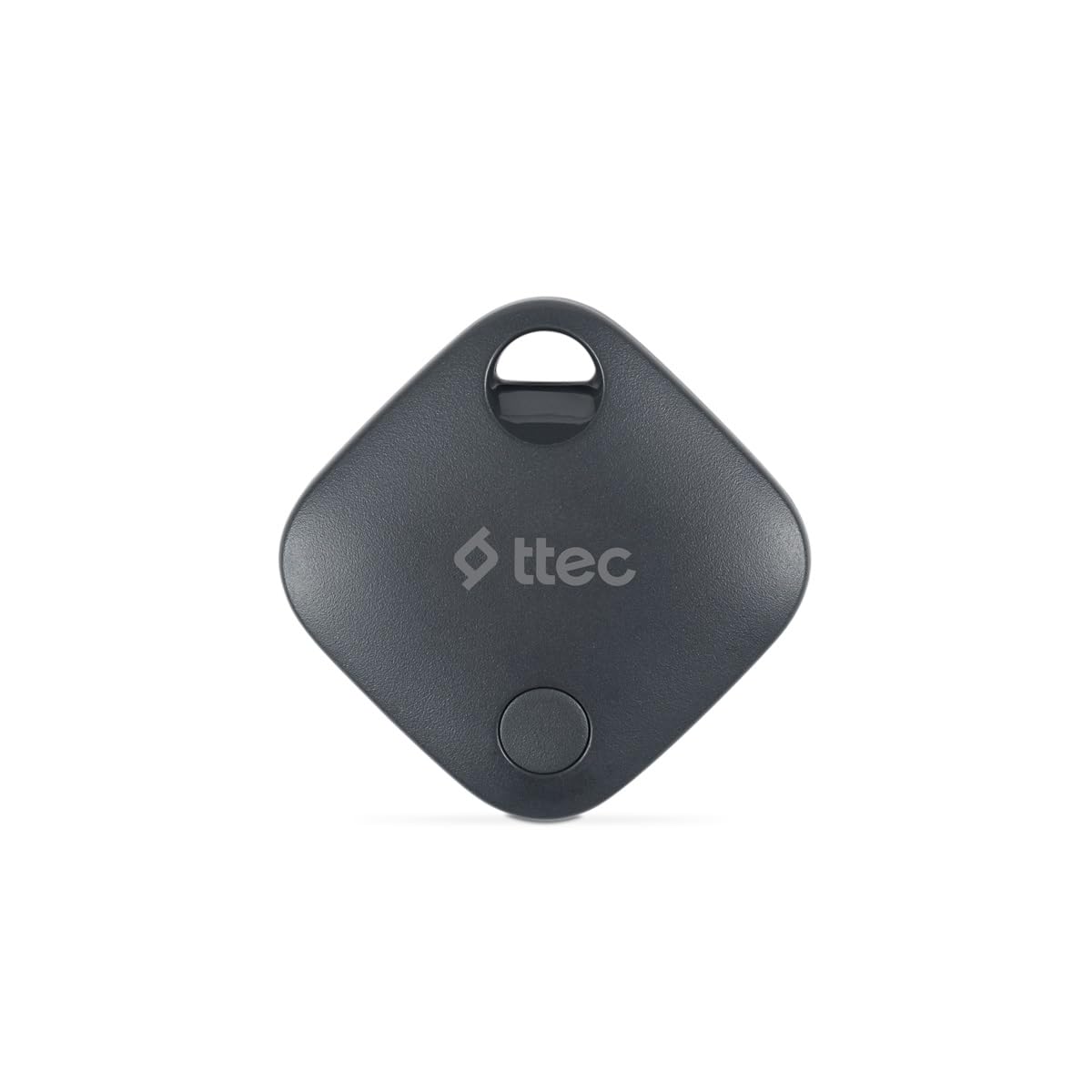
Image 1.1: ttec Spoti Smart Tracker 2SMT01S product packaging, showing the device and key features.
2. Obsah balení
Zkontrolujte prosím balení, zda neobsahuje následující položky:
- 1 x ttec Spoti Smart Tracker 2SMT01S
- 1 x Uživatelská příručka (tento dokument)
- Note: A CR2032 battery is required and is included in the package.

Image 2.1: The ttec Spoti Smart Tracker 2SMT01S device.
3. Nastavení
3.1. Instalace baterie
The ttec Spoti Smart Tracker uses one CR2032 coin cell battery. Ensure the battery is correctly inserted before use.
- Locate the battery compartment on the back of the tracker.
- Open the compartment cover by twisting it counter-clockwise or by gently prying it open with a small tool if indicated.
- Vložte baterii CR2032 kladným pólem (+) nahoru.
- Bezpečně zavřete kryt přihrádky.
3.2. Pairing with Apple Find My
The ttec Spoti Smart Tracker is designed to work with the Apple Find My network. Follow these steps to pair your tracker with your iOS device:
- Ensure your iOS device (iPhone, iPad, or iPod touch) is running iOS 14.5 or later.
- Otevřete Najít můj aplikace na vašem zařízení iOS.
- Klepněte na Položky záložku ve spodní části obrazovky.
- Klepněte Přidat položkua poté vyberte Další podporovaná položka.
- Bring your ttec Spoti Smart Tracker close to your iOS device.
- The app will detect the tracker. Follow the on-screen instructions to name your item and register it to your Apple ID.
- Once paired, the tracker will appear on the map in the Find My app.
Note: For iOS 17 and later, the Find My app supports using multiple profiles, allowing for more flexible item management.
4. Operating the Smart Tracker
4.1. Vyhledání vaší položky
To find an item attached to your ttec Spoti Smart Tracker:
- Otevřete Najít můj aplikace na vašem zařízení iOS.
- Přejít na Položky tab.
- Select your ttec Spoti Smart Tracker from the list.
- The app will display the tracker's last known location on a map.
- If the item is nearby, tap Přehrát zvuk to make the tracker emit an audible alert, helping you pinpoint its exact location.
- If the item is not nearby, the Find My network will help locate it. When another Apple device user passes by your item, its location will be anonymously updated in the Find My app.
4.2. Ztracený režim
If your item is lost, you can enable Lost Mode:
- V Najít můj app, select your ttec Spoti Smart Tracker.
- Přejděte dolů a klepněte Umožnit pod Ztracený režim.
- Follow the instructions to enter a phone number or email address where you can be contacted.
- If someone finds your item, they can use their iPhone to scan the tracker and see your contact information.
5. Výměna baterie
The ttec Spoti Smart Tracker uses a standard CR2032 coin cell battery. When the battery level is low, you will receive a notification on your iOS device via the Find My app. To replace the battery:
- Locate the battery compartment on the back of the tracker.
- Otevřete kryt přihrádky.
- Vyjměte starou baterii CR2032.
- Vložte novou baterii CR2032 kladnou (+) stranou nahoru.
- Bezpečně zavřete kryt přihrádky.
Warning: Dispose of used batteries responsibly according to local regulations. Keep batteries out of reach of children.
6. Údržba
To ensure the longevity and optimal performance of your ttec Spoti Smart Tracker:
- Keep the device clean and dry. Wipe with a soft, dry cloth if necessary.
- Avoid exposing the tracker to extreme temperatures, direct sunlight, or harsh chemicals.
- Nepokoušejte se zařízení rozebírat ani upravovat, jinak by došlo ke ztrátě záruky.
- Ensure the battery compartment is always securely closed to prevent dust and moisture ingress.
7. Řešení problémů
| Problém | Možná příčina | Řešení |
|---|---|---|
| Tracker not appearing in Find My app. | Not paired, out of battery, or out of Bluetooth range during initial setup. |
|
| Cannot hear the sound alert. | Tracker is too far, battery is low, or environmental noise is too high. |
|
| Location not updating. | Tracker is out of range of any Apple Find My network device, or battery is dead. |
|
| Spojení se často přerušuje. | Interference, low battery, or device malfunction. |
|
8. Specifikace
| Značka | ttec |
| Model | 2SMT01S |
| Technologie připojení | Bluetooth 5.1 |
| Hmotnost produktu | 0.02 kilogram |
| Typ baterie | 1 x CR2032 (součástí balení) |
| Výrobce | ttec |
| Země původu | Čína |
| ASIN | B0D49TPB9Y |
9. Záruka a podpora
The ttec Spoti Smart Tracker 2SMT01S comes with a 2-year Official Distributor Warranty. Tato záruka se vztahuje na vady materiálu a zpracování při běžném používání.
For warranty claims, technical support, or any questions regarding your product, please contact ttec customer service through their official webwebu nebo kontaktních informací uvedených v dokumentaci k nákupu.
Please have your proof of purchase and the product model number (2SMT01S) ready when contacting support.
10. Bezpečnostní informace
Přečtěte si prosím a dodržujte tyto bezpečnostní pokyny, abyste předešli poškození zařízení nebo zranění:
- Baterii nepožívejte. Nebezpečí chemického popálení.
- Nové a použité baterie uchovávejte mimo dosah dětí.
- Pokud nelze přihrádku na baterie bezpečně zavřít, přestaňte výrobek používat a uchovávejte jej mimo dosah dětí.
- Pokud si myslíte, že mohly být baterie spolknuty nebo umístěny do jakékoli části těla, okamžitě vyhledejte lékařskou pomoc.
- Do not expose the device to water or moisture unless specified as waterproof.
- Zabraňte pádu zařízení nebo jeho vystavení silným nárazům.
- Do not attempt to open, disassemble, or repair the device yourself.
- Dispose of the device and batteries according to local environmental regulations.
- This device complies with European Union Standards (CE).