
1. Úvod
This manual provides detailed instructions for the installation, operation, and maintenance of your XIAOVV 2MP Outdoor Wi-Fi Security Camera. This camera is designed for outdoor surveillance, offering features such as 2MP high-definition video, 2.4G Wi-Fi connectivity, human motion tracking, three night vision modes, two-way audio communication, and flexible storage options. Please read this manual thoroughly before using the product to ensure proper setup and functionality.
2. Obsah balení
- XIAOVV 2MP Outdoor Wi-Fi Security Camera
- Napájecí adaptér
- Sada montážních šroubů
- Uživatelská příručka
3. Konec produktuview
The XIAOVV 2MP Outdoor Wi-Fi Security Camera features a durable, weatherproof design suitable for outdoor environments. It includes a lens for video capture, infrared LEDs for night vision, a microphone and speaker for two-way audio, and dual antennas for enhanced Wi-Fi connectivity. The camera's dome-shaped body allows for pan and tilt functionality.

Obrázek 3.1: Přední strana view of the XIAOVV 2MP Outdoor Wi-Fi Security Camera, illustrating its design and interaction with the mobile application.
4. Nastavení
4.1 Montáž fotoaparátu
Select a suitable outdoor location for mounting, ensuring a clear view and proximity to a power source. Use the provided screw kit to securely attach the camera to a wall or ceiling. The camera's design allows for flexible positioning to cover desired areas.
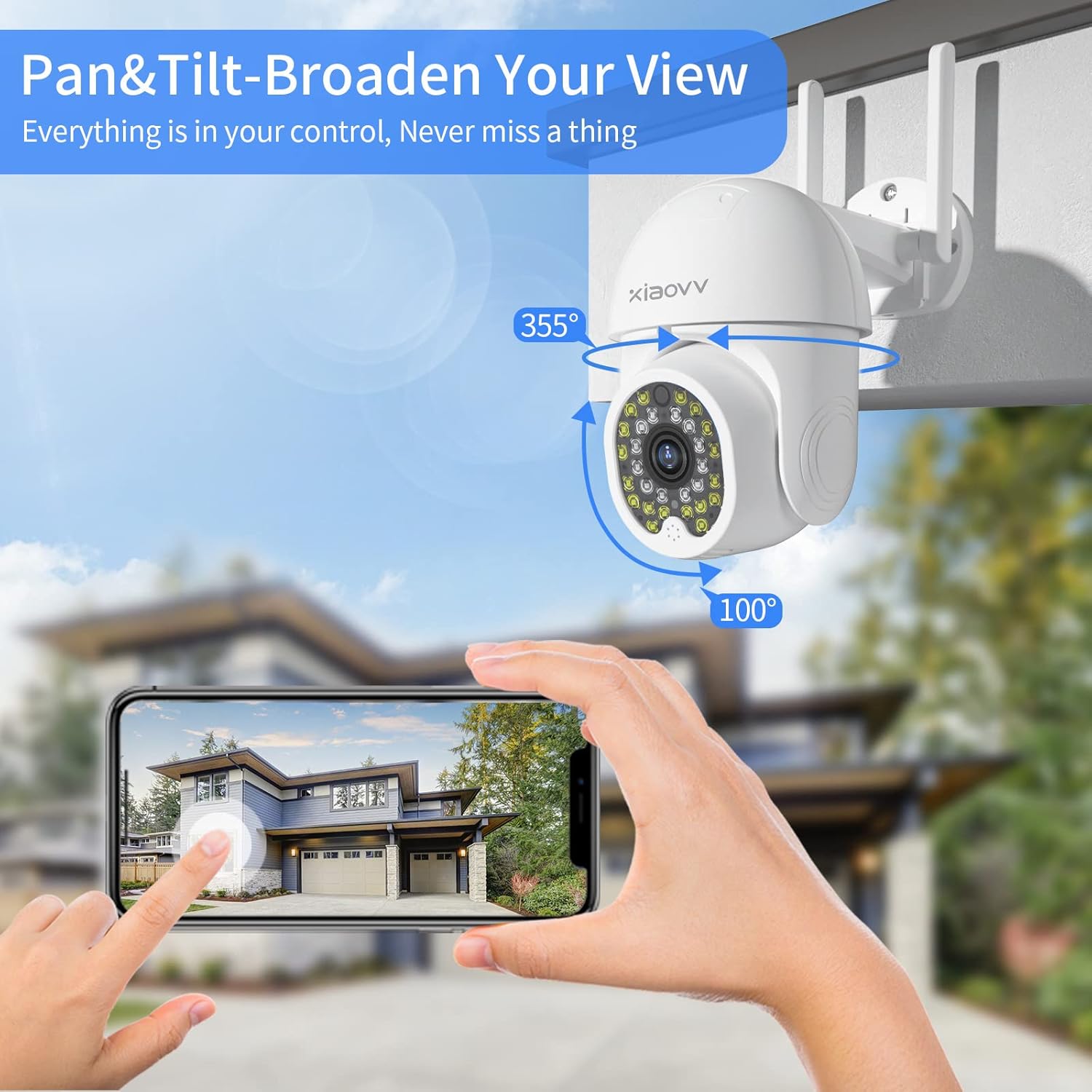
Figure 4.1: The camera mounted, demonstrating its pan (355°) and tilt (100°) range for broad coverage.
4.2 Zapnutí
Connect the camera to the provided power adapter and plug it into an electrical outlet. The camera will initiate its startup sequence, indicated by an LED light.
4.3 Instalace a připojení aplikace
- Stáhněte si XIAOVV app z obchodu s aplikacemi vašeho chytrého telefonu (iOS nebo Android).
- Zaregistrujte si nový účet nebo se přihlaste, pokud již nějaký máte.
- Postupujte podle pokynů v aplikaci a přidejte nové zařízení. Obvykle se jedná o naskenování QR kódu zobrazeného na fotoaparátu nebo vygenerovaného aplikací.
- Connect the camera to your 2.4GHz Wi-Fi network. Ensure your smartphone is also connected to the same network during the setup process.
- Once connected, the camera's live feed will appear in the app, indicating successful setup.
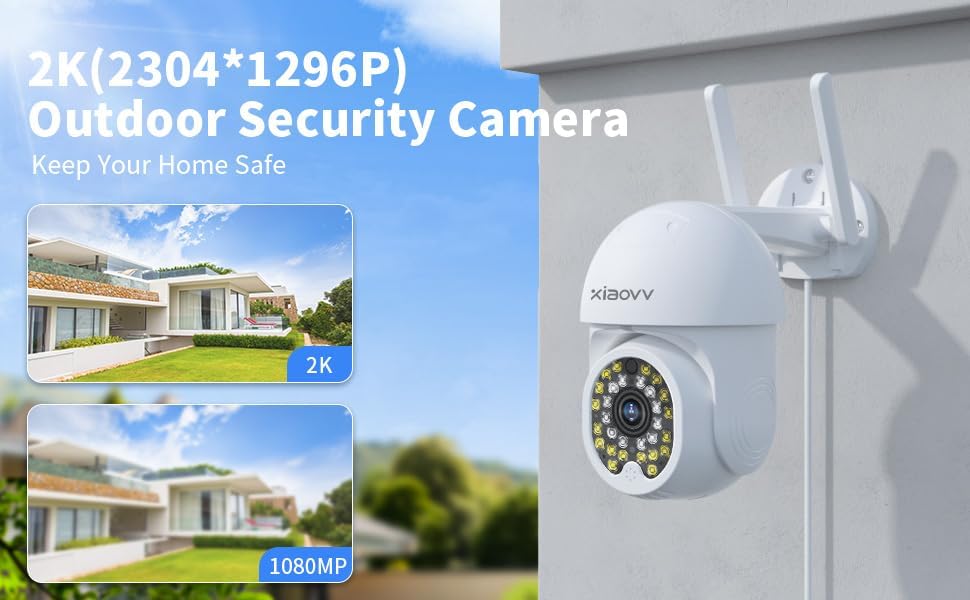
Obrázek 4.2: Přample of the XIAOVV app interface for camera management.
5. Návod k obsluze
5.1 Živě View a vzdálený přístup
Open the XIAOVV app on your smartphone to access the live video feed from your camera. You can view the feed remotely from any location with an internet connection. The app also allows for sharing live images with authorized family or friends.
5.2 Ovládání otáčení a naklápění
Within the app, use the directional controls to remotely adjust the camera's viewing angle. The camera supports 350 degrees horizontal rotation and 90 degrees vertical rotation, providing comprehensive coverage without blind spots.
5.3 Obousměrný zvuk
The camera is equipped with a built-in microphone and speaker. To use two-way audio, tap the microphone icon in the app to speak, and release to listen. This feature enables communication with visitors or deterrence of unwanted individuals.

Figure 5.1: The camera's two-way audio feature in use, allowing for real-time conversation.
5.4 Detekce pohybu a upozornění
The camera features advanced motion detection that can identify human or animal movement. When motion is detected, the camera will send an instant alert message to your smartphone via the XIAOVV app. Sensitivity settings can be adjusted within the app.
5.5 Režimy nočního vidění
The camera offers three distinct night vision modes for clear footage in low-light conditions:
- Infračervený režim: Poskytuje černobílé video pomocí infračervených LED diod.
- Plnobarevný režim: Utilizes built-in spotlights to provide full-color video in dark environments.
- Režim alarmu: Activates spotlights and an audible alarm upon motion detection at night.

Figure 5.2: Visual representation of the three night vision modes available.
5.6 Nahrávání a ukládání
The camera supports continuous 24/7 recording and event-based recording. Video footage lze uložit dvěma způsoby:
- Místní úložiště: Insert a microSD card (not included) into the camera's designated slot for local video storage.
- Cloudové služby: Subscribe to cloud storage services via the XIAOVV app for secure, remote access to your recordings.

Figure 5.3: The camera supports continuous recording, ensuring constant surveillance.
6. Údržba
Pro zajištění optimálního výkonu a dlouhé životnosti fotoaparátu:
- Čištění: Pravidelně otírejte objektiv a tělo fotoaparátu měkkým hadříkemamp tkanina. Vyhněte se abrazivním čisticím prostředkům.
- Aktualizace firmwaru: Check the XIAOVV app regularly for available firmware updates. Keeping the firmware updated ensures access to the latest features and security enhancements.
- Napájení: Ujistěte se, že napájecí adaptér a kabel nejsou poškozené.
7. Řešení problémů
- Fotoaparát se nepřipojuje k Wi-Fi: Ensure the camera is within range of your 2.4GHz Wi-Fi router. Verify the Wi-Fi password entered in the app is correct. Restart the camera and your router.
- No live feed: Check the internet connection of both your camera and smartphone. Ensure the camera is powered on.
- Nepřijatá upozornění na pohyb: Verify that motion detection is enabled in the app settings and that app notifications are allowed on your smartphone.
- Špatná kvalita obrazu: Clean the camera lens. Ensure there is adequate lighting, especially at night (check night vision mode settings).
- Problémy s obousměrným zvukem: Check the volume settings on your smartphone and within the app. Ensure there are no obstructions blocking the camera's microphone or speaker.
8. Specifikace
| Funkce | Detail |
|---|---|
| Značka | XIAOVV |
| Model | 2MP Outdoor Wi-Fi Camera |
| Protokol připojení | Wi-Fi |
| Technologie bezdrátové komunikace | Wi-Fi |
| Zdroj napájení | Elektrický kabel |
| Hodnocení mezinárodní ochrany | IP65 |
| Form Factor | Kupole |
| Typ montáže | Držák na zeď |
| Typ upozornění | Pouze pohyb |
| Formát záznamu videa | MPEG-4 |
| Hmotnost položky | 1.39 libry |
| Rozměry balení | 7.76 x 7.52 x 4.49 palce |
| Doporučená použití pro produkt | Vnitřní/venkovní |
9. Záruka a podpora
XIAOVV products are designed for reliability and performance. For warranty information, please refer to the documentation included with your purchase or contact XIAOVV customer support. For technical assistance, troubleshooting, or any inquiries regarding your camera, please reach out to our customer service team. Contact details can typically be found on the XIAOVV official website or within the XIAOVV app.