
1. Důležité bezpečnostní informace
Please read all safety instructions carefully before using the VETEK NPX108 camcorder. Keep this manual for future reference.
- Nevystavujte fotoaparát vodě nebo vlhkosti.
- Vyhněte se extrémním teplotám.
- Nepokoušejte se fotoaparát sami rozebírat nebo opravovat.
- Používejte pouze schválené příslušenství a napájecí adaptéry.
- Uchovávejte mimo dosah dětí.
2. Obsah balení
Ověřte, zda jsou v balení přítomny všechny položky:
- VETEK NPX108 4K Camcorder
- Ruční stabilizátor
- Sluneční clona objektivu
- Mikrofon
- Vyplňte světlo
- 64GB SD karta
- Dálkové ovládání
- DV-108 Battery (4500mAh)
- USB kabel
- Nabíječka
- Bag kamery
- Uživatelská příručka

Image: The VETEK NPX108 camcorder with all included accessories, such as the handheld stabilizer, microphone, fill light, SD card, battery, cables, and carrying bag.

Image: A visual representation of the camcorder and its accessories, including microphone, remote control, LED lights, lens hood, battery, bag, 64GB SD card, data line, charger, and user manual.
3. Konec produktuview
3.1. Součásti a ovládací prvky

Image: A multi-angle diagram of the camcorder highlighting key components such as Handle Charging Port, Battery, Video Button, Photo Button, Confirmation Button/Control Wheel, DISP Button, USB Interface/Camera Charging Port, MIC Interface, HDMI Interface, Lens, Power Button, Menu Button, Mode Button, Playback Button, SD Card Slot, Speaker, Handle Hot Shoe, Handle Video/Photo Button, Handle Digital Zoom, Camera Zoom, and Camera Hot Shoe.
The VETEK NPX108 camcorder features a 4.0-inch 270-degree rotating touchscreen for flexible viewing and control. It supports 4K Ultra HD 60FPS video resolution and 64MP image resolution, with 18X digital zoom.

Image: The VETEK NPX108 camcorder showcasing its 4K UHD capabilities, 64MP resolution, 270-degree rotating screen, and 3.0-inch HD touch screen.
4. Nastavení
4.1. Instalace a nabíjení baterie
The camcorder uses a 4500mAh Lithium Polymer battery. Ensure the battery is fully charged before first use.
- Otevřete kryt bateriového prostoru.
- Vložte baterii dle vyznačené polarity.
- Bezpečně zavřete kryt bateriového prostoru.
- Connect the USB cable to the camera's charging port and the charger, then plug into a power outlet. The camera supports recording while charging.

Image: The camcorder displaying a 93% battery charge on its screen, emphasizing its 4500mAh battery for longer shooting times.
4.2. Instalace SD karty
The camcorder comes with a 64GB SD card. Insert it correctly to store your recordings.
- Najděte slot pro SD kartu na fotoaparátu.
- Vložte SD kartu kovovými kontakty ve správném směru, dokud nezacvakne.
- To remove, gently press the card until it ejects.
4.3. Připevnění příslušenství
Attach the included accessories for enhanced functionality.
- Ruční stabilizátor: Attach the stabilizer to the bottom of the camera for improved stability, especially for low-angle shots. It includes zoom and shooting buttons for convenience.
- Mikrofon: Connect the external microphone to the MIC interface for clearer audio recording, reducing background noise.
- Vyplnit světlo: Mount the fill light onto the camera's hot shoe for additional illumination in low-light conditions. Adjust brightness and color temperature as needed.
- Sluneční clona: Attach the lens hood to protect the lens from damage and improve image contrast by reducing glare.
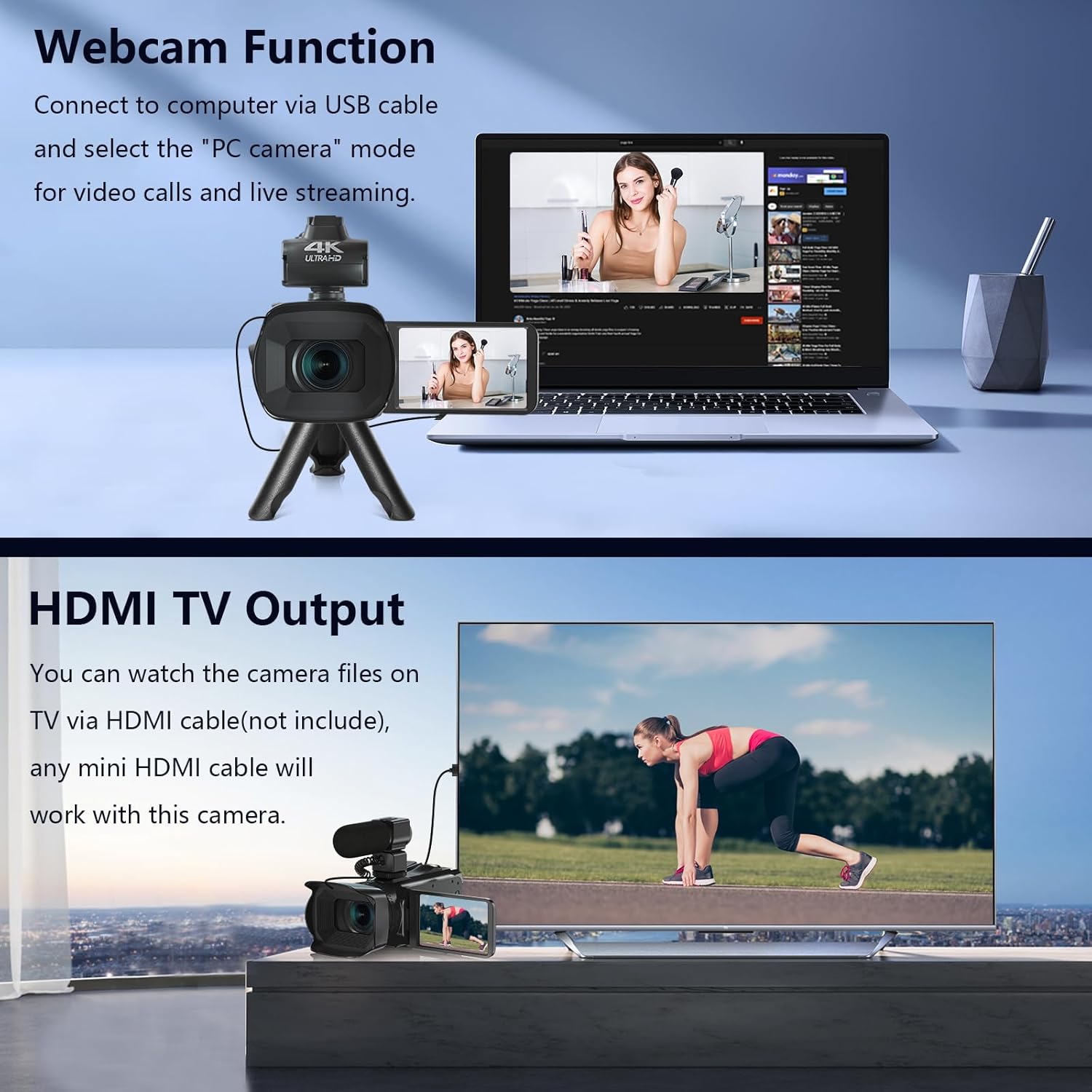
Image: The fill light accessory demonstrating its adjustable brightness (100%, 50%, 10%) and color temperature (3300K-5600K) settings, with examples of white light, white glow, and warm light.
5. Ovládání fotoaparátu
5.1. Zapnutí/vypnutí
Open the LCD screen to power on the camera. Close it to power off.
5.2. Základní nahrávání (video/fotografie)
Use the dedicated Video and Photo buttons to switch between modes and start/stop recording or capture images.
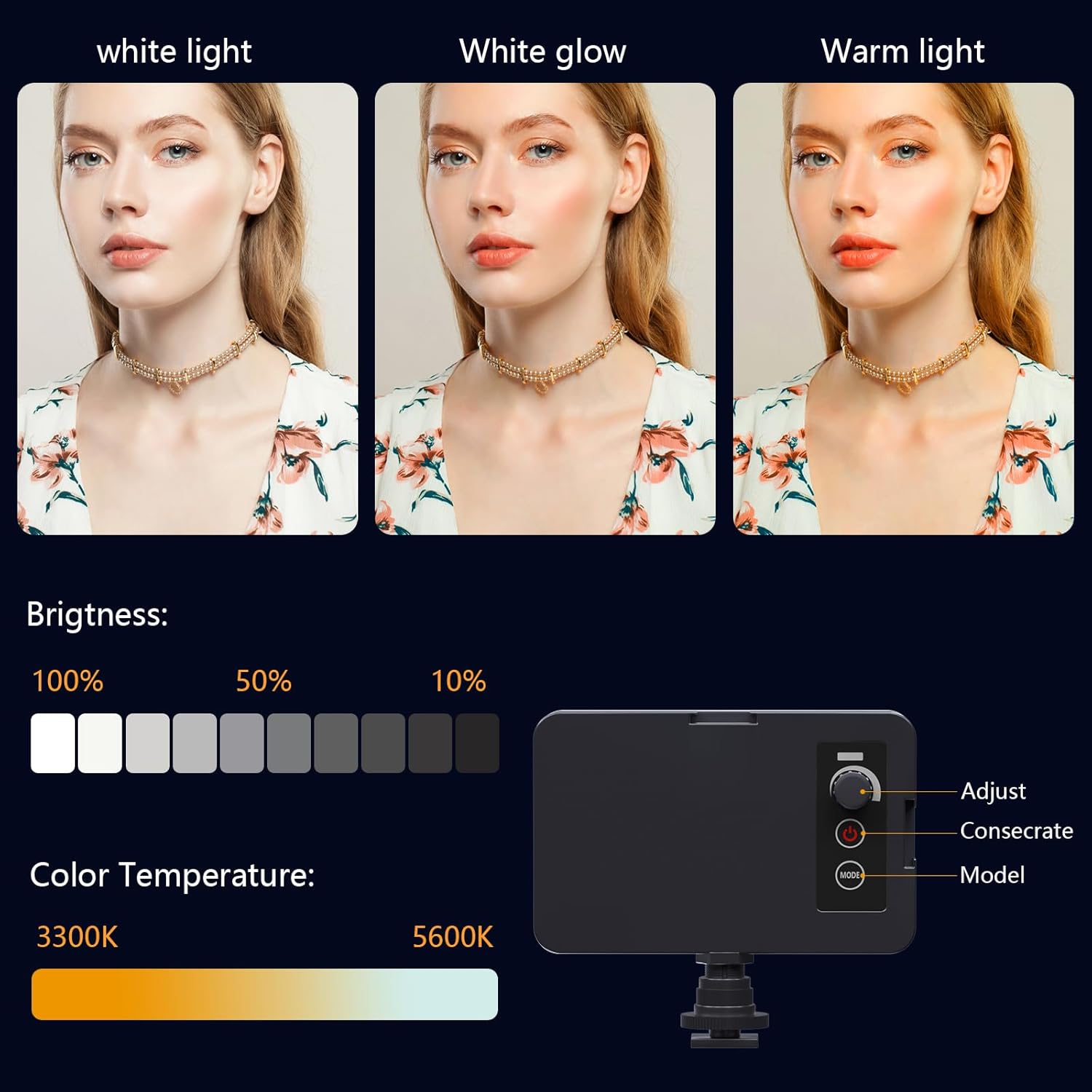
Image: The camcorder recording a 4K 60FPS video, with smaller inset images showing the effect of 18X, 16X, and 12X digital zoom on a subject.
5.3. Funkce zoomu
Use the zoom controls on the camera body or handheld stabilizer to adjust the 18X digital zoom.
5.4. Ovládání dotykové obrazovky
Navigate menus and settings directly on the 4.0-inch touchscreen. The screen can rotate 270 degrees for versatile shooting angles.
5.5. Nastavení nabídky
Press the Menu button to access various settings such as resolution, white balance, exposure, and metering mode. Use the control wheel or touchscreen to make selections.
5.6. Připojení k Wi-Fi a používání aplikací
Connect your smartphone to the camcorder via Wi-Fi to control it remotely and transfer files.
- Turn on Wi-Fi on the camcorder via the menu. The screen will display the Wi-Fi ID (e.g., 4K_WIFI) and password (e.g., 12345678), along with a QR code.
- Download the "IDC CAM" app by scanning the QR code or searching on your app store.
- On your smartphone, go to Wi-Fi settings and connect to the camcorder's Wi-Fi network using the provided password.
- Open the "IDC CAM" app. You can now view a live feed, control recording, and capture photos remotely.

Image: The camcorder's screen showing Wi-Fi ID, password, and a QR code for downloading the companion app, with smartphones connected via Wi-Fi in the background.
For a visual guide on Wi-Fi connection and app usage, watch this video:
Video: This video demonstrates how to connect the NPX108 digital video camera to Wi-Fi and use the companion app for remote control and file řízení.
5.7. WebFunkce vačky
The camcorder can be used as a webkamera pro videohovory a živé streamování.
- Connect the camcorder to your computer using the USB cable.
- On the camera's screen, select "PC CAM" mode.
- Váš počítač by nyní měl rozpoznat videokameru jako webvačka.
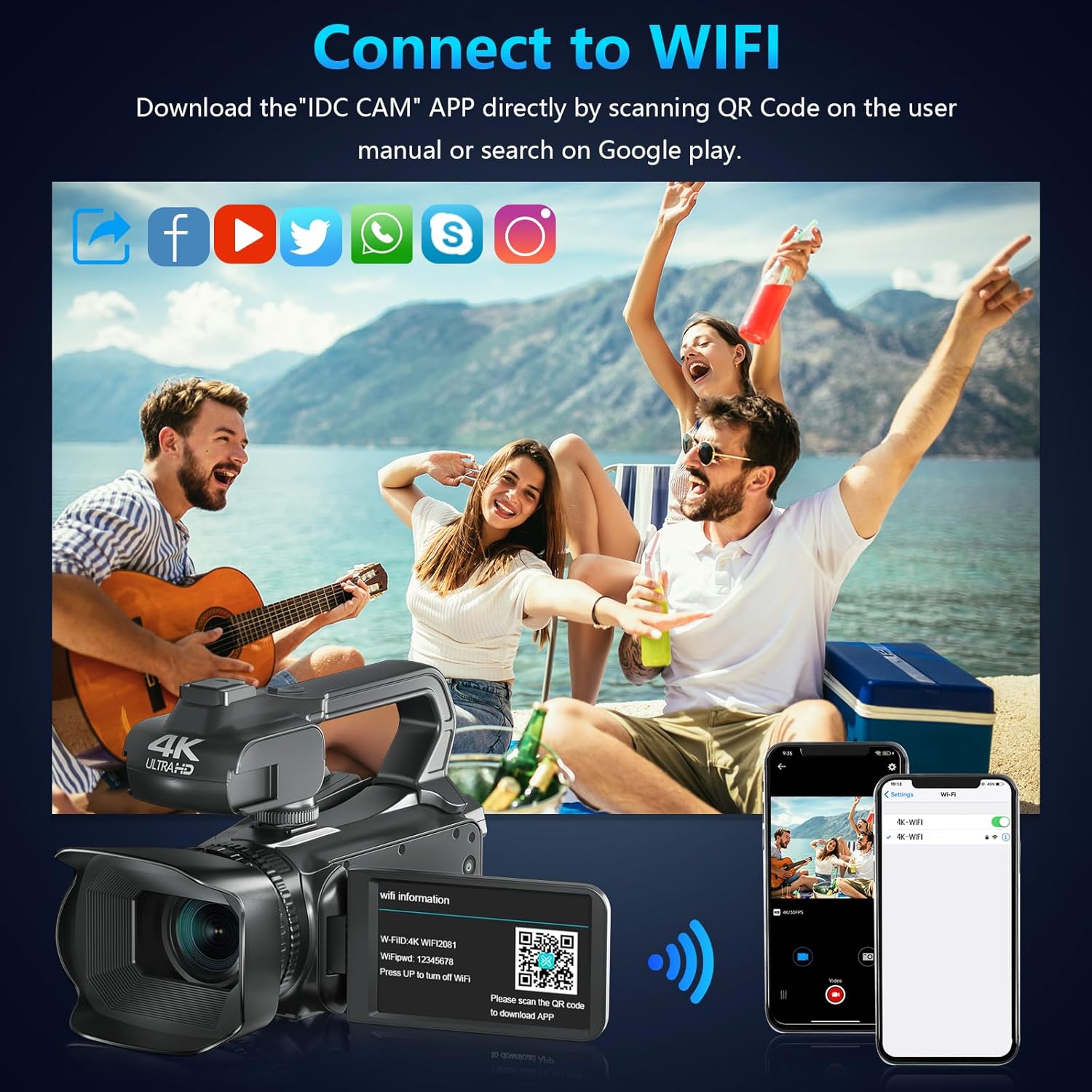
Image: The camcorder functioning as a webcam connected to a laptop, and also connected to a TV via HDMI for output.
5.8. HDMI výstup pro televizi
View your recorded videos and photos directly on a TV or monitor.
- Connect the camcorder to your TV using a mini HDMI cable (not included).
- Vyberte příslušný vstup HDMI na televizoru.
- The camera's display will now be mirrored on your TV.

Image: The camcorder connected to a laptop for live streaming (webcam mode) and to a TV via an HDMI cable for real-time viewobsahu.
5.9. Speciální funkce
- Nahrávání při nabíjení: Continue recording even when the battery is low by connecting the charger.
- Zpomalený pohyb: Capture dynamic scenes in slow motion.
- Časová prodleva: Record events over an extended period and condense them into a short video.
- Samospoušť: Set a delay before capturing a photo or starting a video.
- Anti-Shake: Digital image stabilization helps reduce blur from camera movement.
- Noční vidění: Capture clear footage za špatných světelných podmínek.

Image: A collage demonstrating various camcorder features: recording while charging, pause function, continuous shooting, and anti-shake stabilization.

Image: A sequence of three images illustrating the time-lapse recording feature, capturing the progression of a sunset over water.
6. Údržba
6.1. Čištění
- K čištění těla fotoaparátu použijte měkký, suchý hadřík.
- For the lens, use a lens cleaning cloth and specialized lens cleaning solution. Avoid touching the lens directly with your fingers.
- Clean the touchscreen with a microfiber cloth.
6.2. Skladování
- When not in use, store the camera in its protective bag in a cool, dry place.
- Nebudete-li fotoaparát delší dobu používat, vyjměte baterii.
7. Řešení problémů
| Problém | Možná příčina | Řešení |
|---|---|---|
| Fotoaparát se nezapne | Baterie je vybitá nebo nesprávně vložená. | Nabijte baterii nebo ji znovu správně vložte. |
| Nelze nahrávat video/fotit | SD karta je plná, není vložena nebo je poškozená. | Insert a new SD card, ensure it's properly inserted, or format the card (this will erase all data). |
| Poor video/image quality | Lens is dirty, insufficient lighting, or incorrect settings. | Clean the lens, use the fill light, or adjust exposure/white balance settings. |
| Problémy s připojením Wi-Fi | Incorrect password, app not installed, or distance too far. | Verify password, install "IDC CAM" app, ensure close proximity to camera. |
8. Specifikace
- Značka: VETEK
- Číslo modelu: NPX108
- Rozlišení záznamu videa: 4K (60 snímků za sekundu)
- Rozlišení obrázku: 64 MP
- Digitální zoom: 18X
- Velikost obrazovky: 4.0 Inches (270-degree rotating touchscreen)
- Konektivita: Wi-Fi, USB, HDMI
- Speciální vlastnosti: Auto Focus, Recording While Charging, Slow Motion, Time-Lapse, Webcam Function, Self-Timer, HD Output, External MIC Support, Handheld Stabilizer Support, Night Vision, Anti-Shake, Face Detection
- Baterie: 4500mAh lithium-polymerová baterie (součástí balení)
- Skladování: SD karta (64 GB součástí balení)
- Hmotnost položky: 3.56 libry
- Rozměry produktu: 6.7 x 3.8 x 3.9 palce
9. Záruka a podpora
VETEK products are designed for quality and reliability. For any issues or inquiries, please refer to the following:
- Zásady vrácení: All products are eligible for a free return within 30 days of purchase.
- Služby zákazníkům: VETEK offers 24-hour customer service. Please contact us for assistance.
- Plány ochrany: Extended protection plans are available for purchase (e.g., 2-Year Protection Plan, 3-Year Protection Plan, Complete Protect).

Image: The VETEK brand logo, representing quality and customer commitment.