
1. Úvod
The vretti BQ1 Bluetooth Label Printer is a compact, portable thermal label printer designed for various labeling needs in home, office, school, and small business environments. It connects wirelessly to your smartphone via Bluetooth, allowing for quick and easy label creation and printing through the dedicated "xeasy label" application.
This printer utilizes thermal printing technology, eliminating the need for ink or toner, which saves on replacement costs and maintenance. It supports label sizes from 25mm to 58mm, offering flexibility for printing address labels, price tags, food labels, clothing tags, barcodes, QR codes, and more.

Image 1.1: The vretti BQ1 Bluetooth Label Printer, highlighting its Bluetooth connectivity and compatibility with iOS and Android devices.
2. Nastavení
2.1 Obsah balení
Než začnete, ověřte si prosím, zda je v balení obsaženo vše:
- 1 x vretti BQ1 Label Printer
- 1 x Uživatelská příručka (tento dokument)
- 1 x 50x30mm Label Paper Roll (pre-installed inside the machine)
- 1 x USB nabíjecí kabel typu C
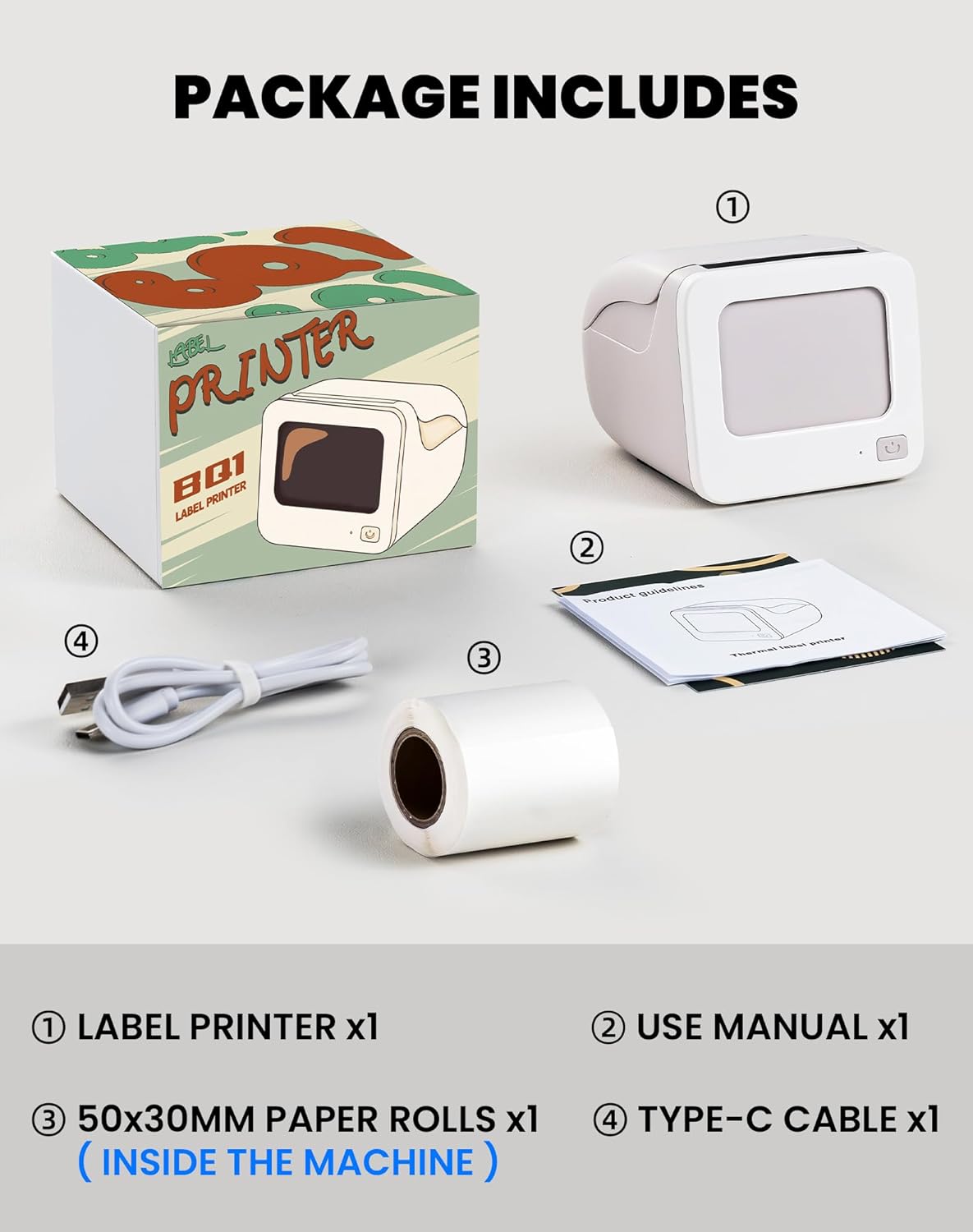
Image 2.1: Visual representation of the items included in the vretti BQ1 label printer package.
2.2 Vkládání štítků
The printer comes with a label roll pre-installed. If you need to replace or load a new roll:
- Opatrně otevřete kryt tiskárny.
- Insert the new label roll into the compartment, ensuring the labels feed out smoothly. The printable side of the label should face upwards.
- Pevně zavřete kryt tiskárny.

Image 2.2: Proper insertion of a label roll into the vretti BQ1 printer, demonstrating the supported label width range.
2.3 Instalace aplikace a připojení Bluetooth
To use your vretti BQ1 printer, you need to download and connect it via the "xeasy label" application.
- Stáhněte si aplikaci: Hledat "xeasy label" in your smartphone's app store (Google Play Store for Android or Apple App Store for iOS) and install it.
- Zapněte Bluetooth: Ujistěte se, že je na vašem smartphonu povoleno Bluetooth.
- Otevřete aplikaci a připojte se: Open the "xeasy label" app. The app will guide you to connect to your printer. Select "BQ1" from the list of available devices.
- Zapnutí: Stiskněte a podržte tlačítko napájení na tiskárně, dokud se nerozsvítí kontrolka.

Image 2.3: Step-by-step guide for downloading the "xeasy label" app, connecting to the printer via Bluetooth, and preparing to edit a label.
3. Návod k obsluze
3.1 Vytváření a tisk štítků
Once connected, the "xeasy label" app provides a user-friendly interface for designing and printing labels.
- Select a Template or Create New: The app offers a variety of pre-designed templates, fonts, icons, and frames. You can choose an existing template or start a new design.
- Customize Your Label: Edit text, add images, barcodes, QR codes, and adjust the layout to fit your needs. The app supports various customization options.
- Předview a tisknout: Před tiskem předview your label to ensure it looks as desired. Then, tap the print button in the app to send the design to your vretti BQ1 printer.
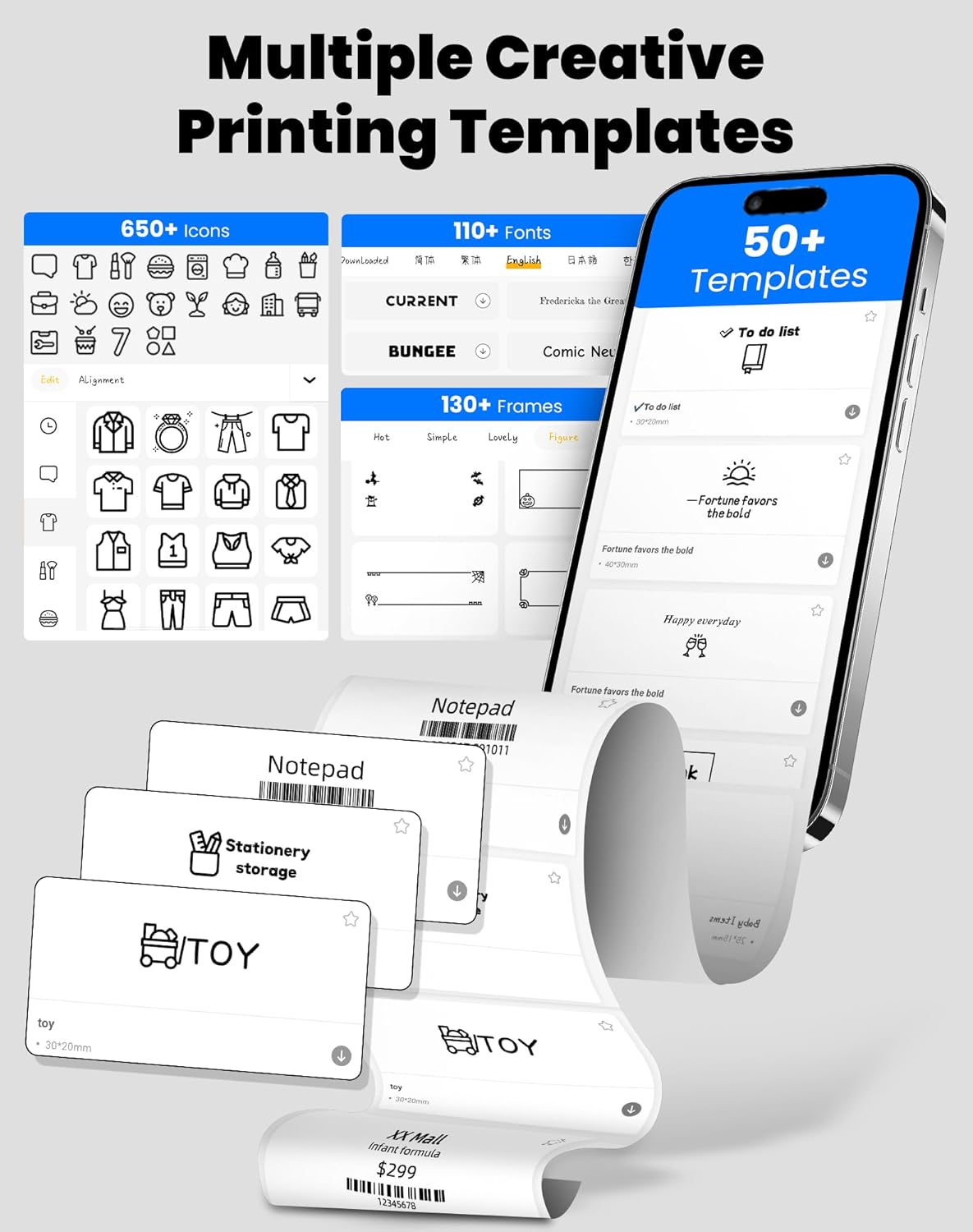
Image 3.1: The "xeasy label" app interface, showcasing a wide range of creative printing templates, icons, and fonts available for label design.

Obrázek 3.2: Konecview of the multi-functional applications within the "xeasy label" app, including support for barcodes, QR codes, images, various borders, font shapes, and hundreds of icons.
3.2 Common Label Applications
The vretti BQ1 printer is versatile and suitable for a wide range of applications:
- Domácí organizace: Label storage bins, pantry items, spice jars, and more.
- Kancelář a škola: Organizovat files, label stationery, create name tags, or mark assets.
- Maloobchod a malé firmy: Cena tisku tags, product labels, address labels for shipping, and inventory management labels.
- Osobní použití: Create decorative labels for gifts, DIY projects, or personal items.

Obrázek 3.3: Příkladamples of the vretti BQ1 printer's versatility, showing labels used for toy classification, light switches, to-do lists, clothing, and gifts.

Image 3.4: Demonstrations of common label types that can be printed, including address labels, price labels, food labels, and customizable DIY labels.
4. Údržba
4.1 Čištění tiskárny
To ensure optimal performance and print quality, regular cleaning is recommended:
- Vnější: Vnější povrch tiskárny otřete měkkým, suchým hadříkem. Nepoužívejte abrazivní čisticí prostředky ani rozpouštědla.
- tisková hlava: If print quality degrades, gently clean the thermal print head with an alcohol swab. Ensure the printer is turned off and cooled down before cleaning.
4.2 Skladování rolí s etiketami
Store label rolls in a cool, dry place away from direct sunlight and excessive heat to preserve their adhesive properties and print quality.
5. Řešení problémů
If you encounter issues with your vretti BQ1 printer, try the following steps:
- Tiskárna se nezapíná: Ensure the printer is charged. Connect it to a power source using the provided Type-C cable.
- Nelze se připojit přes Bluetooth:
- Ujistěte se, že je na vašem smartphonu povoleno Bluetooth.
- Ensure the printer is powered on and within range.
- Restartujte tiskárnu i chytrý telefon.
- Try reconnecting through the "xeasy label" app.
- Špatná kvalita tisku:
- Check if the label roll is inserted correctly and is not damaged.
- Vyčistěte termotiskovou hlavu podle pokynů v části Údržba.
- Ensure the label type is compatible with thermal printing.
- Štítky se nepodávají správně:
- Verify the label roll is properly seated and not jammed.
- Ensure the printer cover is fully closed.
Video 5.1: A general product overview video for the vretti BQ1 label printer, demonstrating its features and operation. If the video does not load, please ensure your browser supports HLS streaming.
6. Specifikace
| Značka | vretti |
| Název modelu | BQ1 |
| Technologie připojení | Bluetooth |
| Technologie tisku | Tepelný |
| Maximální velikost média | 58 mm (supports 25-58mm width) |
| Rozlišení tisku | 203 dpi (Monochrome) |
| Kompatibilní zařízení | Chytrý telefon (Android, iOS) |
| Zahrnuté komponenty | 1 Label Printer, 1 Label Roll (starter), 1 Type-C Cable |
| Rozměry produktu | 10.3 D x 10.4 Š x 8 V centimetrů |
| Speciální funkce | Elegant TV-like design |
7. Záruka a podpora
7.1 Informace o záruce
The vretti BQ1 Label Printer typically comes with a jednoletá záruka od data nákupu. Uschovejte si doklad o koupi pro případ reklamace. Záruka se vztahuje na výrobní vady, ale nevztahuje se na škody způsobené nesprávným použitím, nehodami nebo neoprávněnými úpravami.
7.2 Zákaznická podpora
For further assistance, technical support, or warranty inquiries, please refer to the official vretti website or contact their customer service through the contact information provided on their official channels. Ensure you have your product model number (BQ1) and purchase details ready when contacting support.