
Zavedení
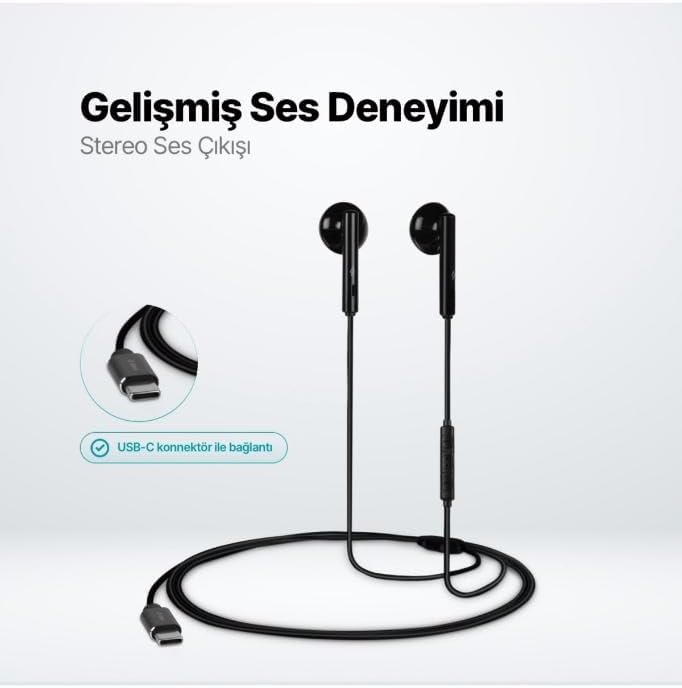
The TTEC Rio 2 Stereo USB-C Headset with Microphone is designed to provide a high-quality audio experience for music and calls. Its comfortable, lightweight design ensures a perfect fit and effective ambient noise isolation, allowing for hands-free communication and entertainment.
Klíčové vlastnosti:
- Advanced stereo sound output for an immersive audio experience.
- Integrated microphone for clear phone calls.
- Smart inline controller for easy management of volume, calls, and music playback.
- Lightweight and ergonomic design for extended comfort.
- Universal USB-C connection.
Nastavení
To begin using your TTEC Rio 2 headset, follow these simple steps:
- Připojení headsetu: Locate the USB-C port on your device (smartphone, tablet, laptop, etc.). Insert the USB-C connector of the TTEC Rio 2 headset firmly into the device's USB-C port.
- Rozpoznávání zařízení: Your device should automatically recognize the headset. If prompted, select the TTEC Rio 2 as the audio output and input device.
- Upravit Fit: Place the earbuds comfortably in your ears. The ergonomic design ensures a snug fit for optimal sound quality and noise isolation.
Návod k obsluze
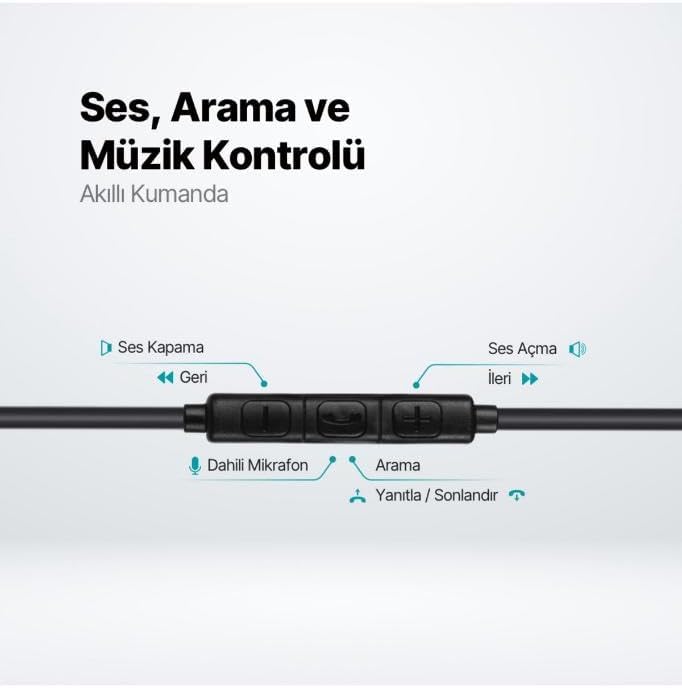
The TTEC Rio 2 headset features an inline smart controller for convenient management of your audio and calls.
Inline Controller Functions:
- Zvýšení hlasitosti (+): Stisknutím zvýšíte hlasitost zvuku.
- Snížit hlasitost (-): Stisknutím snížíte hlasitost zvuku.
- Play/Pause/Answer/End Call (Center Button):
- Single press to play or pause music.
- Jedno stisknutí pro přijetí příchozího hovoru.
- Jedním stisknutím ukončíte aktivní hovor.
- Dlouhým stisknutím odmítnete příchozí hovor.
- Next Track (Forward Button): Stisknutím přeskočíte na další skladbu.
- Previous Track (Backward Button): Press to go back to the beginning of the current song or to the previous song.
- Vestavěný mikrofon: Located on the inline controller, it captures your voice for calls and voice commands.
Údržba
Proper care will extend the life and performance of your TTEC Rio 2 headset.
- Čištění: Jemně otřete sluchátka a kabel měkkým, suchým hadříkem. Nepoužívejte agresivní chemikálie ani abrazivní materiály.
- Skladování: When not in use, store the headset in a clean, dry place. Avoid extreme temperatures. The included cable organizer clip can help prevent tangling.
- Vyhněte se vlhkosti: Nevystavujte sluchátka vodě ani nadměrné vlhkosti.
- Zacházejte opatrně: Avoid pulling on the cable or applying excessive force to the connectors.

Odstraňování problémů
If you encounter issues with your TTEC Rio 2 headset, refer to the following common solutions:
| Problém | Možné řešení |
|---|---|
| Žádný zvuk z náhlavní soupravy. |
|
| Mikrofon nefunguje. |
|
| Kvalita zvuku je špatná nebo zkreslená. |
|
| Syčivý nebo statický šum. |
|
Specifikace
| Funkce | Detail |
|---|---|
| Značka | TTEC |
| Číslo modelu | 2KMM14S |
| Konektivita | USB-C |
| Sluchátka Form Factor | In-Ear |
| Umístění uší | In-Ear |
| Mikrofon | Vestavěný |
| Rozměry balení | 19.8 x 8.5 x 3.1 cm |
| Hmotnost položky | 40 gramů |
| ASIN | B0D3XJ5SP7 |
Záruka a podpora
For warranty information and customer support, please refer to the documentation included with your purchase or visit the official TTEC webUschovejte si doklad o koupi pro případné reklamace.