
BONTEC MG400-FBA
Návod k obsluze nástěnného držáku na televizi BONTEC
Model: MG400-FBA
Značka: BONTEC
1. Úvod
Thank you for choosing the BONTEC TV Wall Mount. This manual provides detailed instructions for the safe and proper installation, operation, and maintenance of your new TV wall mount. Please read this manual thoroughly before installation and keep it for future reference.

Image 1.1: The BONTEC TV Wall Mount, designed for secure and flexible TV placement.
2. Bezpečnostní informace
Please observe the following safety precautions to prevent personal injury or property damage:
- Nosnost: Do not exceed the maximum load capacity of 45 kg (99 lbs). Overloading can result in serious injury or damage.
- Velikost obrazovky: This mount is designed for 26-65 inch screens. Ensure your TV falls within this range.
- Kompatibilita VESA: Verify your TV's VESA pattern (100x100mm to 400x400mm) matches the mount's compatibility.
- Typ stěny: This mount is intended for installation on solid concrete walls, brick walls, or wood studs. NEMONTUJTE POUZE NA SÁDROKARON.
- Profesionální instalace: Pokud si nejste jisti postupem instalace nebo typem zdi, poraďte se s kvalifikovaným odborníkem.
- Pravidelné kontroly: Pravidelně kontrolujte všechny šrouby a spoje, abyste se ujistili, že jsou bezpečně utažené.

Image 2.1: Illustration of compatible wall types: concrete, wood studs, and brick. A warning indicates not to mount on drywall alone.
3. Obsah balení
Before beginning installation, please verify that all components are present and undamaged. If any parts are missing or damaged, contact customer support.
- Montáž nástěnného držáku televizoru
- Sada montážního materiálu (různé šrouby, hmoždinky, podložky)
- Kabel HDMI 1.8m
- Kabelové spojky 5
- Vodováha
- Návod k použití

Image 3.1: Accessories included with the BONTEC TV Wall Mount, such as the spirit level, HDMI cable, and cable ties.
4. Nastavení a instalace
4.1 Před instalací
Before mounting, ensure your television is compatible with this wall mount. Check your TV's screen size and VESA mounting pattern.
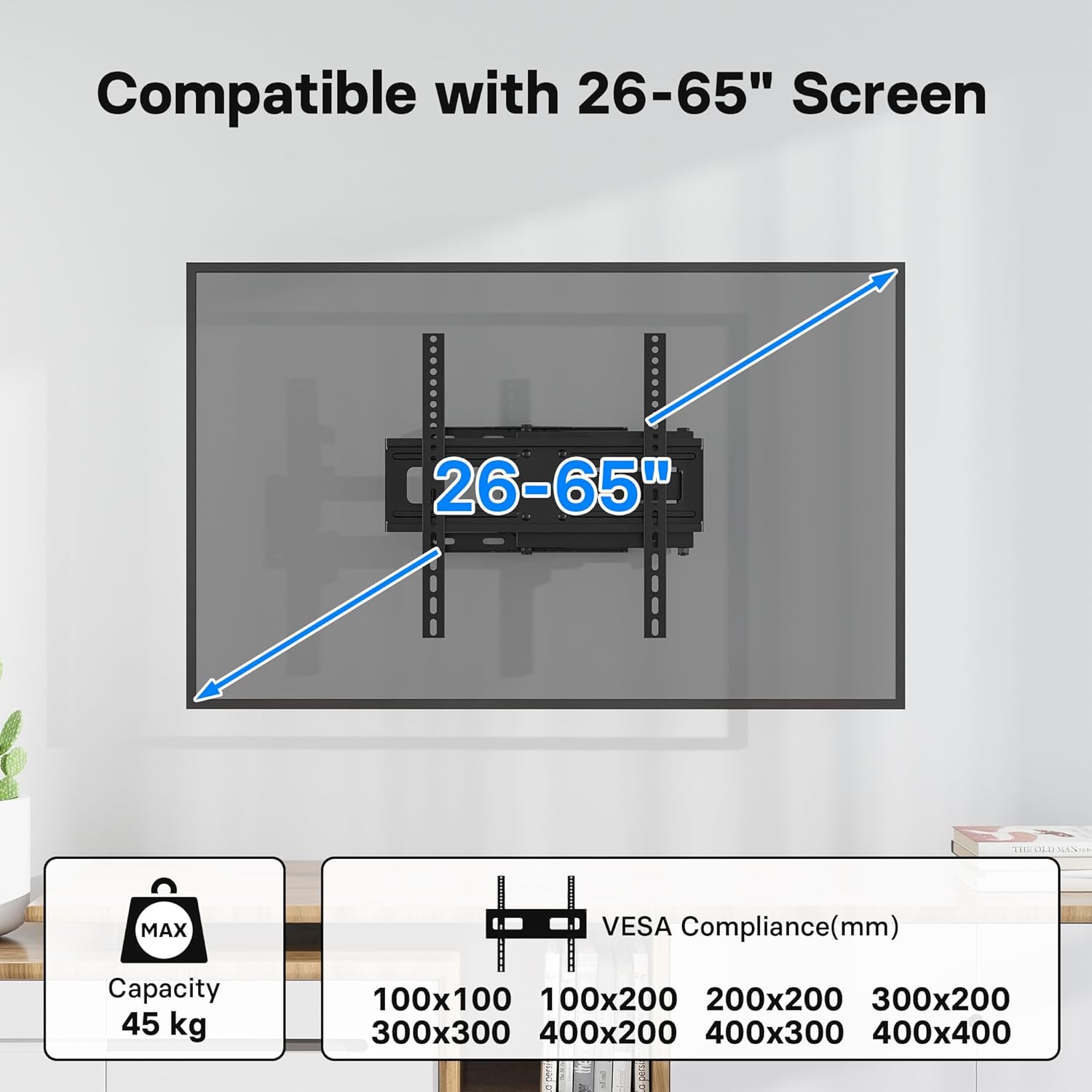
Image 4.1: Compatibility details showing support for 26-65 inch screens and various VESA patterns (100x100 to 400x400mm), with a maximum capacity of 45 kg.
4.2 kroky instalace
Follow these steps for a secure and easy installation. The process typically takes about 15 minutes.
- Vyhledejte montážní polohu: Determine the desired height and position for your TV. Use the included spirit level to ensure the wall plate is perfectly horizontal.
- Vrtací pilotní otvory: Mark the drilling points through the wall plate. Drill pilot holes according to the recommended drill bit size for your wall type.
- Připevnění nástěnné desky: Secure the wall plate to the wall using the appropriate screws and anchors from the hardware kit. Ensure it is firmly attached.
- Připevnění držáků televizoru: Fasten the two vertical TV brackets to the back of your television using the correct VESA screws and spacers.
- Hang TV on Mount: Carefully lift the TV with the attached brackets and hook them onto the wall mount arm. Ensure the TV is securely seated.
- Zabezpečená televize: Tighten any safety screws or locking mechanisms on the brackets to prevent the TV from accidentally lifting off the mount.

Image 4.2: Visual representation of the easy installation process, showing the TV being attached to the pre-mounted arm.
Note: No official product videos with 'Seller' as creator type were available in the provided data to embed in this manual.
5. Provoz
5.1 Adjusting the TV Mount
This BONTEC TV mount offers flexible viewing angles to enhance your experience:
- Náklon: Adjust the screen tilt from +5° to -10° to reduce glare and optimize viewIng.
- Otočný: Swivel the TV up to ±90° (left/right) to view from different seating positions or rooms.
- Úprava úrovně: Fine-tune the horizontal level by ±3° after installation for a perfectly straight screen.
- Rozšíření: The articulated arm allows the TV to extend from a minimum of 80mm (3.1 inches) from the wall to a maximum of 500mm (19.7 inches).

Image 5.1: Demonstrates the flexible viewing angles, including ±90° swivel, +5°/-10° tilt, and ±3° level adjustment.

Image 5.2: Shows the mount's extension capability, from a minimum of 80mm to a maximum of 500mm from the wall.
The mount's design also makes it ideal for corner wall mounting, optimizing space in various room layouts.
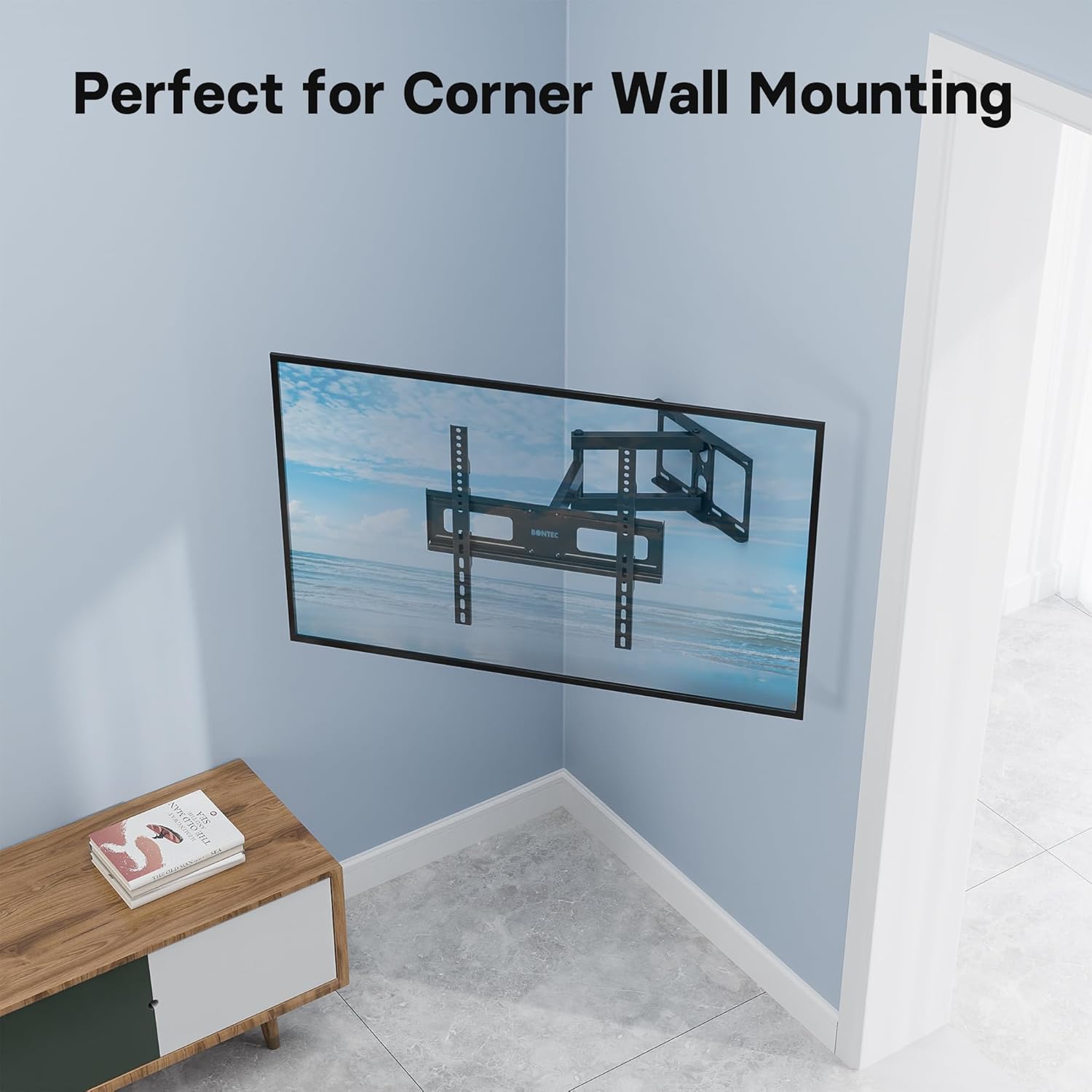
Image 5.3: The mount's design allows for effective corner wall installation, saving space.
6. Údržba
Abyste zajistili dlouhou životnost a bezpečný provoz nástěnného držáku televizoru, dodržujte tyto pokyny pro údržbu:
- Regular Screw Checks: Periodically (e.g., every 6 months) check all mounting screws and bolts to ensure they are tight and secure. Vibrations or movement can sometimes loosen connections over time.
- Čištění: Držák čistěte měkkým, suchým hadříkem. Nepoužívejte abrazivní čisticí prostředky ani rozpouštědla, protože by mohly poškodit povrchovou úpravu.
- Mazání: If the articulating arms become stiff over time, a small amount of silicone-based lubricant can be applied to the pivot points. Do not use oil-based lubricants.
- Vyhněte se přetížení: Never exceed the specified weight capacity of 45 kg.
7. Řešení problémů
If you encounter any issues with your BONTEC TV wall mount, refer to the following common problems and solutions:
- Televizor není vodorovně umístěn: Use the ±3° level adjustment feature to fine-tune the horizontal position. Ensure the wall plate was installed level using the spirit level.
- Držák se zdá být uvolněný: Immediately check all wall mounting screws and TV bracket screws. Tighten any loose connections. If the issue persists, re-evaluate your wall type and consider professional assistance.
- Difficulty moving the arm/TV: Ensure no cables are snagged or obstructing movement. Check if any pivot points require lubrication (refer to Maintenance section). Do not force movement.
- Chybějící části: Refer to the Package Contents section. If parts are missing upon unboxing, contact BONTEC customer support immediately.
8. Specifikace
| Funkce | Specifikace |
|---|---|
| Značka | BONTEC |
| Číslo modelu | MG400-FBA |
| Kompatibilní zařízení | Television (LED, LCD, OLED flat and curved screens) |
| Kompatibilita velikosti obrazovky | 26 - 65 palce |
| Kompatibilita VESA (mm) | 100x100, 100x200, 200x200, 300x200, 300x300, 400x200, 400x300, 400x400 |
| Maximální nosnost | 45 kg (99 lb) |
| Úhel náklonu | +5° / -10° |
| Úhel otočení | ±90° |
| Nastavení úrovně | ±3° |
| Prodloužení od zdi | 80 mm (min) až 500 mm (max) |
| Materiál | Metal (Thick Steel) |
| Barva | Černý |
9. Záruka a podpora
BONTEC products are manufactured to high-quality standards. For information regarding warranty coverage, technical support, or replacement parts, please refer to the warranty card included with your product or visit the official BONTEC website. Please have your model number (MG400-FBA) ready when contacting support.
Regularly checking the screws and avoiding overloading will help prolong the lifespan of your TV wall mount.
Ask a question about this manual
Ask about setup, troubleshooting, compatibility, parts, safety, or missing instructions. Manuals+ will review the question and use this page’s manual context to help answer it.